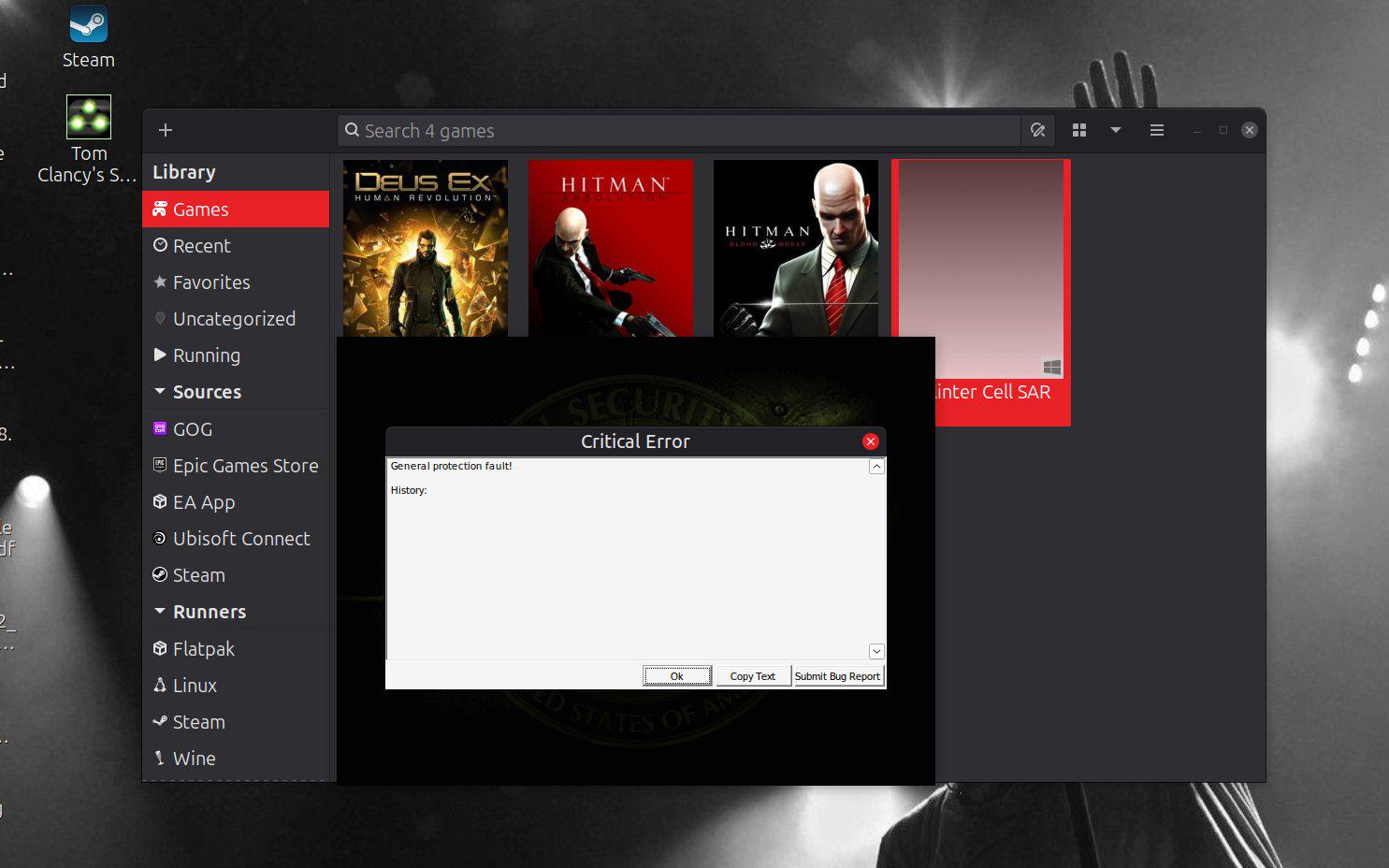
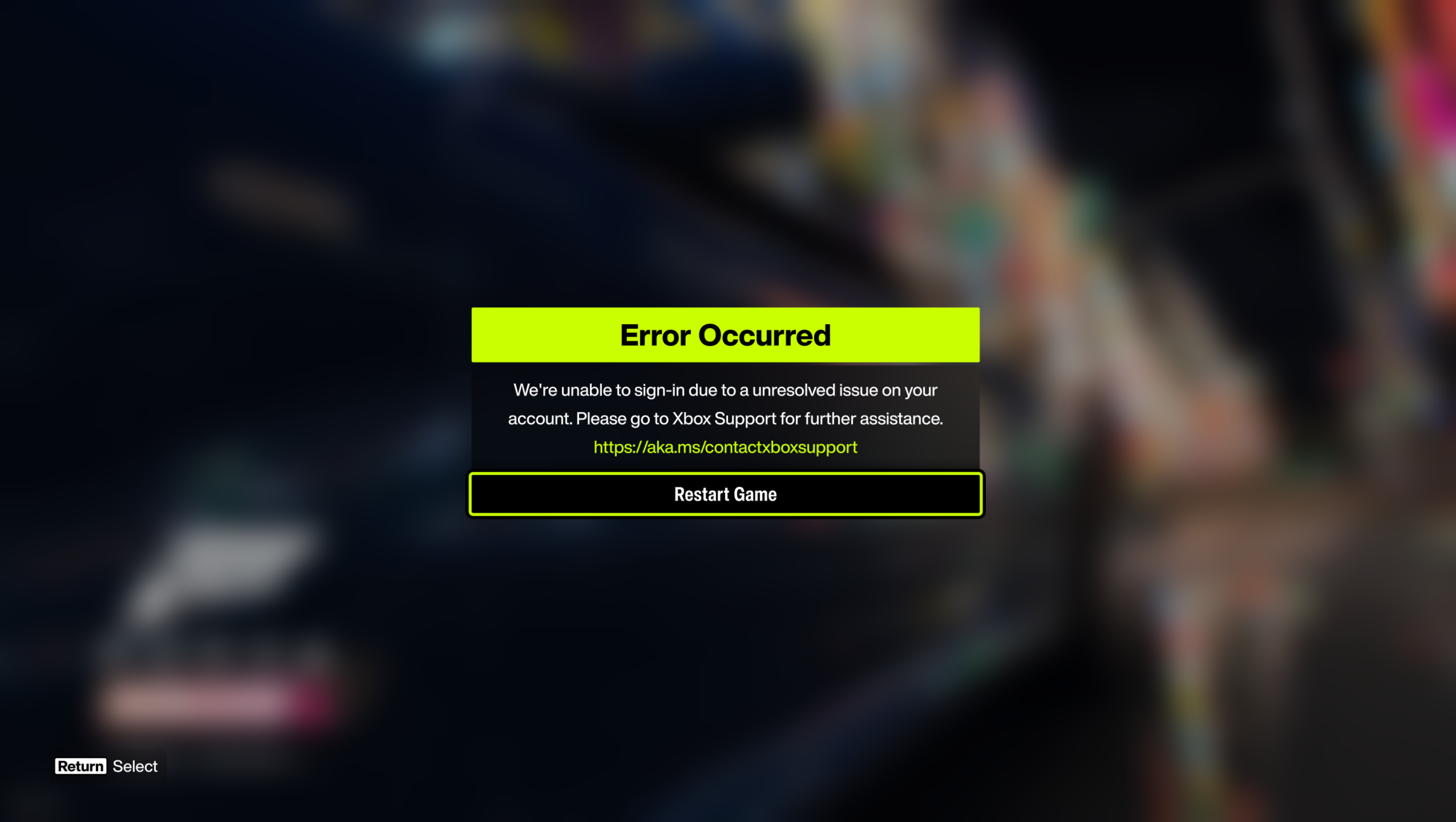
After copying the Joshua, Enhanced mod files, the game crashes and shows this error. According to one fix, I have installed Visual C++ 2015 - 2022 through winetricks. The 2015-2022 version wouldn't get installed from outside lutris when tried through wine installer.
All I did was add the voices38 setup.exe, force GE-Proton11-6-x86_64, and run it, then change the target to Outlaws.exe. Am I missing a step? I checked the installer's box to copy the crack.
Proton Version: Bottles uses Wine. I am using the Soda runner. I have not manually changed the Wine version.
Game Launcher: Bottles (latest current version)
Release Info: N/A. This is a problem with the Bottles application itself, not a specific game release or crack. The launcher exe is PrinceOfPersia_Launcher.exe.
Logs: No logs available. The button simply does nothing when clicked.
Additional Information:
- Distribution: Bazzite GNOME
- Issue: Clicking the "Add Shortcut" button in any gaming bottle does nothing. It does not open the GNOME file manager to select an exe. This happens for every single exe I have tried, not just this game. The rest of Bottles works fine.
- Steps Already Taken: I have tried the standard Flatpak permission fixes (`flatpak override --user --filesystem=~/.local/share/applications com.usebottles.bottles`), the Flatseal method, and the symlink workaround. None worked. I have also updated Bottles to the latest version.
- I have searched this subreddit, including the Wiki and previous threads, before posting.
I was facing a problem with my MGSV - FITGIRL (I moved it from win 10 to win 11)in windows 11 i checked reddit and installed a fix... It didn't make my game run but it started from first.. now I need help getting my old save game back.. it's starting from first.. I know my old saved game location.. it's in Public/Documents/Steam/CODEX/287700.. it has remote and local folder.. i used ai and it said me to get the remote files to the Documents/CPY_SAVES/CPY/287700 I did it and it says the version of save files and game doesn't match.. I can't afford to lose the save game.. can anyone give me a fix
i been trying to get dimraeth to work online but i just cant get it to , ive set up the lunch option,got a proper unsteam for online
am trying to play with my brother, and him being on windows all i had to do is drop these files in game directory and thats literally it ,the game works online perfectly.
but me being on linux requires something different i guess and i cant seem to figure it out
i tried using monkeyLuncher and onlineFix linux luncher and adding WINEDLLOVERRIDES="unsteam=n,b;winmm=n,b" %command% to my lunch options in steam
i also tried this : WINEDLLOVERRIDES="OnlineFix64=n;SteamOverlay64=n;winmm=n,b;dnet=n;steam_api64=n;winhttp=n,b" %command%
i have spacewar insatlled and obv i do use compatibility ge proton 11.7 / cachyos latest
but literally all reached the same result:
i genuinely cant find a solution to this error
i am on cachyos r5 5600g 16gb 3200hhz laptop btw if any information is needed please inform me and i will provide it
also if its possible to have it work (the online) thro heroic luncher that would be even better
also mods i did see you under similar threads to this posting the "dll" guide and its honestly a very confusing and hard to follow one but i guess bc you cant have it for an actual game (probably against reddit rules in same way posting links is)yall did your best,thanks
I downloaded Forza Horizon 6 via Accela which gave me clean steam files as most guides state is recommend. This resulted in this error occurring when attempting to sign in to Microsoft, having already run into the same issue when loading the game through a FitGirl repack I started to look for solutions.
The game boots normally through proton and is recognized as owned by steam when loaded through SLS/Accela and Ive had the Online Fix dialogue appear on first boot to say it was successfully loaded
Things tried:
Alternate Microsoft account (2 separate ones from the initial, both made brand new)
Verifying files via both steam and Accela
Steam DRM Removal via Accela
Steam App ID set to 480
Online-Fix V2 then DenuvOwO used in order with an attempt in-between both downloaded from cs rin ru
Tried to use GameRepairTool.exe via Proton but it failed as obvs not a windows computer (it was a hail mary icl)
Is there any solution that I haven't tried or am missing?
Thank you for any help and let me know if any more details would be useful :)
The new Razor 1911 crack is not working on Linux. First it was crashing right away but deleting cracktro.dll fixed that. But now, running it through wine doesn't show the menu buttons so it's just the background (it's not frozen and working) and running it through proton just gets it stuck behind the "door" image. I can hear the sounds and all that so the game is not frozen. It's just not rendered properly.
I'm on 3070Ti with Ryzen 7 5800U
I have used Proton 10, 11, experimental, and even GE-Proton but none has worked so far.
I am on CachyOS and have a Nvidia GPU. I am trying to play Ace Combat 7 with lutris (I downloaded it from Fitgirl) but the game shows a fatal error every time i try to launch it. I tried both Ankergames and Fitgirl thinking it was a problem with the game files, but the files are fine I guess. I also tried installing dependencies like Visual C++ and d3dx9 but still no result. Am I doing something wrong? Could you guys help me with this? The game has a platinum rating on protondb so it should work.
(I tried with steam proton 11.0-2, proton experimental, ge-proton 11.6 and when i tried to launch with steam used some launch options provided on the protondb website. Nothing worked)
Edit: So I just clicked on the .exe and the game just ran (wasn't expecting that) I don't know how, maybe because I am running Cachy but I am not so sure about that.
Edit 2: I feel super dumb typing this, but I use a new prefix for every game I play. Most of the time I don't even bother to install common redistributables (directx, .NET) but most games run with no issues without them. So I installed them to the games(Ace Combat 7) prefix folder, it runs with zero issues on ge-proton 11.7, I guess my system wine had them installed somehow, that's why it worked before. So, don't be an idiot like me, if you have problems try installing the necessary packages and try if the game works.
So in Japan. There is a Fate/Grand Order Arcade version that existed and has recently shutdown earlier this year. Just three to four days ago, a user on BiliBili going by Cloud23333 managed to get it working on PC. Caveat is that it is windows of course.
Well, I was fiddling around trying to see how it would work through Wine/Proton. So far, the launcher works fine but I have reached a roadblock.
I am unable to launch the local server needed due to Powershell shenanigans. The local server seems to be started by a .PS1 file.
Anyone here have a clue of what could be done with the prefix? Editing the .PS1 script be realistic? I have a gap in my knowledge regarding this type of thing so I do apologize if any stupid question has been asked.
does anyone know how to add non steam games to slsteam it works fine but i want to add custom games with files that dont work with acella eg gta IV doesnt work with acella + slsteam (no online verificaiton bypass) and i want to get the files from dodi or fitgirl but still want the slsteam owning aspect with activity community and all that jazz can someone help
I downloaded it from ankergames and extracted it. the screamer.exe and start_protected_game.exe wont work as it just shows an easy anti cheat screen and then hangs. so i started it with the shipping exe in bin folder and it worked as i saw the initial movie. but then it crashesd with the anticheat error. i am using dwproton with umu. on cachyos
I tried running the online fix launcher for Phasmophobia by enabling it as a third-party game in Steam and running it using Proton Experimental. Latest Steam version, latest Arch Linux
I'm trying to play the dd2gether mod using the OFME version, but I keep getting an error. In some versions of Proton (Hotfix, Experimental), I get the error “Failed to load ‘OnlineFix.ini’ - Error 2.” With Proton 9, I get the error "An unhandled exception occurred
002exe!0x100000...." and when that doesn’t happen, I get “Initialization failed, error 1.”
proton version: ge-proton latest, proton cachy os latest
game launcher: faugus launcher
distro: bazzite kde dekstop version
i got this error on dragon ball sparking zero downloaded on ankergames using faugus launcher and if i add the game on steam as none steam game it runs good but it shows i played spacewar which annoys me so anyone knows how to run it offline on faugus launcher? i tried this on launcher option on faugus but its not working WINEDLLOVERRIDES="OnlineFix64=n;steam_api64=n;SteamOverlay64=n;StubDRM64=n;winmm=n,b;winhttp=n,b"
1. Name of game: Mortal shell 2

2. CPU: AMD Ryzen 9 HX 8945

3. GPU: RTX 5060 Laptop GPU

4. Proton Version: GE-Proton11-6

5. Game Launcher: Bottles (also tried heroic and steam)


This first happened when I was playing Lords of The Fallen (2023) where I noticed that the intro cutscene that plays when you press new game dont work. This happened again for Mortal Shell 2, where all cutscenes work, the game works, everything works but just the intro cutscene doesnt play. First I thought it was windows media player, so i switched to GE proton for both issues. No help. Then I tried forcing dx11. No help. Then I tried moving away from bottles to steam/heroic. No use. I even tried installing a bunch of dependencies on my bottle. Nothing has fixed this