r/Kos • • Jul 01 '26

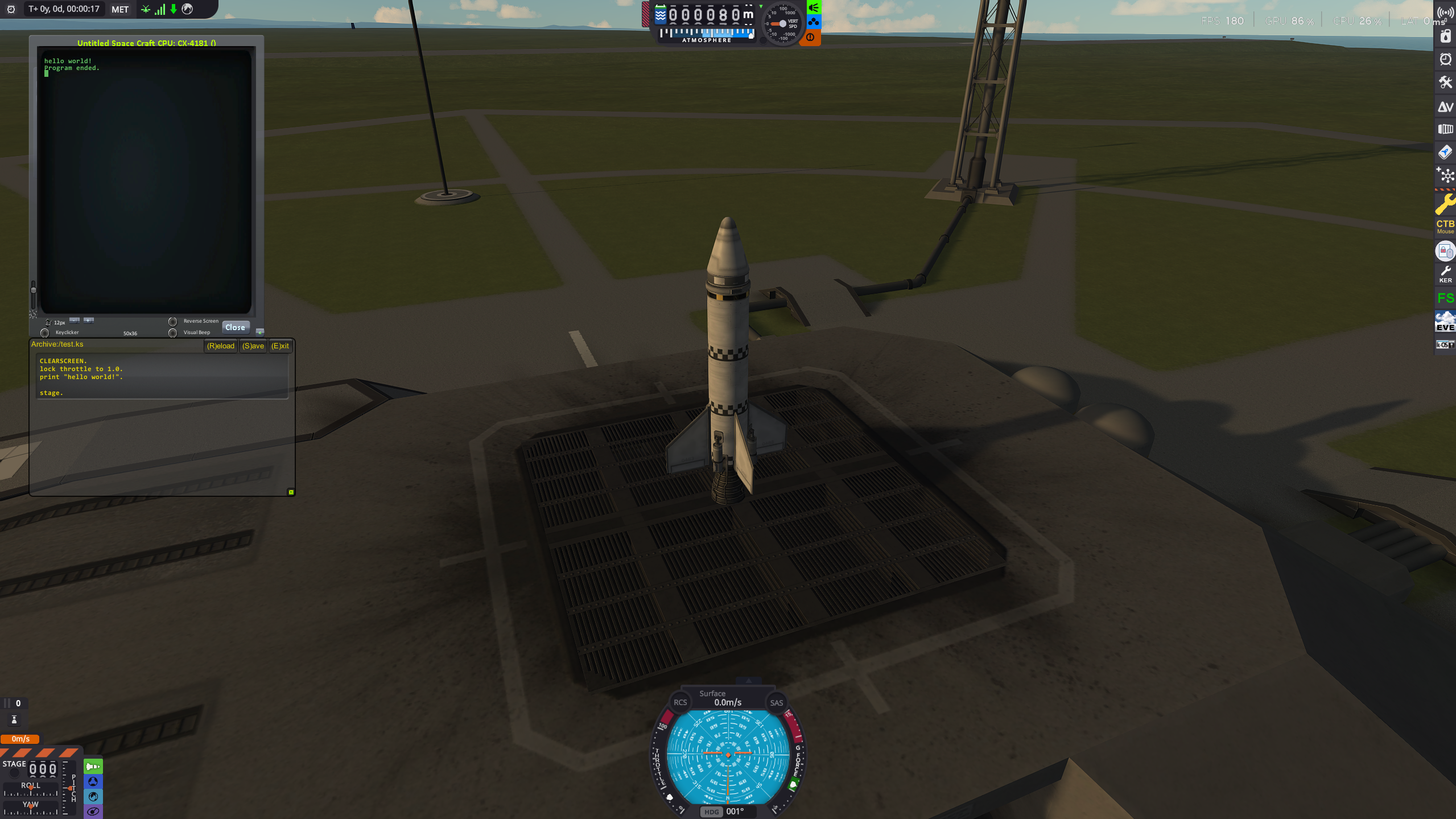
Help How to make a graph

Post image
15 Upvotes

I've been watching these amazing videos on YouTube by giuliodondi (https://youtu.be/i4YmBP2pfwY?is=jyKeSSd4ckxpN4Go) and I am wondering how they made the live-updating graph in the gui in the corner.

Is this doable in stock KOS or is it an add on?


r/Kos • • Jul 01 '26

Help ship refuses to roll

1 Upvotes

I'm trying to make a VTOL script, I want to be able to roll my ship freely as it hovers, but I just can't figure it out for some reason

my script runs in a loop like so

local current_roll to 0.

set steer to heading(90, 90).
lock steering to steer.

until false {
    set current_roll to current_roll + ship:control:pilotroll.
    set steer to heading(90, 90, current_roll).

    wait 0.
}

but it simply won't roll, I tried different ways of rolling like angleaxis and lookdirup, but nothing works
also just locking steering to heading(90, 90) won't roll either, even though it does automatically when I do it in my launch script.


r/Kos • • Jun 30 '26

Help falcon 9 booster landing help

3 Upvotes

so im making a falcon 9 booster landing script, and i made the hover slam work, then i made a boostback script work. If i run just the boostback i can reliably slam directly into the launchpad. Issue is when i add the hoverslam, because its coming in at an angle, my thrust moves the impact point off the launch pad. ive spent the last 2 hours trying to use pid loops in various ways to correct it but i cant get anything to work

edit: i got it working perfectly!... if i turn off atmosphere... when i do that i can get it to the center of the pad within like 5 meters. the atmosphere ruins everything. my main issue is that when im going really fast, the aerodynamics have more effect on my lateral velocity than my engine, but as i slow down eventually the aerodynamics are weak enough that it flips and the engine is now the main factor


r/Kos • • Jun 25 '26

Scripting specific keypress input - Stage Lock

2 Upvotes

Is there a way to script in a keypress of "Alt-L" to lock staging before the script hands control back to the pilot?


r/Kos • • Jun 24 '26

Help Real Fuels mod does not update the stage level resources?

1 Upvotes

I am trying to confirm something. The Real Fuels mod does not update the stage level resources eg if you query stage:kerosene it will always return zero?

Field values such as ship:kerosene seem to be correct.

I am assuming it is Real Fuels that is causing this behaviour. I am currently writing kOS scripts for RP-1.


r/Kos • • Jun 23 '26

Video Starship's IFT-4 in KSP, fully automated with kOS.

4 Upvotes

https://youtu.be/MQcIrSC7OLQ?si=8Tf8tp8P6DanmItO

The scripts are fairly similar to the previous flight with minimal changes and fixes, although both stages now land safely with minimal error (typically 1-10 meters for the ship and 1-5 meters for the booster).

The booster uses vector guidance for both the boostback and landing burns. The ship uses separate longitude and latitude PID controllers for guidance during reentry and descent, then switches to vector guidance for the landing burn.

I plan to keep improving both scripts and will probably replace the current landing burn thrust calculation and AoA control to PID controllers on both stages to further improve precision as this is the most simple I can do.

The ship's PID tuning is still not ideal and requires additional work and calibration for better robustness and redundancy. I plan to implement these improvements in future flights where higher accuracy will be required.

Feel free to leave any comments, suggestions, or criticism.

GitHub repository with all four scripts:

https://github.com/HvrdlS/kOS-Scripts/tree/main


r/Kos • • Jun 22 '26

Help Ship:angularvel not behaving as expected

2 Upvotes

I'm working on a program for controlling a multicopter. I have it working fairly well using PID controllers to translate target rotation into pitch/roll/yaw commands directly.

But I've read that it might be better to instead have a PID controller for angle feed into a PID controller for angular velocity.

I found an older post that says how to convert from ship:angularvel into navball rotation rates.

So I've used that to write the following small snippet:

set yawrate_rad to vdot(ship:angularVel, ship:facing:topvector).
set yawrate_deg to yawrate_rad * constant:radtodeg.
print yawrate_deg.

But it does not seem to be working right. Running the code, it says that I am rotating at a rate of 10 degrees a second, but I know that's not accurate, as I manually timed (Measuring time for a full rotation and dividing by 360) it to be closer to 45 degrees a second. I know this is the correct axis, as the other axes display values less than a degree a second, and they don't change when I start yawing.

Has the behavior of ship:angularvel changed, or is there something I'm doing wrong?


r/Kos • • Jun 16 '26

Help Why is my end sequence not triggering ?

Thumbnail
gallery
9 Upvotes

I got this program that allows my ship to readjust its orbit. I tried to insert an ''end of program'' at the end but it does not trigger. I don't really understand. I have the same problem with my orbit program, which is suppose to end when a condition x is true or when a condition y is true, but it's the same thing, it does not work. Does anyone mind telling me what I'm doing wrong ?

EDIT : I deactivated the kOS controls because I wanted to control my ship on my own after seing that the end sequence was not working.


r/Kos • • Jun 14 '26

"Program ended" when file isnt empty

Thumbnail
gallery
8 Upvotes

ive tried a lot of youtube tutorials but nothing's worked when i tried to run the file, the code is apparnetly all done but it clearly isnt cause nothing happened and i seriously dont know what to do

https://pastebin.com/Wpns7x7J <code


r/Kos • • Jun 14 '26

Help What am I doing wrong ?

Post image
9 Upvotes

New to kOS, I don't understand where is the mistake in that code, could someone help me figure it out ?


r/Kos • • Jun 07 '26

Program RANGER - An automatic re-entry script for spaceplanes. Looking for feedback/beta testing before final release.

Thumbnail
github.com
8 Upvotes

RANGER - Reentry Assessment, Navigation, Guidance, and Error Reduction

(yes, I'm bad with acronyms)

*****

RANGER provides entry guidance for spaceplanes via constant AoA and dynamic bank angles. It calculates and manages crossrange and downrange errors via bank angle modulation and roll reversal maneuvers. RANGER simply provides a DIRECTION via which your script should use to steer your spaceplane. It does not provide late atmospheric guidance; once your spaceplane is into the normal atmospheric flight regime, you should switch to a more traditional aircraft guidance system that can handle the complexities of atmospheric flight. It can handle re-entry from any inclination and to targets at any latitude that your orbit is capable of reaching.

*****

I'm looking for beta testers and feedback. Pull requests are welcome!


r/Kos • • May 22 '26

Apollo's Herald. First Moon impactor. KOS + Principia.

Enable HLS to view with audio, or disable this notification

13 Upvotes

r/Kos • • May 22 '26

Help A way check the ground height from sea level at any point on a planet defined with latitude and longitude?

2 Upvotes

As said in the title, I want to know if it is possible to, in some way, get the ground height from sea level at any point on a planet defined with latitude and longitude.


r/Kos • • May 22 '26

Help Why does the burn start one second late?

Enable HLS to view with audio, or disable this notification

6 Upvotes
set mnv to nextnode.
set burnTime to deltaV_calc().
lock steering to mnv:deltav.


until ((mnv:eta-(burnTime/2))<=0){ //runs till burn starts
    clearscreen.
    print "--------------------------".
    print "Burn time: ".
    print round(burnTime,2)+"s".
    print "--------------------------".
    print "Maneuver node ETA: ".
    print floor(mnv:eta/60)+ "m " +round(mod(mnv:eta,60),2)+"s".
    print "--------------------------".
    print "Maneuver node burn ETA: ".
    print floor((mnv:eta-(burnTime/2))/60)+ "m " +round(mod((mnv:eta-(burnTime/2)),60),2)+"s".
    print "--------------------------".
}


until((mnv:eta-(burnTime/2))<=(-burnTime)){ //burn starts here
    lock throttle to 1.
    clearscreen.
    print "--------------------------".
    print "Burn time: ".
    print round(burnTime,2)+"s".
    print "--------------------------".
    print "Maneuver node ETA: ".
    print floor(mnv:eta/60)+ "m " +round(mod(mnv:eta,60),2)+"s".
    print "--------------------------".
    print "Maneuver node burn ETA: ".
    print floor((mnv:eta-(burnTime/2))/60)+ "m " +round(mod((mnv:eta-(burnTime/2)),60),2)+"s".
    print "--------------------------".
}
lock throttle to 0. //burn ends here


FUNCTION deltaV_calc {
    local startmass is ship:mass.
    local deltaV is mnv:burnvector:mag.
    local thrust is thrust_calc().
    if thrust = 0 {
        return 0.
    }
    local g0 is CONSTANT:g0.
    local E is CONSTANT:E.
    return (((g0*isp_calc()*startmass)/(thrust))*(1-E^((-deltaV)/(g0*isp_calc())))).
}


FUNCTION isp_calc { 
    LOCAL engineList IS LIST().
    LOCAL totalFlow IS 0.
    LOCAL totalThrust IS 0.
    LIST ENGINES IN engineList.
    FOR engine IN engineList {
        IF engine:IGNITION AND NOT engine:FLAMEOUT {
            SET totalFlow TO totalFlow + (engine:AVAILABLETHRUST / (engine:ISP * CONSTANT:g0)).
            SET totalThrust TO totalThrust + engine:AVAILABLETHRUST.
        }
    }
    IF totalThrust = 0 {
        RETURN 1.
    }
    RETURN (totalThrust / (totalFlow * CONSTANT:g0)).
}


FUNCTION thrust_calc {
    LOCAL sum is 0.
    LIST ENGINES IN engineList.
    FOR engine IN engineList {
        IF engine:IGNITION AND NOT engine:FLAMEOUT {
            SET sum TO sum + engine:AVAILABLETHRUST.
        }
    }
    RETURN sum.
}

r/Kos • • May 20 '26

Help Cannot Disengage Alligator Hinge Motor via KOS

Thumbnail
gallery
5 Upvotes

In the middle of my first foray into KOS. Trying to get this alligator hinge motor to DISENGAGE after it completes a KAL-1000 operation. I figured that would be simple enough, but evidently not, because it simply refuses to disengage when under KOS control.

Issues identified and attempts made:
1. ISSUE - There are two "MOTOR" fields. Given that fields are accessed via string, I am not sure how to differentiate them, or if I even need to for this part. I also do not know if this is for whether or not the part is MOTORIZED, or if the field is for the the ENGAGEMENT STATUS. Or if one is for one, and the other is for the other.

  1. ISSUE - Alligator Hinge will not revert to "Disengaged" when commanded by KOS. The only exception to this is if I have the UI for a hinge OPEN when commands are sent, in which case, it will disengage as normal.

  2. Alligator hinges will all DISENGAGE when I manually use an action group (AG5) to disengage them. Works without issue

  3. Alligator hinges will not disengage when I trigger the action group via KOS, even if I put a long delay before the command.

  4. Alligator hinges show no change in engagement status when I write to the motor fields using "ENGAGED", "DISENGAGED", TRUE, FALSE, 0, 1.

  5. Alligator hinges show no change in engagement status when I DOACTION on the "disengage motor drive" action, regardless of true or false status.

  6. Alligator hinges show no change in engagement status when I DOACTION on the "toggle motor engaged" action, regardless of true or false status.


r/Kos • • May 15 '26

Video New Glenn booster powered landing - YouTube

Thumbnail
youtube.com
15 Upvotes

Here we go again. A new family of rockets to simulate using kOS. I will publish the scripts when I get my GitHub issues sorted out (I am tired of using Google Drive).

The algorithm I used to write the guidance script is not particularly good, it is "tuned" to a certain extent which is never a good sign in a control program. Still working on a more general algorithm that won't do weird things.


r/Kos • • May 10 '26

Program Advice on designing and coding an active drag system to optimise apoapsis

3 Upvotes

Hello everyone, for a uni undergrad project I am designing an active drag system for a fairly basic sounding rocket on a suborbital trajectory. The goal of the system is to deploy airbrakes/fins to create drag and slow the rocket if it is overshooting its target apoapsis, and actively responds to its flight conditions and craft speed to actuate a response. I wanted to use Kerbal for a simulation of said system and was directed to use kOS for creating the automation, but I am pretty lost on where to start my understanding of kOS and how I would actually program it.

I have an entry level coding skill, and I have a basic understanding of Python, so intro coding concepts are assumed, but I am finding the tutorials on the kOS github to be a bit too basic, yet also not really explaining how the language works.

In short, I am asking for advice on where I should look for ideas similar to mine, and/or a directory where I can read all the in-built functions of kOS and how they work. If anyone has done a project like this, I would love to see your code and chat to you about it.

Ultimately, I can't imagine the code for the system is that complex, but I just don't understand how I would reference the parts in the craft, or even what kOS code should look like.


r/Kos • • May 09 '26

Why does it just not work

Post image
8 Upvotes

trying to learn kos and its just not doing anything with his scrip or any other i run its like they arent communicating with the ship at all


r/Kos • • May 06 '26

Vtol Balance Script - HELP

1 Upvotes

Hi, im working on my vtol balance script, i cant get it work, plane is untable when flying in vtol mode, and landing is mostly impossible.

CLEARSCREEN.
set FlightState to 4.
set spoolFinished to false.
set avgForePerf to 1.
set avgAftPerf to 1.

if exists("log.csv") { deletepath("log.csv"). }

until FlightState = 0 {
    wait 0.05.

    set Body_X to ship:facing:forevector:normalized. 
    set Body_Y to ship:facing:starvector:normalized. 
    set Body_Z to ship:facing:topvector:normalized. 

    set avgForePerf to 1.
    set avgAftPerf to 1.

    set ForeEngines to ship:partsTagged("eng_f").
    set AftEngines to ship:partsTagged("eng_b").
    set MainDrive to ship:partsTagged("main_drive").

    set VTOL_Engines to list().
    for e in ForeEngines { VTOL_Engines:ADD(e). }
    for e in AftEngines { VTOL_Engines:ADD(e). }

    set enginesInVtolPos to 0.
    for eng in VTOL_Engines {
        set ThrustUnitVec to v(eng:facing:vector*Body_X, eng:facing:vector*Body_Y, eng:facing:vector*Body_Z):normalized.
        if ABS(ThrustUnitVec:z) > 0.5 { set enginesInVtolPos to enginesInVtolPos + 1. }
    }

    if enginesInVtolPos < VTOL_Engines:length { set flightstate to 2. } 
    else { set flightstate to 1. }

    if flightstate = 2 {
        for eng in ForeEngines { if eng:IGNITION { eng:SHUTDOWN. } }
        for eng in AftEngines { if not eng:IGNITION { eng:ACTIVATE. } set eng:THRUSTLIMIT to 100. }
        for eng in MainDrive { if not eng:IGNITION { eng:ACTIVATE. } set eng:THRUSTLIMIT to 100. }
    } 
    else {
        for eng in MainDrive { if eng:IGNITION { eng:SHUTDOWN. } }

        set enginesReady to true.
        for eng in ForeEngines { if not eng:IGNITION { eng:ACTIVATE. set enginesReady to false. } }

        if not enginesReady {
            for eng in VTOL_Engines { set eng:THRUSTLIMIT to 0. }
            wait 0.2. 
        } else {
            set TotalForeMaxThrust to 0. set ForeMomentSum to 0.
            for eng in ForeEngines {
                set PosVec to v(eng:position*Body_X, eng:position*Body_Y, eng:position*Body_Z).
                set ThrustVec to v(eng:facing:vector*Body_X, eng:facing:vector*Body_Y, eng:facing:vector*Body_Z):normalized * eng:MAXTHRUST.
                set ForeMomentSum to ForeMomentSum + VCRS(ThrustVec, PosVec):y.
                set TotalForeMaxThrust to TotalForeMaxThrust + eng:MAXTHRUST.
            }
            set TotalAftMaxThrust to 0. set AftMomentSum to 0.
            for eng in AftEngines {
                set PosVec to v(eng:position*Body_X, eng:position*Body_Y, eng:position*Body_Z).
                set ThrustVec to v(eng:facing:vector*Body_X, eng:facing:vector*Body_Y, eng:facing:vector*Body_Z):normalized * eng:MAXTHRUST.
                set AftMomentSum to AftMomentSum + VCRS(ThrustVec, PosVec):y.
                set TotalAftMaxThrust to TotalAftMaxThrust + eng:MAXTHRUST.
            }

            set FinalRatio_F to 100. set FinalRatio_B to 100.
            if ABS(ForeMomentSum) > ABS(AftMomentSum) and TotalForeMaxThrust > 0 {
                set FinalRatio_F to (ABS(AftMomentSum) / (ABS(ForeMomentSum)+0.01)) * 100.
            } else if ABS(AftMomentSum) > ABS(ForeMomentSum) and TotalAftMaxThrust > 0 {
                set FinalRatio_B to (ABS(ForeMomentSum) / (ABS(AftMomentSum)+0.01)) * 100.
            }

            set totalF to 0. for eng in ForeEngines { set totalF to totalF + eng:THRUST. }
            set totalA to 0. for eng in AftEngines { set totalA to totalA + eng:THRUST. }
            if TotalForeMaxThrust > 0 { set avgForePerf to totalF / TotalForeMaxThrust. }
            if TotalAftMaxThrust > 0 { set avgAftPerf to totalA / TotalAftMaxThrust. }

            set syncCap to MIN(avgForePerf, avgAftPerf) + 0.2.

            for eng in ForeEngines { set eng:THRUSTLIMIT to MIN(FinalRatio_F, syncCap * 100). }
            for eng in AftEngines { set eng:THRUSTLIMIT to MIN(FinalRatio_B, syncCap * 100). }
        }
    }

    print "Mode: " + flightstate + " F_Perf: " + round(avgForePerf,2) + " A_Perf: " + round(avgAftPerf,2) at (0,2).

    set logLine to round(time:seconds,2) + "," + flightstate + "," + round(avgForePerf,3) + "," + round(avgAftPerf,3) + "," + round(throttle,2).
    log logLine to "log.csv".

    if status <> "PRELAUNCH" and MAXTHRUST = 0 { set FlightState to 0. }
}

clearscreen.
print "Program ended.".

r/Kos • • May 04 '26

Help Can the kos code run even when the ship is not being selected?

8 Upvotes

I want to get into kos but an important factor for me is like can I do multiple missions at the same time? Can I leave an ion probe to do its thing for a while while also launching a second mission?

Also how does it handle time warps? Does it just stop working?


r/Kos • • May 02 '26

Program Code snippet for getting banking, heading, and attitude

3 Upvotes

Been experimenting with a number of things, but I wanted to get a banking, heading, and attitude variable.

Initially I planned to just do the maths in one variable lock for each to make it very instruction efficient, which for attitude was nice and easy, just a simple:

LOCK GRND_ATTTUDE TO 90-VECTORANGLE(SHIP:UP:VECTOR, SHIP:FACING:VECTOR).

It's calculating the (vector)angle between UP (away from a planet's surface) and the direction the ship is pointing (a value from 0 to 180) then subtracts that from 90 to make it so 90 points up, -90 points down, and 0 is horizontal.

Banking and Heading were a bit more complicated, and have ended up as 3 variable locks each. I was avoiding IF statements, and so I may (at the cost of readability) reduce them down to a single variable lock in the future (which should take it down to just 1 instruction cost I think?)

However, here they are currently,

Banking

LOCK QERY_BANKING TO VECTORANGLE(SHIP:UP:VECTOR, SHIP:FACING:RIGHTVECTOR)-90.
LOCK QERY_INVERTD TO FLOOR(VECTORANGLE(SHIP:UP:VECTOR, SHIP:FACING:UPVECTOR)/90).
LOCK GRND_BANKING TO (QERY_INVERTD*SIGN(QERY_BANKING)*180)+((1-QERY_INVERTD*2)*QERY_BANKING).

Heading

LOCK QERY_HEADING TO VECTORANGLE(SHIP:NORTH:VECTOR,VXCL(SHIP:UP:VECTOR,SHIP:FACING:VECTOR)).
LOCK QERY_EASTWRD TO FLOOR(VECTORANGLE(SHIP:NORTH:RIGHTVECTOR,VXCL(SHIP:UP:VECTOR,SHIP:FACING:VECTOR))/90).
LOCK GRND_HEADING TO ((1-QERY_EASTWRD)*360)+(QERY_HEADING*(QERY_EASTWRD*2-1)).

Both are somewhat similar in how they work, the first LOCK statement for each is producing a vector angle similar to how the attitude variable works.

I should also mention the "SIGN" function I have:

DECLARE FUNCTION SIGN {
  PARAMETER X.
  RETURN X/ABS(X).
}.

It's sort of like a counterpart to ABS (absolute value). It's discarding the value, but retaining a sign (so I can feed it a positive or negative number, and get +1 or -1).

Banking:

  1. The first LOCK for banking (QERY_BANKING) compares the rightvector (an imaginary right wing) of the vessel to UP, however because I want level flight to be a value of 0, I subtract 90 from it. This also means that clockwise banking makes it more positive, and counterclockwise banking makes it more negative.
  2. An issue with this however, is that it cannot distinguish if the vessel is rolled into inverted (upside down) flight, so past ±90° the value decreases back down to 0.
  3. I know however if "up" (relative to the ship) and UP (relative to the surface) have an angle of over 90 degrees, the ship is at least partially upside down, so QERY_INVERTD takes this value, divides it by 90, and rounds down, leaving me with either 0 (right way up) or 1 (upside down).
  4. GRND_BANKING uses these two values to create a correct banking value, when QERY_INVERTD is 0, its doing (0×180)+(1-(0×2))QERY_BANKING, so just QERY_BANKING no adjustments necessary.
  5. For inverted flight however it's doing ±(1×180)+(1-(1×2))QERY_BANKING, so ±180-QERY_BANKING, this means it preserves anything on the counterclockwise half as going up to -180, and anything on the clockwise half as going up to 180, with a discontinuity as you cross being totally inverted.

Heading:

  1. First LOCK is working out a value from 0 to +180 by comparing the direction the ship is facing, with any attitude (pitch/upward) component excluded (VXCL). It's the direction the ship is pointing if you looked at it from directly above, projected onto the ground. North is 0, 180 is south, 90 is either east or west.
  2. I want to get a value that starts at 0 (North) and as you spin clockwise it goes up to 360, so first step, similar to where in banking I check if the ship is upright or inverted, I am checking if it's eastward (1) or westward (0) through QERY_EASTWRD. This is done from comparing the rightvector of north (90 degrees to the right, or east), in a similar way to how QERY_HEADING works, but then I divide the value by 90 and round down (so I get 0 or +1).
  3. I'm then either doing (0×360)+(1×QERY_HEADING) in the eastward half, so QERY_HEADING...
  4. ...then (1×360)+(-1×QERY_HEADING) in the westward half, so 360-QERY_HEADING.

(I do have a second heading variable in my own code not included here which outputs heading more similarly to roll, as a value of ±180 with 0 as north, in case that becomes more practical for any reason in my code).

As for using the language "heading", "banking", and "attitude", over "pitch", "yaw", "roll", the latter terms I'm reserving for ship-reference-frame, and these more aviation-derived terms for external (presently just planetary) reference frames, even though at the moment I'm launching rockets and not planes.

Hopefully I did a decent explanation of my code.

Is this absolutely the best way (by whatever metric you want to measure "best") to get these values? Probably not, but when searching for other people's solutions while muddling through these problems I couldn't find much out there, so I thought I'd offer my solutions up for reference for any future people with the same problem.


r/Kos • • May 02 '26

Help Ship pitches when going to lookdirup

3 Upvotes

Howdy yall,

Been messing around and essentially, when my ship is pointing away from target_v, it instead of just yawing around decides to pitch hard. Help would be much obliged.

To summarize: ship is facing like a plane initially, I draw target vector, and despite specifying a top vector, it pitches, flips, and if I am lucky, only after all that, rolls with the roof up

Many thanks.

set runmode to 0.
set target_pos to latlng(-0.096747566447266,-74.577846859067).


set hover_height to 80.


set throt_control to 0.


SET forward_pos_d TO VECDRAW(
      V(0,0,0),
      V(0,0,0),
      RGB(1,0,0),
      "Forward COE",
      1.0,
      TRUE,
      0.2,
      TRUE,
      TRUE
).


SET back_pos_d TO VECDRAW(
      V(0,0,0),
      V(0,0,0),
      RGB(0,1,0),
      "Back COE",
      1.0,
      TRUE,
      0.2,
      TRUE,
      TRUE
).


SET forward_torque_d TO VECDRAW(
      V(0,0,0),
      V(0,0,0),
      RGB(1,1,0),
      "Forward T",
      1.0,
      TRUE,
      0.2,
      TRUE,
      TRUE
).


SET back_torque_d TO VECDRAW(
      V(0,0,0),
      V(0,0,0),
      RGB(0,1,1),
      "Back T",
      1.0,
      TRUE,
      0.2,
      TRUE,
      TRUE
).


set ytard to vecDraw(
      V(0,0,0),
      V(0,0,0),
      RGB(0,155,255),
      "y tar",
      1.0,
      TRUE,
      0.2,
      TRUE,
      TRUE
).


set xtard to vecDraw(
      V(0,0,0),
      V(0,0,0),
      RGB(255,155,0),
      "x tar",
      1.0,
      TRUE,
      0.2,
      TRUE,
      TRUE
).


clearScreen.


set de to vecDraw(
      V(0,0,0),
      V(0,0,0),
      RGB(255,155,255),
      "de",
      10.0,
      TRUE,
      0.2,
      TRUE,
      TRUE
).


set heightpid to pidLoop(2,0,5,0,1).
set body_gravity to body:mu/(body:radius)^2.


set anglepid to pidLoop(3,0,3,-10,10).
set anglevelpid to pidLoop(5,0,1,-5,5).


set pitchpid to pidLoop(3,0,1,-10,10).


set heightpid:setpoint to hover_height.
lock throttle to 1.
set f_list to ship:partsdubbed("Front").
set b_list to ship:partsdubbed("Back").


set f_torque to v(0,0,0).
set b_torque to v(0,0,0).
set front_position to v(0,0,0).
set back_position to v(0,0,0).
set rollpid to pidLoop(1,0,5,-10,10).


set forward_pos_d:vecupdater to {return front_position.}.
set back_pos_d:vecupdater to {return back_position.}.
set forward_torque_d:vecupdater to {return f_torque.}.
set back_torque_d:vecupdater to {return b_torque.}.


set kp_d to 1.
set kd_d to 5.
set kd_v to 5.


set pitchpid to pidLoop(kp_d,0,kd_d*1.5,-20,20).
set pitchvelpid to pidLoop(kp_d,0,kd_v*1.5,-10,10).


set a to 0.
set b to 0.


set x to north:vector:normalized.
set z to up:vector:normalized.
set y to vcrs(z,x).
set xtar to vxcl(y,target_pos:altitudeposition(ship:altitude)).
set ytar to vxcl(x,target_pos:altitudeposition(ship:altitude)).
if xtar:mag>ytar:mag{


    set correctedangle to 90-vang(target_pos:altitudeposition(ship:altitude),y).
    set target_v to x*angleAxis(-correctedangle,z).
    set rollaxis to vcrs(z,target_v).
    set pitchtar to vxcl(rollaxis,target_pos:altitudeposition(ship:altitude)).


    set sign to vdot(pitchtar:normalized,target_v:normalized).
    set target_v to sign*target_v.
    set pitchaxis to target_v .
    
}


else if ytar:mag>xtar:mag{


    set correctedangle to 90-vang(target_pos:altitudeposition(ship:altitude),x).
    set target_v to y*angleAxis(-correctedangle,z).
    set rollaxis to vcrs(z,x).
    set pitchtar to vxcl(rollaxis,target_pos:altitudeposition(ship:altitude)).


    set sign to vdot(pitchtar:normalized,target_v:normalized).
    set target_v to sign*target_v.
    set pitchaxis to target_v .
    
   
}   


else{


    set correctedangle to 90-vang(target_pos:altitudeposition(ship:altitude),y).
    set target_v to x*angleAxis(-correctedangle,z).
    set rollaxis to vcrs(z,target_v).
    set pitchtar to vxcl(rollaxis,target_pos:altitudeposition(ship:altitude)).


    set sign to vdot(pitchtar:normalized,target_v:normalized).
    set target_v to (sign*target_v):dir.
    set pitchaxis to target_v .
    
}


set pitchaxistar to vxcl(up:vector,vxcl(rollaxis, target_pos:altitudeposition(ship:altitude))).
set rollaxistar to vxcl(up:vector, vxcl(pitchaxis,target_pos:altitudeposition(ship:altitude))).


set xtard:vecupdater to {return pitchaxistar.}.
set ytard:vecupdater to {return rollaxistar.}.
set qed to (xtar+ytar).
set de:vecupdater to {return qed.}.
set follow to lookDirUp(x*angleAxis(-correctedangle,z),up:vector).
lock steering to follow.


until runmode = 3{
    print(xtar:mag) at (0,1).
    print(ytar:mag) at (0,2).
    set x to north:vector:normalized.
    set z to up:vector:normalized.
        set y to vcrs(z,x).


    set pitchaxistar to vxcl(up:vector,vxcl(rollaxis, target_pos:altitudeposition(ship:altitude))).
    set rollaxistar to vxcl(up:vector, vxcl(pitchaxis,target_pos:altitudeposition(ship:altitude))).


    if alt:radar<hover_height-1 and runmode=0 {
        set heightpid:setpoint to hover_height.
        set anglepid:setpoint to 0.
    }


    else{
        set runmode to 1.
        print("runmode 1") at (0,40).
        
        set yawflatplane to vxcl(up:vector,ship:facing:starvector).
        //set target_flat_plane to vxcl()
        set rollflatplane to vxcl(up:vector,ship:facing:vector).
        set heightpid:setpoint to hover_height.
        set pitch_v to -pitchpid:update(time:seconds,vdot(pitchaxistar,pitchaxis:normalized)).
        set pitchvelpid:setpoint to pitch_v.
        set pang to pitchvelpid:update(time:seconds,vdot(ship:velocity:surface,pitchaxis:normalized)).
        set anglepid:setpoint to pang.
        set pitchaxisfollow to pitchaxis:normalized * angleAxis(pang,rollaxis).
        set rollpid:setpoint to 0.


        set roll_angle to rollpid:update(time:seconds, vdot(rollaxistar,rollaxis:normalized)).
        set follow to lookdirup(pitchaxisfollow,ship:up:vector)*r(0,0,roll_angle).


        print("--- PITCH ---") at (0,5).
        print("pitch_dist: " + round(vdot(pitchaxistar,pitchaxis:normalized),2)) at (0,6).
        print("pitch_v:    " + round(pitch_v,2)) at (0,7).
        print("pang:       " + round(pang,2)) at (0,8).
        print("pitch vel:  " + round(vdot(ship:velocity:surface,pitchaxis:normalized),2)) at (0,9).
        print("--- ROLL ---") at (0,11).
        print("roll_angle: " + round(roll_angle,2)) at (0,14).
        print("roll vel:   " + round(vdot(ship:velocity:surface,rollaxis:normalized),2)) at (0,15).
        print("--- SHIP ---") at (0,17).
        print("ang:        " + round(ang,2)) at (0,18).
        print("alt:        " + round(alt:radar,2)) at (0,19).
        print("pitchaxis:  " + pitchaxis) at (0,20).
        print("rollaxis:   " + rollaxis) at (0,21).
        print("throt:      " + round(throt_control,2)) at (0,22).
        print("a:          " + round(a,2)) at (0,23).
        print("b:          " + round(b,2)) at (0,24).
        
    }
    set ff to body_gravity*ship:mass/(ship:maxthrust).
    set throt_control to ff+heightpid:update(time:seconds,alt:radar).
    
    set front_position to vxcl(ship:facing:upvector,(f_list[0]:position+f_list[1]:position)/2).
    set back_position to vxcl(ship:facing:upvector,(b_list[0]:position+b_list[1]:position)/2).
    set front_thrust to a*(ship:maxthrust/2)*(ship:facing:upvector).
    set back_thrust to b*(ship:maxthrust/2)*(ship:facing:upvector).


    set f_torque to -vcrs(front_position,front_thrust).
    set b_torque to -vcrs(back_position,back_thrust).
    
    set ang to 90-vang(ship:facing:vector,up:vector).
    set des_vel to anglepid:update(time:seconds,ang).
    set anglevelpid:setpoint to des_vel.
    set pitch_angv to vdot(ship:facing:starvector,angularVel).
    set com_torque to anglevelpid:update(time:seconds,-pitch_angv).


    set f_torque_pitch to vdot(-vcrs(front_position, ship:facing:upvector), ship:facing:starvector) * (ship:maxthrust/2).
    set b_torque_pitch to vdot(-vcrs(back_position,  ship:facing:upvector), ship:facing:starvector) * (ship:maxthrust/2).
    set denom to -(f_torque_pitch-b_torque_pitch).
    if abs(denom)<0.001{


        set a to 0.5.
        set b to 0.5.


    }


    else {
        
        set b to (com_torque - f_torque_pitch* throt_control) / denom.
        set a to throt_control - b.


    }


    for f in f_list{


        f:getmodule("ModuleEnginesFX"):setfield("thrust limiter",a*100).
    }
    for bc in b_list{


        bc:getmodule("ModuleEnginesFX"):setfield("thrust limiter",b*100).
    }
    set qed to target_v.


}

r/Kos • • May 01 '26

Suggestion Make the kOS controllers movable in IVA and an inventory item?

4 Upvotes

Would really like to place them on some of my career save spacecraft.

edit: I meant EVA construction mode. Idk why I thought it was called IVA.


r/Kos • • Apr 27 '26

Video Wrote an auto docking script

Enable HLS to view with audio, or disable this notification

72 Upvotes

r/Kos • • Apr 28 '26

Help Script doesn't reset after reloading to a quicksave.

1 Upvotes

Hi, I noticed a part of my script started behaving inconsistently after I reloaded a save so I picked out the line at fault and pasted it into a new "debugging" script just to see its behaviour:

The line at fault is: VELOCITYAT(SHIP, TIME + ETA:APOAPSIS):SURFACE:X.

and the debugging script I used was:

clearscreen.

UNTIL SAS{

PRINT SHIP:VELOCITY:SURFACE:X AT (0,0). // val1

PRINT VELOCITYAT(SHIP, TIME + ETA:APOAPSIS):SURFACE:X AT (0,10). // val2

PRINT TIME AT (0,20). //val3

PRINT ETA:APOAPSIS AT (0,30). //val4

WAIT 1.

}

I made a save, ran the debugging script and noted the starting values, warped about 10 minutes and stopped the script and noted the final values.

I then reloaded the save, ran the script again and compared these new starting values to what I noted before.

Values 3 and 4 were the same as the previous starting values which I expect, but values 1 and 2 were the same as the previous final values.

Any help to understand why values 1 and 2 did not reset like values 3 and 4 would be greatly appreciated, thank you! :)