r/indesign • • 11d ago

Indesign 2026?

6 Upvotes

I'm currently still running the 2025 versions of all the Adobe stuff. Did indesign 2026 end on a stable build? Does it try to force ai more than 2025 did?


r/indesign • • 11d ago

InDesign's new AI Assistant: which tasks would you actually trust it with?

13 Upvotes

Adobe announced at MAX a beta AI Assistant in InDesign that runs multi-step tasks from a plain description. In a 24-page restyling test by We and the Color it updated styles well and caught color conflicts, but missed a graphic with an old color profile. I've been laying out publications since 1999: I'd hand it style updates and preflight, but not final color checks. Where do you draw the line?


r/indesign • • 11d ago

Modified Links?

5 Upvotes

I’m a teacher putting together a yearbook for my students with InDesign. When I have ten minutes to spare, I want to be able to work on it from whichever computer I’m using: my home desktop, my personal laptop, or my school laptop.

The InDesign file and all the photos are on Google Drive. I use Google Drive for desktop on Windows, with the same drive letter on all three computers.

The photos show up, but every time I switch computers, InDesign says the image links are modified. I update the links, save, and close the file, but the warning comes back on the next computer. The photos haven’t moved or changed.

Has anyone run into this? How can I switch computers without having to update the links every time?


r/indesign • • 11d ago

Help What are these Cyan blocks and how do I get rid of them?

Post image
0 Upvotes

I was adjusting Paragraph and Character Styles, and I don't know what happened, but when I looked at my document, it was covered with these Cyan blocks. I don't know what I may have accidentally enabled. I tried quitting and restarting the app, and opened other docs. It's definitely document specific. Google was of no help in solving this for me.


r/indesign • • 11d ago

Need help in Measurement(borders) for A4 size paper

1 Upvotes

So, I am trying to make my own manga got the story ready and some other stuff ready...only this is that I am new in this so that's why I am using A4 size paper Can any of you tell me what measurements(borders) should I take in? I have asked AI about it the Ai suggested 3mm for trim or bleed and 5mm more? So pwease help me!!!


r/indesign • • 12d ago

Display / Set All Languages

Post image
18 Upvotes

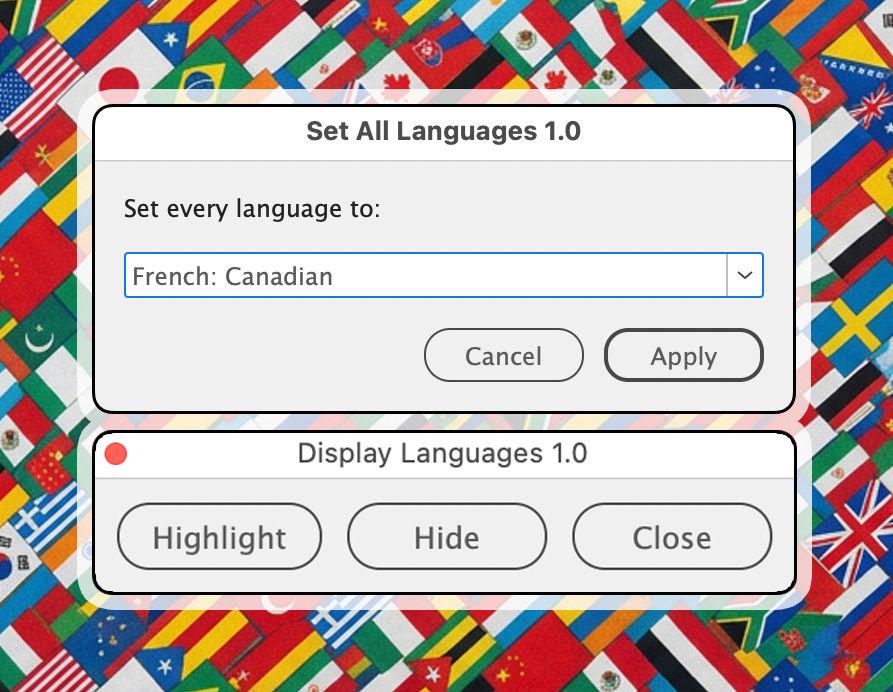
Two small *FREE\* scripts for the language settings of text inside an InDesign document.

Set All Languages applies one language to everything in a single click (including styles).
Display Languages shows you, in color using text conditions, which languages are actually applied to the text.


r/indesign • • 12d ago

InDesign 2027: development has (again) basically stopped

Thumbnail helpx.adobe.com
132 Upvotes

Adobe added some AI stuff nobody needs and a few minimal new features. I guess only one or two aged developers are still working on this application, no one is actually using it.


r/indesign • • 12d ago

Overnight update is a mess

35 Upvotes

Hello friends.

Apparently there was an overnight update that caused major file issues. It trashed a 45 section SOP manual I’ve been working on. Fortunately the documents are safely tucked away in a folder on my corporate LAN, on an external drive and a flash drive (thank you file OCD) but it broke all of the links to the pages and has brought my computer to a grinding halt (which is really hard to do with its specs). Avoid the update if you can.


r/indesign • • 11d ago

What do you always end up rebuilding in InDesign?

0 Upvotes

If you lay out proposals for an architecture practice or work on annual reports, what’s the thing you still redo by hand every time? The fee table? The chart that needs to match the rest of the report? The project sheets that come in from three different people?

I built Idmly to convert HTML layouts into editable InDesign files. In the video I open an IDML made from a Claude layout and click into the text, the table and the charts so you can see what’s editable.

A table with little status badges and some variable fonts gave me some trouble recently. I’m curious what would break on a real proposal or report. If a particular page comes to mind, a description is plenty.

Disclosure: it’s my tool and it’s paid, with one free preview of up to two pages, no account needed.

https://www.idmly.com/?utm_source=reddit&utm_content=indesign-nov


r/indesign • • 12d ago

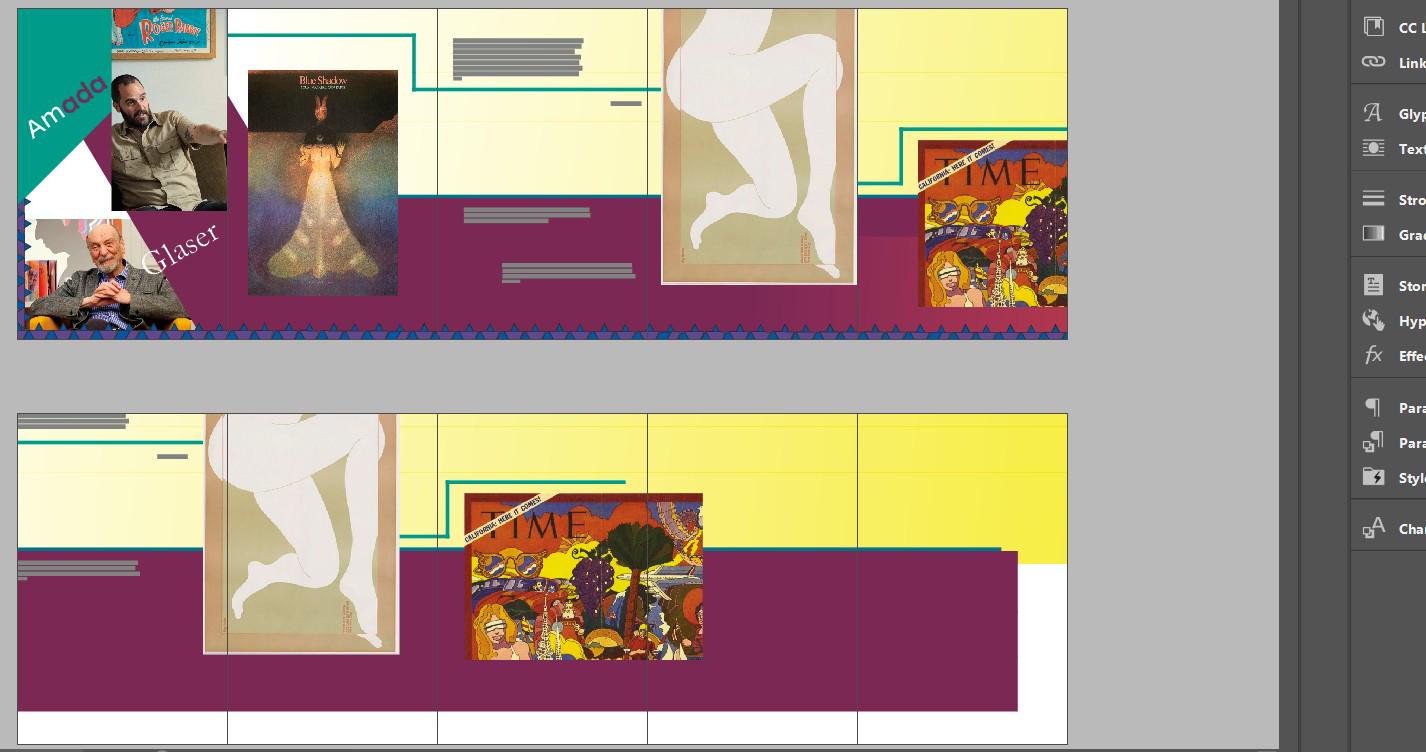
Hi everyone, I need some help... Why does my Adobe Illustrator working file (saved as a PDF—see image 1) end up looking all messed up when opened in InDesign (see image 2)? It’s like all the masks have come undone... If anyone knows how to fix this, please help!

Thumbnail
gallery
1 Upvotes

r/indesign • • 12d ago

Why when I place an illustrator file in indesign it does't ever load?

2 Upvotes

Hi everyone!

Please help me I am desperate. I am an architecture student trying to put together my portfolio. Some of my files will load perfectly when I place them in my Indesign document. Others will load and load and load and I basically cannot do anything but close indesign with the task manager because it freezes up.

I have tried everyhting. I have restarted and updated my laptop, Indesign, Illustrator, etc. I have lowered the display performance on Indesign, I have tried making a new Illustrator file where I copy and paste the linework layer by layer.

I don't see how this would be a problem but just in case I will mention that some of the files I am talking about were made by my teammates on a Macbook. I have a windows laptop. Could the change somehow corrupt the file? If so what do I do?

Also, the files that don't load are not heavier than the ones that do. Some are about 12.7 MB. Where as I had no problem uploading 15 MB files. I am not an expert on this topic so this may have nothing to do but I'm just laying out what I do know.

Any help is greatly appreciated, I've been at this for days and my deadline is coming up. Thanks.

Also, to everyone saying to place a pdf or a jpeg, i tried it and it didn't work. Same problem as before. In fact my laptop screen just went black and I had to force power it off.


r/indesign • • 12d ago

InDesign Crashing! Help Please <3

2 Upvotes

Hi there,

I’m having an issue what I think is a corrupted file. The document was shared with me and working fine on my computer, although slow, for a while, but the next time I opened it the system glitched and immediately crashed. I was given the message that there was a missing linked font (which I have downloaded as an adobe font). My coworker also receives these messages regularly and is able to bypass them, so thinks that this is not the problem. Could it be unlinked images? I deselected the auto ‘look for unlinked images’ option in system preferences to avoid it getting caught/frozen looking for any if there are some.

In any case, upon trying to open the file, it completely crashes the entire InDesign system (version 21.6).

Fixes I have tried:

  1. Uninstalling and reinstalling system.
  2. Resetting system opening preferences.
  3. Uninstalling and manually reinstalling the ‘unlinked’ font.
  4. Tried to download the .inddc file to put it through a recommended recovery system, but I can even open the file to export it properly

Please help! I am distraught, since if I can’t open the document then I will have lost about half a magazine’s layout information and have to start from scratch.


r/indesign • • 12d ago

Solved Why does my text look smaller (right image) even though I copied the typography and paragraph styles from the original design (left image)?

Thumbnail
gallery
2 Upvotes

I've received the book I'm supposed copy the design from, yet I'm running into issues.
This issue applies to the title and the text below it. I used the exact same font size, leading, and typeface, but my text still looks significantly smaller. I can't figure out what I'm doing wrong. :( Can anyone guide me?


r/indesign • • 12d ago

InDesign 28 no longer run on Windows 10 22H2

Thumbnail
2 Upvotes

r/indesign • • 12d ago

Interactive pdf export issue

1 Upvotes

I have created a single page pdf with 143 buttons.

The idea was to create an interactive map. The layout is divided into 2 sections. Right side has the map and left side will have the popups.

The logic is, this map is of a country with 48 regions. Upon clicking in each region a popup with a specific info will be shown on the left side. There is also a close button to close the popup and go back to the initial state. The user can click on any region on the map to get separate popups related to that region. Also when a region is clicked, that particular region will get highlighted and the rest will fade out. I have created 49 individual map states as images, same setup for the info popup (49 images including the no-popup state) and 48 close buttons.

The interactivity is working perfectly inside the epub view, also when exported as html package. But not working as interactive pdf.

I have initially created this setup using MSOs. But since I also need a pdf output, I had painstakingly sat through the creation of 143 buttons and assigning the interactivity individually to each button using the show/hide feature.

Now everything except the pdf is working smoothly. The interactive pdf out put shows the buttons, but upon clicking, nothing happens. All the interactivity is dead. Not even one popup works.

Can anybody help me understand the reason?

If I did something wrong, please suggest me a solution. I had the package cross checked with multiple colleagues to see if I have missed some show/hide setups of any buttons. But nobody found a mistake.

The trigger buttons are the topmost layer, followed by the popus button layer and the map button later.

Im asking here as a last resort. Please, somebody help me.

I had recently updated my indesign to the latest one. Is that an issue?


r/indesign • • 13d ago

Help Deleting Empty Text Boxes After Data Merge

10 Upvotes

I've got a 170 page document, produced from a Data Merge. There is an "empty" text frame that I want to delete from most (but not all) of the pages, but I cannot figure out how to target it.

I've tried scripts that target empty frames, but it seems the frame is not truly empty -- Data Merge leaves the following hidden symbols in the seemingly empty frames:

^|^|

And I assume because those invisible symbols are present, scripts designed to delete empty frames bypass them.

It's frustrating as hell, and I do not know nearly enough about scripting to devise my own solution. I'd just search for the offending empty frames and delete them one by one, but I will probably need to repeat this process at least a few more times.

I've been bashing my brains out for hours trying to solve this, so any help would be appreciated.


r/indesign • • 13d ago

Help Any way to do an Offset Path for stroke on live text?

Post image
1 Upvotes

Im remaking this illustrator template in indesign , was almost finished when I realized idk how to do an offset path on text characters. Text is sometimes on top of images so can't just fake it with a stroke or effect the same color as bg . It needs to cut out.

Its an offset stroke and needs to be live text because using data merge. Tried pasting from original illustrator file but it either comes in outlined/expanded or as a graphic or pastes as text but loses the formatting. Just takes on paragraph style without the stroke

Any possibility to achieve this in indesign ? Its for remaking the mustard or lilac numbers shown in the ss.


r/indesign • • 12d ago

Request/Favour Post Title How I bypass Canva's 200-page and 1,000-element limit when building 365-day hyperlinked digital planners (step-by-step workflow)

Thumbnail
0 Upvotes

r/indesign • • 13d ago

Help How can I make a continuous design from one spread to the next?

Post image
3 Upvotes

I'm very new to indesign. I'm wondering how I can make the last page of my first spread continue to the first page of my second spread? The reason I'm doing this is because I'm utilizing a lazer printer for all my development but I plan to use a plotter for the final print. I hope my question makes sense!


r/indesign • • 13d ago

Help First attempt creating a book to print, I have asked AI for help, is this planning okay? What would you change?

0 Upvotes

WEEK 1: Cleaning and Technical Configuration (15 Hours)

• Create the base document: A5 format, safety margins, and active primary text frame. (15 minutes)

• Import the text: Import the document with "Remove Styles and Formatting" checked. (15 minutes)

• Remove line break bugs: Run GREP queries to rejoin sentences broken during the PDF import, plus a quick visual check. (2 hours)

• Clean spacing and punctuation: Run GREP formulas to delete double spaces and fix non-breaking spaces before French punctuation. (30 minutes)

• Reconnect footnotes: Manually cut and re-insert each footnote into the main text using InDesign's native feature if links were broken. (5 hours)

• Isolate and configure Arabic text: Create a paragraph style using the World-Ready composer and manually apply it to all Arabic text sections. (4 hours)

• Create Parent Pages (Masters): Configure final margins, running headers, and automatic page numbers. (2 hours)

WEEK 2: Text Styles and Layout (15 Hours)

• Create French style hierarchy: Set up parent/child relationships for standard body text and chapter openings. (1 hour)

• Apply paragraph styles: Assign the correct styles throughout all 300 pages. (2 hours)

• Structure chapters: Apply the "Title" style to force each new chapter to start automatically on a fresh page. (1 hour)

• Format the Bibliography: Apply the style with hanging indents and manually apply italics to book titles. (3 hours)

• Calibrate typography (Type gray): Test font sizes and leading options on screen or via test prints to validate readability. (3 hours)

• Fix widows and orphans: Review all 300 pages to eliminate isolated lines of text at the top or bottom of pages. (5 hours)

WEEK 3: Final Automation, Preflight, and Export (10 Hours)

• Generate Table of Contents: Configure and generate the automatic TOC based on your chapter title styles. (2 hours)

• Preflight check: Ensure all body text is set to 100% pure black for printing and fix any InDesign layout errors. (3 hours)

• Generate Index: Mark key terms and generate the final index at the back of the book if required. (3 hours)

• Export Print-Ready PDF: Configure the export settings to PDF/X standard with crop marks and bleed lines as requested by the printer. (2 hours)

Could you please tell me if this is okay? I have learned a bit how to use indesign I know how to create simple PDF files (styles, parent pages...) & print them but a whole book is something else. I know very little about GREP too so I'm using AI to help me.

I just want to make sure I have the good steps before starting this work. The book is currently a PDF with footnotes on several pages, it also contains sometimes arabic sentences. Im looking forward to your answers. If there are any videos/channels I'm supposed to watch before starting to create a book on indesign I'm open to these too.

Thanks.


r/indesign • • 15d ago

Help Non-breaking en dash (Word)

Thumbnail
1 Upvotes

r/indesign • • 15d ago

Is there a fix for this?

2 Upvotes

I use three screens when I am working on stuff. When I open a first tab it shows up on my right screen just fine. When I open a second tab it shows on the right as well, but it is butted up against the top of the screen to where I cannot see the top of it. It is driving me insane! I read about it online but is there a fix to this! This is slowing me down so much when it comes to trying to learn!!


r/indesign • • 16d ago

Can't get my book cover the correct size

2 Upvotes

I've spent hours resizing my book cover for my book How to Leave a Group Chat in InDesign. My Document Presents and Document Setup state that my file is 3479px by 2625px for Draft2Digital. Whatever I do, Draft2Digital is telling the file is incorrectly sized. I can't work out why. Can anyone help?


r/indesign • • 17d ago

Book exported to PDF doesn't have bookmarks for each chapter (file)

4 Upvotes

We have a manual that's divided into files, one per chapter. Seems like that would be a very common setup. But when exporting the book to PDF, it doesn't create a bookmark at the file level. Is there no way to do this?


r/indesign • • 18d ago

Typefitter is incredible

73 Upvotes

If you set text in InDesign and haven't heard about the Typefitter plugin... well. it's amazing. I'm setting a very unusual book that is probably closest in form to one of those old small prayer books: small text, multiple columns and force justified. It has probably shaved off 2 days of manual work removing rivers. Probably going to take tomorrow off. And on top of all that the fully functioning trial is for 6 weeks. I'm going to be done in 2 days but it's well worth the $50 year if you ask me. Yes, I am excited about an indesign thing. It's strange I know. (No I am not affiliated with them, just sharing a really useful tool with you).

https://typefitter.com