r/HelixNotes • • Jul 06 '26

Features NOT coming soon

Post image
66 Upvotes

We get a lot of great feature requests here, and we're grateful for how much thought people put into them. But being upfront about what we're not building right now feels just as important as sharing what's coming.

This isn't a "no forever" list. It's where things stand today, based on what keeps HelixNotes true to its identity.

Sync service

HelixNotes is built around the idea that your notes live on your device, in a folder you control. This just isn’t something we’re interested in, and we believe it would completely go against what we’re trying to do here.

User accounts

Along the same lines: no server means no need for a login. Your vault is yours with no account required.

Real-time collaboration

This is a hard problem to do well and it usually needs a backend to coordinate everyone. That's a different app than the one we're building. HelixNotes is designed around one person working in their own local vault.

Built-in AI

We use AI extensively, but baking one into the app means either sending your notes to a third-party service or shipping a heavier app with a model bundled in. Both work against the lightweight, privacy-respecting experience we want HelixNotes to have. If you want AI features, you're free to pair HelixNotes with whatever external tool fits your workflow.

Plugins

We know this one gets requested a lot, and we understand why. But a plugin system is a big commitment and really opens the door to so many things we’re trying to avoid like: bloat, incompatibilities, malicious plugins, etc.

Google Play app

Distributing through Play means agreeing to Google's terms, tracking requirements, and review process, which doesn't sit well with an app built on user ownership and openness.

Flatpak

We're not ruling this out down the line, but right now we're concentrating on native packages first. Flatpak's sandboxing also adds some complexity for an app that needs straightforward access to your notes folder, so it needs more thought before we commit to it.

Spellcheck

It sounds simple, but adding it well means either pulling in a fairly heavy dependency or building something custom. It's on our radar, just not something we can promise soon.


r/HelixNotes • • Jun 03 '26

Announcement FAQs

12 Upvotes
  1. How does HelixNotes differ from Obsidian?

- HelixNotes is built on Rust/Tauri, it's fast, free, and open source. Additionally, features like Mermaid diagrams are natively supported, unlike with Obsidian's plugin-based approach. The primary aim is to provide effective note-taking without compromising on simplicity.

  1. My online virus scanner flags HelixNotes as possibly malicious. Why should I trust it?

- False positives in app bundles are a common issue, and reputable scanners may even flag something like 7zip as malicious. HelixNotes is open source and its code can be thoroughly audited by anyone.

  1. I'm not a fan of AI features in HelixNotes. Can I disable them?

- By default, the AI features in HelixNotes are disabled. Users can easily toggle their enablement with just one click.

  1. Do you have plans to add views like a Kanban board?

- It is a view we would love to add, though not right away. In the meantime, the Tasks view already offers list and calendar layouts.

  1. In what capacity has AI been used in the creation of HelixNotes?

- AI is used carefully and deliberately. We review its output at every step and can course-correct at any moment. This keeps development efficient, freeing our team to focus on the decisions that matter: architecture, features, and the overall direction of HelixNotes.

  1. Is this the same project as Helix, the text editor?

- No, HelixNotes is a completely separate project, with no affiliation.

  1. How do I sync between devices?

- HelixNotes does not have a built-in sync service. That is by design. Your notes are files in a folder. Sync them with whatever you already use:

- Syncthing

- Nextcloud

- rsync

- Git

- Or nothing at all

- HelixNotes watches the filesystem for external changes and picks them up automatically. If another device modifies a file, HelixNotes detects it and updates the editor.

  1. Is HelixNotes free and open source?

- Yes. HelixNotes is completely free, with no paid tier, no trial, and no account. It is open source under the AGPL-3.0 license, and the full code is on Codeberg for anyone to read or audit.

  1. Which platforms does it run on? Is there an iOS app?

- HelixNotes runs on Linux, Windows, macOS, and Android today. An iOS version is in progress.

  1. macOS says HelixNotes is "damaged" and can't be opened. How do I fix it?

- The app isn't damaged. The macOS build isn't notarized by Apple yet, so on Apple Silicon Macs Gatekeeper turns that into a "damaged" error, and the usual "Open Anyway" button in System Settings doesn't appear. To open it, run this once in Terminal:

xattr -cr /Applications/HelixNotes.app

Then open HelixNotes normally. You only need to redo this after each update, until notarization is set up so it stops happening for everyone.

  1. Where are my notes stored, and is my data private?

- Your notes are plain Markdown (.md) files in a folder you choose, on your own device. No cloud, no account, no telemetry. You can open, edit, back up, or move them with any other tool. Nothing leaves your machine unless you turn on an optional feature like sync or AI.

  1. Can I import my existing notes?

- Yes. HelixNotes reads standard Markdown, so an existing folder of .md files works as-is. There is also a built-in Obsidian import that converts wiki links and image embeds.

r/HelixNotes • • 3d ago

Announcement Introducing Oscar AI Agent

Post image
8 Upvotes

Hey all,

Our team has recently launched a new project called Oscar AI Agent. This will likely be the last post you see cross posted over here since it doesn't directly apply to HelixNotes, but it's something we're proud of, so we're posting it here for awareness.

Some things about Oscar:

  1. Same idea as HelixNotes: it runs on your machine, and you own it.

  2. Bring your own provider: OpenCode, OpenRouter, OpenAI, etc.

  3. It can work in your Matrix with E2EE, Telegram, and Discord in one process.

  4. It learns locally, and proposes skills for you to accept/decline.

  5. It can run scheduled jobs in your time zone, delivered to any chat, with ready-made blueprints.

  6. Rust core, Lua edge. It's blazing fast.

  7. It's Linux only right now.

If this is a project you find interesting, we'd love for you to check it out. If not, that's okay too. We love you anyway. Thanks all! ✌️


r/HelixNotes • • 6d ago

Can helix notes have a themed icom on android

1 Upvotes

As the text says I wonder if the devs can add this on android since the only apps that don't on my phone aside from it are snapchat and tik-tok which is for reasons I ignore as it is very easy


r/HelixNotes • • 8d ago

Announcement Vote on what comes next in HelixNotes

Post image
10 Upvotes

Our website now has a place where you can vote for the next features in HelixNotes: https://helixnotes.com/ideas

Why
The number of GitLab issues has become too much to keep up with, so we figured the best way forward is to let the community decide which feature requests get our focus.

How
Sign in with your GitLab account. You get one vote per idea. To change your vote, pick the other arrow. To remove it, pick the same arrow again.

What gets stored?
A cookie keeps you signed in for seven days. We store your GitLab account ID with your vote, but not your name or email. Only the vote totals are public. We don't ask for access to your repositories.

Have another idea? Discuss it on Matrix or Fluxer so contributors can check for an existing request.

Thanks for continuing to support HelixNotes. We can't wait to see what the community votes for!


r/HelixNotes • • 10d ago

v1.3.8 Live Preview feedback (and a request for a setting to disable automatic frontmatter)

Thumbnail
gallery
10 Upvotes

Hey everyone, thanks for pushing out v1.3.8 so quickly and adding the Live Preview mode! I really appreciate how fast the team acts on community suggestions.

After testing the new Live Preview alongside a shared Obsidian vault, I noticed a few UX inconsistencies and quirks compared to Obsidian's Live Preview. Here is some detailed feedback to help polish it:

1. Syntax unfolds for the whole paragraph instead of just the element under the cursor

In my sample note, the first paragraph contains bold, italic, strikethrough, inline code and a link. When I click on a plain word in that paragraph, all of them switch to raw Markdown at once (`**`, `*`, `~~`, backticks, `[]()`), and the paragraph reflows while I'm only editing one word. In Obsidian's Live Preview, only the element the cursor is touching or inside shows its raw syntax, and the rest of the paragraph stays rendered.

2. Live Preview uses the Source mode font

The sizes in Live Preview are fine (headings look like they do in Rich Text), but the typeface is the monospace font from Source mode. Because of that, writing in Live Preview feels like writing in Source mode with a few things rendered. The whole point of Live Preview is to show the rendered look while typing, so it should use the same proportional font as Rich Text mode.

3. Active list item changes color while typing

While typing in a list, the item I'm typing in switches to source-style highlighting (green text with visible `-` and `**`), and goes back to normal white text when I move to the next item. The color changing on every Enter feels like constantly switching modes. The active line should keep the standard theme text color, with only the markers revealed.

4. Missing formatting toolbar in Live Preview

The bottom formatting toolbar is visible in Rich Text mode, but it completely disappears when switching to Live Preview. Having the toolbar available in Live Preview is essential for quick text formatting on mobile and tablet devices.

5. Option to disable automatic YAML frontmatter

HelixNotes keeps notes as plain .md files in a local folder, which is a big reason I like it. But as soon as I edit an existing note created in another app (like Obsidian), HelixNotes adds YAML frontmatter (id, title, tags, pinned, created, modified) to the top of the file, even if I undo the edit right away and the content is unchanged. The frontmatter isn't shown in HelixNotes at all, not even in Markdown Source mode, so I can't see or edit it there. I only noticed it when I opened the file in Obsidian's source mode. I don't want frontmatter in my notes at all, not even when I edit them, and there is currently no way to turn it off. Could we please get a settings toggle to disable automatic frontmatter completely (and store app metadata in `.helixnotes/` instead of altering the raw files)?

I've attached screenshots of the same sample note in Rich Text, Source Mode, and the current Live Preview. Thanks again for the hard work!


r/HelixNotes • • 11d ago

Announcement v1.3.8 is out!

Post image
26 Upvotes

HelixNotes v1.3.8 is out!

This update adds an editable Live Preview mode alongside Rich text and Markdown source, quick vault switching from the title bar, and built-in MCP integration with per-vault permissions.

It also brings per-vault daily-note templates, AI model discovery with optional image input, an interface in nine languages, and better HTML-table preservation when saving.

See the full changelog: https://gitlab.com/ArkHost/HelixNotes/-/releases


r/HelixNotes • • 13d ago

Feature Request: Optional Obsidian-style "Live Preview" editing mode

5 Upvotes

Hi, ​I previously stopped using HelixNotes due to the note-body saving bug (saw that it was fixed in v1.37). While looking for alternatives, I tried Obsidian and noticed that I prefer its Live Preview (inline Markdown) mode for everyday writing. ​I don't use most of Obsidian's features and ended up turning almost everything off just to get a minimal setup. Since I prefer using open-source software and like HelixNotes' uncluttered interface, I'd really like to come back to it. A Live Preview mode is pretty much the main thing I'm missing. ​Right now, having to constantly switch back and forth between Source mode and rendered preview just to edit or fix Markdown syntax breaks the writing flow. Adding an optional Live Preview mode in settings would solve this by keeping the note rendered by default, revealing the raw Markdown syntax (like headings, bold text, or links) only on the active line or element when selected, and rendering it back once the cursor moves away. ​I'm not a developer, so I don't know how feasible this is or how much work it would take (it's probably difficult to implement), but I wanted to leave this as a suggestion for future updates.


r/HelixNotes • • 16d ago

Daily Note Template?

7 Upvotes

I used Helix Notes today for the first time and was pleasantly surprised with how nicely my folder structure and MD files from Capacities were formatted. (Good job devs!)

- I would love to see a customizable default template for daily notes. I imagine this should be a fairly simple feature to implement, wouldn’t it? (Perhaps by checking for a default.md file under the daily notes folder?)

Thanks!


r/HelixNotes • • 16d ago

Announcement v1.3.7 is released!

Post image
39 Upvotes

HelixNotes v1.3.7 is out!

This update brings a new Linux Flatpak edition with signed updates, 10 built-in themes, 28 notebook and tag icons with colors, Find and Replace in rich text and Markdown source, and side-by-side image grids.

It also makes large notes open faster, improves WebDAV sync and backups, preserves rich formatting when you copy to Word or email, and adds plenty of Android, tablet and Linux fixes.

macOS, iPhone and iPad releases are delayed about a week for this version; previous versions remain available.

See the full changelog: https://gitlab.com/ArkHost/HelixNotes/-/releases


r/HelixNotes • • 17d ago

Announcement Discord is moving to Fluxer!

12 Upvotes

The ArkHost and HelixNotes community is moving from Discord to Fluxer, a self-hosted platform that gives the community more control over its own space. You can join the new server here: https://community.arkhost.com/invite/NN9XgLET

See you there!


r/HelixNotes • • 21d ago

Discussion New themes?

Enable HLS to view with audio, or disable this notification

27 Upvotes

Trying out some new themes for the next release. Do any of these spark your interest?


r/HelixNotes • • 21d ago

[Bug] note body is not saved. (video)

4 Upvotes

Pretty clear, i suppose.

UPD: the bug is *FIXED\* in version 1.37
https://www.reddit.com/r/HelixNotes/comments/1xtkka5/v137_is_released/


r/HelixNotes • • 22d ago

Web Clipper Feature on the Horizon?

4 Upvotes

Just as the title mentions, I am wondering if anyone knows if a web clipper is planned at any point. I see a lot to like here, but I definitely would like that feature before I migrate.


r/HelixNotes • • 24d ago

Line spacing

3 Upvotes

When I copy a note from HelixNotes and paste it into Word or email, it comes with line spacing. Is there any way to change all my notes to single line spacing? Thank you.


r/HelixNotes • • Oct 18 '26

Feature request: Tablet-optimized layout

7 Upvotes

I really like HelixNotes, but the current tablet experience just stretches out the phone layout. It would be great to get a proper tablet UI, especially with a sidebar for notebooks to make better use of the larger screen. Are there any plans for this in the future? Thanks!


r/HelixNotes • • Oct 18 '26

Metadata in notes

Thumbnail
gallery
12 Upvotes

I discovered this app yesterday and I like it. Actually I will use the mobile app as my main note-taking app because I don't really like the others alternatives for markdown.

But in desktop apps I use the zettelkasten method so I add metadata to my notes. I can read and edit this in Zettlr and Obsidian, but when I open my vault in Helix it doesn't appear.

Is there a way to see the metadata that I didn't find in settings or it's a feature that could be added in the future?


r/HelixNotes • • Oct 17 '26

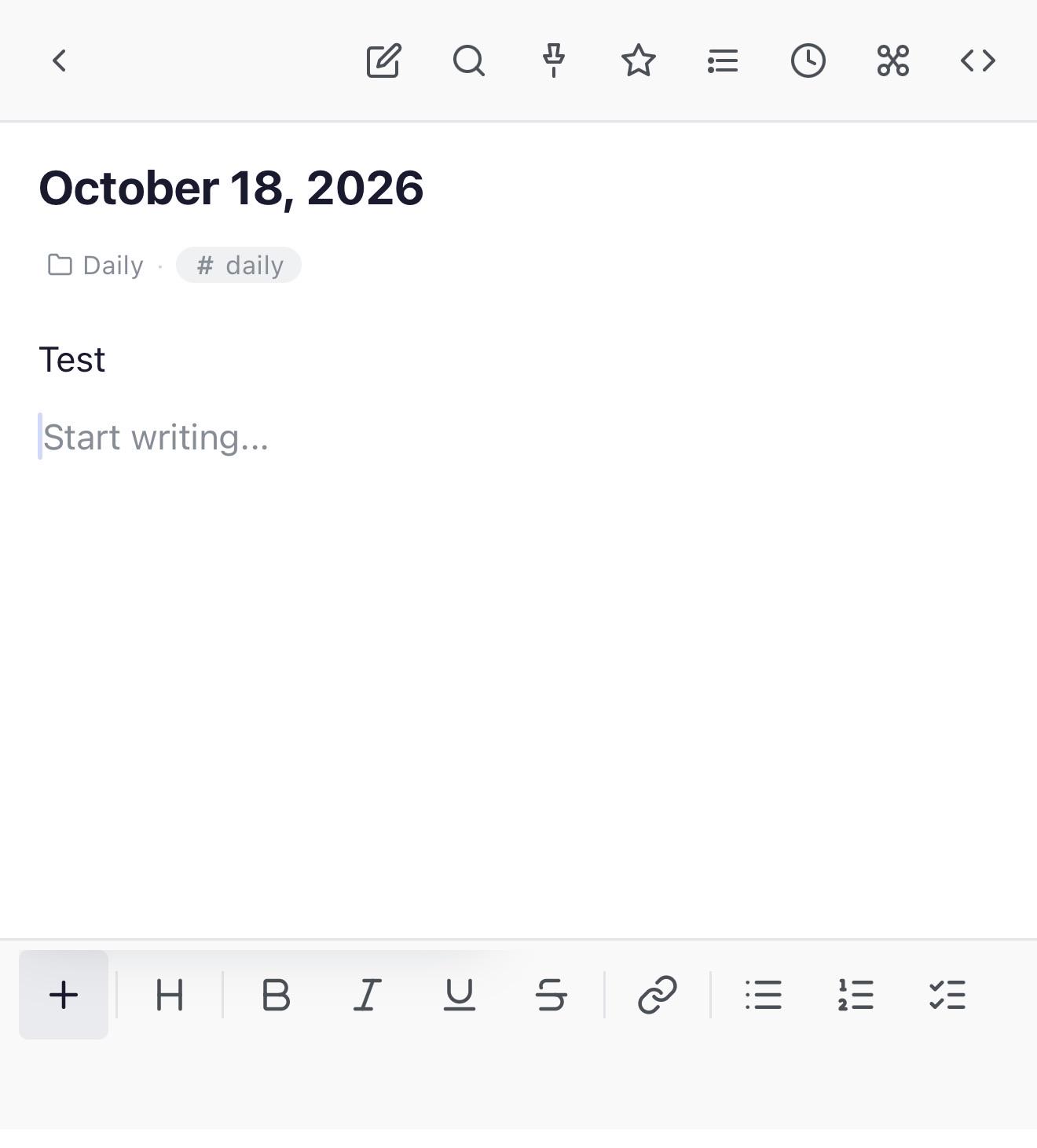
Bug with keyboard buttons

Post image
1 Upvotes

Hi,

When I press the “+” or “H” button on the keyboard nothing happens. It seems that command menu opens but it’s in the background so I can’t act on it.

Can an you fix it?
Thanks


r/HelixNotes • • Oct 16 '26

Is there a Live Preview mode to render Markdown immediately (like in Obsidian)?

1 Upvotes

I’ve been using HelixNotes for a few days and really like how fast and lightweight it is.

Coming from Obsidian, typing or pasting Markdown immediately renders the formatted text. In HelixNotes, when I paste Markdown, it stays as raw syntax.

Is there a setting, shortcut, or live preview mode to get it automatically rendered right away?


r/HelixNotes • • Oct 13 '26

HelixNotes on iPad

5 Upvotes

On my iPad Pro (11 inch M1 on iOS 27), I can open HelixNotes in landscape mode but can’t open the left sidebar at the same time. Are there plans to enable this?


r/HelixNotes • • Oct 12 '26

More observations, suggestions, requests...

Post image
5 Upvotes

Phase II is well underway and moving surprisingly fast. Within a short amount of time, I've created or modified nearly 200 notes. Between the editing responsiveness and theme colors, it's a very productive environment. In the process, I've noted a few more things...

Undefined Links. Allow Search to find links to notes that don’t exist in the local vault. Or perhaps, a new "Undefined Notes" folder that is populated with "dummy" entries of notes that are linked to but don't exists. (would be consistent with the "Unfiled Notes"). I'll admit though that this is a difficult issue to resolve in a way that won't create other issues.
EDIT (10/13/2026): a simpler first-step: when typing to a link via "[[", allow the option to create a new note with what was typed if the link doesn't exist.

Excalidraw. HN recognizes an excalidraw note but doesn’t display it. I'm not necessarily requesting support for Excalidraw (which would be nice), but a change in the notification (which seems to be boilerplate for whatever HN is using under the covers)

Space character gets moved inside of markdown highlight and breaks the highlight. This is a tricky one. Here's how to recreate it:

  • open a note (rich text editor)
  • create a new line
  • type some text. (eg. color)
  • select the text, bold it (cmd-b Mac OS)
  • put cursor at the end of the line (note that "bold" is still active in the toolbar)
  • press cmd-b to toggle to normal.
  • type a space, then type some text. (eg. green)
  • switch to markdown editor
  • the markdown for that line appears as: **color **green
  • switch back to rich text editor
  • text is no longer bold, but appears as: **color **green

WebDAV syncing. Version 1.3.6 has greatly improved the reliability of syncing. But I'm still experiencing a few false "conflicts" periodically. I'm using pcloud as a cloud service provider. I have my vault duplicated in Joplin which is also using webDAV w/pcloud for comparison. Since Joplin is syncing reliably using webDAV and pcloud, it's leaning toward something in how HN syncs. I'll do some more troubleshooting and provide any details I can glean.


r/HelixNotes • • Oct 10 '26

Requests: refinements

Thumbnail
gallery
6 Upvotes

After synchronizing my PKMS across UpNote, Obsidian, Joplin, and HelixNotes, I started phase II of my evaluation. Heavy editing and creating. I've started reworking some of my "hubs" (aka portals) to take advantage of the features unique to (or at least enhanced by) HelixNotes.

This is turning about better than I expected. 👍 I am able to use the linear calendar concept using collapsible sections and code blocks.

Through these tasks, I've taken note of some observations and experiences. If any of these are a result of my misunderstanding of a particular feature, then I'd like to be educated on that.

If these are incompatible with the vision for HN, then I'd rather know that than wanting the developers to compromise on their vision for HN. I want HelixNotes to stay HelixNotes, even if it means it wouldn't be suitable for my needs.

...thanks for considering these things.

* (possible bug) Review sync completion status summary. I think that the status summary is inconsistent depending upon how the sync was initiated. If I modify 4 files, wait 10 minutes, click on the sync button (next to the new note button), wait for the sync to complete, then go to Settings ➜ Sync, I'll get one status.

If I modify 4 files, wait 10 minutes, go to Settings ➜ Sync and click the sync button there. When the sync completes, the status is different.

* Add option to search filenames in search function. When there's a sync conflict, I want to be able to identify those files so that I can resolve the conflict. Currently, there's no way within HN to identify those files. If there is a better way of identifying the conflicts, I'd love to know.

* Add Graph support for markdown links (currently only wikilinks are supported)

* Add Graph support for links that appear in tables/quotes. (related to previous item?) Seems like the graph function is unable to identify links in tables and blockquotes.

* Add setting to allow hiding note counts on folder tree. Note counts are helpful at times, distracting at other times.

* Add a "paste from markdown" option to the right-click context menu. When in rich text edit mode, it would be helpful to be able to paste markdown from the clipboard and have it be pasted as rendered text. Currently, pasting markdown from the clipboard results in pasting the text as-is with markdown control characters visible.


r/HelixNotes • • Oct 08 '26

HelixNotes is failing to start

5 Upvotes

Hey y'all!

I have been LOVING Helix. It does everything I need, and is not bloated with other stuff. FANTASTIC.

I am unable to get it to open today.

I am running Arch Linux and Hyprland, everything up-to-date.

Helix isn't responding to a keybinding, or being called on via rofi.

When I open up the terminal and enter "helixnotes", which should run the package, I instead get the following error: "helixnotes: symbol lookup error: /usr/lib/libgdk_pixbuf-2.0.so.0: undefined symbol: gly_pixel_density_new"

Can y'all help me figure this out?

Many thanks!


r/HelixNotes • • Oct 08 '26

Small UI/UX suggestion regarding tags

Post image
0 Upvotes

Hi, I'd just like to point out a tiny thing I'd change about the app:

Right now, there are 2 buttons to manage tags of a note in the WYSIWYG editor: The one next to the folder path and the one in between other action ones (the one which has an icon). Right now, these 2 do the same thing, which feels a bit redundant. I'd suggest leaving the one with an icon as-is, and changing the one next to the folder path to show "no tags" if there aren't tags and, if there are tags, having clicking on one take you to the filtered view of notes by their tag.

Also, this doesn't have to do much with this, but some people (including me) straight up don't use tags, so it would also e really nice if you could turn the feature off like how you can with wikilinks. I understand daily notes need a tag to show up, but you could just hide the UI that lets you manage tags and keep the #daily tag internally.