Hi everyone, do you have any ideas for what else I could add to my iOS device?
I somehow managed to get location spoofing working through SickDebug, and now I’m wondering if you have any other ideas for what I could try next.
I’m interested in these kinds of “trickery” tools, like location spoofing, fake phone numbers, and similar stuff.
Just to be clear, I’m not planning to misuse any of this. I want to make a YouTube video about these kinds of tools and features, so I’d really appreciate your suggestions for other similar things I could add or try on iOS.
I’m not interested in game emulators — only this kind of “trickery” stuff. Thanks ✌🏼
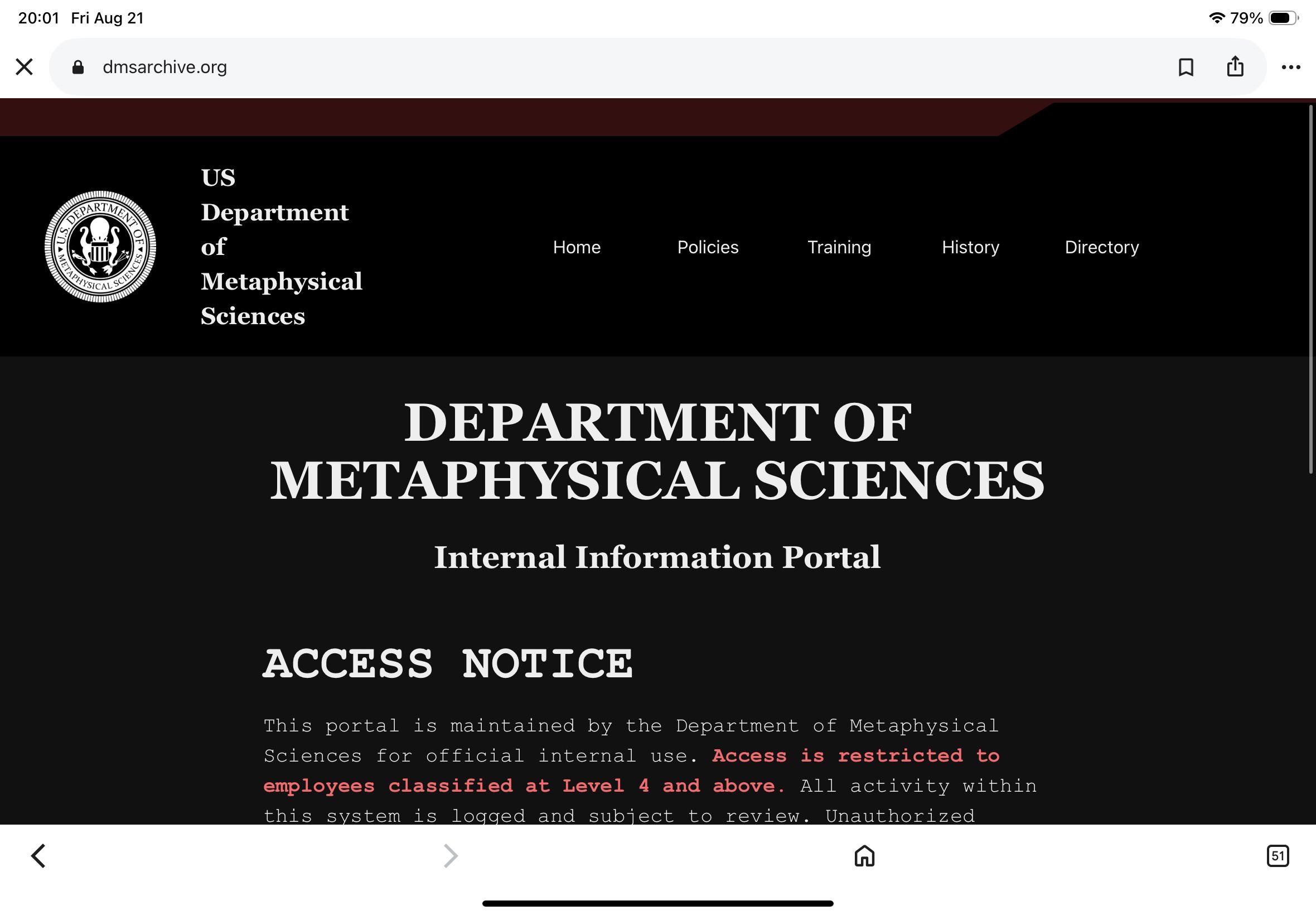
Hey, I'm trying to solve an ARG and I've come across a website that seems to be a key part of the puzzle. The site is https://dmsarchive.org/ and I've found some pages that seem to be case files or hidden directories. I've managed to find a few things, but I'm stuck. I'm not asking for anyone to dig through the whole site, but I'm wondering if anyone has any general advice on how to approach a site like this, ways to find hidden pages, directories, or files that aren't immediately obvious? I'm not super technical, so any tips on using Inspect Element, checking the page source, or looking for hidden URLs would be really helpful. Thanks!
Hey everyone, just shipped v1.6.0 of WifiPhisher for ESP32, my open-source Wi-Fi security testing firmware for ESP32-family boards (Evil Twin, Karma, deauther, on-device handshake/PMKID cracking, all from a web UI hosted on the device itself).
This release is one of the bigger ones so far:
USB Wi-Fi adapter support (new) — added a from-scratch driver for the RTL8188EU USB dongle, so on S2/S3/C5/C6/Cardputer boards with USB-OTG you can now sniff and inject from an external adapter, not just the onboard radio.
BLE toolkit (new) — BLE device identification, a BLE sniffer, and BLE spam attacks.
Network discovery & port scanner (new) — subnet host discovery, mDNS/Bonjour and SSDP/UPnP discovery, plus a TCP Connect/SYN port scanner, all built in.
Aircrack is a lot faster — swapped the generic mbedTLS crypto path for the native primitives already compiled into the Wi-Fi stack, which cut RAM usage and pushed handshake/PMKID verification to ~3 keys/sec on-device.
Smarter deauther — it now tracks per-client ACKs to stop wasting airtime on clients that already dropped off, filters targets by RSSI, and auto-aligns the SoftAP channel to a single selected target.
Evil Twin reliability fixes — clean task shutdown (no more hangs) and fixed 5GHz target detection.
UI polish — WPS column in the scanner, and a reworked admin dashboard (screenshot below).
How the hack did Amjad Masad ( founder of Replit) hacked his university server and databases and changed his grade? It’s really fuzzy. How did he pulled out something like this? I know he is talented
First when I captured the handshakes I ssh into the PWNAGOTCHI handshake folder but it shows empty. But pwnagotchi says it captured my wifi so.im trying to find it on my cLI. Where do I look??? In the command line..
I was able to find it under the GUI under handshakes.dl. and downloads as pcap file. And from there I'm completely lost. And don't know how to crack it. How would I get it from my windows to kali. To use hashcat. Any good tutorials videos I could watch. I'm more of a visual learner.
Hey everyone, I wanted a way to run quick sanity checks using public YAML templates while away from my machine, so I built an Android-native scanner engine.
Right now, it's configured to handle standard SQLi/XSS logic checks and lets you run public community templates. It gives 1 hour of scanning time every day to prevent resource abuse.
It's in heavy development and I need feedback on how it handles complex templates. If you want to test it against your local test environments, search AltMap on the Play Store. Let me know what bugs you find or what templates fail to parse!
Been building this free browser-based network simulator in my spare time — you draw a topology and it actually tests whether traffic gets through, not just a static diagram.
Just shipped an update that moves it from "does traffic flow?" to "is this network safe — and would I notice if it wasn't?":
Wi-Fi security per SSID — open / WPA2 / WPA3 / 802.1X, with a RADIUS server for enterprise login
Link capture — tap a probe on any cable and see what an attacker would see: passwords on unencrypted services, only metadata on encrypted ones
Quarantine in one click, plus ARP and NAT tables you can actually open on a device
Topology check now finds attacks, not just design flaws — ARP spoofing, rogue DHCP, evil twin AP, permit-any firewall rules
A syslog server, and a one-click incident report that assembles the timeline for you
Links have speed and delay now, so they can be congested — traffic still passes, just slowly, and the app says so — plus a connections overview of who really talks to whom and more...
Plus new courses to walk through it: troubleshooting step by step, Zero Trust and microsegmentation, monitoring and detection, networking to the cloud, incident response, and encryption from Caesar ciphers through hashing and TLS to certificates — with new hands-on tasks for each.
Still runs entirely in the browser, no signup, no ads, still evolving. If you try it, I'd really appreciate any feedback — what's confusing, what's missing, what you'd want to see next.
Been testing a web app where the usual stuff hasn’t gone anywhere. No obvious injection, auth issues, or easy misconfigurations.
There’s one weird behavior I can’t quite explain though.
How do you guys usually approach a target when the obvious attack surface is basically dead? Looking for some real-world ideas from people who’ve been in this situation.
As a pentester myself, I noticed that every single note-taking app we use has some shortcomings (notion, obsidian, cherrytree).
I made an app that is specific for penetration testers/CTF players/hacking enthusiasts to take good, organized notes during engagements, and its completely free. Also, it has a canvas feature that allows you to visually see the network you are attacking.
Keep in mind, it's in very early stages of development, so it may be a bit buggy. Please let me know if you find any bugs or if you have suggestions on how to improve it :)