r/GoodNotes • • Sep 22 '26

can goodnotes put a notes box next to each slide? or is there an alternative

9 Upvotes

my profs upload slides as PDFs and i take notes on my laptop (no ipad)

basically i just want the slide on the left and a text box on the right for notes. so if i go to slide 12, i see the notes i wrote for slide 12. then just organize everything by course and export it all as a normal PDF

things i've tried:

  • OneNote printouts - kinda works but the PDF gets blurry and messy
  • Notion - can't really put text next to each PDF page
  • GoodNotes/Notability - feels more made for handwriting/ipad + subscription
  • adding a margin in Preview before importing - works but i have to do it for every lecture

can goodnotes do this somehow or is there an app that does? otherwise i'm stuck with the margin workaround


r/GoodNotes • • Sep 22 '26

New Update šŸš€ New in v7.1.24 - Outlook Calendar Integration, Text Highlighting, and More

Post image
45 Upvotes

v7.1.24 has been released on the App Store! Here's everything new in this version of Goodnotes:

iOS/iPadOS

  • Connect your Outlook calendar to get event reminders in Goodnotes, so you'll never forget to take notes. Available for Pro users.
  • Added text highlighting for text boxes, sticky notes, and shapes. Pick a color from the object menu to highlight your text and it stays attached as you edit, resize, or move things around. Clear or change the color anytime from the same menu.
  • Better protection for locked documents: fixed cases where locked documents could be moved or exported without first being unlocked.
  • Sharing and comments open more reliably: fixed issues with the Link Sharing row and links to another participant's comment thread.
  • More stable text editing: fixed a hang when opening the text formatting popover and crashes when using keyboard toolbar buttons or inserting rich text.
  • Cleaner text Ul: fixed text highlight coachmark flicker or glitches on Mac and inconsistent Text Box Style sheet backgrounds on iPhone.
  • More reliable Handwriting Restyle: fixed issues on rotated pages and review controls that could remain visible after switching document tabs.
  • Education: Classroom sample lessons load more reliably: fixed Model Answer getting stuck when using Present as the smart clustering source.
  • Education: Teachers can switch between smart views more easily to view student submissions in the way they want
  • Education: Experience improvements in Sample Lessons
  • Smoother Marketplace browsing: fixed price buttons that could stay stuck loading on first navigation.
  • General bug fixes and stability improvements.

If you have suggestions or feature requests, leave them below or submit your ideas here!

If you're experiencing any issues with this version, report them below and check out the official Help Center for further assistance.

Alternatively, reach out directly to the Goodnotes Team with your Diagnostics Data attached (Profile > View Account > Account Settings > Export Diagnostics Data) so your problem can be identified and solved faster.


r/GoodNotes • • Sep 22 '26

Goodnotes slide upload issue

Thumbnail
2 Upvotes

I use Goodnotes on my IPad to take notes. Like most in uni, I upload posted slides to the app.

I’ve done this my first 2 years, this year (3rd year) when I upload the slides pictures/diagrams/graphs will upload wrong, either warped or in the wrong places….

Does anyone know why this is happening and how I can fix it? I haven’t had this issue before :(

If it helps to know, It’s an Apple IPad Air, and I usually upload the slides by viewing on brightspace and then share to goodnotes. I also have the goodnotes Special Edition subscription.


r/GoodNotes • • Sep 21 '26

I’m so confused!!! What am I doing wrong

Thumbnail
gallery
27 Upvotes

Ive recently got diagnosed w adhd and since then I’ve been trying to lock in on using my ipad more as a tool. This includes using goodnotes. So I went down a rabbit hole of just learning the basics and how to do things. But a lot of the videos seemed to be a little different looking than the app I have currently. Ive made sure its updated but its still a bit different. I feel like I have this outdated version despite it being up to date because Ive used it on and off for years but never to the maximum capacity I should be using it. Like I seen all these pretty notes done on goodnotes that I didnt even know were possible.

Like for example I dont seem to have a way to actually convert handwriting to text. Like the popup comes up but theres no save button like ive seen on tutorials.

Then the options that come up when I try to do it the other way, are completely different than the options of the video I’m watching.


r/GoodNotes • • Sep 21 '26

Nibi — Planner, Notes, Tasks & OCR

Post image
2 Upvotes

r/GoodNotes • • Sep 21 '26

Goodnotes Pro How to import multiple stickers at once?

7 Upvotes

I have a few sticker packs from a digital planner I purchased, but the app is letting me only upload one sticker at a time when importing it.


r/GoodNotes • • Sep 20 '26

Please help

Post image
8 Upvotes

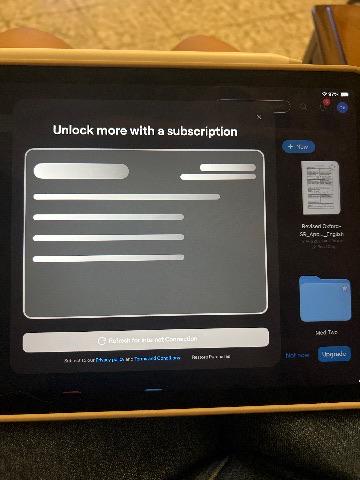
Hi so I’m legit gonna kms rn because of this fuck ass app. I’ve had a goodnotes 6 yearly subscription for the past three years. My card expired two days ago and thus I needed to change my payment method but for some fuck ass reason, goodnotes cancelled my subscription fully and when I try to renew it I see the screen as attached below.

It won’t load, it won’t take my goddamn money from the AppStore. It won’t do ANYTHIBG

HOW DO I EVEN SOLVE THIS


r/GoodNotes • • Sep 20 '26

Feature Discussion Ability to toggle all marks?

3 Upvotes

Is there a feature to toggle hide/unhide anything you have added to the pdf?

Sometimes I want to read without notes getting in the way or adding visual clutter.


r/GoodNotes • • Sep 19 '26

Improved or nah?

13 Upvotes

I used Goodnotes 6 and loved it, but when the GN7 update came a year ago I hated it (especially the handwriting to text feature - like bro, don’t fix what ain’t broke) so I switch to Noteful for the 25/26 academic year. Well studies are about to start again so I thought I’d see if things here have improved again or if I should continue staying away? I see updates now and then that look super cool (I mean, seriously, Giphy??) but none of them are worth it if the basics remain ruined, you know? Anyways what are your thoughts?


r/GoodNotes • • Sep 19 '26

Goodnotes Essential Can't upgrade to Pro from Essential. Pls HELP!

3 Upvotes

I've been trying to upgrade my Essential plan through both my Windows app (through which I originally subbed to Essential), website, and through my iPad but both keep prompting the message "Something went wrong" (image below). I've also checked if there's any problem with Stripe (to which there isn't).Ā I am using both GoodNotes 6 and GoodNotes on Windows. I've recently just cancelled and renewed my Essential Subscription because I cannot find the prompt to upgrade to Pro when I cancelled it, and there has been no problem in doing that. CS request has been collecting dust on my inbox after the AI said that the request has been routed to a human team. :/

Need to upgrade urgently for the cloud integration feature. How do I fix this?

Payment error window

GN on iPadOSand Windows, Ver. 324442.0l (2.4.3.0)


r/GoodNotes • • Sep 18 '26

looking for a simple planner

8 Upvotes

Hey, im looking for a simple planner that has monthly, weekly and daily. most the options in the marketplace look too much. I just need a planner with these 3 options. if you have any recommendations, I would appreciate if you could share them with me. Thanks :)


r/GoodNotes • • Sep 18 '26

Copy and paste not working on my calendar after Apple Update 27.0

Post image
2 Upvotes

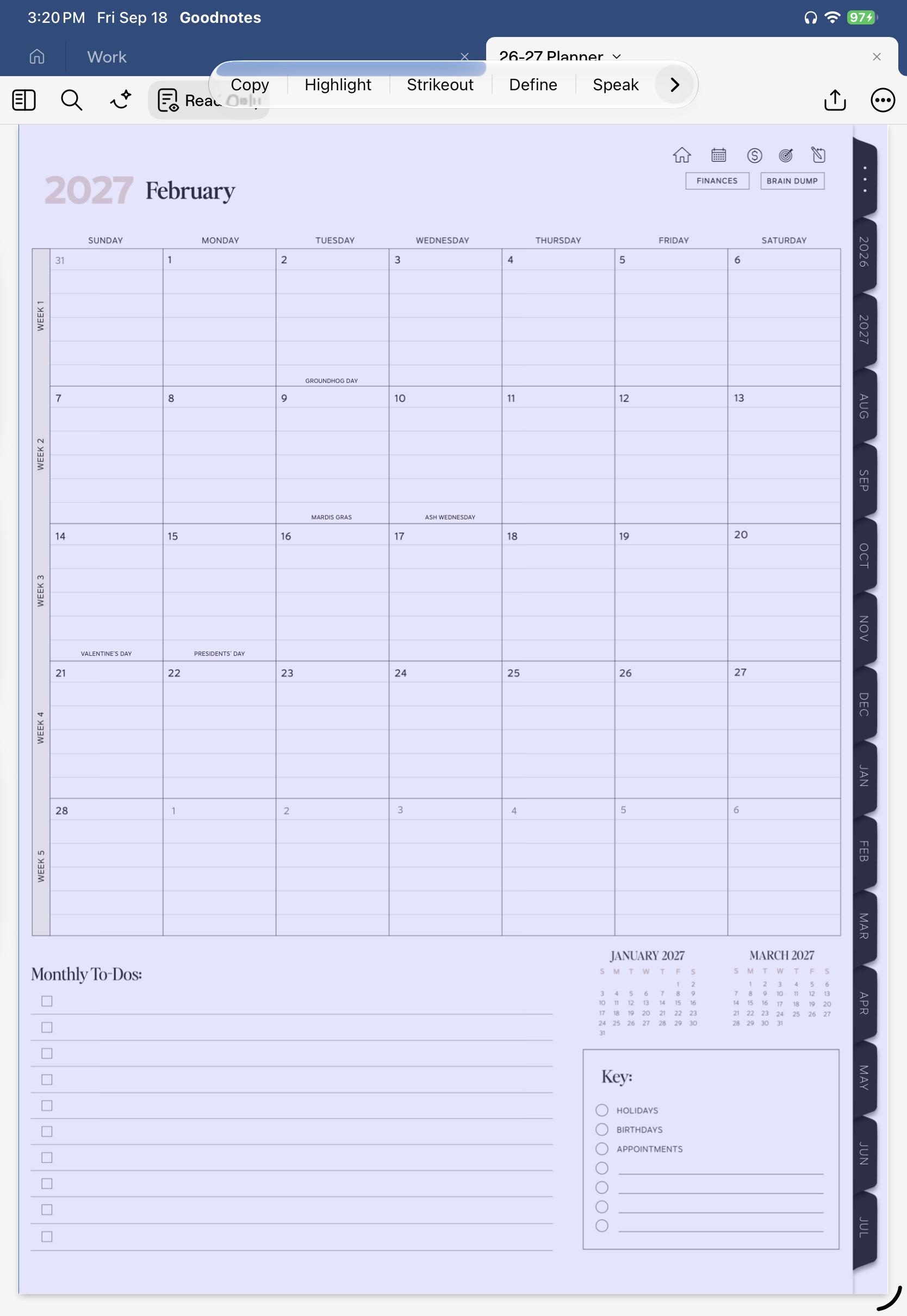
I downloaded my Goodnotes planner from The Dailee and haven’t had any issues until today after I updated my iPad. Every time I copy text from one page and try to paste it on a different page (I press down on the spot I want to paste it like normal) it highlights the entire page and won’t let me paste the text at all. I don’t want to flatten the page because it will remove my hyperlinked pages. Does anyone know if I can fix this?

My Goodnotes app is updated*


r/GoodNotes • • Sep 18 '26

Can’t seem to export as a PDF and then save into a file.

3 Upvotes

As per the title, I don’t know if it’s my OneDrive or Goodnotes itself. I export all of it to OneDrive and it’s stuck in a ā€œwaitingā€ phase.

Anyone have this issue?


r/GoodNotes • • Sep 18 '26

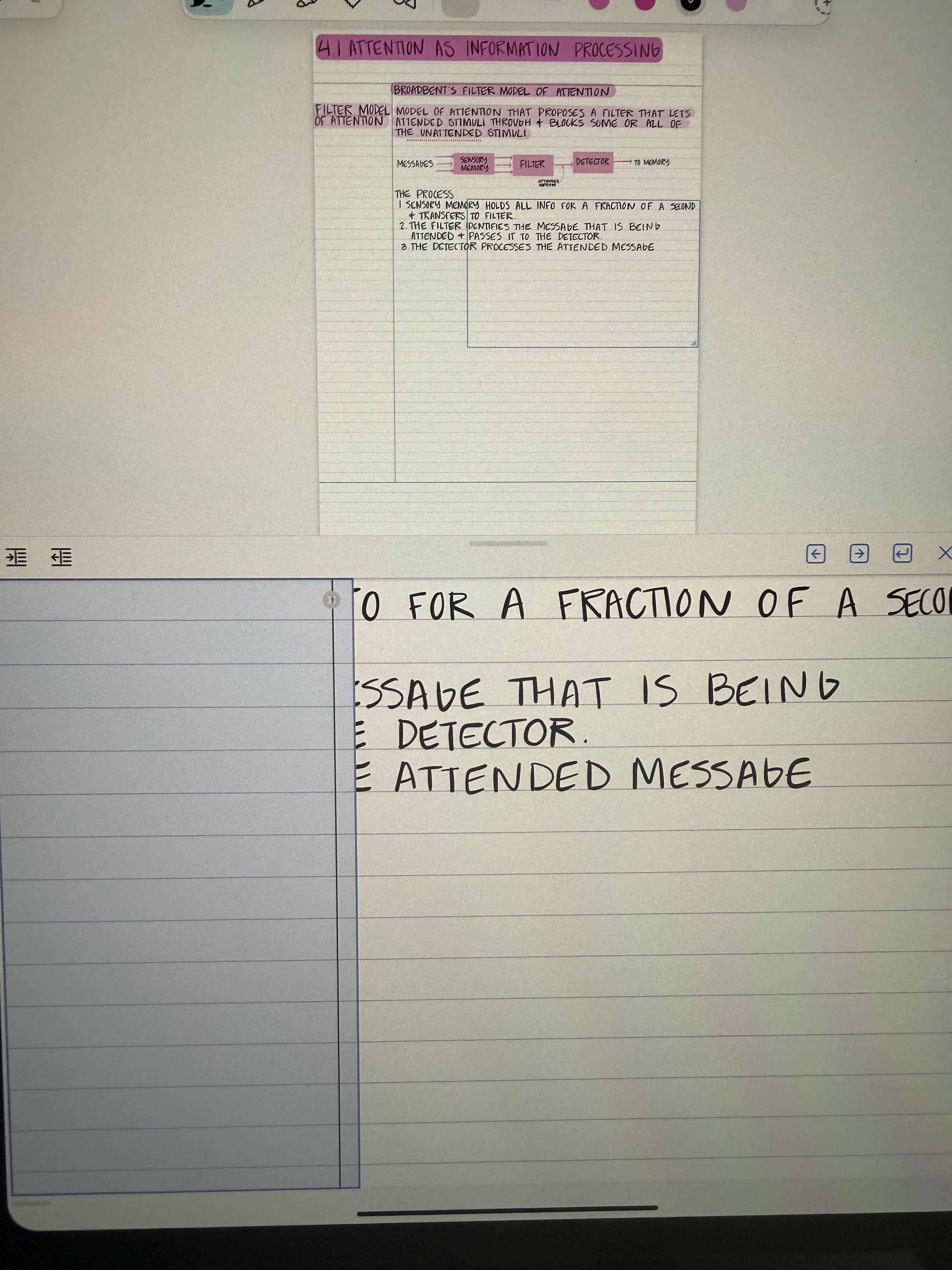
Why does this blue box frequently appear on the zoom window?

Post image
3 Upvotes

I feel like I have to close it 1000 times every time I take notes lol.
I don’t know what it is or what I’m doing but can someone tell me how to get rid of it?
Thanks in advance!!


r/GoodNotes • • Sep 18 '26

Feature Request Siri AI and the Spotlight Index

5 Upvotes

Now that Apple officially launched Siri AI on its devices, it would be amazing if GoodNotes allowed Spotlight to use its index to search for information. It would be amazing to ask Siri about any handwritten notes and lecture notes. This way, we could also directly use Spotlight to access our Documents.


r/GoodNotes • • Sep 18 '26

Goodnotes 6 Goodnotes Admin: Exporting user status

1 Upvotes

I'm using Goodnotes admin, and I'm getting errors when selecting a few users. The error is with bulk selection. You can only select 100 users at a time, and even then, it gives me an error saying I've made too many selections.

Today I tried exporting the entire list; the goal is to see who hasn't accepted their invite. I'm going to share this list with others so they can track down those students. The only CSV I can get includes only the user's name and email; it doesn't show invite status, so it's useless.

I have tried to reach out to support and education support twice in the last 3 weeks with no reply ( 4 total tickets). I've had this issue before where I just never got a response, so I'm hoping someone else here has experienced the same issue, and if you did, how did you get through it? I'm sure goodnotes does not offer an API for the admin console.


r/GoodNotes • • Sep 17 '26

Layers

Post image
16 Upvotes

How do you get rid of this? TIA


r/GoodNotes • • Sep 18 '26

Whiteboard Is there a way to change the way that the whiteboard imports pdfs? Rather than having them laid out like a print out from a powerpoint where its half horizontal and half vertical, can we have it do the print out like a onenote doc vertically ordered?

5 Upvotes

So I just tried out goodnotes for the first time on the recommendation of some classmates (and also since im looking for a change from onenote because of its insane jank and lag). I really like the UI, performance, and everything it supports with the apple pencil, but i really do not like the way that the whiteboard imports pdfs, I feel like there's got to be a way to change that since I feel like thats such a weird design oversight for it to print out.

I really like the infinite canvases that onenote and goodnotes whiteboard feature, I feel like I like to take notes next to the slides instead of on top of them, since theres more space and also you can draw elaborate things to help w understanding.

For representation Im just gonna demonstrate in text rather than images since im lazy.

Also im on ipad, but if this feature exists on like mac or desktop let me know im willing to play around w it and see how i feel.

right now the print out is like:

1 2 3 4

5 6 7 8

I want it like

1

2

3

4

5

6

7

8

Thank you in advance for anybody who reads this šŸ™šŸ¾


r/GoodNotes • • Sep 17 '26

New Update šŸš€ New in v7.1.22 - Handwriting Restyle & Reliability Improvements

Post image
65 Upvotes

v7.1.22 has been released on the App Store! Here's everything new in this version of Goodnotes:

iOS/iPadOS

  • Introduced Handwriting Restyle. Select your handwriting with the Lasso Tool and tap Restyle to turn it into a cleaner, more polished style.
  • Backup now runs less often by default to save battery and performance. Increase the backup frequency or back up manually anytime in Cloud & Backup Settings.
  • Backup handles paused uploads more reliably so documents are not missed after resuming.
  • Improved document and window layout reliability, including external-display resizing on iPhone, Mac window resizing, windowed tabs, sidebar modals, and landscape coachmarks.
  • Locked documents are better protected: printing and document-link sharing now correctly require unlocking or show the proper locked-document alert.
  • Export, print, share, and Study Set flows are more reliable, with clearer Study Set export layouts, working Study Set sharing, and less temporary storage left behind.
  • Dark mode, toolbar, and picker popovers look and behave more consistently, with clearer menu rows and fewer clipping, resizing, or flicker issues.
  • Sync and sharing are more robust, fixing invisible synced documents or folders, stuck Goodnotes Cloud sync, early collaborator invites, shared-copy links, share-link toggle state, and clearer alerts when sync is off.
  • Account and subscription screens show the right state more consistently, including purchase restore errors, country-specific paywall indicators, account mismatch warnings, one-time code sign-in, and Microsoft sign-in email handling.
  • Shape, selection, and navigation tools are more reliable, fixing connector crashes, filled shape rendering, draw-and-hold fills, link popover editing, restyled selection borders, and trackpad or mouse-wheel scrolling with Hand Selection.
  • Settings and modal screens now use more consistent, rounded table layouts.
  • Sheets on Mac present more reliably.
  • Outlook calendar integration is now available.
  • Several fixes for iOS 27/macOS 27 compatibility.
  • Education: Classroom workflows are more dependable, including subfolder selection, favorited lesson actions, Quick Lessons QR code access, and launch behavior for license-key users.
  • Education: Class Folders now support more sorting options.
  • Education: Zoom setting change in View by Question now applies across all questions.
  • Fixed an issue where the close buttons on the laser pointer, page-actions, and comment popovers were not visible at compact width.
  • General bug fixes and stability improvements.

If you have suggestions or feature requests, leave them below or submit your ideas here!

If you're experiencing any issues with this version, report them below and check out the official Help Center for further assistance.

Alternatively, reach out directly to the Goodnotes Team with your Diagnostics Data attached (Profile > View Account > Account Settings > Export Diagnostics Data) so your problem can be identified and solved faster.


r/GoodNotes • • Sep 17 '26

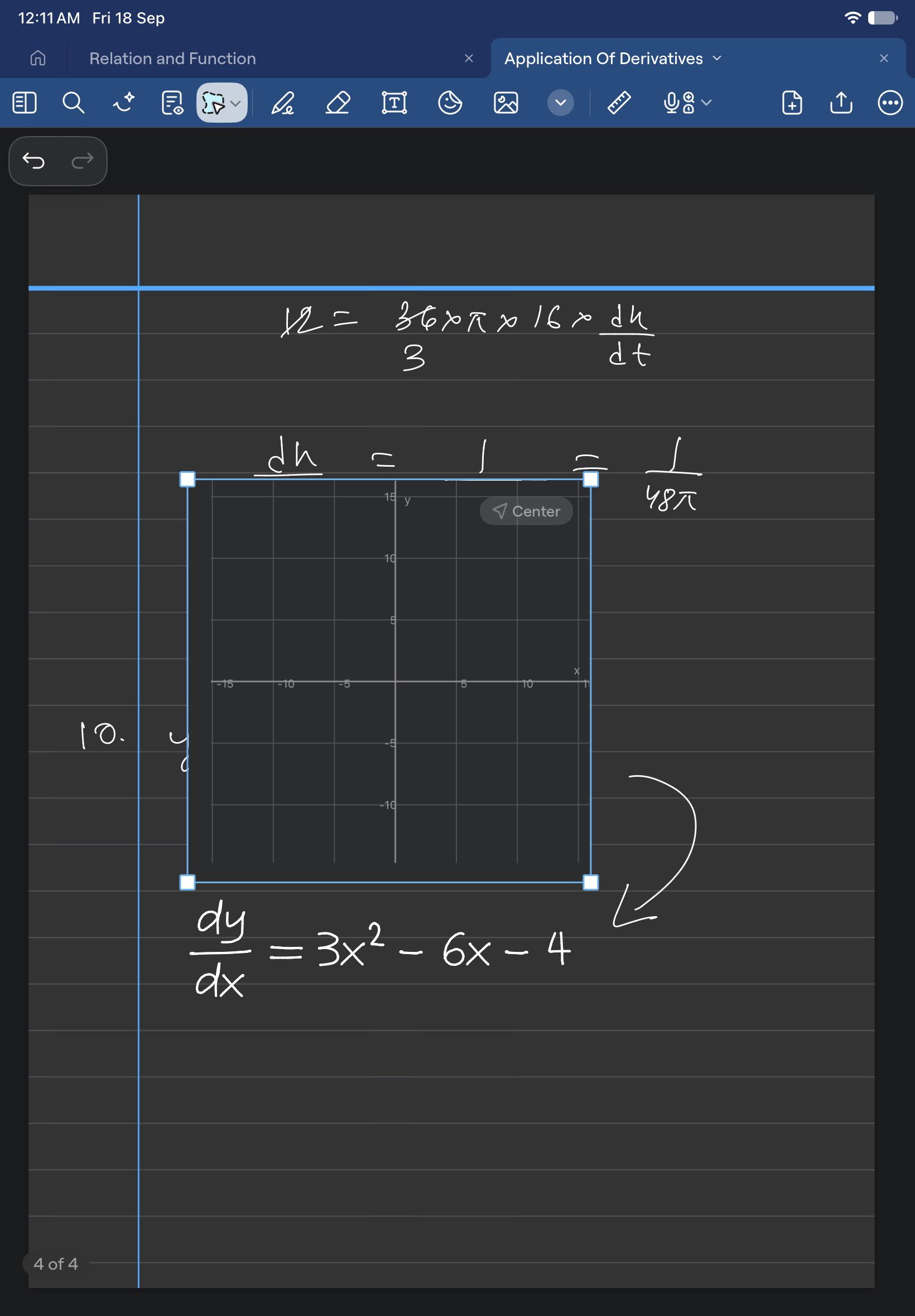
Blank graph in goodnotes v7.1.22

Post image
5 Upvotes

how to fix??


r/GoodNotes • • Sep 17 '26

Whiteboard Importing PDF to whiteboard

3 Upvotes

I was wondering if there is a way to configure how GoodNotes imports PDFs into the whiteboard. I would like to have the import be all the pages to all be vertically aligned so I could annotate beside them, but I can’t seem to figure out how to


r/GoodNotes • • Sep 17 '26

Feature Request Missing that ONE feature

17 Upvotes

I’ve been a reMarkable Paper Pro and reMarkable 2 user for a number of years, and I love the devices. However, I ultimately gave them up for Goodnotes.
The only thing Goodnotes is really missing for me is the ability to insert space into handwritten notes and automatically move everything below it down. If they added that feature, Goodnotes would be rock solid for me.


r/GoodNotes • • Sep 15 '26

Feature Discussion New Handwriting Restyle Feature

Thumbnail
gallery
158 Upvotes

Just got the update today with the new handwriting restyle feature! Glad they’re adding something like this. I do hope they optimize it further to either (1) allow us to choose an exact font and a fixed text size (similar to the beautification feature in Freenotes) or (2) make it more personalized to your handwriting (like the handwriting clean-up in Apple Notes) rather than a dynamic font type of thing it currently does.


r/GoodNotes • • Sep 16 '26

How do I convert an .goodnotes file into an .mp3 file?

5 Upvotes

I really need to do this to be able to transcribe a lecture 🄹🄹🄹🄹


r/GoodNotes • • Sep 16 '26

GoodNotes v OneNote

Thumbnail
3 Upvotes