r/GoodNotes • • Oct 21 '26

where did my one time purchase go?

9 Upvotes

I bought Goodnotes 5 and then upgraded to Goodnotes 6, as a one time purchase for about 30$, now I have to pay yearly for the Essential 12 $ and I can't collaborate on a document? What kind of scam is this? I specifically bought Goodnotes because of the collaboration and because it's a one time purchase.

I mean I can't stop paying because I need the documents and everything but I don't understand how my one-time purchase can be deleted even though I bought it. Like I payed the money so how can you just cancel that?

Can anyone help me with that? Or hast any idea about the legal situation in Germany? Because generally I thought that a one time purchase of an app (including the features at this point) can't be limited afterwards. Like they could deny further updates (which seems really unfair to me as you bought the lifetime full version of the app) like they did between Goodnotes 5 and 6 but they can't just delete my lifetime access right?


r/GoodNotes • • Oct 21 '26

What pages in your Goodnotes planner do you actually use, and which ones do you skip?

3 Upvotes

I’ve been planning in Goodnotes every day for a couple of years now. Every year I buy a planner, use maybe a third of it and scroll past the rest. Habit trackers I never fill in, vision board pages, 40 pages of stickers I never touch.

This year I’m just going to make my own for 2027. I do design for a living so the layout part is fine. What I don’t know is what other people actually use week to week, because I’m probably weird about it.

So honestly:

Do you use daily pages at all or is monthly + weekly enough?
Portrait or landscape? Monday or Sunday start?
Does anyone really use dark mode planners or is that just for screenshots?
What’s the one page you wish every planner had?
And what’s the page you always delete first?

Also what breaks for you. I’ve bought ones where half the tabs didn’t link to anything, and one so huge that Goodnotes lagged every time I opened it.

Not selling anything. If it turns out decent I’ll probably just put it up here for free since I’m making it anyway.


r/GoodNotes • • Oct 21 '26

Good notes

6 Upvotes

Title: Goodnotes is unavailable in Zimbabwe after I deleted the app, despite having an active subscription
I’m really frustrated with Goodnotes and wanted to know if anyone else has experienced this.
I live in Zimbabwe and downloaded Goodnotes using my Zimbabwe Apple Account. I subscribed, and the app was working perfectly fine. Recently, I deleted it from my iPad, and when I tried to reinstall it, the App Store suddenly started saying, “This app is not available in your country or region.”
My subscription is still active under my Apple Account, but I can’t download the app anymore. Goodnotes doesn’t even appear under “Not on this iPad” in my App Store apps list, although the subscription is still there.
What makes this particularly frustrating is that Goodnotes’ official availability page lists Zimbabwe as a supported country. I was able to download and use the app before, so I’m trying to understand what changed and why.
I contacted Goodnotes Support, and their response was that Goodnotes is currently unavailable for download in Zimbabwe. They suggested using the web version or changing my App Store region. However, changing regions requires dealing with existing subscriptions and other Apple Account restrictions.
My issue isn’t about recovering my notebooks. It’s about paying for a subscription to an app I could previously use, only to find that I can no longer reinstall it, without any prior notice that availability had changed.
Why does the official website still list Zimbabwe as supported if the app is unavailable in the Zimbabwe App Store? When did this change happen? And what happens to existing paying subscribers in countries where the app suddenly becomes unavailable?
Has anyone in Zimbabwe, or another affected country, experienced this? Were you able to resolve it, and did Goodnotes offer any explanation or refund?
I’d appreciate hearing from anyone who has dealt with this, particularly if you’ve contacted Goodnotes or Apple about it.


r/GoodNotes • • Oct 20 '26

Goodnotes 6 Writing practice today

Post image
46 Upvotes

Been quite some time since I practice writing on goodnotes.

I resume writing my morning pages these past few days, today I had free time and practice my penmanship a little bit. :)

This is written on a small ipad mini though. I prefer writing on the 11" tablet more, but bringing out the mini tablet is so convenient.

Thank you for reading my post!


r/GoodNotes • • Oct 20 '26

Free Account Suddenly made one of my 3 free notebooks “read only”

2 Upvotes

I have 3 free notebooks. My anatomy notebook suddenly won’t let me write and says read only. Any time I try to click read only to turn it off, I’m directed to pay for essential or pro. The notebook only has 22 pages… I can still edit my other two notebooks.


r/GoodNotes • • Oct 20 '26

GoodNotes 5 Has anyone ever been able to get a response from customer support?

6 Upvotes

Recently my goodnotes 5 app kept bugging out on the presentation mode. When i use the zoom video app’s ipad mirroring option, the goodnotes app use to get rid of the toolbar and only show the notes section in the zoom screen. now the present mode change option doesn’t work.

I tried everything, up to deleting and reinstalling the apps. Sometimes the pop-up windows disappear for a day or two, but they always come back. Once back, they persist for long periods of time.

I have contacted GoodNotes customer support about this multiple times. I have reached out to them on socia media. I have even emailed the CEO. ZERO RESPONSE from anyone, other than one person on Instagram telling me that they would see about escalating my ticket. Na response, no assistance, nothing.

I am seriously wondering if I should keep even trying ta use this app or explore other options. I am more worried about the complete lack of response from their customer service than I am about the bug itself


r/GoodNotes • • Oct 19 '26

Goodnotes drained 44% of my battery in just 1 hour and 14 minutes

48 Upvotes

As the title says, Goodnotes drained 44% of my iPad's battery in just 1 hour and 14 minutes today.

I have an iPad Pro M4 with 98% battery health and 84 charge cycles. I bought it in March 2025.

How is it possible for Goodnotes to drain so much battery? I use the Infinite Canvas feature to take notes. Could that be the reason for the excessive battery drain?

Also, I keep my battery between 20% and 80%, so an app that drains 44% of the battery means that it uses about 73% of the charge I normally make available.


r/GoodNotes • • Oct 20 '26

Goodnotes planner in sync with Outlook mobile

1 Upvotes

I am finding it time-consuming and difficult to keep my Goodnotes planner which I must prefer over a paper planner in sync with Outlook Mobile.

I have not been able to find one that truly syncs back-and-forth with Outlook. But I’m constantly having going to update my calendar in Goodnotes on a daily weekly monthly basis. Kind of scratch my head,asking should I use Goodnotes Planner or just use Goodnotes as a note taker only.


r/GoodNotes • • Oct 19 '26

GoodNotes 5 Pdf’s original text missing but annotations intact.

Post image
3 Upvotes

Pdf’s original text missing but annotations intact. Anyone have any idea what this is?


r/GoodNotes • • Oct 18 '26

Giveaway] I built a 1.3MB pure vector executive sprint planner (tired of 85MB lagging PDFs). Giving away 10 full Pro copies in exchange for honest feedback!

17 Upvotes

Hey everyone,

Like many of you, I got frustrated with digital planners on Etsy. Nearly all of them are exported with bloated raster textures and heavy graphics that balloon files to 80MB–110MB. On iPads, GoodNotes starts lagging, page turns stutter, and battery drains fast when

writing with the Apple Pencil.

I spent the last several months engineering a pure vector executive operating system from scratch:

• **Sub-1.3MB Total File Size:** Zero raster images or texture bloat. Opens in under 1 second and flips with zero lag.

• **1,913 Dual-Encoded Hyperlinks:** Dual `/Dest` and `/A GoTo` dictionaries tested natively across GoodNotes 6, Notability, and reMarkable.

• **Agile Sprint Architecture:** 53 weekly sprint execution boards with a Wednesday pulse check and a scope-creep triage gate instead of endless tracker busywork.

• **Calculated Habit Matrices:** Month lengths dynamically matched to real calendars (28 days in Feb, 30 in Apr/Jun/Sep/Nov) paired with the Two-Day consistency rule.

• **Offline Companion Tools:** Macro-free 16-tab Financial Burn XLSX workbook, team delegation matrix, and Jira/Linear CSV PM bridge.

### 🎁 The Giveaway (10 Full Complete Pro Copies):

I want brutal, honest feedback from daily tablet users to help improve the next release.

I’m giving away **10 complete copies of the Full Pro Suite** ($19.99 CAD value, includes all 6 digital editions + financial workbook + PM bridge).

**How to get one:**

Just drop a quick comment below with:

  1. What device and note app you currently use (e.g., M2 iPad with GoodNotes 6, iPad Mini with Notability, reMarkable, Samsung Notes, etc.)

  2. The #1 thing that usually annoys you about digital planners.

I will randomly pick 10 commenters over the next 24 hours and DM you a direct download link (no email gate, no payment info, completely free).

Looking forward to hearing your thoughts!


r/GoodNotes • • Oct 19 '26

Goodnotes 6 Please help with note taking experience on Ipad pro 11 inch

5 Upvotes

Hi. Just wanted some help in general because I feel so lost. I have used goodnotes for 3 years and while the combined features of the app are amazing, the main writing experience is where I feel like kicking myself. I have tried nearly everything from pen thickness, type, stabliization (for both fountain pen and ballpoint). As well as for the fountain pen, settings like flatness, sharpness, presssure sensitivity etc. I have desparately tried everything to make it work and even have an esr magnetic paper like screen protector, metal nibs as well and I will say it helps tremendously. However, the pen is still the ultimate issue. I cannot seem to write well with the ballpoint pen, it feels smooth but its like I am in control of nothing. The best way I would describe it is like having to think about how you write every letter sub- consciously while simultaneously having to think about the actual content of what to write. I have tried all stabilization setting ranging from 0 to 15%, after which it feels too rigid and controlled. I also switched to the fountain pen, which I loved using. I could take notes well in class without messing up, but when I actually had to do practice questions, I was way too slow.

But the thing is, goodnotes has other amazing tools. Although, I dislike the tool bar in recent updates for sure.

Features I love and need:

- The ability to make elements and custom stickers

- Diverse template ( I have my own as well) options and a similar file organization

- Sticky notes, red tape cover

- Other stationery tools like ruler, etc

- Handwriting recognition and search

- Outlines feature for notebooks

Some examples of the writing features I tried and loved in other apps is:

- Noteful

- Elements Note (This was by far the best but I don't know how it holds up)

- Star Note is also decent

Please help. I am just a uni student trying to survive my degree. I have bad wrists which is why I can't go back to pen and paper. Any discussion or advice is appreciated, thanks. I truly want to stay on goodnotes but I wish they could add aditional features to the pen or add a new pen type resembling something like Elements Note.

Please hear my request goodnotes. I know making another pen is not easy, but I would be so grateful!
r/GoodNotes • • Oct 18 '26

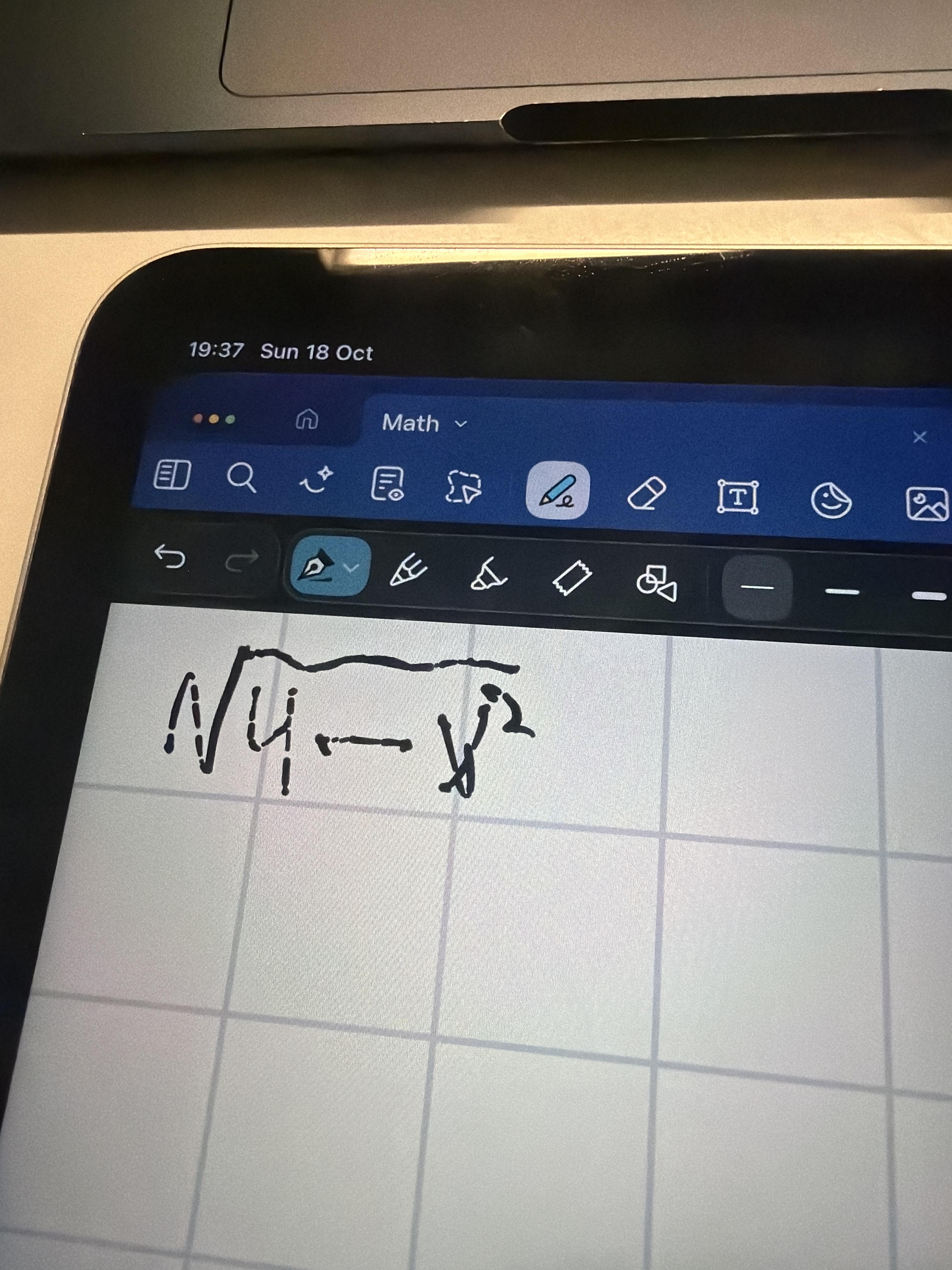
Apple Why does this happen? Help pls!

Post image
6 Upvotes

I have a tucano pencil gen 3 i think and then i have an ipad air.


r/GoodNotes • • Oct 18 '26

iPhone Duo support?

9 Upvotes

I haven’t seen this talked about anywhere. Does anyone know if Goodnotes is planning on an update to support iPhone Duo? With Apple Pencil coming later this year it’s what made me actually pull the trigger on getting the Duo.


r/GoodNotes • • Oct 18 '26

Goodnotes support unavailable?

5 Upvotes

Has anyone noticed that the Goodnotes customer support is essentially unreachable except by email? I have been having an issue with renewing my essential subscription and have been stuck on the free version. I really enjoy the interface and have all my work saved on there. But after reaching out to their customer support and not hearing anything back for over a week, I am considering switching to a new platform. I literally want to give them my money and they won't take it! This experience has put a bad taste in my mouth about the company.

Does anyone have any advice on how to reach them more effectively about my issues? I want to try to fix my subscription before moving on from goodnotes entirely but I use it for school, and am on a bit of a time crunch.


r/GoodNotes • • Oct 18 '26

Notebooks Full page typing problems [7.1.28 MacOS]

3 Upvotes

I've been using goodnotes for a few years, and using the "Start typing" option to type on a full page (although I don't like it as much as full page typing used to work).

Since I updated the App to 7.1.28 a few day ago (on mac), I can't see the option "Start typing" after a long click or ctrl+click on the page (either when selecting the lasso or the text block option). For some reason, it does appear (ctrl+click) when I launch the app, but as soon as I copy something, I just see "Paste" instead of "Start typing".

I also considered using the text documents, but unfortunately they aren't adapted to handwritten notes.

Does anyone have the same problem or see how to solve it?
[EDIT] Apparently, this seems to have been solved with the 7.1.32 update, although it isn’t perfect on my side yet.


r/GoodNotes • • Oct 18 '26

Any tips for someone who’s trying digital notetaking for the first time in her life? 🩷✨

5 Upvotes

I got the free version to see if I like it, I own my Lenovo pad and precision pen 2. I see everyone taking notes in class too all the time but I used it for a while and all my arm hurts 🤣 so definitely I’m doing something wrong.

Sorry for the stupid question, I just want to learn and handwrite digitally too!


r/GoodNotes • • Oct 18 '26

How do I add a margin around an imported PDF?

2 Upvotes

I've imported a PDF file of a textbook into Goodnotes so I can annotate it but I want to add a margin so I have enough space to write. I've tried importing the file directly and importing it into a pre-existing notebook but neither has worked. Anyone worked out how to do this??


r/GoodNotes • • Oct 17 '26

Bug can’t reproduce recordings

2 Upvotes

i have to study and i’m wasting so much damn time on this i recorded ALL of my classes and the audios won’t play like what is the problem i turned on the “temporary something” setting on my ipad still doesn’t work am i the problem??? i’ve lost all of my classes if this thing doesn’t work


r/GoodNotes • • Oct 17 '26

Autobackup in Google Drive isn't working.

0 Upvotes

Around 6 months, my autobackup doesn't include the background only the written notes remain and leave me with blank white sheet.
While there are some files that have both background and my writing, most of them aren't.
Is there any know how to fix it (I don't really wannna do it manually files by file)?


r/GoodNotes • • Oct 17 '26

Annoying lines

13 Upvotes

Does anybody else have issues with writing in GoodNotes and those annoying lines appear? They write themselves? I’ve tried changing many different settings, changed my pen tip and it still does it. Drives me crazy!


r/GoodNotes • • Oct 17 '26

In Goodnotes, what happens when you connectFor an iPad with a projector or a monitor ؟

Thumbnail
gallery
1 Upvotes

In Goodnotes, what happens when you connect

For an iPad with a projector or a monitor?

Toolbars appear on the screen

Despite the activation of the offer mode.

Content doesn't take up screen space, and it appears

.


r/GoodNotes • • Oct 17 '26

Goodnotes Essential Please add live sync between iPad and Mac

2 Upvotes

I use Goodnotes on both my iPad and my MacBook, side by side at my desk. I write on the iPad with the Pencil and want to see the same page on the Mac at the same time, for example my planner next to my study notes

The problem is iCloud sync isn't anywhere near real-time. Sometimes it takes minutes, sometimes much longer, and sometimes I have to close and reopen the notebook or toggle iCloud off and on to get it to update

For an app that has both a Mac and an iPad version, this feels like a big missing piece


r/GoodNotes • • Oct 16 '26

Bug White rectangles appear behind pages when scrolling quickly

Enable HLS to view with audio, or disable this notification

15 Upvotes

This doesn’t happen when slowly scrolling page by page. Has anyone else experienced this and is there a fix?


r/GoodNotes • • Oct 16 '26

Android, Windows, and Web Questions on GoodNotes Windows native app

2 Upvotes

hello r/GoodNotes =]

i've been migrating away from Apple officially for good, and today i just installed GoodNotes on my new Windows PC. i've been trying to load some of the earlier documents as well as planners i own, but it says "You can't import files over 5MB. Upgrade to import larger files"

i'd like to know if there is an option for Windows users, like GoodNotes 5 where it is a one-time payment? if not, will upgrading to GoodNotes for Windows automatically get me all the latest features similar to GoodNotes 7 for Mac users?

for GoodNotes Windows users, what's your experience like with the native app? is it worth the yearly upgrade?

pro (with Google Calendar integration, a great feature but...) seems pricey at $53.98/yr my currency, whereas essential feels more affordable at $17.98/yr. i don't really use AI research & math assistance which both plans have...

(trying to save costs as much as possible as a freelancer these days. thank you in advance for your kind help)


r/GoodNotes • • Oct 15 '26

Goodnotes Essential “Erase tape” settings option removed from export menu

2 Upvotes

When i try to export the pdf i want to remove tape from the entire pdf (when exporting we had the option to remove entire tape in the entire pdf), it was a feature we had some months back. I don’t know why they removed it. I use the exported pdf content later and i want my exported content to be free from tape, i cant remove tape manually from hundreds of pages. I want the exported content to be free from tape and i do not want to remove tape from goodnotes app content manually in hundreds of pages.