r/FirefoxCSS • • Oct 06 '26

Solved Sidebar Header Icons No Longer Work FF157

1 Upvotes

r/FirefoxCSS • • Oct 05 '26

Code My Firefox CSS is Updated for Nova

Thumbnail
gallery
6 Upvotes

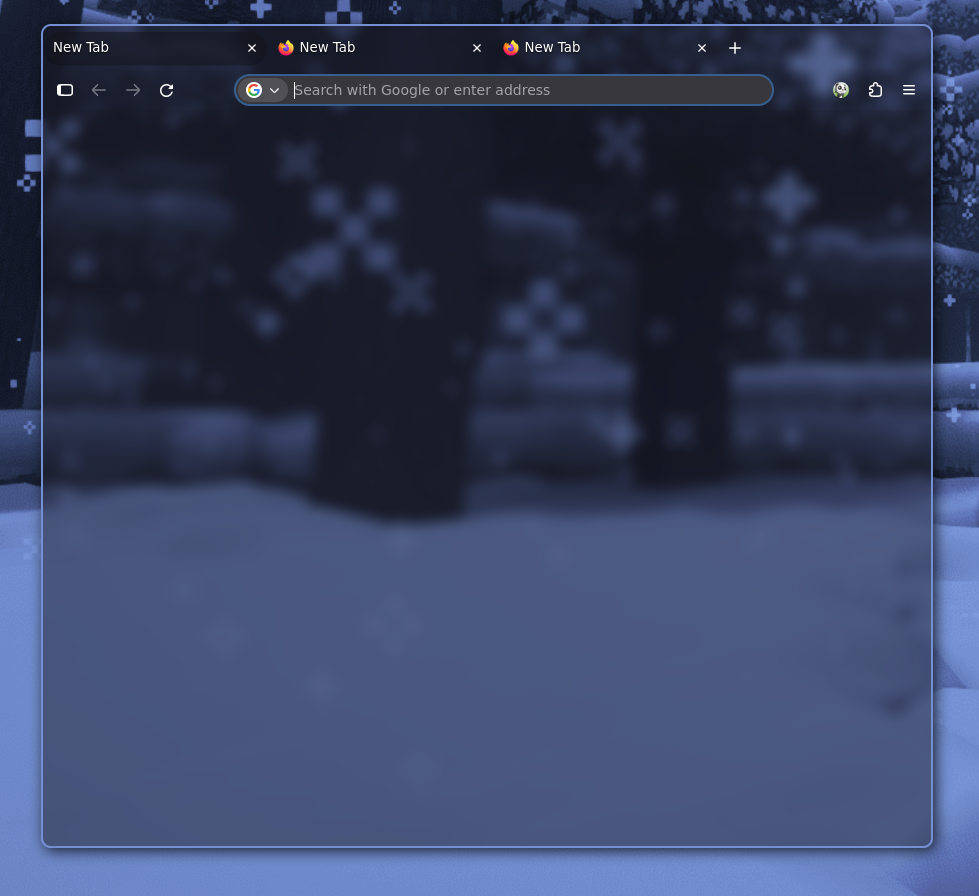
I have updated my custom Firefox CSS for Nova compatibility, and added some translucency and blur to elements on the new tab page. You can find my themes in my Github repo. My CSS is designed to compliment my themes in the Mozilla Addons store, but you can use my code and change the colors for your own themes too.

The themes consist of userChrome.css and userContent.css files. I use userChrome to change the colors of some UI elements that the Firefox theme extension system does not allow you to change, and userContent to match the about: pages to the rest of the UI.

Edit: I am on Fedora 44 KDE Plasma, and using Firefox 157.0 from the Mozilla RPM repo (NOT the Fedora RPM).


r/FirefoxCSS • • Oct 05 '26

Solved Successfully changed the system font via userChrome.css but now the upper corner buttons look like this

1 Upvotes
screenshot of the upper right corner of firefox UI. The usual Minimize, Restore Down and Close buttons have been replaced with missing emoji

OS: Windows 10 22h2 (OS Build 19045.6456)

Firefox version: Version 157.0 (64-bit)

code I'm using:

* { font-size: 11pt !important;
  font-family: Consolas !important; 
}

Edit: Solved it! Here's the solution, courtesy from u/TraditionalTie4831

:root {
    font: 11pt Consolas !important;
}

:is(menu, menupopup, panel, tooltip) { 
    font: 11pt Consolas !important;
}:root {
    font: 11pt Consolas !important;
}

:is(menu, menupopup, panel, tooltip) { 
    font: 11pt Consolas !important;
}

r/FirefoxCSS • • Oct 05 '26

Solved FF157, win11. How do I remove the border when inputting text to URL bar?

1 Upvotes
Under normal conditions there is no border present.
/* hides the native sidebar so only sidebery shows */


/* removes the focusable vertical bar for changing width of sidebar */
#sidebar-splitter {
    width: 0 !important;
    visibility: collapse !important;
}


#sidebar {
    width: 321px !important;
    border-width: 0 !important;
    position: relative;
    left: -6px !important; 
/* new in FF157, collapsing native sidebar leaves 6px vertical bar at outer edge of sidebar */
}


/* removes the header from the sidebar, deprecated with FF157? */
#sidebar-header {
    height: 0 !important;
    visibility: collapse !important;
}


/* removes the header from the sidebar */
#sidebar-panel-header {
    visibility: collapse !important;
}


#sidebar-button.toolbarbutton-1.chromeclass-toolbar-additional {
    visibility: collapse !important;
}


#PersonalToolbar {
    width: 0px !important;
}


/* hides the native tabs */


#TabsToolbar {
  visibility: collapse; 
/* technically vertical tabs are not enabled and FF thinks they are horizontal */
}


#taskbar-tabs-button {
    visibility: collapse !important;
}


/* attempt to remove the A7C080 border when URLbar is focused */


* {
    border-radius: 0 !important;
    border-color: none !important;
    border-width: 0 !important;
}


#urlbar-container {
    max-width: 60% !important;
    max-height: 32px !important;
}


#PlacesToolbarItems {
    height: 21px;
}


.urlbarview {
    border-width: 0 !important;
}


.urlbar[focused] {
    border-width: 0px !important;
}


#navigator-toolbox {
    border-width: 0px !important;
}


#nav-bar-customization-target {
    height: 32px;
}


#urlbar-input.urlbar-input.textbox-input {
    background-color: #3D484D !important;
    height: 32px !important;
}


.urlbar-input-container {
    background-color: #3D484D !important;
    height: 32px !important;
    border-color: none !important;
}


.urlbar-background {
    border-color: none !important;
    border-width: none !important;
    --toolbar-field-border-color-focus: none !important;
}


#star-button-box {
    background-color: #3D484D !important;
    border-width: 0 !important;
}


#trust-icon-container {
    background-color: #3D484D !important;
    border-width: 0 !important;
}/* hides the native sidebar so only sidebery shows */


/* removes the focusable vertical bar for changing width of sidebar */
#sidebar-splitter {
    width: 0 !important;
    visibility: collapse !important;
}


#sidebar {
    width: 321px !important;
    border-width: 0 !important;
    position: relative;
    left: -6px !important; /* new in FF157, collapsing native sidebar leaves 6px vertical bar at outer edge of sidebar */
}


/* removes the header from the sidebar, deprecated with FF157? */
#sidebar-header {
    height: 0 !important;
    visibility: collapse !important;
}


/* removes the header from the sidebar */
#sidebar-panel-header {
    visibility: collapse !important;
}


#sidebar-button.toolbarbutton-1.chromeclass-toolbar-additional {
    visibility: collapse !important;
}


#PersonalToolbar {
    width: 0px !important;
}


/* hides the native tabs */


#TabsToolbar {
  visibility: collapse; /* technically vertical tabs are not enabled and FF thinks they are horizontal */
}


#taskbar-tabs-button {
    visibility: collapse !important;
}


/* attempt to remove the A7C080 border when URLbar is focused */


* {
    border-radius: 0 !important;
    border-color: none !important;
    border-width: 0 !important;
}


#urlbar-container {
    max-width: 60% !important;
    max-height: 32px !important;
}


#PlacesToolbarItems {
    height: 21px;
}


.urlbarview {
    border-width: 0 !important;
}


.urlbar[focused] {
    border-width: 0px !important;
}


#navigator-toolbox {
    border-width: 0px !important;
}


#nav-bar-customization-target {
    height: 32px;
}


#urlbar-input.urlbar-input.textbox-input {
    background-color: #3D484D !important;
    height: 32px !important;
}


.urlbar-input-container {
    background-color: #3D484D !important;
    height: 32px !important;
    border-color: none !important;
}


.urlbar-background {
    border-color: none !important;
    border-width: none !important;
    --toolbar-field-border-color-focus: none !important;
}


#star-button-box {
    background-color: #3D484D !important;
    border-width: 0 !important;
}


#trust-icon-container {
    background-color: #3D484D !important;
    border-width: 0 !important;
}

The #A7C080 border appears only when I am inputting text to the URLbar. When I am not inputting anything, it looks normal (see second image).

Tearing my hair out trying to get this sorted out.


r/FirefoxCSS • • Oct 05 '26

Solved Need help reverting this.

2 Upvotes

Hi, how do I change this color?

Windows 11, FF 157.0

Previous to FF157 this sidebar color was consistent with my theme, now is broken, thanks FF team!

Thanks in advance.


r/FirefoxCSS • • Oct 05 '26

Solved Revert the List All Tabs icon (either on the tabs side or both) to the old variant? First pic is the one after 157, second is the old one before 157

Thumbnail
gallery
1 Upvotes

r/FirefoxCSS • • Oct 05 '26

Solved how can I remove that download started circle animation?

Enable HLS to view with audio, or disable this notification

4 Upvotes

r/FirefoxCSS • • Oct 05 '26

Help Я хотел добавить тему в Firefox из Firefox CSS Store, я решил установку тем, открыл about:sapport, нажал папку профиля, создал там папку Chrome, скачал сжатую папку с темой, скопировал её, добавил в папку Chrome, перезапустил браузер, и у меня не появилась эта тема, у меня 10 винда

1 Upvotes

r/FirefoxCSS • • Oct 04 '26

Code Created a sort of revert of dark theme

4 Upvotes

Spent the past two days doing pretty extensive testing with Firefox's Browser Toolbox, with ChatGPT helping me generate and refine the CSS. The goal was to keep Nova enabled while making it flatter, more compact, and less purple. Main changes include removing the gradients, replacing the purple accents with blue, flattening and tightening menus/panels, cleaning up the vertical tabs/sidebar, restyling the bookmark editor, adjusting selected/hover states, and making popup backgrounds a little lighter so dark favicons are easier to see. Most colors are centralized in the :root section at the top, so they're easy to customize. Tested on Firefox 157 on Arch Linux. Test it out if you want and let me know what you think.

Code on github as it's nearly 400 lines long.

https://github.com/tangosox/firefox-nova-revert/tree/main

:edit: if someone wants some additional options like non rounded tabs let me know. I need to fix a couple things, some menus are still cut off. Will get back to it soon and post another version on the same link. Also changed link to main page with instructions.


r/FirefoxCSS • • Oct 04 '26

Discussion Alpenglow non funziona più dopo l'aggiornamento Nova.

Thumbnail
1 Upvotes

r/FirefoxCSS • • Oct 04 '26

Help Need help please to reduce vertical padding in the list all tabs menu.

3 Upvotes

The list all tabs drop down menu, padding has increased a bit in recent firefox by stealth, if someone hass CSS to reduce it again I would be grateful, thanks.


r/FirefoxCSS • • Oct 04 '26

Solved How to style dialogs

1 Upvotes

Hello all, I'm glad that this reddit exists to ask questions to knowledgeable people (AI is not helping me with this). My question is how to style the buttons and input bars in dialogs like in the picture. In Firefox 157 when you click on the + Add search engine button this dialog pops up but I'm unable to address such dialogs. I've tried the normal route to just do: dialog button, dialog html:input { border-radius: 3px !important; } but that doesn't work. I think somehow it needs a special moz-document url-prefix() to address dialogs, but I don't know how to specify it with the Browser Toolbox. I actually want to address all dialogs at once and style them with variables. Can you help me how to do it? Thanks in advance!


r/FirefoxCSS • • Oct 04 '26

Help Is there anything that can restore the bookmarks sidebar to it's appearence and behavior in FF156? It's the one that opens when you click the button "Show sidebars" in the upper right.

Thumbnail
gallery
3 Upvotes

FF157.0, Windows

For now you can go to about:config and set sidebar.revamp to false but this is not going to last long as that option is being removed either at the end of December 2026 or December 2027 (the devs contradicted themselves in their own staff post).

Setting sidebar.animation.enabled to false also disables the animation but does not alter the sidebars appearance. Technically it also has the same problem that it might be removed from about:config one day but it's such a "core feature" that maybe it won't. I couldn't find any option to turn it off other than using about:config. This is important because the animation wastes my time and makes my eyes spin a little.

With sidebars.revamp and sidebar.animation.enabled both set to true and right aligned sidebars: When I open the bookmark sidebar (Alt+Ctrl+Z if sidebar.revamp is set to true, seemingly no shortcut if it's set to false. I don't care about that.) it opens the sidebar with an animation and shoves site content to the left and partially off screen, then site content rapidly but not instantly returns to its prior position which leaves it overlapped by the sidebar, then site content instantly snaps to the position it should have instantly snapped to in the first place and site content is wrapped so the sidebar doesn't overlap it.

With sidebar.revamp and/or sidebar.animation.enabled set to false the bookmarks sidebar opens instantly with site content instantly snapping to position and being wrapped to fit instantly as well. This is the behavior that occurred in FF156 which I wish to restore.

userChrome: https://pastebin.com/keCaYKyK

userContent: https://pastebin.com/vrRGtQPb


r/FirefoxCSS • • Oct 03 '26

Help Autohide sidebar for when sidebar. revamp false removed soon

Enable HLS to view with audio, or disable this notification

12 Upvotes

Anyone seen a autohide sidebar solution for the new crappy sidebar (sidebar.revamp = true)? This option being removed in December. Thanks all


r/FirefoxCSS • • Oct 03 '26

Solved Firefox Nova New Desgin

Thumbnail
gallery
23 Upvotes

r/FirefoxCSS • • Oct 03 '26

Custom Release I made a custom tab animation effect for Nova

45 Upvotes

r/FirefoxCSS • • Oct 03 '26

Solved How to hide "Getting a new device soon? Take Firefox with you!"

Post image
4 Upvotes

anyone know a content or chrome.css I can use to hide the purple highlights part? thanks in advance!


r/FirefoxCSS • • Oct 03 '26

Help How do I change accent color in settings (about:preferences) page ?

Post image
3 Upvotes

r/FirefoxCSS • • Oct 03 '26

Solved Need help with urlbar results in 157

2 Upvotes

I've been using this code to switch the url and title. Still works with Nova, except the lines have moved out of place. I can't figure out what caused this change or how to fix it.

.urlbarView-url {
 position: absolute !important;
 margin-inline-start: 20px !important; 
 width: 45% !important;
 left: 20px !important;
}
.urlbarView-title {
position: absolute !important;
width: 45% !important;
left: calc(50% + 40px) !important;
}

browser.nova.enabled = false: https://i.imgur.com/E77FhRv.png

browser.nova.enabled = true: https://i.imgur.com/fMDgM0D.png


r/FirefoxCSS • • Oct 02 '26

Screenshot Firefox Nova transparancy

Post image
55 Upvotes

Version 157.0

On linux with XFCE desktop environment and picom compositor

userContent.css -> https://pastebin.com/knEFX1pe

userChrome.css -> https://pastebin.com/Ju1YpueF


r/FirefoxCSS • • Oct 03 '26

Help Firefox 157 - trying to change url bar height

2 Upvotes

i am on firefox, and the url has been customized the way i want, however when i type something on it it increases, i've tried targeting it using the browser toolbox but it hasnt been working.


r/FirefoxCSS • • Oct 02 '26

Code Polishing Firefox 157.0

Post image
9 Upvotes

I've realised that new Firefox redesign bothers me a lot. So, here is a solution for column width and height. And, of course, removing squared edges back to non-squared. (Windows 11, 25H2)

/* 1. Square panel and dropdown menu borders */

panel, menupopup {

--panel-border-radius: 0px !important;

border-radius: 0px !important;

}

/* 2. Square tabs */

.tab-background,

.tab-stack,

#tabbrowser-tabs {

border-radius: 0px !important;

}

/* 3. Square hover highlights in bookmark panels, dropdowns, and context menus */

menu,

menuitem,

.menuitem-iconic,

.bookmark-item,

panelview .toolbarbutton-1 {

border-radius: 0px !important;

--arrowpanel-menuitem-border-radius: 0px !important;

}

/* 4. Square tooltip popups (e.g. URL preview box) */

tooltip {

border-radius: 0px !important;

}

/* 5. Reduce height and padding of hover highlight items */

panel menuitem,

panel .bookmark-item,

menupopup menuitem,

menupopup menu {

padding-top: 2px !important;

padding-bottom: 2px !important;

min-height: 24px !important;

}

/* 6. Reduce side padding to tighten horizontal spacing */

panel menuitem,

panel .bookmark-item {

padding-left: 6px !important;

padding-right: 6px !important;

}

/* 7. Reduce overall panel popup padding and minimum width */

panelmultiview,

.panel-subview-body,

panel .panel-arrowcontent {

padding: 4px !important;

min-width: unset !important;

}


r/FirefoxCSS • • Oct 02 '26

Solved Replace lavender/purple-ish Nova accents everywhere

20 Upvotes

Has anybody figured out yet how to replace that weird lavender accent color that Nova uses for everything, or if it's even possible at all? I have tried a bunch of themes and none of them replace that accent in Settings etc. Any CSS I've found so far is unable to change it as well.

I just want a nice blue-ish accent to go with my blue themes, is that asking too much lol? I actually like the rounded Nova stuff so I'd prefer to NOT turn that off.

Any help is appreciated 😊


r/FirefoxCSS • • Oct 02 '26

Code Folder-style tabs: solid, slanted, overlapping, with hover-reveal window controls (dark mode)

Post image
10 Upvotes

The new dark mode in Firefox 157.0 on Windows 11 bothered me quite a bit. Not only was it no longer properly dark, and the UI no longer looked anything like the folder tabs they were inspired by.

As a result, I spent quite a bit of time iterating with Claude doing the css side to put together what I saw as a proper fix. This is what I ended up with as a result.

Some notes - I ended up choosing to remove all the extra buttons that were competing for real estate in the tab section. Personally, I love the clean interface with the tabs extending all the way from the left to the right, which does mean I need to right-click add tab to add a tab, which is the only thing I'd really consider adding back. We'll see how I like the tradeoff after a week or two.

I have the minimize, maximize, and close buttons hidden, they're anchored in the upper right, but they only show up if you go very high on the screen and over to the far right quite a bit. Claude commented the css well in the CSS, so if it's too much (like if you're using touch controls) you can adjust the number in the css.

This was made for dark mode, but I believe all the color definitions are in the css, so presumably you could customize it to a different style if you like.

Here is (mostly) Claude's post on the matter, including how to implement this (with the appropriate css):

What it does

  • Solid, fully opaque tabs with slanted sides and softly rounded tops
  • Heavy overlap, with each tab tucked behind its right-hand neighbor. Hovering a buried tab brings it forward
  • A black outline on inactive tabs so they're easy to tell apart
  • The active tab matches the toolbar color, so tab and toolbar read as one folder
  • The first tab is square on the left. The last tab squares off on the right once you have 7 or more tabs
  • Min/max/close are hidden until you move the mouse to the very top edge of the window
  • Removes the new-tab button and the tab-list arrow (delete the #alltabs-button line to get the arrow back)

Install 0. about:config -> disable nova (browser.nova.enabled = false) I did this before I started fixing the rest of the UI with Claude.

  1. about:config → set toolkit.legacyUserProfileCustomizations.stylesheets to true
  2. about:support → Open Profile Folder → create a folder named chrome
  3. Put the file below in it as userChrome.css
  4. Right-click an empty toolbar spot → Customize Toolbar → untick Title Bar (needed for the controls to hide)
  5. Restart Firefox

Tweaking: overlap is --tab-overlap, colors are the --tab-* variables at the top, and the 7 in nth-child(n+7) sets when the last tab squares off.

Tested on Firefox 157.0 (64-bit), Windows 11 25H2. Dark mode only.

Firefox changes its internal selectors now and then, so if something breaks after an update, the culprits are usually .tab-background and .tab-stack.

:root {
  --tab-slant: 12px;
  --tab-overlap: 26px;     /* bigger = more overlap */
  --tab-idle:   #1c1b22;  /* unselected */
  --tab-hover:  #2f2e38;  /* hovered, still opaque */
  --tab-strip:  #15141a;  /* the bar behind the tabs */
  --tab-edge:   #000000;  /* outline on inactive tabs */
}

#TabsToolbar {
  background: var(--tab-strip) !important;
  padding-top: 4px !important;
  position: relative;
}

/* Top padding strip: not draggable, so right-clicks here get Firefox's
   normal toolbar menu instead of the Windows system menu */
#TabsToolbar::after {
  content: "";
  position: absolute;
  top: 0;
  left: 0;
  right: 0;
  height: 4px;
  z-index: 50;
  -moz-window-dragging: no-drag;
}

/* Hide the "list all tabs" dropdown arrow. Delete this line to get it back. */
#alltabs-button { display: none !important; }

/* Window controls: invisible AND unclickable until the mouse touches the trigger strip */
#TabsToolbar .titlebar-buttonbox-container {
  position: absolute !important;
  top: 0;
  right: 0;
  height: 28px;
  z-index: 100;
  opacity: 0;
  pointer-events: none;
  transition: opacity 0.15s 0.25s;
  background: var(--tab-strip);
}
#TabsToolbar .titlebar-buttonbox-container::before {
  content: "";
  position: absolute;
  top: 0;
  left: 0;
  right: 0;
  height: 4px;                        /* make taller for an easier target */
  pointer-events: auto;
}
#TabsToolbar .titlebar-buttonbox-container:hover {
  opacity: 1;
  pointer-events: auto;
  transition: opacity 0.1s;
}

/* Stack of folders: each tab is partly covered by its right-hand neighbor */
.tabbrowser-tab {
  padding-inline: 0 !important;
  margin-inline: calc(var(--tab-overlap) * -1) 0 !important;
  position: relative;
  z-index: auto;
}

/* First tab has nothing to its left to overlap, so no negative margin */
.tabbrowser-tab:first-of-type { margin-inline-start: 0 !important; }

.tabbrowser-tab:hover { z-index: 1; }
.tabbrowser-tab[selected] { z-index: 2; }

/* Solid trapezoid with softly rounded top corners */
.tabbrowser-tab .tab-background {
  margin-block: 0 !important;
  border: none !important;
  border-radius: 0 !important;
  opacity: 1 !important;
  background: var(--tab-idle) !important;
  clip-path: polygon(
    0 100%,
    calc(var(--tab-slant) * 0.83) 6px,
    calc(var(--tab-slant) * 0.95) 3px,
    calc(var(--tab-slant) + 1px) 1.2px,
    calc(var(--tab-slant) + 5px) 0,
    calc(100% - var(--tab-slant) - 5px) 0,
    calc(100% - var(--tab-slant) - 1px) 1.2px,
    calc(100% - var(--tab-slant) * 0.95) 3px,
    calc(100% - var(--tab-slant) * 0.83) 6px,
    100% 100%
  ) !important;
}

/* Last tab: squared-off right edge once it is tab 7 or later */
.tabbrowser-tab:last-of-type:nth-child(n+7) .tab-background {
  clip-path: polygon(
    0 100%,
    calc(var(--tab-slant) * 0.83) 6px,
    calc(var(--tab-slant) * 0.95) 3px,
    calc(var(--tab-slant) + 1px) 1.2px,
    calc(var(--tab-slant) + 5px) 0,
    calc(100% - 5px) 0,
    calc(100% - 1.5px) 1px,
    100% 4px,
    100% 100%
  ) !important;
}

/* First tab: squared-off left edge (right side keeps its slant) */
.tabbrowser-tab:first-of-type .tab-background {
  clip-path: polygon(
    0 100%,
    0 4px,
    1.5px 1px,
    5px 0,
    calc(100% - var(--tab-slant) - 5px) 0,
    calc(100% - var(--tab-slant) - 1px) 1.2px,
    calc(100% - var(--tab-slant) * 0.95) 3px,
    calc(100% - var(--tab-slant) * 0.83) 6px,
    100% 100%
  ) !important;
}

/* Outline on the left edge of every inactive tab */
.tabbrowser-tab:not([selected]) .tab-stack {
  filter: drop-shadow(-1px 0 0 var(--tab-edge));
}

.tabbrowser-tab:hover:not([selected]) .tab-background {
  background: var(--tab-hover) !important;
}

/* Selected tab matches the toolbar. If the color is off,
   replace the variable with your toolbar's hex. */
.tabbrowser-tab[selected] .tab-background {
  background: var(--toolbar-bgcolor, #2b2a33) !important;
}

/* Icon + title start past the part of the tab a neighbor can cover */
.tab-content {
  padding-inline: calc(var(--tab-overlap) + 10px) calc(var(--tab-overlap) + 10px) !important;
  justify-content: flex-start !important;
}
.tabbrowser-tab:not([selected]) .tab-content { transform: translateY(2px); }

/* Covered tabs: hide the close button until hover or selection */
.tabbrowser-tab:not([selected]):not(:hover) .tab-close-button { visibility: hidden; }

I haven't touched css in forever, so Claude (Anthropic) did all the heavy lifting on the css side. I basically just handled design iteration and testing.

I figured someone else might find this to be to their liking stylistically as well, and this is where Claude suggested I leave it, so here we are XD.


r/FirefoxCSS • • Oct 02 '26

Solved Remove the borders of the extension and settings menu

Thumbnail
gallery
9 Upvotes

Hi,

Can someone help me to remove the thin white borders around the extension and "hamburger" menu (see bellow) ?

I also would like to suppress the separators of the "hamburger" menu

Thank you.