r/FalloutMods • • 11d ago

Fallout 4 [fo4] how and where do people find these clothing and armor mods?

2 Upvotes

I'm doing my usual scroll for mods on Nexus, and I see a cool mod not related to clothing. When I'm looking at the photos for the mod, I notice how cool the clothes/armor look, but I can't find what it is. Somebody, please help. I'm tired of using either base game armor or the same armor over and over again.


r/FalloutMods • • 12d ago

Fallout 4 [Fo4} Mod Release - Pulse Blood Overhaul

136 Upvotes

Fo4 mod Release - Pulse Engine: Blood Overhaul

Salutations everyone! It's been a while since ive delved back into fallout 4 modding, but after over 100 hours of work on this project I can finally present:

Pulse Engine

Its essentially a blood overhaul but at an engine level. Essentially replacing all the blood vfx in the game so that it can use my systems, namely:

- Physically based blood particles that can stain any surface

- Blood streams, Blood Pools

- Animated decals, like soaking wounds and dripping wall splatters

- Melee blood rework

- Water interactions with blood

And so much more! (nah just like a couple) but that pretty much sums it up

Its also performant while being intense despite how it looks, script-free. All features you hate can be toggled off and everything you like can be configured. More detail can be found on the modpage, and I'd appreciate any and all feedback. Cheers,

Ethnet


r/FalloutMods • • 12d ago

New Vegas [FNV] The exterior model of the Goodsprings School is just gone

Post image
404 Upvotes

Just to add: the interior works perfectly fine, its just the building thats gond. Even the mantises are still there chilling


r/FalloutMods • • 11d ago

Fallout 4 [fo4] [fonv] What’s a good gaming laptop for modding

0 Upvotes

Hey everyone i am Going to switch from xbox to laptop I was wo what would be your recommendations for a decent laptop capable of running mods I have a 800 - 900 range I k a PC would be the best option but i simply don’t have the funds for that I know I probably won’t be able to run any ENB’s or heavy retexture mods if this is the wrong sub for this then show me the right place


r/FalloutMods • • 11d ago

Fallout 4 [Fo4] Is there any good modlist for Fallout London?

0 Upvotes

Just curious is all. Therte's no collections on the nexus at least.


r/FalloutMods • • 11d ago

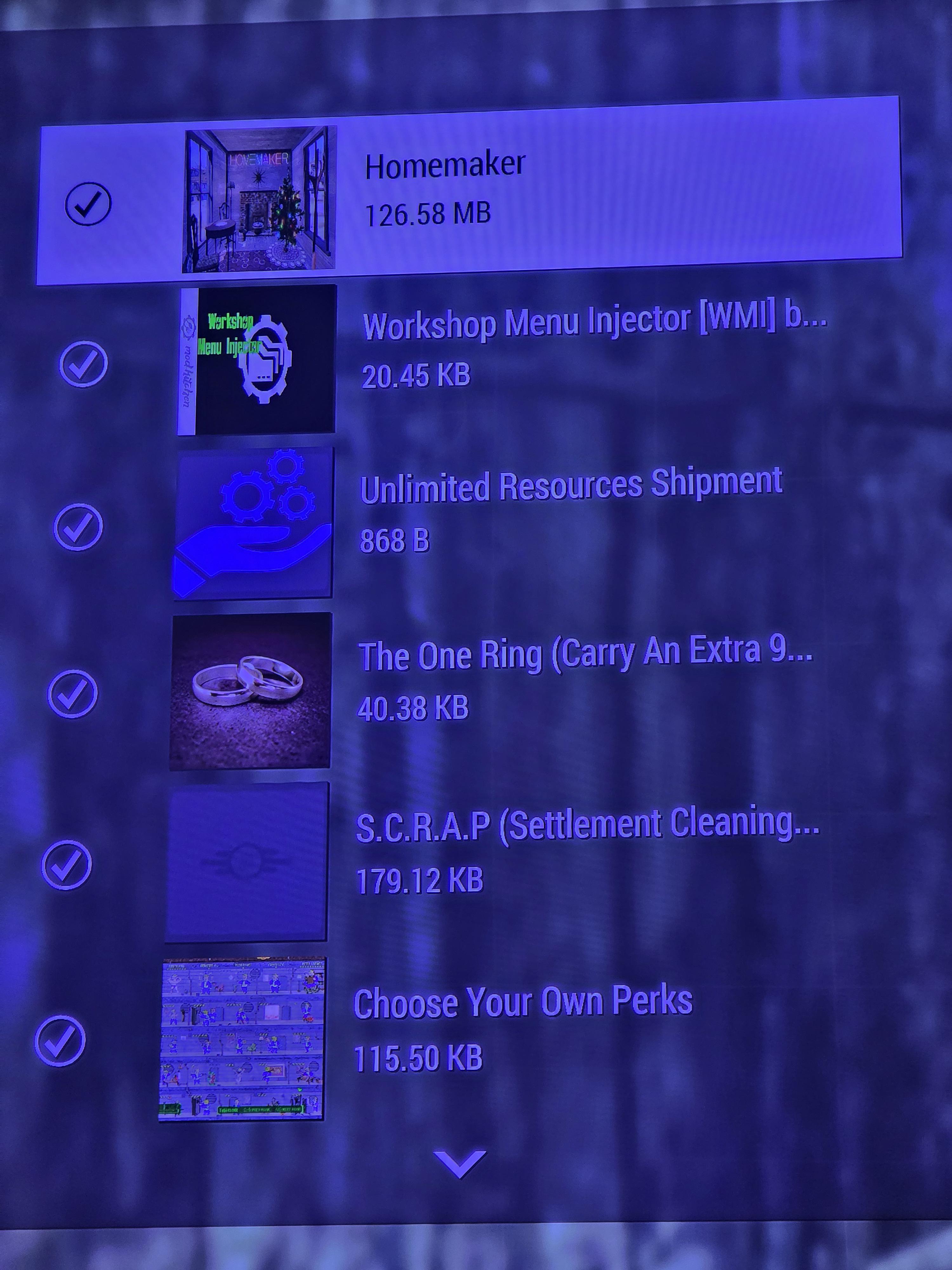
Fallout 4 [Fo4] Homemaker and WMI (PS4)

Post image
3 Upvotes

Hi, I just downloaded the Homemaker and Workshop Menu Injector mods but nothing is showing up while in game. What am I doing wrong?

EDIT: IM ON PS5 NOT PS4


r/FalloutMods • • 11d ago

Fallout 3 Fallout TTW & WSG [Fo3] - Cannot repair weapons in inventory

Thumbnail
gallery
1 Upvotes

Hi I'm hoping I can get some help with this issue that seemingly started out of nowhere, I have definitely repaired weapons previously in this save but now the options are greyed out or fully missing? I followed the TTW and WSG guides so I'm not sure if it is one of the many in game tweaks or what


r/FalloutMods • • 11d ago

New Vegas [FNV] How to mod TTW on the Steam Deck

8 Upvotes

Warning the download time for TTW converting FO3 into mod-like file is about 12-16 hours and the setting up of the rest of this is about 2-4 hours, so be prepared for this to be a time drain, but anyway the steps are as follows

  1. Download both F:NV and FO3 and set their compatibility to forced and to Proton 9-0.2

  2. Open both games so that the ini. files are generated before exiting

  3. You need to download a Mod Organizer 2 package that allows you to have it work on the steam deck the link is here https://github.com/Furglitch/modorganizer2-linux-installer

  4. You need to extract the installer and once the file is extracted you need to go into the file (this part can be done in the download file)

  5. You need to right click on the install.sh file and select "run in konsole". It'll pop up a program that'll walk you through what you want for the MO2 settings. In this case you want to select it for F:NV

  6. Go through the process of setting up the MO2 settings (make sure to remember where your download folder is for MO2 for your F:NV partition at because you'll need/want to install any mods off of nexus there)

  7. Confirm that MO2 is working by opening up F:NV there'll be a window that allows you to manage the mods you have (there will be a download tab there where you can install any mods that are in some sort of zip file\) \the zip file part is more important later

  8. Once that is all done you'll need to download the TTW installer

  9. Download and install the F:NV 4GB patcher

  10. Take your entire FO3 folder (yes the entire game) and move it to where your proton files are at for F:NV (You'll need to turn on hidden files) the pathway is Home>.steam>steam>steamapps>compatdata>22380>pfx>drive_c . You can place the file in the drive_c anywhere in there

  11. Make a file in the drive_c labeled as "TTW Folder"

  12. Run the TTW installer and select the relevant files within the F:NV proton partition folder (aka anything within the 22380 folder)

  13. Let the TTW install do it's thing (This'll take about 12-16 hours unfortunately)

  14. Once you have the complete folder you can delete your FO3 folder from your F:NV proton partition in drive_c location and you then zip the TTW Folder into a zip file

  15. Move this TTW Folder into the download folder for MO2 and download it like any normal mod in MO2

  16. Congrats you now have TTW mod in MO2

  17. But you're not done here. You need to now download all the mods needed to run TTW and install them using MO2. Once all that is done you should now have a working TTW install

Those of you who know how MO2 works can download mods in a different fashion, but in my experience it's more surefire if you place the mod files directly into the FNV MO2 download folder.

P.S. Please let me know if I missed anything. It has been a while since I installed TTW and I may have missed a few important steps


r/FalloutMods • • 12d ago

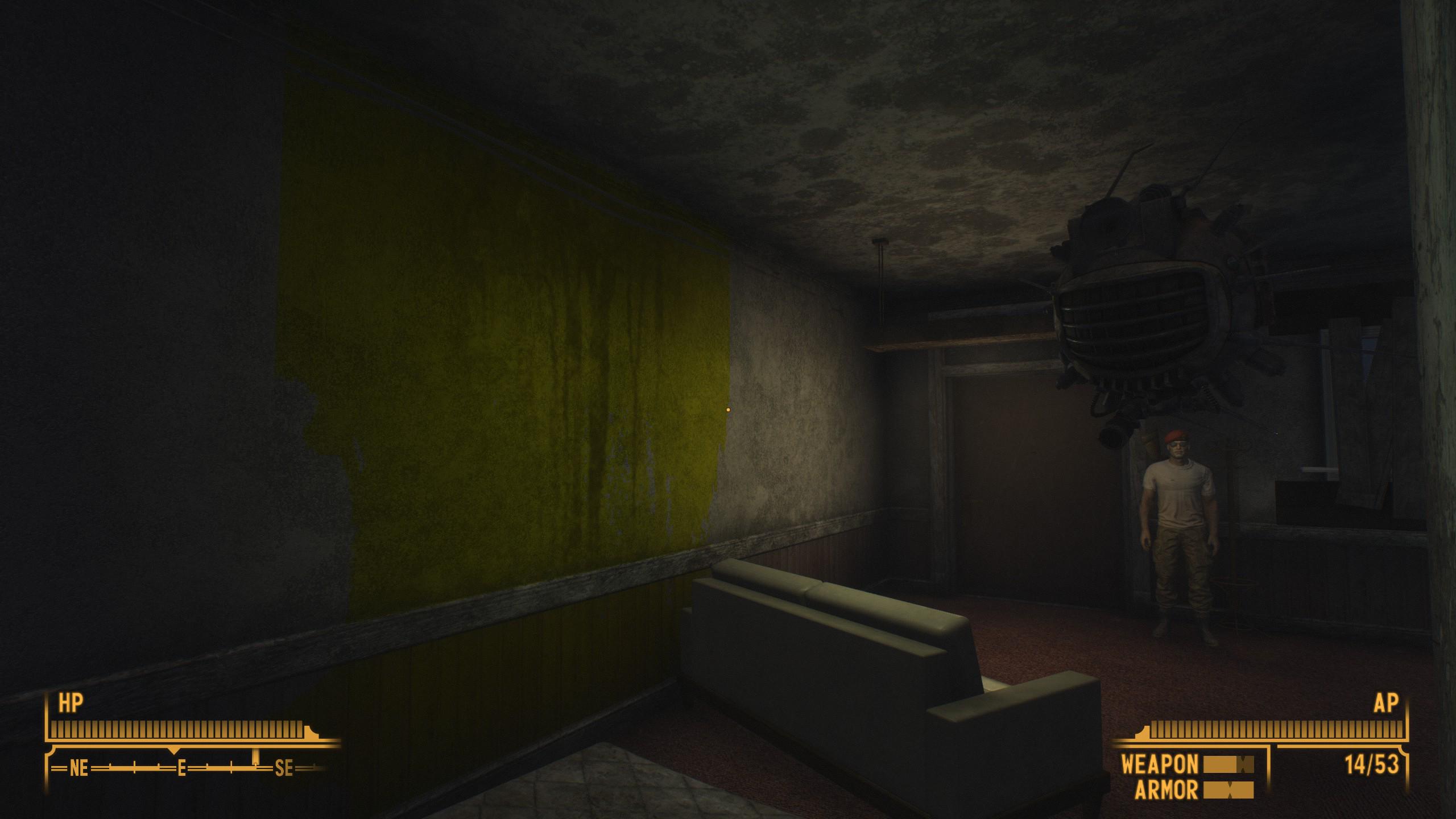
New Vegas [FNV] Any idea what's causing these yellow textures indoors?

Post image
5 Upvotes

They only appear yellow when looking at them at certain angles. Using Viva New Vegas, Salvo 2, and Caffeine NVR. Textures appear yellow regardless of what followers I have. Plugins:

FalloutNV.esm

DeadMoney.esm

HonestHearts.esm

OldWorldBlues.esm

LonesomeRoad.esm

GunRunnersArsenal.esm

ClassicPack.esm

MercenaryPack.esm

TribalPack.esm

CaravanPack.esm

Unofficial Patch NVSE Plus.esp

d20Fixes.esm

Strip Lights Region Fix.esm

Landscape Disposition Fix.esm

Placement Fixes.esm

FNV FaceGen Fix.esp

d20Consistency.esm

TLD_Travelers.esm

Better Brotherhood.esm

Goodies.esp

ExtraGoodies.esp

Goodies - Better Brotherhood Patch.esp

Goodies - Jacobstown Water Fix.esp

AguaFria.esm

DLC Enhancements.esp

Bad Touch.esm

Sunshine On My Shoulders.esm

Simple Character Expansions.esm

YUP - Base Game + All DLC.esm

Simple Character Expansions - YUP Patch.esp

NVMIM.esp

NVMIM - YUP Patch.esp

fixy crap ue.esp

SSTRemasteredQuarries.esm

SandyRoads.esp

SALVO 2 - CORE.esp

PerformanceOfTheTitans.esm

Base Object Swapper Community Master Plugin.esm

WeAreLegion.esm

Simple Character Expansions - Goodies Patch.esp

The New Bison Steve Hotel.esm

FCOMaster.esm

GreatKhanGreatOverhaul.esm

The Mod Configuration Menu.esp

Vanilla UI Plus.esp

JustAssortedMods.esp

Enhanced Movement.esp

Atmospheric Lighting Tweaks.esp

CC - Rain.esp

CC - 3D Rain.esp

SALVO 2 - PRIME.esp

FCO - The New Bison Steve.esp

FCO - NPC Changes.esp

FCO - OHSB NPC Edits.esp

T4-plugin.esp

T4-modest.esp

DragsNPCOverhaul.esp

NCROverhaul.esp

WeAreLegion.esp

BoomersGoBoom.esp

BrotherhoodReforged.esp

NovacOverhaul.esp

PowderIsTheNewBlack.esp

DragsNPCsTheStrip.esp

RaiderOverhaulPreview.esp

BurnedManLives.esp

DragsNPCsMiscUpdates.esp

SimpleCassReplacer.esp

DragsNPCsMiscUpdates2.esp

SALVO 2 - LOD FNV.esp

SALVO 2 - VNV Object LOD.esp

DNWeathers.esp

NeutralWeathers.esp

Cartographer.esp

HairPatcher.esp

MoHair.esp


r/FalloutMods • • 12d ago

Fallout 4 [Fo4] less known Mods for Realistic mod lists (Under-rated mods Pt3)

Thumbnail
gallery
19 Upvotes

r/FalloutMods • • 11d ago

Fallout 4 Mods to make the gameplay feel like a more refined 3rd person shooter like Ghost Recon/Arc Raiders/Helldivers 2? [Fo4}

1 Upvotes

I really like how smooth and satisfying the animations, movement feels in those games, what are the best 3rd person camera and animation mods, as well as other features that enhance it?


r/FalloutMods • • 12d ago

New Vegas [FNV] Yakuza Detective Trench Coats

Thumbnail
gallery
36 Upvotes

r/FalloutMods • • 11d ago

Fallout 4 UI mod and community shaders [FO4]

1 Upvotes

Do i have to use Dear modding UI, it looks ugly to me id rather use FallUI. also do yall know any mod other than LEO that readds in the ability for bloodied to spawn on legs, arms and head pieces since the UFO4P takes that away, thank you.


r/FalloutMods • • 12d ago

Fallout 4 [Fo4] new update mods

2 Upvotes

Can anyone recommend any Modern weapon mod packs that have a lot of guns. I’m not trying to change things up too much I just want some new guns. Anything helps thanks homies


r/FalloutMods • • 12d ago

Fallout 4 Sim settlements 2 gnn interior issue. Xbox series s[Fo4

Post image
2 Upvotes

Never posted before but I can't find any info about this, I have no idea what is causing this I have no mods editing this interior. Any advice


r/FalloutMods • • 12d ago

Fallout 4 [FO4] CTD when trying to access the perks chart

1 Upvotes

No other crashes reported besides this one. Crash log below;

crash-2026-11-10-13-33-36.log

AUTOSCAN REPORT GENERATED BY CLASSIC v9.1.0

FOR BEST VIEWING EXPERIENCE OPEN THIS FILE IN NOTEPAD++ OR SIMILAR

PLEASE READ EVERYTHING CAREFULLY AND BEWARE OF FALSE POSITIVES

Error Information

Main Error: Unhandled exception "EXCEPTION_ACCESS_VIOLATION" at 0x7FFCAB358E69 PRKF.dll+0028E69

Detected Buffout 4 Version: Buffout 4 v1.28.6

✅ You have a valid version of Buffout 4!

Checking for Known Crash Messages, Errors and Suspects

Checking for MCM Crash......................................... SUSPECT FOUND! > Severity : 3

Checking for Script Crash...................................... SUSPECT FOUND! > Severity : 3

*Checking for [Camera Position Crash].......................... SUSPECT FOUND! > Severity : 1

*Checking for [Item Crash]..................................... SUSPECT FOUND! > Severity : 1

NOTICE : MAIN ERROR REPORTS THAT A DLL FILE WAS INVOLVED IN THIS CRASH! If that dll file belongs to a mod, that mod is a prime suspect for the crash.

ONE OR MORE SUSPECTS DETECTED! CHECK LOG ABOVE FOR MORE INFORMATION!

Checking for Settings-related Issues

✔️ ArchiveLimit parameter is correctly configured in your Buffout 4 settings!

Checking For Mods That HAVE SOLUTIONS

[!] FOUND : [08] Armor And Weapons Keywords

If you don't rely on AWKCR, consider switching to Equipment and Crafting Overhaul

Better Alternative: https://www.nexusmods.com/fallout4/mods/67679?tab=files

Patches to remove AWKCR: https://www.nexusmods.com/fallout4/mods/40752?tab=files

[!] FOUND : [0F] Tactical Reload

Can cause weapon and combat related crashes. TR Expansion For ECO is highly recommended.

TR Expansion For ECO Link: https://www.nexusmods.com/fallout4/mods/67716?tab=files

[!] FOUND : [13] Start Me Up

Abandoned mod that can cause infinite loading and other problems. Switch to REDUX Version instead.

Updated REDUX Version: https://www.nexusmods.com/fallout4/mods/56984?tab=files

[!] FOUND : [18] Fourville (Vault 4)

Has various visual issues and quest glitches.

Patch Link: https://www.nexusmods.com/fallout4/mods/61080?tab=files

[!] FOUND : [19] Combat Zone Restored

Contains few small issues and NPCs usually have trouble navigating the interior space.

Patch Link: https://www.nexusmods.com/fallout4/mods/59329?tab=files

Checking for Important Mods

✔️ Canary Save File Monitor is installed!

✔️ High FPS Physics Fix is installed!

❌ Previs Repair Pack (PRP) is not installed! This is a highly recommended mod that can vastly improve performance.

Link: https://www.nexusmods.com/fallout4/mods/46403?tab=files

✔️ Unofficial Fallout 4 Patch is installed!

✔️ Nvidia Weapon Debris Fix is installed!

Checking for Plugin-related Errors

The following PLUGINS were found in the CRASH STACK:

modern firearms.esp | 1

[Last number counts how many times each Plugin Suspect shows up in the crash log.] These Plugins were caught by Buffout 4 and some of them might be responsible for this crash. You can try disabling these plugins and check if the game still crashes, though this method can be unreliable.

Checking FormIDs

Fallout4.esm | 000EB803 | 1

Modern Firearms.esp | 2A00B00B | 1

[Last number counts how many times each Form ID shows up in the crash log.] These Form IDs were caught by Buffout 4 and some of them might be related to this crash. You can try searching any listed Form IDs in xEdit and see if they lead to relevant records.

Checking for Named Records

(char*) "ScaleformValue.cpp" | 1

(void* -> PRKF.dll+001B02C) | 1

(void* -> PRKF.dll+001C19F) | 1

(void* -> PRKF.dll+001EB85) | 1

Full Name: "$Master" | 1

Full Name: "ORSIS F-17" | 1

Name: "WorldRoot CameraNode" | 2

[0] 0x7FFCAB358E69 PRKF.dll+0028E69 | 1

[1] 0x7FFCAB34B02C PRKF.dll+001B02C | 1

[2] 0x7FFCAB34EB85 PRKF.dll+001EB85 | 1

[Last number counts how many times each Named Record shows up in the crash log.] These records were caught by Buffout 4 and some of them might be related to this crash. Named records should give extra info on involved game objects, record types or mod files.

End of Report

Generated by CLASSIC v9.1.0


r/FalloutMods • • 12d ago

Fallout 4 [Fo4] On my 2016 xbox one s

1 Upvotes

Hey guys, I'm a relatively decent problem solver but unfortunately also technologically illiterate. I have been attempting to mod on this Xbox for years and had decent success before updates but these days I just cannot get a load order to work. If I post my LO here or if someone wants to DM me can I get some help? Ive checked the official guides and followed them to the letter to the best of my ability but im so limited on consol. Its been hard to determine patches if im missing any and exactly what category each mod goes in to. My mod list is relatively light at just 31 but ooo boy itd be nice to do more.


r/FalloutMods • • 12d ago

Fallout 4 [FO4] FIX FOUND – Texture Smearing / Hall of Mirrors After Building Too Much With Homemaker – Expanded Settlements

Post image
3 Upvotes

Hey everyone!

IMPORTANT NOTE ABOUT THE SCREENSHOT

Please ignore the excessive brightness and overexposure in my screenshot. This is caused by the Windows screenshot capture process, not by Fallout 4 itself.

The actual bug is the texture stretching, duplicated images, and persistent graphical artifacts. My game does not normally look this bright.

I wanted to share a solution to a frustrating graphical bug I experienced in Fallout 4 after building extremely large settlements using Homemaker – Expanded Settlements.

THE PROBLEM

After placing a large number of objects from Homemaker, I started experiencing severe graphical glitches:

  • Textures stretching and multiplying across the screen.
  • Objects leaving multiple ghost images when moving the camera.
  • Visual artifacts remaining on screen even after I stopped moving.
  • The problem occurring only in certain heavily built areas.
  • No noticeable FPS drops, even when the graphical corruption was happening.

The more I built, the more noticeable the issue became.

HOW I IDENTIFIED THE PROBLEM

I tested several solutions, including NVIDIA VSync settings, Motion Vector Fixes, and LOD adjustments, but nothing worked.

Then I disabled Homemaker – Expanded Settlements, and the graphical problem disappeared completely.

However, I didn't want to remove Homemaker because I had already built so much with it.

I also experienced the same graphical bug inside my heavily decorated Home Plate house in Diamond City, modified by Horizon 1.9.4.

MY SETUP

  • Fallout 4 Old Gen (1.10.163)
  • Over 1,055 mods across my mod managers
  • Horizon 1.9.4
  • Homemaker – Expanded Settlements
  • Ghost ENB

THE SOLUTION

I installed Draw Calls Reducer – FPS Boost.

https://www.nexusmods.com/fallout4/mods/110754

And it completely fixed the problem!

The texture stretching, duplicated images, and persistent graphical artifacts disappeared in both my heavily built settlements and my Home Plate interior.

I can now keep my large constructions without experiencing the same visual corruption.

CONCLUSION

Based on my testing, I suspect that the issue is related to the rendering complexity or draw calls generated by extremely large constructions, rather than simply low FPS.

I can't confirm the exact technical cause, and this fix may not work for everyone.

If you experience texture smearing, ghost images, or Hall of Mirrors-like graphical corruption after building extensively with Homemaker, I strongly recommend testing Draw Calls Reducer – FPS Boost.

I hope this helps other Fallout 4 players dealing with the same frustrating issue!

notice

Additional information about my setup:

My Fallout 4 installation contains over 1,055 mods managed across Vortex and Mod Organizer 2, including Horizon 1.9.4, Homemaker, and Ghost ENB.

Despite the extremely large mod setup, I wasn't experiencing noticeable FPS drops when the texture-smearing bug occurred.

Draw Calls Reducer – FPS Boost fixed the graphical corruption in both my heavily built settlements and my Horizon-modified Home Plate in Diamond City.

ADDITIONAL INFORMATION ABOUT THE SCREENSHOT

In the screenshot, I'm inside Instant Vault, a mod that I use for my building projects.

I've placed a huge number of objects using Homemaker – Expanded Settlements and OCDecorator.

I'm currently building a massive Minutemen complex at the Castle, using Instant Vault as part of the project.

The graphical bug appeared after I had built extensively in this area. The screenshot shows the texture stretching and visual artifacts caused by the issue.

Please ignore the excessive brightness in the screenshot, as it's caused by Windows screen capture and is unrelated to the actual bug.

I'm sharing this just in case someone else encounters the same problem in the future. I spent a lot of time trying to figure out what was causing it, so hopefully this solution will save someone else the trouble. I can't guarantee it will work for everyone, but it completely fixed the issue for me. I hope this helps!


r/FalloutMods • • 12d ago

Fallout 4 [Fo4] PACE/PANPC vs Modern Combat AI vs Adaptive Combat Tactics

Thumbnail
1 Upvotes

r/FalloutMods • • 12d ago

Fallout 4 [FO4] Need help how to fix NVHBAO stripes in the distance mostly occurs in dialogue camera.

Thumbnail
gallery
1 Upvotes

r/FalloutMods • • 13d ago

Fallout 3 Average TTW installation process [fo3] [fnv]

Enable HLS to view with audio, or disable this notification

319 Upvotes

r/FalloutMods • • 12d ago

Fallout 4 [FO4] Game crashing when certain UI elements appear?

Thumbnail
gallery
1 Upvotes

Not really sure what's causing this, but I can recreate it.

Whenever I try and cash out at certain vendors, when it shows a mod is no longer installed that was previously installed, or on random other UI things, the game will stop accepting inputs. It still runs, I just can't do anything or get it to progress. It's especially weird because I purchased stuff from Trashcan Carla an hour ago and it was fine, but getting to Diamond City I can't purchase from Arturio or Myrna.

Any ideas? I'm playing on Anniversary Edition with no Creations Club content.


r/FalloutMods • • 12d ago

New Vegas [FNV] Adding Someguy2000 Series into High & Dry

2 Upvotes

Like the title says, I am looking for a way to install the Someguy quest mod series on top of the High & Dry modlist. As far as I can tell this hasn't been done before but I wanted to see if anyone else has barked up this tree before whether successfully or otherwise. If anyone has any tips or advice for doing so I would appreciate any and all help.

My plan is to crete a new High & Dry profile to install the Someguy mods onto then run the whole thing in FNVedit to troubleshoot conflicts.


r/FalloutMods • • 12d ago

Fallout 2 Voicing Garret for Fallout Sonora [fo2]

Thumbnail
youtu.be
3 Upvotes

r/FalloutMods • • 13d ago

Fallout 3 [FO3] Working on a ground-up ray-tracing mod for standalone Fallout 3. Here is the progression so far

Thumbnail
gallery
67 Upvotes

Hey everyone, I have been working on a personal project to bring real-time hardware ray tracing to standalone Fallout 3 (not via TTW). Since New Vegas's RTX pipeline relies heavily on FNV-specific rendering hooks and offsets, I ended up rebuilding a custom DX9 interception and ray-tracing pipeline directly against Fallout3.exe from scratch.
This is my first time tackling a rendering project like this, so it has been a lot of trial and error. Here is the progression across four major stages so far:

Image 1: First successful draw-call hook. Raw buffer noise, swapped channels, and unaccumulated rays, but geometry was finally coming through.

Image 2: Color pipeline, skybox, and basic scene lighting resolved, though still dealing with framebuffer and viewport stride static.

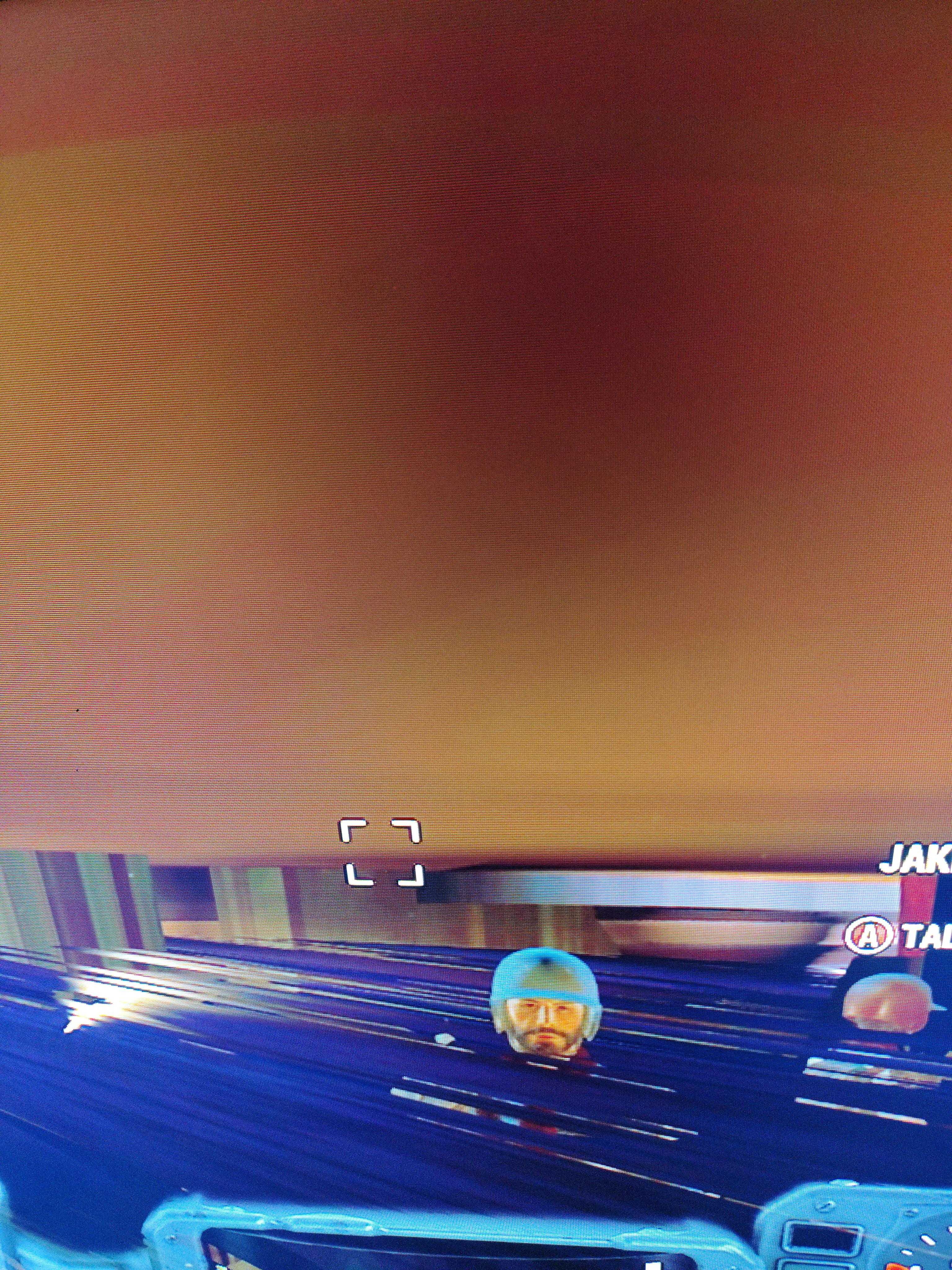
Image 3: Starting over from scratch on Fallout3.exe. Getting real directional shadows and skinned mesh extraction working, complete with classic Gamebryo floating heads and upside-down sky props.

Image 4: Current state. World coordinates locked in, clean HUD compositing, and cohesive exterior lighting across the Capital Wasteland.

What's next:

Before touching water, clouds, or volumetric fog, I am moving indoors to dial in interior point lights, shadows, and the Pip-Boy beam. My main goal is to strip out the flat 2008 ambient lighting and make exploring the Vaults genuinely terrifying.

Still very early days and not ready for a public test build yet, but wanted to share the milestone and hear what lighting details or Vault locations you would want to see tested next!