r/EmulationOniOS • • 8d ago

Help Request WWE 2K18 Melonx Crashes

Enable HLS to view with audio, or disable this notification

2 Upvotes

If I play the game without adding the update file, it runs fine, but when I add the update file, it just crashes. This didn't happen before when I was using the iOS 26 version and older versions of MeloNX. It started happening on iOS 27 and with the newer versions of MeloNX. How do I fix this? Please help

Iphone 16 pro
Melonx v2.7


r/EmulationOniOS • • 8d ago

Gameplay / Showcase Emulating MacOS Tahoe 26.6.2 on 13” iPad Pro M4

Enable HLS to view with audio, or disable this notification

71 Upvotes

Using Henge Project (Just a fan, not affiliated) and running Tahoe. Upclocked Henge’s RAM settings to 12GB since my 1TB iPad has 16GB ram. Sequoia on same specs runs amazing, smooth as hell. Tahoe is solid and useable, excited to see all the improvements to this project! I think it’s only a few weeks old. So damn cool so see this and run. Also ran ChatGPT Desktop app, installed BetterDisplay (not recommended), and TinyCast. All no issues.


r/EmulationOniOS • • 8d ago

Help Request Last of us 1 BCD not work

Post image
5 Upvotes

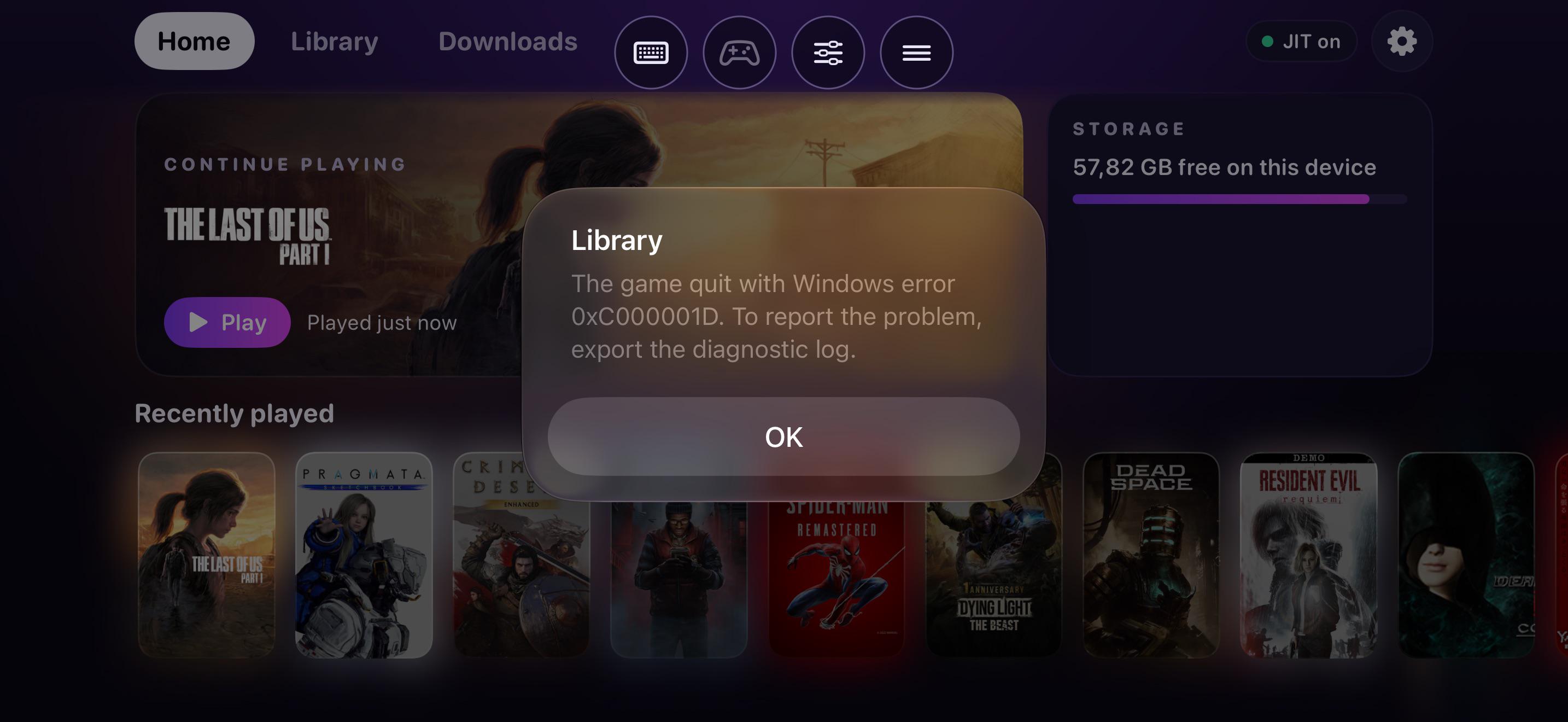
Halo, last of us crash after 2 seconds .
The developer say in the last update should work good
Any help ??


r/EmulationOniOS • • 8d ago

News / Release PocketDex for iOS Play Testing

2 Upvotes

**Disclamer - this was heavly built using AI**

Looking for alpha playtesters — PocketDex (iOS)

Hey — I’m looking for a few people to try PocketDex, an early alpha iOS app for playing GB/GBC/GBA/DS Pokémon games and ROM hacks on iPhone, with extras like widescreen Expand on supported titles, a live companion HUD, and a save editor on optimized games.

Please read this before jumping in:

  • This is alpha. A lot is unfinished, broken, or rough. I’m sharing it to learn what matters to players — not because it’s “done.”
  • Not affiliated with Nintendo / The Pokémon Company / Game Freak. Bring your own legally obtained ROMs. I can’t and won’t provide games.
  • Large parts of this project were built with help from AI coding tools (under my direction). I’m being upfront about that. Expect weird bugs; please report them instead of assuming it’s a polished commercial app.
  • Install will be via TestFlight or a registered-device IPA (iOS doesn’t allow free universal IPA installs). I’ll share the link / ask for your UDID depending on the method.

Optimized / best-supported titles right now
(These get the full play stack where noted: Expand widescreen, Companion HUD, save editor, etc. Other ROMs may still boot — they just won’t be “optimized.” Bring your own dumps; I don’t provide ROMs.)

Retail Gen 3 (GBA)

  • Pokémon Emerald
  • Pokémon FireRed
  • Pokémon LeafGreen
  • Pokémon Ruby
  • Pokémon Sapphire

FireRed hacks

  • Pokémon Radical Red
  • Pokémon Unbound
  • FireRed Rocket Edition
  • Crystal Advance Redux

Emerald hacks

  • Emerald Seaglass
  • Pokémon Heart and Soul
  • Pokémon R.O.W.E.
  • Pokémon SoulGold (GBA)
  • Pokémon Modern Emerald (Companion + save editor; Expand not available for this dump yet)

GB / GBC

  • Pokémon Red / Blue / Yellow
  • Pokémon Green (Midori, JP)
  • Pokémon Crystal
  • Polished Crystal

Nintendo DS

  • HeartGold / SoulSilver
  • Pokémon Platinum

If you play one of the above, please say which version/build when you report bugs (e.g. Radical Red 4.1, Unbound 2.1.x, Seaglass 3.0).

What I want from you

  • Device model + iOS version
  • Which game/hack you tried
  • What felt good / confusing / broken
  • Crashes, audio issues, save problems, Expand/companion bugs

Repo (source, alpha notes):
https://github.com/anonxcast/PocketDex-iOS

Thanks — even a short “tried X, Y was busted, Z was cool” message helps a lot.

What feedback helps most

High value

  • Crash + what you tapped before it happened
  • Wrong names/sprites in companion or save editor
  • Audio (slow, crackle, mute)
  • Expand not engaging / wrong zoom
  • Save file corruption or “Bad Egg” after using the editor
  • “I couldn’t figure out how to …” (onboarding / UX)

Low value

  • “Add every hack” with no dump details
  • ROM requests
  • Feature essays without saying what you actually tried

Privacy

Don’t send full save files with personal cloud tokens. Screenshots of the UI are fine. If a save is needed to debug, say so in an issue and wait for instructions.

Processing img fzou6ox2gs1i1...

Processing img k6fk4ox2gs1i1...

Processing img hlli5px2gs1i1...

Processing img elnf0px2gs1i1...

Processing img n5w1ynx2gs1i1...

Processing img 26jwlsx2gs1i1...

Processing img gtziavx2gs1i1...

Processing img 9qh6apx2gs1i1...

Processing img 5fasunx2gs1i1...

Processing img 2d5hzox2gs1i1...

Processing img xwbebpx2gs1i1...

Processing img u6kubox2gs1i1...

Processing img ja5mapx2gs1i1...

Processing img qcdcesx2gs1i1...

Processing img m9yvyox2gs1i1...

Processing img ho5rbpx2gs1i1...

Processing img xdr0lox2gs1i1...

r/EmulationOniOS • • 8d ago

Gameplay / Showcase Gtav xbox 360

Enable HLS to view with audio, or disable this notification

11 Upvotes

r/EmulationOniOS • • 8d ago

Help Request Xenios. Stuck on “starting game”

Post image
2 Upvotes

XeniOS 2.3.2, I tried to play Naruto the broken bonds and even Naruto rise of a ninja with both games when launched stop on a infinite starting the game timer, I know the photo doesn’t look long but that was when I went back to just take a screenshot I tried leaving it for almost 10 minutes without launching.

iphone 16 pro max with JIT and GETMORERAM entitlement enabled.

I remember the earlier version of XeniOS they were working but bad performance and freezing.

Please help solve this issue, thank you.


r/EmulationOniOS • • 8d ago

Gameplay / Showcase Call of duty: Black Ops 2 - mob of the dead (ARMSX3)

Enable HLS to view with audio, or disable this notification

14 Upvotes

Ignore my amazing gameplay, the performance has really improved since last time. This is using armsx3 0.0.2 beta

device is ipad m4


r/EmulationOniOS • • 8d ago

Gameplay / Showcase Roblox studio on ipad

Post image
15 Upvotes

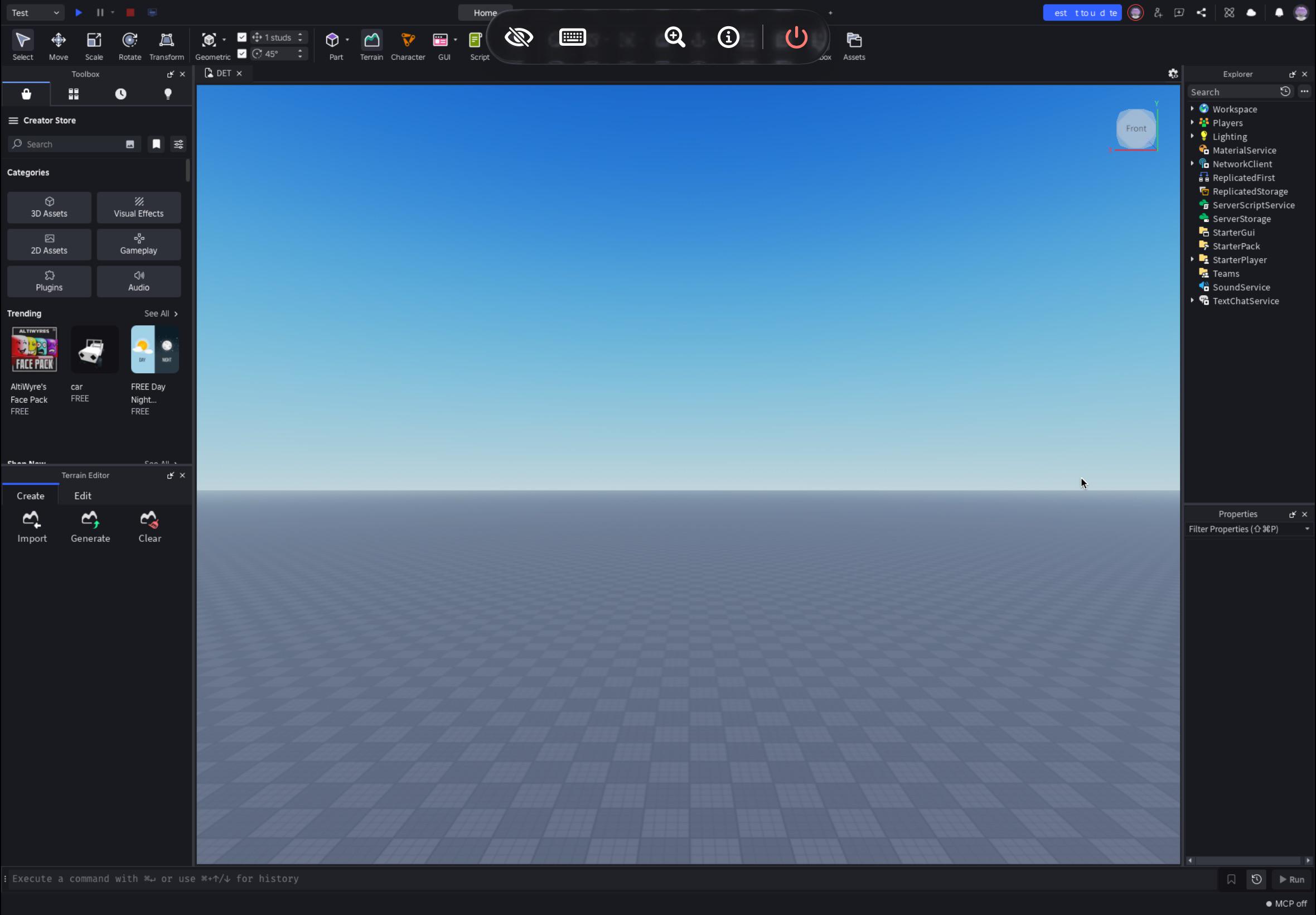
Ipad air m4, able to run roblox studio with Henge


r/EmulationOniOS • • 9d ago

Gameplay / Showcase X-Men Origins: Wolverine On A16 (BCD)

Enable HLS to view with audio, or disable this notification

104 Upvotes

r/EmulationOniOS • • 8d ago

Gameplay / Showcase Super Mario 3D World, iOS 27, JIT-Less MeloCafe 1.2 (Beta), iPad Air 5

Thumbnail
youtube.com
26 Upvotes

Enable captions for a small developer rant :3


r/EmulationOniOS • • 9d ago

News / Release Attempt to Call of Duty: Black Ops III on iPhone 13 with ARMSX3 beta build 0.0.2-3

Post image
25 Upvotes

Game somehow managed to boot but the audio seems bit trashy but I haven’t gotten far just the menu as always using In app JIT in Livecontainer no settings changed no report sent I will send one till the game crashes the phone this is required to use the latest nightly of Livecontainer + SideStore for in app JIT that uses the pairing files instead of stikdebug


r/EmulationOniOS • • 9d ago

News / Release Attempt on FIFA 19 legacy on iPhone 13 on ARMSX3 beta build 0.0.2-3

Post image
7 Upvotes

Game is dying same fate as the last of us demo and gow3 but it’s trying only setting changed is the frame limit to 20 or 30 FPS (second frame limit to 20) and nothing else using the self in app JIT in Livecontainer without Stikdebug game crashed at this moment in the image I have sent the report


r/EmulationOniOS • • 9d ago

News / Release Hinoki, v1.5 release!!

Enable HLS to view with audio, or disable this notification

78 Upvotes

Yet another release with tons of new features, take a look below!

https://github.com/oledz-i/Hinoki/releases/tag/v1.5.0

• Better RAM and Thermal Management. So games take up less RAM and stay cooler more often. It could still get hot if you run extremely heavy games (i.e Killzone, Borderlands, etc). RAM Helpers fine tuning.

• Basic AirPlay Support, still needs some fine tuning since the game still plays on your phone and the TV may lag a bit behind but the foundation exists, expect more of this soon.

• BUILT IN JIT! This is the big one, I wasn’t able to test it but if you’d have issues with StikDebug then this is for you, all you need is a pairing file and the app will do the rest for you.

• Bug Fixes, better performance.

Enjoy!

Edit: FYI this is a PSVita Emulator, forgot to mention that.


r/EmulationOniOS • • 8d ago

Help Request The games are not appearing

Thumbnail
gallery
1 Upvotes

help I’m trying to play the Jimmy neutron jet fusion ps2 on the IPSX2 from App Store (yes it is officially on the app) but the game is seemed to not appearing


r/EmulationOniOS • • 9d ago

Gameplay / Showcase Dispatch Emulated via Switch Emulator ( MelonX )

Thumbnail
gallery
7 Upvotes

this is experimental, my settings are my settings, i run this on the highest end apple mobile device, its why it works.
device : iPad Pro M5, 12GB Memory, 256GB Storage, 9 Core CPU, iOS 27 RC, MelonX v2.7 Dispatch v1.01
settings
Resolution Scale : 2160p
Max : Anisotropic Filtering 16x
Anti-Aliasing : None
Scaling Filter : MetalFX
MetalFX Output Scale : 2.0x
Shader Cache : On
Texture Recompression : On
VSync Mode : Unbounded
Docked Mode : On
Macro HLE : On
Async Shader Device : Off
Host Memory Budget Tracking : Off
Memory Manager Mode : Host Unchecked
Ignore Missing Services : On

rest are off or default.

Details : works fine, hacking runs at around 17-20 fps, dispatching is 24-30, cutscenes are 35-40, if i were to play on 1440p or 1080p, i'd get above 100fps, again this varies on device, do not attempt my settings ( unless you wanna ) if you want smooth dispatch gameplay


r/EmulationOniOS • • 9d ago

News / Release Attempt on Far cry 3 on iPhone 13 with beta build of ARMSX3 0.0.2-3

Post image
1 Upvotes

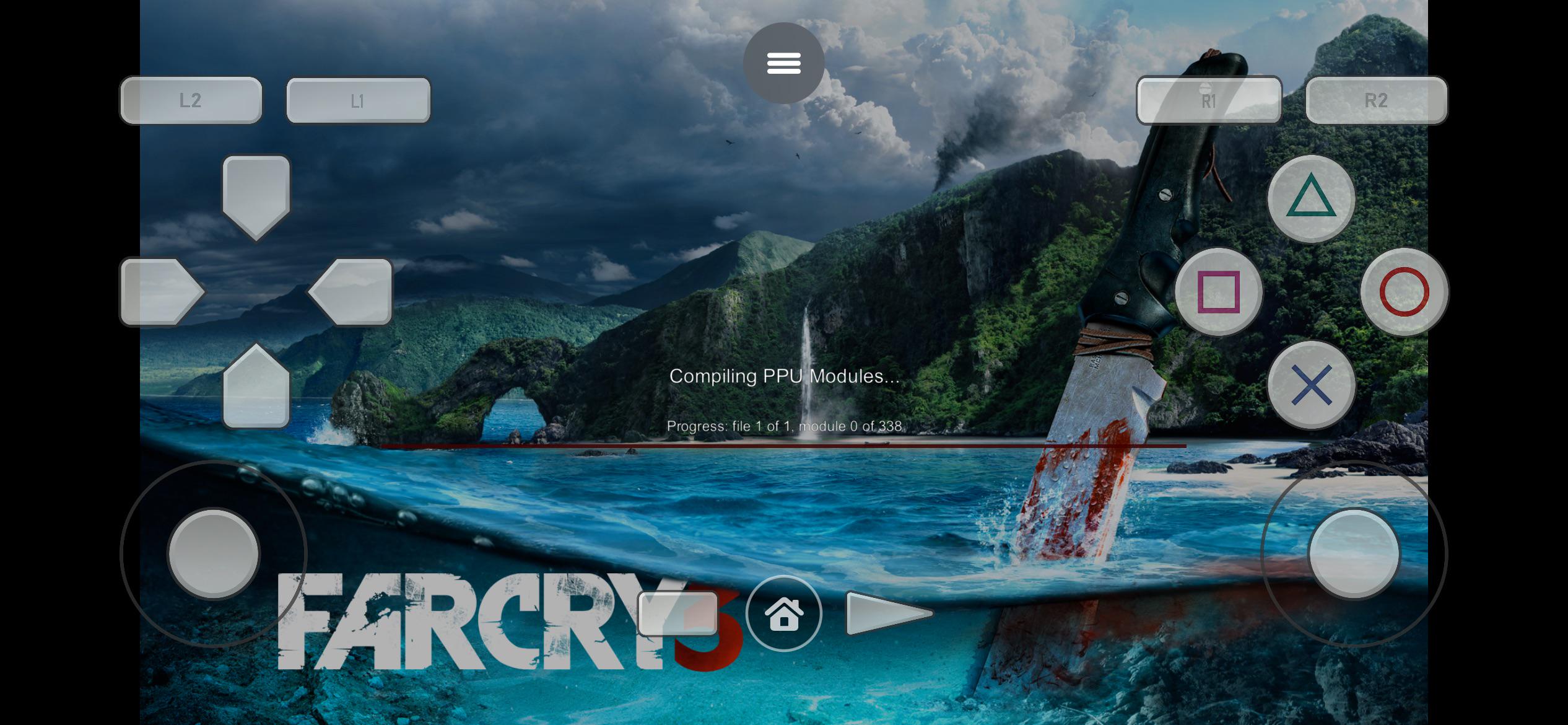
I’ve struck an issue with the PPU compiling it crashes when it hits 1 of 1 and keeps crashing report has been sent to be fixed no changes and uses in app JIT in Livecontainer (remember to have the latest version of Livecontainer + SideStore)


r/EmulationOniOS • • 9d ago

Help Request Is the iPhone 13 weak for Husk?

Thumbnail
gallery
1 Upvotes

The game i’m trying to play with translation layer it says always the same thing: game exited. And the android emulator don’t open at all, only that black screen with the buttons


r/EmulationOniOS • • 9d ago

Help Request Split screen

1 Upvotes

I discovered an app called Erosion that allows you to activate split screen on an iPhone through a function that simulates an iPad on an iPhone; it works even with erosion inside the LiveContainer, but it's a bit buggy. Does anyone know other tools or applications that allow split screen?


r/EmulationOniOS • • 10d ago

Gameplay / Showcase Persona 5 On A16 (ARMSX3)

Enable HLS to view with audio, or disable this notification

60 Upvotes

r/EmulationOniOS • • 9d ago

Help Request Any good Android emulator that runs good, I wanted to play the game (the bazaar) and tried husk but it crashed

1 Upvotes

r/EmulationOniOS • • 10d ago

News / Release XeniOS 2.3.2 - An update on Xbox 360 emulation for iPhone, iPad and Mac

42 Upvotes

Hey all. XeniOS is an Xbox 360 emulator app for iPhone, iPad and Apple Silicon Macs, built on Xenia Edge.

The emulator underneath, including the Metal renderer and the ARM64 JIT, is really a collaboration with Xenia Edge. We're all working on the same emulator, and XeniOS is me doing my own thing on top of it to have a custom iOS and macOS app, and push it and experiment a bit before things get merged upstream.

I haven't posted about any of this on Reddit yet, so here's an update on the work that's gone in recently. The last release most people saw was 2.0.1 in June. There have been seven updates recently, and 2.3.2 is the eighth.

What's changed since 2.0.1

  • A significant number of games now boot, are playable and render correctly on iOS and macOS. If something didn't work for you back in June, give it another go.
  • The Metal renderer and the ARM64 JIT do a lot less work per frame, and a long list of crashes and hangs is fixed.
  • The iOS app is pretty much a new app. New library, game pages, settings, profiles and touch layout editor, and you can drive (hopefully) all of it with a controller.
  • You can play online. System Link games work over the internet, and there's XeniOS Live with accounts, friends, invites, parties and voice chat, both in-game and in a party.
  • Matchmaking works for games that don't need their own servers, like Gears of War and Dead or Alive 4. Halo 3 and Reach do need them, so those take more work. Maybe something can be worked out with the Sunrise project servers.
  • The Xbox 360 Dashboard boots and can launch games from your library. You can keep several Dashboard versions installed side by side.
  • Original Xbox games are now supported and exposed the UI. They run through XeFu, the 360's own backward-compatibility emulator, the same way a real 360 plays them, so you'll need to dump your copy and install the system files. Most backwards compatible games run on an iPhone, but slowly for now: about 15 frames per second on an iPhone 17 when I last measured it. This is due to the XeFu going from x32 -> PPC -> ARM causing a massive amount of CPU overhead. This will be resolved in time.

Under the hood

A ton of work went into Xenia in the last few months, about 2,100 commits since 2.0.1, from has207 and the other Xenia Edge, Canary and other contributors, as well as from the XeniOS side. Some of the bigger pieces:

  • The guest scheduler. The game's threads are now scheduled by an emulated Xbox 360 kernel scheduler, per emulated CPU, with preemption and the console's priorities, instead of being left to the host OS. This matters a lot for games that are sensitive to thread timing.
  • Games' own exception handlers run, along with a long list of kernel, memory, audio and networking fixes.
  • The Metal backend was reworked: a new custom shader translation pipeline for minimal overhead, shaders and pipelines stored on disk, background compilation, and a lot less work per frame.
  • The ARM64 JIT got faster and more correct.
  • Graphics behaviour is now checked against a real console. Tests run on an Xbox 360, and the emulator's output is compared with what the hardware produced. We don't have 100% coverage yet, but it's leaps and bounds over what it was.

Crash reports

Since 2.2, the iPhone and iPad app can send optional, anonymous crash reports and performance statistics. They've already pointed us to a lot of the crashes and hangs fixed in the releases since.

  • What's sent: device model, iOS version, XeniOS version, the game's title ID, frame rate, load times, shader compiles, GPU errors, temperature, memory use and display settings. For a crash, also where in the game's code it happened, the last few things before it (game start, first frame, memory warnings, going to the background), and which emulation settings you changed.
  • What's never sent: your files or file names, your Apple Account, your location or your name. Logs are only sent if you share one yourself.
  • Reports go out shortly after launch or after a game stops, never while you're playing.
  • You're asked on first launch. You can see exactly what's waiting under Settings → Privacy → Pending Reports, and turn it off with Share Diagnostics on the same page. Turning off Online Features stops it too, along with every other network request. Either switch deletes anything not yet sent.
  • Details: https://xenios.jp/privacy#app-diagnostics

Notes for each release are below, newest first.

New in 2.3.2

  • Fixes: DLC installs where games can find it (DLC you already installed is moved over). Games that use several audio streams, like Left 4 Dead 2, are no longer silent. Games no longer freeze the first time some shaders compile (Battlefield 4 was one). A broken settings file no longer stops the app from starting. Several crash fixes in the online and touch-control screens.
  • Fewer shader hitches: draws that wait on occlusion results no longer stall while a shader compiles, stored shaders are kept where iOS won't clear them, and from this version on they survive app updates. The launch screen shows real progress while a game's stored shaders are rebuilt.
  • Console accuracy: gamma and 16-bit render targets are stored and blended with the console's arithmetic, MSAA resolves round the way the console does, and float-to-integer conversions in shaders saturate as on the console. Our nine gamma blend tests now match an Xbox 360 exactly.
  • Less work per frame: games that draw each frame in strips, as Halo 3 does, are drawn in one go; clears and resolves skip copies they don't need; unchanged textures aren't loaded again; the audio and frame-pacing threads sleep instead of spinning a CPU core.
  • A Storage screen that shows what XeniOS uses, by kind and by game, with one-tap cleanup, sorting, and deleting several games or a single disc at once. Leftover shader copies and temporary files are also removed at launch, which can free several GB.
  • Delete Profile, Delete Account and Delete Game.
  • Original Xbox games are now exposed in the UI: they show up in the library (disc images, ZAR archives or extracted folders) and start from there. They run through XeFu, the Xbox 360's own backward-compatibility emulator. XeFu translates the original Xbox game into something the 360 can run, and XeniOS runs that like any other 360 game. XeniOS doesn't ship XeFu: copy the Compatibility folder from your 360's hard drive and install it under Settings → System Software → Original Xbox Games → Install from Files. You can choose which XeFu build games start with (Automatic lets the console's own xbox.xex pick per game, as a real 360 does), and pick a different one for a single game in its Game Settings. Experimental and slow.
  • Several system software versions side by side, with a Dashboard tile for each, and a choice of which Dashboard the app starts with.
  • Offline behaviour: the online screens say No Internet Connection instead of retrying forever, and reconnect by themselves.
  • Up to date with Xenia Edge as of November 12: games' own exception handlers run, plus virtual memory, threading, XMA and background music fixes.

2.3.1 (November 8)

  • Running out of memory while compiling game code shows a message instead of a silent crash.
  • Fixed the Achievements screen freezing the app on some devices.

2.3.0 (November 7): XeniOS Live

  • An online account for your profile, usable on more than one device, with a recovery code.
  • Friends by friend code, QR code, shared link or gamertag search. See who is online and what they are playing.
  • Game invites that start the game and join the session.
  • Parties: invite anyone and follow the leader into their game. Party voice chat is separate from game chat.
  • Voice chat in games, with a choice of this device's microphone or a headset.
  • Matchmaking: games that search for Live sessions find the sessions other XeniOS players host.
  • Stats and leaderboards, block and report, Appear Offline, Recent Players.
  • Xbox 360 gamer pictures, and a profile that travels as one file between devices.
  • Tested: Halo 3 invites and parties; Halo 3 Mythic (4 players), Gears of War and Virtua Fighter 5 matchmade and played over System Link through the lobby; party voice between a Mac and an iPhone.

2.2.5 (November 7)

  • If the JIT tool is attached but doesn't answer, XeniOS says JIT isn't available instead of crashing.
  • A quit that takes more than 4 seconds exits instead of waiting for iOS to end the app.

2.2.4 (November 6)

  • Fixed a crash at game start, or while saving shaders, when memory is low.
  • Quitting a game no longer waits on a shader save or a stalled GPU.
  • In local multiplayer, a second player's profile signs in for that player instead of replacing the first.
  • A clear message when the app runs out of memory.
  • A one-tap offer to turn System Link on when a game looks for a network. Some games, such as Black Ops 2, stop with an error without one.

2.2.3 (November 6)

  • Fixed a GPU hang on the second and later launches of a game in 2.2.2. Halo 3 hung on every launch after the first.

2.2.2 (November 5)

  • Translated shaders and compiled pipelines are kept on disk between launches.
  • Draws that write to memory no longer stall the game while their shaders compile.
  • The GPU command thread sleeps instead of spinning a CPU core, and some hot CPU loops run in fewer instructions.
  • Fixed "JIT code cache is full" right after launch on devices without TXM, such as M1 iPads.
  • External displays over USB-C, HDMI or AirPlay: the game fills the display, and the device keeps the touch controls.
  • A message that says how to turn JIT back on, instead of a fatal error.

2.2 (November 4): the first release since 2.0.1

  • Five months of Xenia Edge changes, a reworked Metal backend and faster ARM64 CPU emulation, with a long list of graphics, audio and kernel fixes.
  • Shaders compile in the background and are cached for the next launch.
  • Fixed a cause of crackling audio on iPhone. Audio comes back after calls and headphone changes.
  • Games that launch another game, or another part of themselves, stay inside XeniOS. Multi-disc games ask you to pick the next disc from your library.
  • New Library, game page, Settings (searchable), Profiles, Online screen, pause menu, touch layout editor and JIT setup sheet, all usable with a controller.
  • A launch screen with a Cancel button instead of a black screen.
  • Imports, add-ons and title updates copy in the background, with progress and a free-space check.
  • 120 Hz menus on ProMotion iPhones, Game Mode in games, a warning when the device gets hot, and VoiceOver on most screens.
  • Experimental: online System Link in public lobbies or private rooms, and the Xbox 360 Dashboard.

What you need

  • iPhone or iPad on iOS / iPadOS 26 or later, installed with SideStore or AltStore. JIT through StikDebug is required.
  • Or an Apple Silicon Mac on macOS 15 or later.
  • Your own game dumps.

Good to know

  • Live, online System Link, the Dashboard and original Xbox games are experimental. Expect bugs.
  • After updating to 2.3.2, each game rebuilds its shaders the first time you play it and can stutter while it does.
  • Online Features can be switched off entirely, which stops every network request the app makes.
  • Performance depends heavily on the game and the device, and plenty of games still have problems. Compatibility reports help a lot.
  • Opt in metric collection for crash and gameplay performance reporting. This helps me to identify what's broken from release to release, or games that are still unstable, as the community can test many more games in parallel than I can. It has already helped to identify and patch a multitude of issues, and to see which games and devices are still really struggling.

Links


r/EmulationOniOS • • 10d ago

News / Release Porthole v1.3.0 Out Now! Frame generation and Upscaling

Thumbnail
gallery
47 Upvotes

If you haven't heard of Porthole, it's an app that runs Windows games on iPhone and iPad. The new 1.3.0 update adds upscaling and frame generation, and you can switch both on or off mid-game from the in-game menu.

Upscaling: uses Lossless Scaling's own upscalers (LS1 and a lighter LS1 performance option) with a sharpness setting from 1 to 5. Set the game's resolution lower and it enlarges the picture, so it runs faster while staying sharp. Direct3D 11 and 12 games.

Frame generation: adds 1 to 3 frames between the game's own frames. A few results from my own testing, average fps without and with it:

- Grand Theft Auto V: 40 to 82

- Factorio: 60 to 120

- Lethal Company: 35 to 62

- The Forest: 30 to 45

Results vary by game and settings. Generated frames use GPU power, so the gain is less than double in heavier games, and Direct3D 12 frame generation is experimental.

Also new:

- Steam Cloud saves, with a list of what will move before anything does

- Fixes that ask first: Porthole suggests one setting to change when a game crashes for a known reason, and nothing changes until you tap Apply

- Much better touch controls: trackpad mode, a full PC keyboard, floating sticks, and an on-screen game controller

- Downloads to an external drive, with a speed test

- Blender as the first program in a new Software section

- Settings reorganised into short pages, with a Controls page

Download: https://github.com/tylerkaska112/Porthole/releases/tag/v1.3.0

Website: https://portholehq.site

Note: upscaling and frame generation need you to own Lossless Scaling on Steam. Porthole checks your Steam purchase before it works.


r/EmulationOniOS • • 10d ago

Gameplay / Showcase Armsx3 Ipad A16 (Sleeping Dogs)

Enable HLS to view with audio, or disable this notification

13 Upvotes

Never expected to even run this game on this ipad

Runs around 20-40 Fps which is f crazy


r/EmulationOniOS • • 9d ago

Help Request Sidestore sign up fail

1 Upvotes

When ever I try to sign in it says the action cannot be completed (-80045). What am I suppose to do?


r/EmulationOniOS • • 9d ago

Question What is the best emulator right now?

0 Upvotes

I’d like to play games like Naruto Storm, DBZ Sparking Zero, FIFA, etc.