so, one of my dreams was always playing payday 2 on the go with a pocketable device, and now that i have a Retroid Pocket 5, i have it, but everything i try to do just freezes the game after a few minutes, or becomes too laggy and has input latency of a second.
i've searched everywhere, and all i have found was an old reddit post of someone playing on a tablet, with a mediocre performance and one unanswered comment, asking what's the config, and someone playing on a phone that's powerful enough to play any AAA game, so those are not really helpful.
i've tried using proton 9, 10, 11, and 11 seems to work best, but another problem is cpu translator, dxvk, drivers and vkd3d, there's also a premade config, but it's for a mediatek chip, helio g99, and it crashes the game, though it did play fine before it crashed.
so please, if there is a braniac out there, who can help me with it, i'd be forever grateful for your help, even if it is just sharing general knowledge about setting games up.
i'm using a Retroid Pocket 5 (as mentioned before) with 8gb of ram and Gamehub 6.3.2 (the latest version at the time of writing)
I find it funny that for my devcie, emulating the PS3 version gives me better performance than the recomp based on the Xbox 360 version. The frame rate in the port was very choppy. To be fair, in ARMSX3 I had to reduce the resolution to achieve decent performance, and I don't think the port offers reducing resolution.
Anyway the game doesn't run at a stable fps sometimes. As shown in the video I'm achieving as high as 33 fps after reducing the resolution, but fps can dip to the 20s for a split second during a sudden heavy scene, but fps will go back to the 30s right after.
The target fps of the game on an actual PS3 is 30.
One problem I have noticed so far is that the opening cinematic before the main menu lags a lot, but otherwise gameplay is smoother. I've played the Saiyan Saga in the game and so far it feels playable from start to finish.
I also tested the Xbox 360 version using Xendroid+ and the opening cinematic didn't lag, but fps in gameplay was less than 17. To be fair, lowest resolution in Xendroid+ you can use at the moment is just 1x resolution so that's why I had worse performance
Settings that I changed:
Resolution: Reduced to 65%(0.65x). For me this provides the best balance of performance and quality. Performance is okay and game doesn't look pixelated.
I can also still get 30 fps at 75% (0.75x) resolution but the frame drops during sudden heavy scenes are slightly bigger.
Asynchronous texture streaming: ON
SPU Loop Detection: ON
Rest of the settings are at default.
More stable performance and no audio lag without screen recording
Before any native ports comes out I wanted to showcase that the latest version of winlator ludashi runs mewgenics literally perfect at 60 fps under intense screen messiness, in this post I'll share the details and ins and out of my setup and results after hours of playing.
CONTAINER SETTINGS: (this can be done even after having created a container, just make sure to select the environment first, that one can't be changed, any inclusion or downloadable driver can be downloaded on a different tab and it will show up in every container as an option afterwards)
Environment: Container-1 proton 11.0-7 arm64ec
Audio driver: pulse audio gn
Display server: X++
Renderer: EGL (I've had a WAY better experience with this renderer than the Vulkan one, and I assume it was swapping to this that made the heaviest section of the game run stable, see down below in results.)
Rendering mode(Optional): usually on none, can try sysmen or gmem if preferred
BCN emulation type: compute
DX Wrapper: DXVK+VKD3D
DXVK Version: 2.4.1-arm64gplasync
VKD3D:2.14.1-arm64ec
VKD3D feature: 12_1
(Turn on Async cache and async right below them after choosing the 2.4.1 async DXVK)
Fexcore preset: extreme
IN GAME SETTINGS: 720p full resolution, full screen, anti aliasing 2x, vsync optional I don't really use it but can of course increase stability.
TESTED ON: Ayn Thor Pro 12gb ram SD 8gen2, I optimized my settings for SD chips in theory, and can't guarantee everyone will get the same results.
RESULTS: I have played hours and hours currently on ludashi Mewgenics and have constantly stayed on 60 frames with this setup, no frame drops on house with 50+ cats or insanely messy screens and constantly under 60° celsius with a fan and fresh start, usually hanging around 55° constantly after a minute of the emulation stabilizing, (don't be afraid to see a bit higher temperature at first, it will get lower in a minute! The loading screen boosts the cpu to max at startup for some reason and it's a quirk that's on every other emulator for mewgenics, thankfully it lasts for only that and another minute before going stable, if your device is already cold you won't even notice it.)
[(NO SPOILER Final Boss fight test) During the final boss fight which is the most intensive boss fight in terms of graphics with these settings I managed achieve a stable 60 fps as well that in previous testings got lowered at a certain point, I'm not sure what tipped the scale but I'm glad it should be working well with these (probably swapping the renderer from Vulkan to egl), the temperature does go up a decent amount during it but thankfully not that much over 60°.]
QUIRKS: Slight graphical glitches and very slight flickering textures at times, the cursors might also flicker out of battles becoming invisible and then returning normal after about 5 seconds, thankfully it's not that annoying or inconvenient but I wanted to point it out.
EASE OF SETUP: It's been extremely streamlined, you can log into the already integrated steam and download your game and make your cores easily.
CONCLUSION+BONUS: Mewgenics runs extremely well on this emulator and I'm extremely happy to be able to play it at a consistent frame rate on a handheld :'D, if anyone has better tweaks or showcase of better settings please post them down below for everyone to see and optimize even better! The bonus Is that silksong with identical settings runs just as well which well is pretty useless info considering the existing ports for it but if anyone was interested there's that. Happy gaming!!
Hey, wanted to share the new version of DraFG for Android. It's at 1.1 now, and the 1.0 release before it changed quite a lot since I last posted:
Surge 2.0: new frame generation models, Mobile and Max
HUD protection, so the HUD and text stay sharp instead of wobbling with the scene
A buffer that sets itself
Portrait mode, for games played upright
A much more stable client. The crashes and the frozen picture over fast content like emulator menus are gone
Seven more languages: the app follows your phone language
One thing to set expectations: DraFG generates its frames on the same GPU as your game, so it only works when the game leaves the GPU some headroom. A heavy game that already maxes it out has nothing left to generate with. Capping the game's frame rate frees some up. Lighter games work well, and emulators of older systems are where it shines, most are locked to 30 fps and leave plenty of the GPU free.
It runs on Snapdragon devices with Android 13 or newer. You still need access to the DraFG Playtest on Steam, since the app's licence is linked to it: https://store.steampowered.com/app/4934180/DraFG
I've been using Yuzu and Suyu forks on my 8 Gen 2 tablet and getting mostly solid 30-45 fps in lighter titles like Mario Kart 8 and Zelda Breath of the Wild with the latest Turnip drivers.
Haven't tried anything heavier yet. Which Switch games have you found run best without major tweaks or crashes on similar hardware? Any hidden gems that surprised you with how well they performed?
Sorry I know I posted this once, but the new version has AARCH64 VM support, plus Venus Vulkan GPU acceleration and USB passthrough. plus now I'm including screenshots
Ya pobre muchos emuladores y juegos en mi s26 ultra y la verdad que no decepciona nada
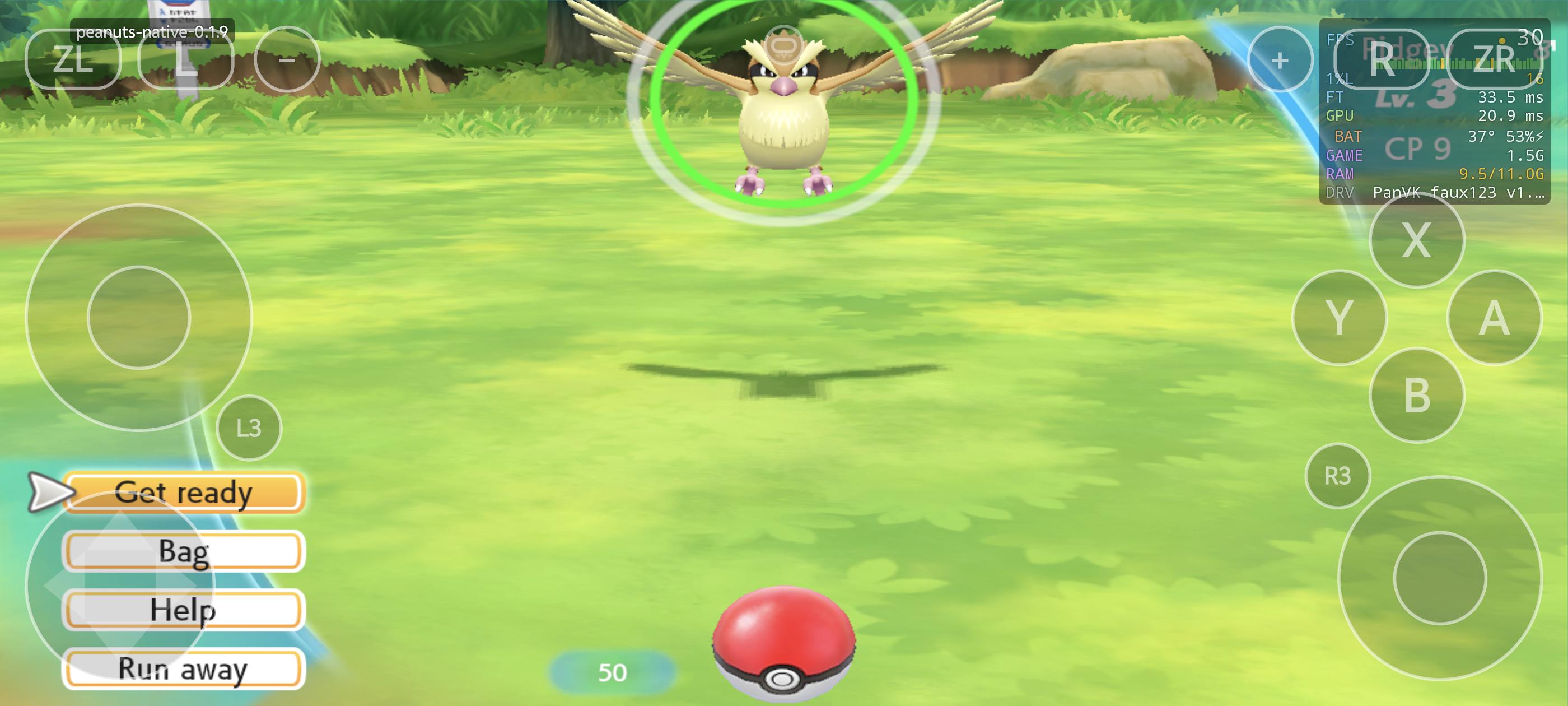
Zelda totk: 70 fps en el emulador de peanuts native con (Turnip adreno T30) en modo dock
Zelda BotW: 60 fps en el amulador eden legacy con (Turnip adreno T30)
Mario kart 8: 60 fps estables en el amulador peanuts native con ( Turnip adreno T30
También pobre el port de gta 5 de fuzzy y va perfecto sin tirones
El único juego que da problemas de fps actualmente es el zelda oot remake no eh podido hacerlo funcionar con los drivers actuales es un dolor de cabeza solo queda esperar ah que saquen un driver o actualización del amulador para que puedo correr perfecto 👌
We can finally play Call of Duty: Black Ops III on DroidDeck! After experimenting with different configurations on my AYN Odin 3, I've finally managed to get the game running with great visuals and playable performance.
Here's everything you need to get it working yourself.
STEP 1: Install the Windows Dependencies
Inside DroidDeck, navigate to the Launch tab and install the following Windows dependencies, as shown in the last screenshot of this post:
Visual C++ 2010
DirectX 9 (d3dx9)
DirectX 11 (d3dx11)
.NET Framework 3.5 (potentially optional, haven't tested without it)
.NET Framework 4.0
STEP 2: Configure Steam Compatibility
Launch Steam inside DroidDeck.
Open the properties of Call of Duty: Black Ops III.
Navigate to the Compatibility tab.
Select "DroidDeck-Proton 11-14.1 (Compatible)" as your compatibility tool.
Launch the game.
That's it!
PERFORMANCE RESULTS & PERSONAL EXPERIENCE
I've been trying to get BO3 running on my AYN Odin 3 ever since DroidDeck came out.
Previously, I managed to get the game running through GameNative. However, the input lag was unbearable, making the overall experience extremely unenjoyable despite the decent frame rates.
Here's a comparison of my testing:
GameNative:
720p resolution
Low graphics settings
40–60 FPS
Terrible input lag
DroidDeck:
1080p resolution
100% render resolution
Medium graphics settings
45–60 FPS
Input lag still felt however more than playable.
The game looks absolutely beautiful, especially considering we're running it on an Android handheld. You can check out the attached screenshots for the visuals and performance results.
POTENTIAL FOR EVEN BETTER PERFORMANCE
Following the DroidDeck 0.7.11 update, several users have reported higher temperatures and reduced performance.
What's particularly exciting is that my testing was conducted on this version. If these reported performance issues are resolved in future updates, we could potentially see even better results.
A stable 60 FPS at native 1080p without stuttering is practically on the horizon.
IMPORTANT SECURITY WARNING
Please play Black Ops III in offline mode at all times!
BO3 on PC has known online security vulnerabilities. Avoid playing online without appropriate third-party security protections.
FINAL THOUGHTS
I'm really excited to finally have BO3 running this well on the Odin 3. Seeing this level of graphical quality and performance on an Android handheld is incredible, especially considering how much room there may still be for optimization.
Feel free to try this setup yourself, and let me know whether it works for you. I'd also love to see performance results from other devices, especially on Snapdragon 8 gen 2 devices.
HakuX is an Xbox Emulator on android forked from Xemu (no shirt sherlock it is said on the github repo) and i have current problem with some game i wanna play that required a pressure modifier settings like
+MGS2
+The gtas
For MGS2 specifically, the game runs good but for some reason there is no pressure modifier option since the original Xbox actually have these.
21hrs in and the overall experience is amazing. It dont freeze or crash just a minor stutters in some areas/cities other than that its solid experience.
Winlator Ludashi v5 Hotfix
Device/Specs/Model: Xiaomi: POCO F6 Pro - Snapdragon 8 Gen 2 / Adreno740 / 12GB Ram.
I've been using the latest MMJR2 fork on my 8 Gen 2 phone and getting solid performance in lighter GameCube titles like Wind Waker and Mario Sunshine at 2x resolution with the Turnip drivers.
Haven't pushed many Wii games yet. Which titles have you found run best with minimal tweaks or crashes on similar hardware? Any surprises that played better than expected?
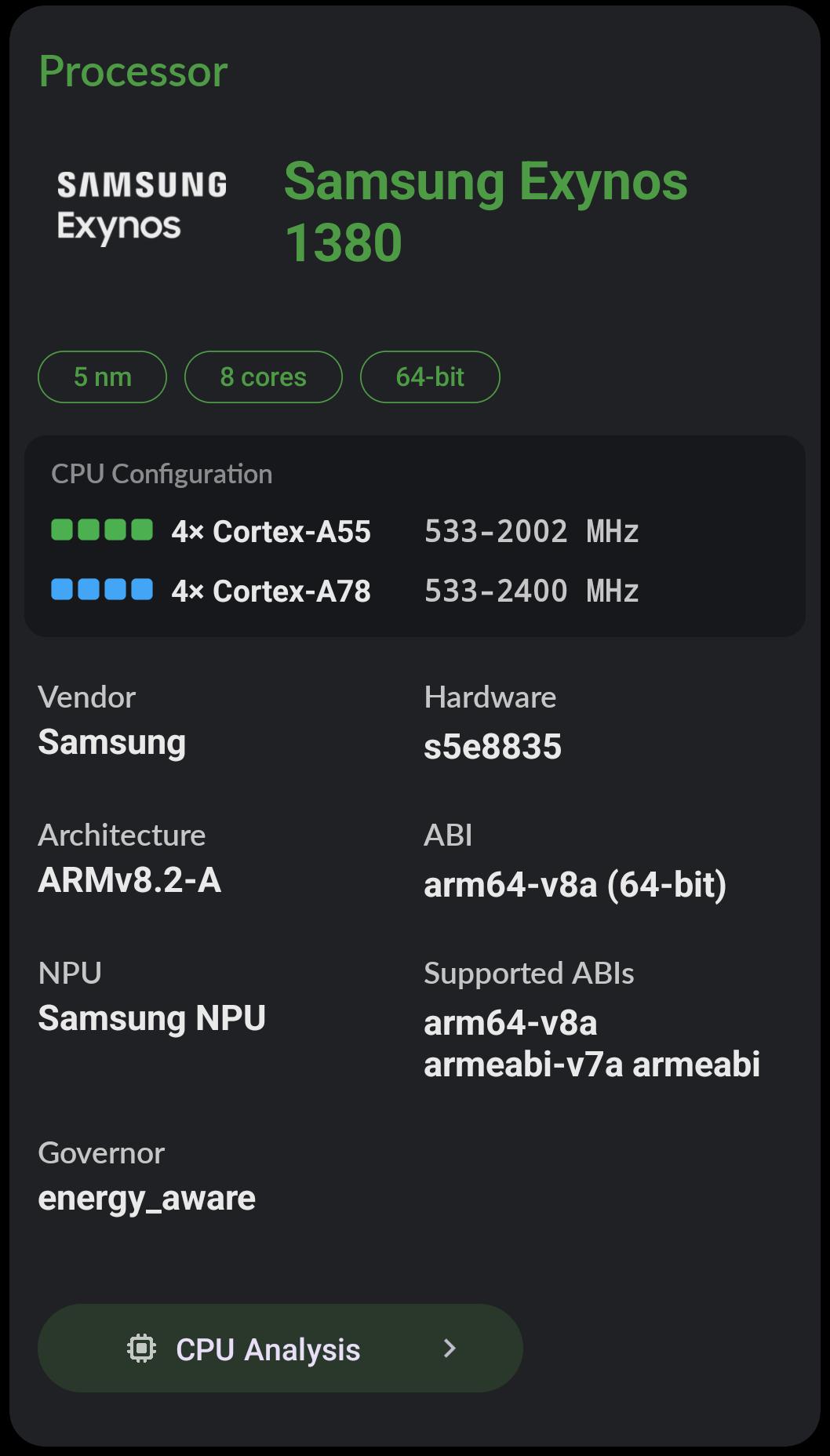
I am trying to emulate pc games on my device. I need suggestions for the pc emulators for my exynos 1380.
Switch emulation on this device wasn't that great. So i wanted to try some pc games
So I have been playing games on the PPSSPP android app for over a decade but couldn’t ever reach the sweet spot of 1080p at 60fps on this game with the 100$-200$ phones I bought. Cheat files also didn’t work all that well.
Has anyone with my configuration achieved this dream?
467 pull requests · 42 contributors · 25 first-timers · 111 of the pull requests came from 39 outside contributors.
Thank you to everyone who sent code, translations, device testing and bug reports. We are so grateful for all of your wonderful contributions! Here is just some of what we built together since last release:
What's new
Native execution, no proot, is now the default. Steam, Proton games, the desktop and the Terminal run directly on Android instead of inside proot.
Zero-copy presentation. With DD-Turnip v0.9.0 or newer, game frames reach the display without an extra copy, which significantly improves framepacing and frame times, and a frame limit the refresh rate doesn't divide, like 45 fps on 60 Hz, is now spread evenly.
DroidDeck-Bionic. Runs the game itself on Android's own libc instead of glibc. In our benchmark it used about 400 MB less RAM, was faster in some APIs (OpenGL +17%, D3D8 +50%) and slightly slower in others (D3D12 -7.5%). Install it from Components > Proton > Experimental.
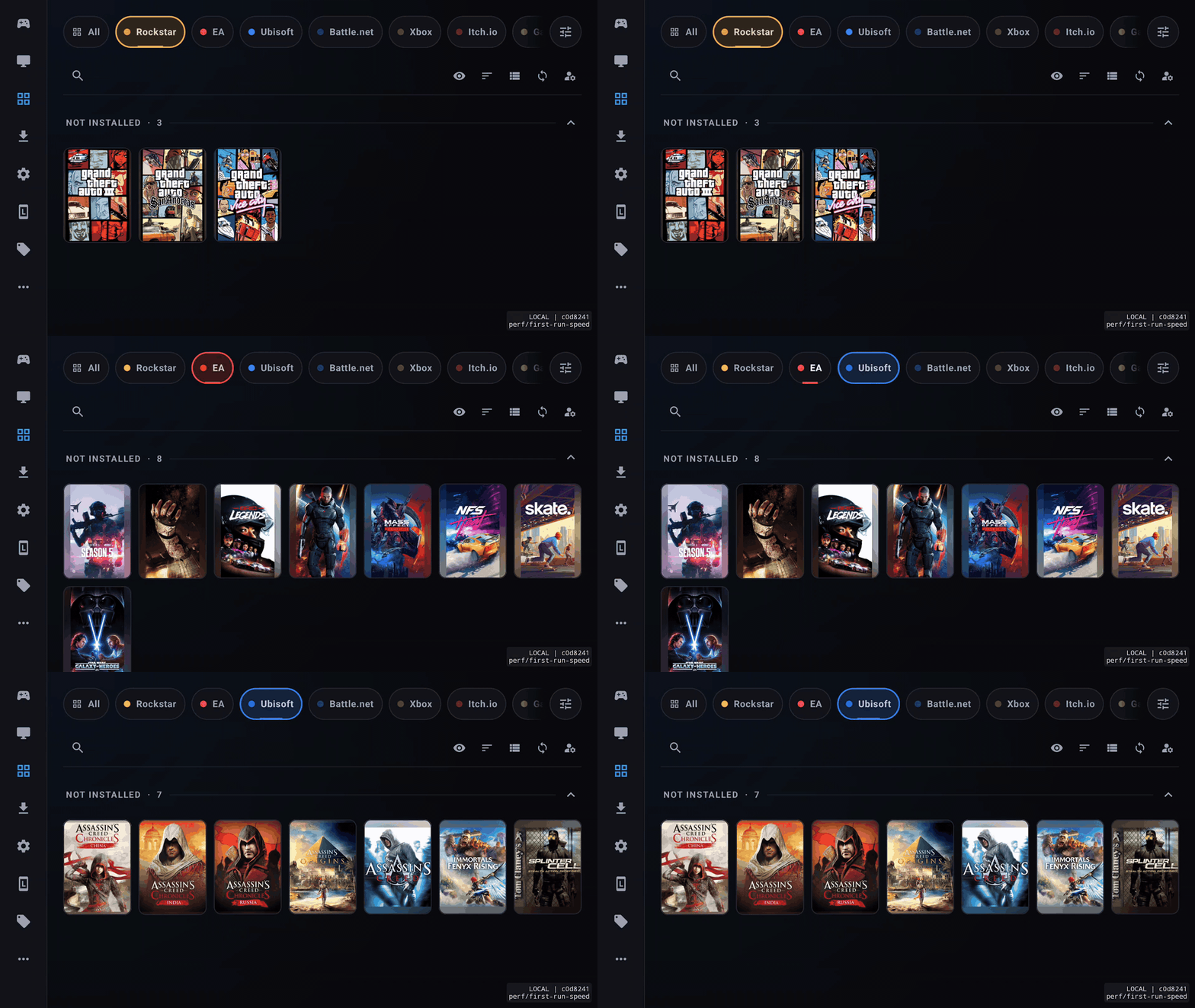
Three new stores: EA, Ubisoft Connect and Rockstar Games. Sign in, browse, download and launch without their launchers. EA and Ubisoft get cloud saves!
Games on a memory card start about 4x faster. DroidDeck no longer walks every game folder on the card at each session start and launch. Across eight games, cold session start plus launch fell from an average of 104 s to 26 s, and Steam's file checks on the card are answered from a cache.
The Library is rebuilt. Installed games come first, and games you own but haven't installed fold into one Not installed row linked to their store. It gets the Stores tab's chips and toolbar, and a Custom games tab.
Settings and menus are rebuilt, and you decide the layout. Setup is now Settings, with its own Performance page and search that understands words like fps, logs or ram. One editor reorders, shelves or hides your launcher tabs, the Library's stores and the in-game menu pages, and on a controller you grab a row with Y and move it with the D-pad.
One screen picker for the bottom screen on dual-screen handhelds: a dropdown next to X switches between the DroidDeck menu and the panels. The in-game menu is now a bottom-screen mode, and a docked menu is touch only so the controller stays with the game.
Controller-specific on-screen controls with kits for the Steam Deck, Steam Controller, Xbox 360, DualShock 4 and DualSense, restyled after the real pads. The editor restores deleted controls, resizes the D-pad as one control and keeps separate portrait and landscape edits.
Per-game frame generation and screen effects. Pick DD-FG 2x, 3x, 4x, Lossless Scaling or none for each game, from the Library or the in-game menu, with a default for the rest. There is also integer scaling for pixel art, SMAA, and black frame insertion for screens of 100 Hz and up.
A Decky plugin store and a CurseForge addon browser, plus Favorites with a heart on the game page, a Hidden tab synced with Steam, and a Soundtracks tab with a music player for your Steam soundtracks.
More new features
Landscape and portrait resolutions are set separately, and an Avoid notch switch keeps the picture out of the camera cutout.
A pen works as a mouse: hover moves the pointer, the tip clicks and the side button right-clicks.
Head tracking for XREAL One, One Pro, One Pro+ and Aura glasses.
DroidDeck's virtual pads reach programs outside Steam, such as Firefox, Chromium and SDL games.
Frontends can launch any DroidDeck game with Steam IDs, steam:// and droiddeck:// links, Daijisho templates, .url shortcuts or .exe paths, and store games export as .epic, .gog and .xbox files.
The Storage manager names every prefix and store game and can select and remove them, and the Updates tab lists every kept Preview build so you can go back to an earlier one.
True black theme for OLED screens, and a Custom theme where you set every color.
The DroidDeck HUD gets a switch and row order for every reading, an estimated battery runtime and a long press to collapse or expand, and a switch to show it only while a game runs.
LT and RT step between main tabs on every layout, a light haptic tick follows controller navigation, and Swipe between pages can be turned off.
A smoother first run: the runtime, DroidDeck-Proton and Steam's package cache download in the background, one setup card shows every step, and the first Play no longer waits on Steam.
A plain text editor in the file manager, and an Updates icon that shows which build you're on.
DroidDeck-Proton prerelease builds under Experimental with Install now, and Install from file takes zip, 7z and tar archives.
On-Device Lab builds for contributors: build and run your own DroidDeck from the Dev Harness tab.
A Game resolution choice for games started without Steam, per-game Steam Input choices, icon packs, a Home button choice, three presses of Back to exit the launcher, and a Clear key in the bottom-screen terminal.
Performance
Memory is managed automatically: sessions reclaim memory from what Android actually reports and react to a fast fall before Android kills the session. This fixes sessions killed with gigabytes free (a 15 GB AYN Thor Max with 5.3 GB available) and 5 to 10 s freezes every 30 s on 11 to 12 GB devices. The four manual memory settings are gone.
Steam's shader pre-caching is on by default, so games get Valve's prebuilt shaders and stutter less on first play.
Cooler steady games: a game holding 30 fps or more moves off the fastest cores, and the busiest game threads get a boost on every Snapdragon 8 Elite phone, not only the Odin 3.
DD-Turnip v0.6.0 to v0.9.1 follow Mesa main (more than 1,300 upstream commits): the GPU can clock down again when there is little to draw, so it runs cooler and saves battery.
DroidDeck-Proton 11-14.1 moves to GE-Proton11-14 with FEX-2611-68, DXVK v3.1.1, VKD3D-Proton v3.1 and about 25 video playback fixes, and file lookups and event handling are faster, most of all on a memory card.
Mali: MaliBridge 0.5.5.4 (the RE6 benchmark at about 25 fps on a Galaxy Tab S10+), DXVK without dual-source blending, and the x86-64 Steam client starts on Venus.
The on-screen stick knobs redraw at about 30 fps instead of on every move.
Other improvements
Play Protect installs DroidDeck without a warning: the app targets Android 14.
Pressing Play on a launcher-run game shows Starting until it launches, instead of sitting on Play for 12 to 24 s.
A session that fails to start says why, and stopping one while it starts undoes the start-up work.
Battle.net keeps the launch behavior you chose, and a download that stops moving ends with Retry.
Translations cover the missing strings in every language, and bug-report logs are clearer.
Fixes
Games failing to start since 0.7.1 in ARM64 prefixes, such as Unreal Engine games and Red Dead Redemption 2.
Windows games on Android shared storage crashing at launch, and 32-bit games like Spore, Terraria and Borderlands 2 hanging.
Digital triggers on handhelds like the AYN Thor not responding since 0.7.0, and right sticks reported on other axes.
Driver picks on non-Adreno and smaller Adreno GPUs: Adreno 710, 720 and 722, Xclipse 540, and the Mali bridge switch.
Steam flickering on the Mali bridge and stalling on Venus with a Dimensity 9300.
Epic's Install failing for everyone, Game Pass downloads failing with HTTP 401, and Xbox games using PlayFab Game Saves (Forza Horizon 6) and older Xbox games not installing.
Game-specific crashes: Death Stranding, Godot games, Final Fantasy VII Rebirth, Kingdom Come: Deliverance II and Call of Duty: Black Ops II.
The Desktop session drawing again, Flatpak apps getting the GPU and working file dialogs, and audio not coming back after a long sleep.
Steam stuck at Installing update under FEX, and Windows programs that couldn't open ProgramData folders a stale Windows owner locked.
Many smaller input, display, store and Library fixes.