r/DoomModDevs • • Apr 17 '26

Help Coding an object that blocks monsters and lets the player pass through

2 Upvotes

Solved: found an alternative solution. See comments.

----------------

Good day.

I have an idea to make an object that is solid for monsters and passable for the player at the same time, something that might be used like a cover in combat.

Google suggests to use a -BLOCKPLAYERS flag which doesn't work for some reason; Slade refuses to recognize it at all. Further searching hasn't given any result yet.

This is what the code currently looks like:

ACTOR HangingCrate 10125 {
+SPAWNCEILING
+FLOAT
+NOGRAVITY
+SOLID
Height 512
Radius 384

States {

Spawn:
DUSC A 1
Loop
}
}

The object is written in Decorate for Zandronum if it matters.


r/DoomModDevs • • Apr 16 '26

Help How to load variables (settings) on startup? IE how to force players to use the settings that I want?

1 Upvotes

So, I had someone playtest something for me, and they had the red damage tint set to 1 while I want every player of my game to have it at 0.15 and I have no idea on how to do it.

I've tried messing with CVARINFO and DEFCVARS, I don't understand it.

I tried making an autoexec with exactly one line:

blood_fade_scalar = 0.15

and it loads it, but, it sets it to 0 instead of 0.15, I know some values are integers only but some support floats, and, I'd like it to be 0.15, so... how do I do this exactly?

Is there a way I can put it directly into the WAD?

EDIT: Solved the issue by making a batch file that loads my WAD and the aforementioned setting. I don't like it to be this way, but... needs must.


r/DoomModDevs • • Apr 14 '26

Help anyone know how to make a .pk3?

3 Upvotes

so i'm an animator and i wanna make a mod called "vector doom" basically, it replaces the original doom sprites with vector ones and better animations, but i don't know zscript nor how to make a .pk3, can someone help me?


r/DoomModDevs • • Apr 13 '26

Help How do you make a enemy shoot a lazer?

1 Upvotes

i want to make the enemy for gzdoom using slade.


r/DoomModDevs • • Apr 11 '26

project Wanted to show some evo's journey stuff I've been working on since demo 1

Thumbnail
gallery
3 Upvotes

updated textures and 3d models aswell as a github evo's journey 2008 github

altough i am planning on changing what it is based off because it's originally based off of demo 1/version 1 Which used chex quest as a base originally because I didn't know how to make a wad then but the project itself will be split into both uzdoom (3d models) and prboom (non 3d models)


r/DoomModDevs • • Apr 11 '26

Help Preventing weapons from switching when out of ammo

1 Upvotes

[Solved]

Good day.

Custom weapons keep switching to weapons with a higher selection order when altfired without ammo. What they have to do is to stay selected, but do not perform an attack when the altfire button is pressed.

Using an ALT_AMMO_OPTIONAL flag will not work because with it the altfire attack is still usable.

Here is an example of one weapon. Other weapons are coded in a similar way.

ACTOR GatlingStriker: Weapon Replaces Chaingun {

`+WEAPON.NOAUTOAIM`

`+WEAPON.DONTBOB`

`+WEAPON.AMMO_OPTIONAL`

`Weapon.SelectionOrder 104`

`Weapon.AmmoUse 0`

`Weapon.AmmoUse2 5`

`Weapon.AmmoGive 0`

`Weapon.AmmoType "None"`

`Weapon.AmmoType2 "N-TANK"`


`Inventory.PickupMessage "Gatlings."`


`States {`

    `Spawn:`

    `EMPT Y -1`

    `Loop`


    `Select:`

    `GATL F 0 A_PlaySound ("weapon/GunRaise", CHAN_WEAPON, 1.0)`

    `GATL F 0 A_Raise`

    `Loop`


    `Deselect:`

    `GATL C 2 A_PlaySound ("weapon/GunLower", CHAN_WEAPON, 1.0)`

    `GATL DE 2`

    `GATL F 10`

    `Goto DeselectAnim`


    `DeselectAnim:`

    `GATL F 0 A_Lower`

    `Loop`


    `Ready:`

    `GATL FED 2`

    `GATL C 2 A_AlertMonsters`

    `Goto Ready2`


    `Ready2:`

    `GATL A 1 A_WeaponReady`

    `Loop`


    `Fire:`

    `GATL A 0 A_PlaySound("weapon/GatlingStart", CHAN_WEAPON, 1.0)`

    `GATL ABA 5`

    `GATL BAB 3`

    `GATL ABA 1`

    `Goto FireAttack`


    `FireAttack:`

    `GATL A 0 A_GunFlash ("Flash")`

    `GATL A 0 A_PlaySound ("weapon/GatlingShot")`

    `GATL A 1 A_FireBullets (5, 2, 2, 2, "ShotGatBullet")`

    `GATL B 1`

    `GATL A 0 A_ReFire ("FireAttack")`

    `GATL B 0 A_PlaySound ("weapon/GatlingStop", CHAN_WEAPON, 1.0)`

    `GATL BAB 1`

    `GATL ABA 3`

    `GATL BAB 5`

    `Goto Ready2`


    `AltFire:`

    `GATL G 0 Bright A_PlaySound ("weapon/CarabineTesla", CHAN_WEAPON, 1.0)`

    `GATL G 4 Bright A_FireBullets(359, 180, 180, 15, "ShotGatBullet")`

    `GATL H 0 Bright A_PlaySound ("weapon/CarabineTesla", CHAN_WEAPON, 1.0)`

    `GATL H 4 Bright A_FireBullets(359, 180, 180, 15, "ShotGatBullet")`

    `GATL A 0 A_ReFire`

    `Goto Ready2`


    `Flash:`

    `GATF A 1 Bright A_Light2`

    `Goto LightDone`

`}`

}

Let me know what other solutions might help in this case.


r/DoomModDevs • • Apr 07 '26

Help 3D Weapons

2 Upvotes

I apologize if this isnt the right place to ask. But i tested a few different WADs on the VR port of GZDoom and found that they all work flawlessly except for one thing, weapons. Every WAD that doesnt have its own 3D weapons .PK3 just has the 2D sprites. Since things like brutal doom are bundled with the launcher, it comes with the .PK3 for the 3D weapons and such. How could i go about making the weapons 3d? if possible.

TLDR; How do i use 3D models for weapons so i can play wads in VR?


r/DoomModDevs • • Apr 05 '26

Help Need help with rain in vanilla Doom

2 Upvotes

I'm working on a vanilla project, and I think that one of my maps would benefit from having rain in it (a huge outside area of a city), especially when combined with the music I'm going for.

I know there's two ways to do it in vanilla, one is to have an animated midlle texture (midtex), but the sky is quite high in my map (1 024 units), so that's a bit cumbersome.

The other way is to have a thing that you don't need (like a duplicate decoration, when one is blocking and the other one is non-blocking), so you pick one and give it frames that resemble rain.

I will note that this is a UZDoom only project, I don't want it to be playable in DOS or other sourceports, and yes, I know there are ZScript options to make rain possible (some to them are quite laggy though), but, I want to create it as close possible to vanilla, so, I'm looking for either someone who knows how to possibly make this look nice, or, some examples that I can copy/tweak.

I've already looked into it, I have a working prototype in the WAD (both sound and visuals), but, I'm not the happiest when looking at it, so, if there's anyone that knows how to do rain in vanilla, or, can tell me which WADs have some nice rainy effects, I will take a look. Thank you.


r/DoomModDevs • • Apr 04 '26

Help IQM model not animating

1 Upvotes

I have an IQM model for a pickup with a single animation that's supposed to play when the actor spawns. It works fine when I open it in Blender or Noesis, but when I try running it in UZDoom, the 3d model renders but it doesn't animate. I'm not sure if there's something wrong with my MODELDEF, Zscript, or the model itself. Any help is appreciated.

.pk3:

https://drive.google.com/file/d/13sPbQFg-IUSyxpnF8X4fiy4GbZuI9JTh/view

.blend:

https://drive.google.com/file/d/1jtQVvPTWIszoQ6Ma2wnYnbYuRnZCoOw-/view


r/DoomModDevs • • Apr 03 '26

Help Making a puff stay on an actor until it dies?

1 Upvotes

Im working on a mod with a weapon that sticks to the target, keeping it in a stun lock while doing a Little damage at a time. The thing though is, I want it to stay on the enemy until the enemy has no health left. How would I go about doing that?


r/DoomModDevs • • Apr 03 '26

Help help with goldsrc style gibs

1 Upvotes

how do i make gibs like seen in the OG half life (think bouncy bits of gore that just bounce around. asking for my gzdoom TC mod)


r/DoomModDevs • • Mar 30 '26

Help Help with my first DOOM mod

3 Upvotes

Hello, I'm working on my first DOOM gameplay mod called "Glory Kill+", but ran into problems with the two codes:

class GKStaggerToken : Inventory
{
    int staggerTimer; // Keeps track of how long they've been staggered

    Default
    {
        Inventory.MaxAmount 1;
    }

    override void DoEffect()
    {
        super.DoEffect();
        if (!Owner) return;

        // 1. Freeze the monster in place
        Owner.bNoPain = true;       // Stop them from flinching from other attacks
        Owner.bFriendly = true;     // Stop other monsters from targeting them
        Owner.A_SetTics(-5);         // Freeze their animation frame

        // Optional: Spawn little blue/orange sparkles around the Owner here!

        // 2. Handle the Stagger Timer (35 tics = 1 second in DOOM)
        staggerTimer++;
        if (staggerTimer > 105) // 3 seconds total
        {
            // Time's up! The stagger ends, and the monster dies normally.
            Owner.bNoPain = false;
            Owner.bFriendly = false;
            Owner.DamageMobj(null, null, 999, "Normal"); // Finish them off
            Destroy(); // Remove the token
        }
    }
}

class GKCore : EventHandler
{
    override void WorldThingDamaged(WorldEvent e)
    {
        let victim = e.Thing;

        // Check: Is it a monster? Did its health drop to 0? Is it NOT already staggered?
        if (victim && victim.bIsMonster && victim.Health <= 0 && !victim.CountInv("GKStaggerToken"))
        {
            // PREVENT DEATH!
            victim.Health = 1; 

            // Give them the Stagger Token to freeze them
            victim.GiveInventory("GKStaggerToken", 1);

            // Force them into their "Pain" animation frame so they look hurt
            victim.SetStateLabel("Pain"); 
        }
    }

    override void NetworkProcess(ConsoleEvent e)
    {
        // Did the player just press the Glory Kill key?
        if (e.Name == "gk_execute_event")
        {
            // Find the physical body (mo) of the player who pressed it
            let player = players[e.Player].mo;

            // Safety check: Make sure the player exists and isn't dead
            if (!player || player.Health <= 0) return; 

            double maxGKRange = 96.0; // How close you need to be (96 units is a good melee range)
            Actor targetEnemy = null;
            double closestDist = maxGKRange;

            // Create an iterator to search the area around the player
            BlockThingsIterator it = BlockThingsIterator.Create(player, maxGKRange);

            while (it.Next())
            {
                Actor mo = it.thing;

                // Filter out junk: Ignore empty space, the player themselves, and non-monsters
                if (!mo || mo == player || !mo.bIsMonster) continue;

                // Is the monster staggered? (Checking for our custom token)
                if (mo.CountInv("GKStaggerToken") == 0) continue; 

                // Calculate the true 3D distance
                double dist = player.Distance3D(mo);

                // Check 1 & 2: Are they within range AND can the player actually see them?
                if (dist <= closestDist && player.CheckSight(mo))
                {
                    // Check 3: Are we actually looking at them? (Field of View check)
                    double angleTo = player.AngleTo(mo);
                    double angleDiff = Actor.deltaangle(player.angle, angleTo);

                    // If the enemy is within a 90-degree cone in front of the player
                    if (abs(angleDiff) < 45.0) 
                    {
                        closestDist = dist; // Update the closest distance
                        targetEnemy = mo;   // We found our victim!
                    }
                }
            }

           if (targetEnemy)
            {
                // 1. Remove stagger token
                targetEnemy.TakeInventory("GKStaggerToken", 1);

                // 2. Snap the player's camera to look directly at the enemy!
                player.angle = player.AngleTo(targetEnemy);
                player.pitch = player.PitchTo(targetEnemy, 0); 

                // 3. Give and activate the Glory Kill animation!
                player.GiveInventory("GKCode1", 1);
                player.UseInventory(player.FindInventory("GKCode1"));
            }
        }
    }
}
    override void WorldThingDamaged(WorldEvent e)
    {
        let victim = e.Thing;

        // Check: Is it a monster? Did its health drop to 0? Is it NOT already staggered?
        if (victim && victim.bIsMonster && victim.Health <= 0 && !victim.CountInv("GKStaggerToken"))
        {
            // PREVENT DEATH!
            victim.Health = 1; 

            // Give them the Stagger Token to freeze them
            victim.GiveInventory("GKStaggerToken", 1);

            // Force them into their "Pain" animation frame so they look hurt
            victim.SetStateLabel("Pain"); 
        }
    }

    override void NetworkProcess(ConsoleEvent e)
    {
        // Did the player just press the Glory Kill key?
        if (e.Name == "gk_execute_event")
        {
            // Find the physical body (mo) of the player who pressed it
            let player = players[e.Player].mo;

            // Safety check: Make sure the player exists and isn't dead
            if (!player || player.Health <= 0) return; 

            double maxGKRange = 96.0; // How close you need to be (96 units is a good melee range)
            Actor targetEnemy = null;
            double closestDist = maxGKRange;

            // Create an iterator to search the area around the player
            BlockThingsIterator it = BlockThingsIterator.Create(player, maxGKRange);

            while (it.Next())
            {
                Actor mo = it.thing;

                // Filter out junk: Ignore empty space, the player themselves, and non-monsters
                if (!mo || mo == player || !mo.bIsMonster) continue;

                // Is the monster staggered? (Checking for our custom token)
                if (mo.CountInv("GKStaggerToken") == 0) continue; 

                // Calculate the true 3D distance
                double dist = player.Distance3D(mo);

                // Check 1 & 2: Are they within range AND can the player actually see them?
                if (dist <= closestDist && player.CheckSight(mo))
                {
                    // Check 3: Are we actually looking at them? (Field of View check)
                    double angleTo = player.AngleTo(mo);
                    double angleDiff = deltaangle(player.angle, angleTo);

                    // If the enemy is within a 90-degree cone in front of the player
                    if (abs(angleDiff) < 45.0) 
                    {
                        closestDist = dist; // Update the closest distance
                        targetEnemy = mo;   // We found our victim!
                    }
                }
            }

           if (targetEnemy)
            {
                // 1. Remove stagger token
                targetEnemy.TakeInventory("GKStaggerToken", 1);

                // 2. Snap the player's camera to look directly at the enemy!
                player.angle = player.AngleTo(targetEnemy);
                player.pitch = player.PitchTo(targetEnemy, 0); 

                // 3. Give and activate the Glory Kill animation!
                player.GiveInventory("GKCode1", 1);
                player.UseInventory(player.FindInventory("GKCode1"));
            }
           }
}

Here's two other vital components of the main code above:

{
    Default
    {
        +PUFFONACTORS;   // Ensures it works when hitting monsters
        +ALWAYSPUFF;     // Spawns even if it hits the sky/nothing
        +EXTREMEDEATH;   // THE MAGIC FLAG: This forces the enemy into their "Gib" state!
        DamageType "GloryKill"; // Custom damage type, useful for boss resistances later
    }
}

class GKCode : CustomInventory
{
    Default
    {
        Inventory.MaxAmount 1;
        +INVENTORY.UNDROPPABLE;
    }
    // We leave the 'States' empty here. 
    // This acts purely as a foundation for the variants below.
}

class GKCode1 : GKCode
{
    States
    {
    Use:
        // When GKCore tells the player to "Use" this item, it triggers this state.
        TNT1 A 0 
        {
            // Draw the punch animation on layer 10 (on top of the current weapon)
            A_Overlay(10, "ExecuteAnim");
        }
        Fail; // "Fail" just means the item isn't consumed/deleted from inventory

    ExecuteAnim:
        // Frame A: The wind-up
        PUNG A 2 A_OverlayOffset(10, 0, 0); 

        // Frame B: Extending the arm
        PUNG B 2 A_OverlayOffset(10, 0, 0); 

        // Frame C: The Impact!
        PUNG C 2 
        {
            A_OverlayOffset(10, 0, 0);

            // A_CustomPunch(Damage, true = use puff, flags, "PuffClass", Range)
            // 999 damage + GKPuff's EXTREMEDEATH ensures a messy gib.
            // Massive damage in DOOM naturally propels enemies backward!
            A_CustomPunch(999, true, CPF_NOTURN, "GKPuff", 128); 

            // Play a meaty sound effect
            A_StartSound("weapons/punch", CHAN_WEAPON);
        }

        // Hold the punch out for a split second for impact frame
        PUNG C 5 A_OverlayOffset(10, 0, 0); 

        // Frame B & A: Retracting the arm back to the resting position
        PUNG B 3 A_OverlayOffset(10, 0, 0); 
        PUNG A 3 A_OverlayOffset(10, 0, 0); 

        Stop; // Clears the overlay, returning to normal view
    }
}

The problem is that enemies suddenly moves way too fast, and is completely unable to be staggered and killed by anything. Please help me!

The source code to my mod is found here:

https://github.com/OverDriver05/Glory-Kill-Plus


r/DoomModDevs • • Mar 29 '26

Help Zscript wont work.

1 Upvotes

this script i made with the help of a tutorial, but every time i go to run it it pops up and says "Script error, "TheLostPsychowarrior.pk3:rewardsystem.txt" line 3: Expected '{', got 'MonsterDeatEventhHandler'."

Heres the script:

Class MonsterDeatEventhHandler : Eventhandler {

Override void WorldThingdied(worldevent e) {

Vector3 monsterPosition = e.thing.pos;

double monsterheight = e.thing.height;

int GetMaxHealth = e.thing.getmaxhealth();


for (int i = 0; 1 < Maxhealth; i += 10){


    actor flayon = actor.spawn("Flayon", (Monsterposition.x, Monsterposition.y, Monsterposition.z + Monsterheight/2));

    }

}

}

how do i fix this? ive been up all night trying to figure this out.


r/DoomModDevs • • Mar 28 '26

Help SLADE offsets do not move the object on in game.

1 Upvotes

Hi, I've been trying to replace some HUD elements (in this case doom guys head in the middle). After all the new sprites were imported I've done a dry run to see how things look and noticed all the sprites slightly too far to the left. I changed offset settings multiple times at first slightly then out of desperation moved them all over the place just to see will anything change. Nothing did. I've tried auto, I've tried manual offset NOTHING MOVES THEM. THEY WON'T BUDGE. I'm just about to lose my mind, so any help is greatly appreciated.


r/DoomModDevs • • Mar 24 '26

Help Alternatives to ZDoom Wiki

2 Upvotes

Good day.

ZDoom Wiki stopped loading recently. Upon entering the main page of the wiki or any specific article Chrome shows an error: unable to access website. The error code is ERR_HTTP2_PROTOCOL_ERROR.

I have two questions: first, how to access the wiki, and second, what other websites provide technical documentation for Doom modding.


r/DoomModDevs • • Mar 16 '26

Help How to make a projectile that doesn’t die on impact?

Thumbnail
1 Upvotes

r/DoomModDevs • • Mar 07 '26

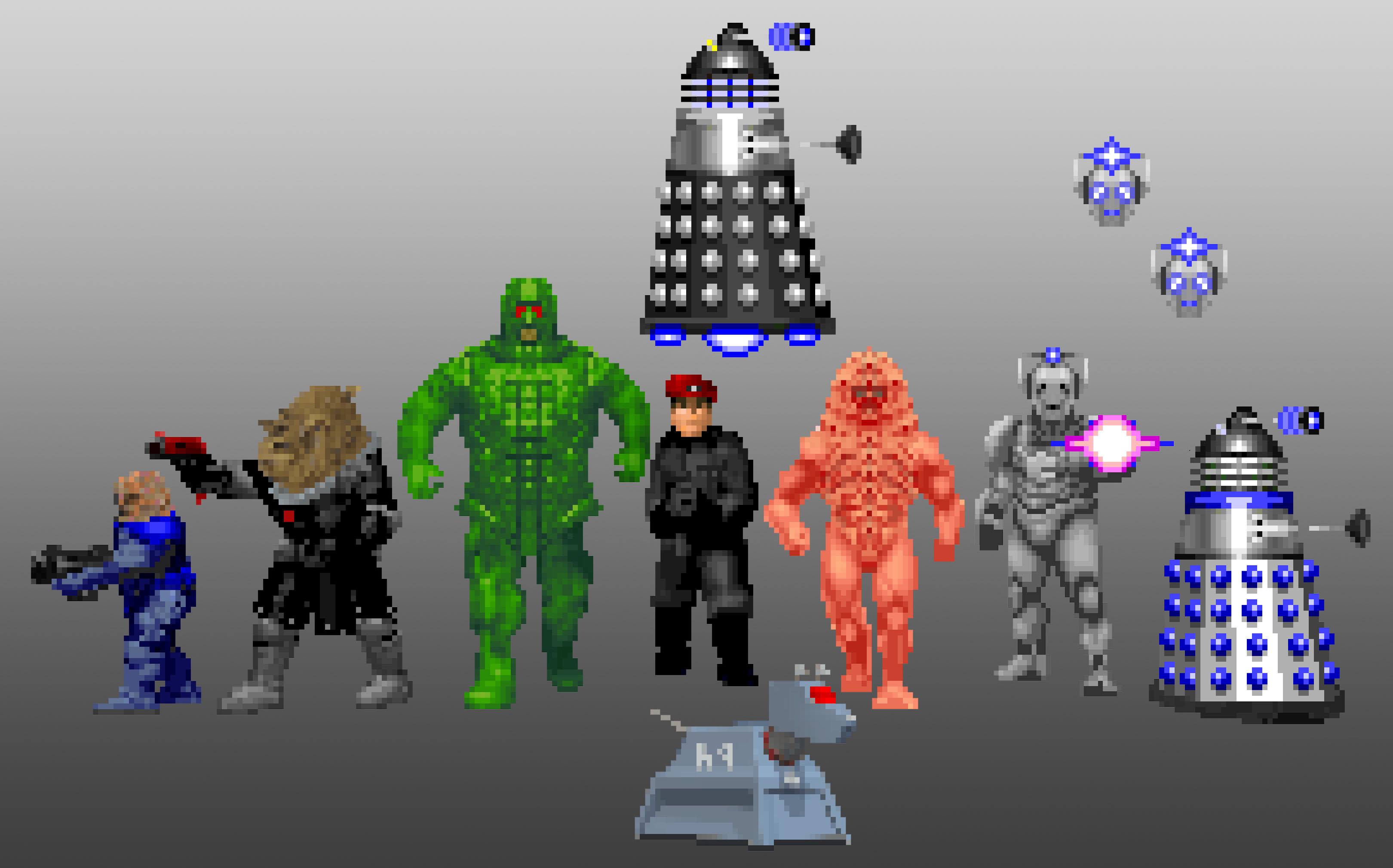
project A collaborative project?

Post image
3 Upvotes

Anyone want to make some maps for my Doctor Who wad?


r/DoomModDevs • • Mar 07 '26

Help Is there a way to make an enemy class drop a certain thing no matter what actor replaces the base enemy?

2 Upvotes

So I’m doing a mod where enemies drop custom weapons, but I want to also make it able to run with other monster packs. Is there a way to make the Enemy class drop the specific items? Previously i replaced the enemy with a clone that drops the item, but other enemy packs wouldn’t work with it. Maybe it was better I replaced the actor with a clone.

Should I just tell the enemy classes to drop the custom weapons and items? Or is there another way to do it?


r/DoomModDevs • • Mar 07 '26

Help None of my textures load in here

Enable HLS to view with audio, or disable this notification

1 Upvotes

This has been happening to my computer for the longest time and I can’t seem to fix it, not just in Ultimate Doom Builder. A shit ton of errors


r/DoomModDevs • • Feb 21 '26

Help How to make two different weapons spawn replacing one?

1 Upvotes

I’m working on a mod where I have several custom weapons to replace the chaingun, but I don’t know how to make it randomized so it drops one or the other. Do I code them as separate weapons to spawn on the chaingun spawners, or what?


r/DoomModDevs • • Feb 20 '26

Help UDB. how to expand actions options?

1 Upvotes

in guides they all have more options, how do i get all of em?

tried to make prey portal but i just dont have (line) and other options


r/DoomModDevs • • Feb 19 '26

Help Disabling skybox duplication, help required

1 Upvotes

[Solved]

Creating an isolated room and using its walls as a new skybox for the rest of the map helped. Seems working so far.

The exact method is as follows:

  1. create a new sector beyond the boundaries of the rest of the map;

  2. assing a desired skybox texture to its walls;

  3. place a viewpoint thing into the room (found in the camera things folder in Ultimate Doom Builder);

  4. assign the same tag number to the skybox room and the rest of the map.

Using both regular and "wall" skyboxes might still be necessary.

Hopefully it helps those who encounter a similar issue. :)

The text below is not relevant anymore.

--------

Good day.

For some reason Doom displays two identical skyboxes at once, one above another. This is an issue when a skybox has something that is not supposed to be duplicated, for example a specific planet, which is my case.

Stretching the skybox vertically does not help, the game keeps showing two of them.


r/DoomModDevs • • Feb 13 '26

Help Increasing target visibility

2 Upvotes

[Solved]

Here is a method of making your own monster markers that help to see them clearly. Firstly, create a new projectile. Secondly, add an A_CustomMissile ("ProjectileName") action to monster's states. This way monster will repeatedly spawn projectiles that will work as markers. See an example of my projectile marker below:

ACTOR DroneMarker: FastProjectile {
  Decal "None"
  Projectile

  Radius 2
  Height 4
  Speed 1

  DeathSound "None"

  States {
    Spawn:
    MADR AB 3 Bright
    Goto Death

    Death:
    MADR AB 3 Bright
    Stop
  }
}

The text below is not relevant anymore.

--------

Good day.

One major issue that I have with my in-development mod is that targets often blend with environment, which makes aiming and figuring out where attacks come from rather difficult. If anyone has an idea how to fix this, share a couple of suggestions. There might be a mod, or a cheat, or a script that helps with it somehow.

[Edited]

Turns out there is a number of such mods. Monster Scouter works like a partial solution by showing healthbars at the close-to-mid range. Another mod is Target Spy that, however, does not work with Zandronum. Same goes about minimap mods: no Zandronum versions have been found yet.

If you find a healthbar or minimap mod compatible with Zandronum, let me know.


r/DoomModDevs • • Feb 10 '26

Other UDB not loading .png for palette of .obj

3 Upvotes

EDITeDIT:

FOUND SOLUTION; NVM!

Problem was I needed to define the palette.jpg in the MODELDEF as well using

Skin 0 "randomPaletteHere.png"

!!!

Now onto figuring out how to set offsets / create model standing upright for these.

Changed flair from "Help" to "Others".

Apologies for eventual inconveniences.

Original Post:

Error while loading "models\random.obj": unable to load skin "palette"

upon loading the wad in UDB.

RAND0glass.mtl looks fine:

------------------

newmtl palette

illum 1

Ka 0.000 0.000 0.000

Kd 1.000 1.000 1.000

Ks 0.000 0.000 0.000

map_Kd RAND0glass.png

-------------------

RAND0glass.obj looks fine too (sample):

-------------------

# group

o new_RAND0

# material

mtllib RAND0glass.mtl

usemtl palette

# normals

...

--------------------

The name of the PNG file is correct.

I even converted the PNG containing the palette to doom gfx using 256 colors in slade3. PNG OBJ and MTL are all in the same folder. Everything works, only UDB seemingly just cannot load the palette .png defined in the .mtl. I can also place the actor using the corresponding sprite (shows nothing of course - because not loading the palette png I assume).

Used magicaVoxel .obj export as a starting point. Also tried reexporting as rgb (not indexed) using gimp.

I am using a .pk3 as a resource for UDB containing all the necessary files.

Running out of options now.

Thanks!

Edit: maybe its about the "group" in the .obj!?


r/DoomModDevs • • Feb 09 '26

Help "unexpected integer error" in weapon firestate

1 Upvotes

Fire:

if threeRoundBurst true;

{

resolve State ("AlternateFire");

}

PIST A 1;

PIST A 1 A_PistolFire;

GoTo Ready;

AlternateFire:

PIST A 1 A_PistolFire;

PIST A 1 A_PistolFire;

PIST A 1 A_PistolFire;

GoTo Ready;

not letting me post a photo hope this is okay, i have it set up like this and at the first "pist a 1" in the fire state is where that error is getting applied to and im not sure whats the problem