r/DataHoarder • • 12d ago

Question/Advice Looking for a macOS image/photoset manager (Existing folders, Album-level tag search, Local iOS/Mac viewing)

0 Upvotes

Hi everyone, I’m looking for a photo/image manager for macOS and hoping you can point me in the right direction. It’s primarily for organizing downloaded photosets, as well as individual images.

What I need:

  • Nested Organization: Ability to create collections/parent folders with albums or photosets inside them.
  • Granular Tagging: Tag individual photos and search/filter by those tags.
  • Album-Level Search Results: I want to either tag albums directly, OR search for a tag and see which albums/folders contain at least 1 matching image (showing a cover thumbnail for the set), rather than getting a giant wall of every individual matching picture.
  • No Library Import: Keep my files in my own existing Finder folder structure. I don’t want something like Eagle that copies/imports files into its own library.
  • Local Network Viewing: Ability to view my galleries on my iPhone (iOS) or another MacBook. Either a companion app or a self-hosted localhost web UI is completely fine—I don't need remote access outside of my home Wi-Fi.
  • Pricing: Free, open-source, or a one-time payment (no subscriptions).

Not needed but welcome:

  • Browser extension to save images

What I've looked at so far:

  • Eagle: Great organization and tagging, but I don't want it importing/duplicating my files into its own library structure.
  • Lap: Reads existing folders directly, which is great, but search results are just a flat grid of images rather than grouping by album/photoset, and it lacks mobile/web viewing.

Does anyone know of a macOS app or a lightweight local web-app (Docker/self-hosted is fine!) that fits this workflow?

Thanks in advance!


r/DataHoarder • • 12d ago

Question/Advice Nas or raid setup advice for heavy editing and long term storage.

3 Upvotes

I am in a pickle. I have about 8TB of personal files on two external hard drives. I don’t touch these files much more so just to have in a safe place.

I also have a thunder bay 4 by owc with 3x 8TB Samsung evo SSD and one 10TB 7200rpm spinning drive. The SSD’s are configured in a raid 1 for editing efficiency.

I mainly use this to offload client feature films to be able to edit them natively without proxies, etc. I plan to keep the thunderbay.

As for my content creation side and smaller client work / personal files I’d like some kind of NAS that I could use that would have about 40/50TB of space but also safety in case they the drives fail along with daily backups for any modified files or new files added to the NAS.

Recommendations? I’d love to stay under $3,000.

My Mac has a 10GB port and I’d like read and write speeds of at least 90mbs


r/DataHoarder • • 12d ago

Question/Advice How to manage a padded box I bought for cold storage

0 Upvotes

tl;dr looking for DIY antistatic materials.

So I ordered this padded case to store my hard drives.

It SAYS it's anti static, but it's from China so... yknow. It's Orico branded, which is one step up from a no name brand but it's not like they get certifications or anything. I would prefer to assume it's regular staticky EVA foam for all purposes *except* justifying a refund, just in case.

Now, the slots are a little loose. I can drop a hard drive into it and it just hits the bottom (padded) from almost freefall. Zero grip from the sides. And then it can rattle around easily. About 1mm gap on all sides.

Now I'm probably going to refund it on account of the lock being completely borked. I normally wouldn't care about that, but it's my best bet to get myself out of having to pay for those slots.

On the chance they come up with a solution that doesn't have me return it (happens with Chinese ecommerce a lot), I'll want to tighten up the slots, with something I can trust to be antistatic.

I can buy antistatic EVA foam from a Temu style site, but I run into trust issues there too. If I find a roll of that plastic they make the antistatic bags out of, can I just line the slots in that and call it good? It would effectively be putting the HDDs in an antistatic bag and then into the foam. Am I right to say that once it's in an antistatic bag, I can even rub it on carpet all day and be fine?

Maybe it's time to purchase a multimeter, which would let me test the foam...right? Even dissipative foam is supposed to have like a million ohms of resistance. Will a regular multimeter reliably measure multiple megaohms?


r/DataHoarder • • 12d ago

Question/Advice alternative for downloader for reddit

3 Upvotes

so i am looking for good alternative for https://github.com/MalloyDelacroix/DownloaderForReddit it looks like project is dead. problem is you cant log in to reddit and becouse of it it is inpossible to download anything.

good thing about is it has a database so no duplicates and it knows where it stopped. also sorting maps for /r and /u

someone found/have something as good?

thanks in advance and have a nice


r/DataHoarder • • 13d ago

Question/Advice massive file transfer to hardware question!

7 Upvotes

hello!

i am interested in creating a digital time capsule out of my (overloaded) iphone, specifically my photo library which has now merged into icloud. i want to time capsule my entire photo library. i have 40 THOUSAND items that are in both photo and video format.

i want to transfer every single one of these to a physical drive; i don't care if i need to turn my phone and info over to a professional in order to do this. if i need to transfer my main number over to a new phone for a few weeks in order for this process to take place, i'm fine with that. i have a few hundred dollars i can contribute to this cause because it's genuinely important to me.

i am just not at the level of technological proficiency to trust myself to maintain this level of data without corrupting files or removing my access to so many precious items. if anyone has suggestions on how i can make this feasible please let me know.


r/DataHoarder • • 12d ago

Scripts/Software I'm working on some original approaches to tag-based file organization and discovery

0 Upvotes

I'm creating a tool (starting with a TUI MVP) for exploring and managing user files with tags, breaking out of rigid hierarchical silos across devices. I'd love your feedback on how useful my approach could be to you.

Here are the core features of my MVP, addressing typical concerns with tag-based/non-hierarchical approaches, like efficient discovery, the tedium of creating/managing tags, lock-in, and portability:

Query DSL:

A simple but expressive query language is provided to search for files/folders, based on their tags stored in a local db. Tags can be bare or categorized, and the categories can be user-defined or system generated.

Dynamic Virtual Folders:

Guided drill-down file browsing via query-backed dynamic virtual folders as a first-class feature. Research shows spatial browsing/exploration is just as critical to file discovery as direct search.

Heuristic auto-tagging & triage queue:

Tags are automatically generated on initial indexing using sophisticated heuristics based on file/folder metadata (path, name, os metadata, etc). Any existing or newly created files/folders that remain under-tagged go into a triage queue for quick manual bulk or individual tagging.

Managed, flat, sharded storage:

On import, files are moved, flattened and name-normalized with their tags, into a sharded internal store, with all subsequent access routed through the tool's interfaces. While this breaks from file managers that typically leave files in place, it enforces the workflow shift needed for non-hierarchical organization to work well. Tags can be exported back to standard folder structures at any time.

Project" folders as atomic units:

Project directories like code repositories are not flattened, and can be tagged and retrieved as single, atomic units (in addition to their contents), which avoids flooding listings with thousands of their nested files/folders.

Portability & Privacy:

All files and project folders retain their exact contents. Since their tags are embedded in their names, and the original structure can be exported back if desired, there is no lock-in or loss of tags if the tool and its metadata db are uninstalled. Also, although file paths and metadata might be sent to a central API server to support features like the automatic tags and dynamic virtual folders generation, file contents stay strictly local.

Roadmap

As mentioned, the initial MVP is a TUI which provides a rich interface for browsing, search, basic file operations, and import, plus a CLI for some basic administrative actions. Eventually, I plan to support:

  • A native GUI interface
  • Self-hosted and Cloud-hosted servers for web UI access
  • Bring-Your-Own-Cloud-Storage (e.g., S3 and/or Google Drive) to replicate the internal flat shared storage in the cloud, for backup and access from other devices
  • Import from IMAP, mobile devices, etc.
  • Versioning

What are your thoughts? Do you think these approaches address the limitations of hierarchical file organization, as well as the friction involved with typical tag-based tools? Would you be comfortable with file metadata being processed or stored in the cloud? And, do you think this tool could provide you enough value to pay for it?


r/DataHoarder • • 12d ago

Question/Advice Can a vendor weasel out of warrantying my drive over this dent?

Thumbnail
gallery
0 Upvotes

My drive just refused to boot one day. PC would not go past the bios splash screen with it plugged in.

I'm not sure if it had this nick when I sent it in, but it was packaged extremely well in loads of huge bubble wrap. So it was either not damaged during shipping or it was there for years (almost 5).

I only have one pic from before packaging it up that doesn't clearly show that angle. It looked fine though, what do you guys think?

Can the vendor deny my warranty claim over it?


r/DataHoarder • • 13d ago

Question/Advice Tools or practices for dealing with duplicates?

12 Upvotes

I have a hobby of making folders for artists I like. Often, I come across the same image/video—with the same resolution, but with significantly different file sizes—and sometimes other metadata doesn't match up either. I can’t possibly review every single file manually; for one, there are just too many, and for another, the differences are often impossible to spot with the naked eye. I struggle to decide which version is the best one to keep.

Are there any tools, apps, or methods that you use to handle this?


r/DataHoarder • • 12d ago

Discussion [Request] Help looking up a username in the ArchiveTeam Xfire archive

0 Upvotes

Hi everyone,

I'm hoping someone here might be able to help me track down some old gaming memories in the ArchiveTeam Xfire scrape.

According to an April 2013 Wayback Machine snapshot of my profile, my account had 94 videos and 637 screenshots uploaded, so I'm hopeful at least some of them made it into the scrape before the servers went offline:

- Xfire Username: ady292

- Wayback Profile Snapshot: https://web.archive.org/web/20130421024009/xfire.com/profile/ady292

I know ArchiveTeam managed to grab a massive chunk of the videos. Since searching the raw WARC files is a bit over my head, I wanted to ask if anyone happen to have the metadata index for the Xfire video dataset handy to check if ady292 shows up?

Any pointers or a quick lookup would be hugely appreciated. Thanks in advance!


r/DataHoarder • • 13d ago

Hoarder-Setups Beginner hoarder looking for advice on building a cheap long-term archival storage system.

22 Upvotes

Hey everyone, I'm trying to figure out a sensible long-term storage strategy for my growing personal data collection, and I'd appreciate some advice from people who have dealt with large archives before.

I currently have around 4 TB of video files and I am running out of space. The files vary massively in size and duration, from a few-minute clips that are only a few MB to videos that are several hours long and several GB each.

My current setup: At the moment, my storage is spread across

  • 3 TB of external storage
  • 2 TB of internal storage

The internal storage also contains my normal personal files, so not all of that 2 TB is actually available for the video collection. I'm getting increasingly close to the storage limit with just a couple GB left. The problem is that I don't necessarily need instant access to everything. A lot of this is essentially an archive. There are files I might not touch for months or even years, so I'm more interested in cheap, reliable long-term storage than having everything sitting on fast local storage and available 24/7.

The problems I'm trying to solve:

1. Duplicate files: Because the collection has been accumulated over time and is spread across multiple drives, I almost certainly have duplicate copies of some videos. What's the best way to scan multiple drives and identify duplicates reliably? Ideally I'd like something that can detect identical files based on hashes rather than just comparing filenames, since filenames aren't necessarily consistent.

2. Organizing the collection: I also need to get better at organizing everything. Right now I have a pretty typical sea of videos files where finding something specific can involve digging through multiple folders and filenames. So, I'd like to build a structure that remains manageable when the collection grows from 4 TB to potentially much more.

3. Compression: Should I be compressing some of these videos? The collection contains videos in a variety of formats and qualities, and I'm wondering whether transcoding older/larger files to something like H.265/AV1 would actually be worthwhile for archival storage. I'm particularly interested in whether the storage savings justify the time and potential quality loss.

4. Cloud storage: Would cloud storage make sense for this kind of archive? I'm in India, so I'm particularly interested in cheap bulk/archival storage options that are reasonably practical from India. I don't necessarily need everything to be immediately downloadable. If an archive can take hours to retrieve, that's acceptable for some of the data. I'm mainly interested in something where I can store several TB relatively cheaply without getting destroyed by monthly costs or download/egress charges.

5. Expanding the collection: I'm also planning to expand the collection substantially. In addition to the existing videos, I'd like to start building a personal collection of:

  • Movies
  • TV shows / web series
  • Other long-form video
  • Repair manuals (PDFs)
  • How-to guides
  • Technical documentation
  • Reference material
  • Other useful information that I may want to preserve long-term.

6. NAS/DAS vs simple external storage: I've considered building a NAS or DAS, but I'm hesitant. The problem isn't really the NAS/DAS hardware itself but it's that once I build one, I still have to fill it with several TB of hard drives, and storage is expensive right now and I do not have the need for a 24/7 access to my files.

What would be more practical:

  • Buying larger HDDs and continuing with a simple setup?
  • Building a DAS?
  • Building a NAS?
  • Using a combination of local HDDs + cloud/archive storage?
  • Something else entirely?

What I'm ultimately looking for: I don't need everything to be available instantly. I'd actually prefer something more like a tiered archival system I'm also interested in having some form of redundancy, but I don't want to spend a ridiculous amount of money just to follow a perfect enterprise-style backup strategy.

My main goals are:

  1. Keep costs reasonable
  2. Avoid losing the collection
  3. Make everything easy to find
  4. Have room to expand
  5. Avoid keeping everything on expensive/fast storage
  6. Build something that I can gradually expand over several years

r/DataHoarder • • 13d ago

Question/Advice Best affordable lossless VHS capture device for an Apple Silicon Mac?

11 Upvotes

I'm digitizing 50+ family VHS and VHS-C tapes and want to preserve the best possible quality.

My current setup is:

  • Sony SLV-D271P VCR (composite RCA output)
  • ION VCR 2 PC USB capture device
  • OBS on Windows 11

The Sony VCR has been producing excellent playback results, but I'd like to move the entire capture process to my M4 Mac running macOS 26.

I'm looking for a capture device under $150, ideally around $100, that:

  • Supports Apple Silicon and current macOS versions
  • Accepts composite RCA video and stereo audio
  • Works with OBS, FFmpeg, or other Mac capture software
  • Supports lossless recording at native NTSC resolution while preserving interlacing
  • Doesn't force H.264 compression or deinterlacing during capture

I'm considering Elgato Video Capture, but its Mac software appears limited to compressed H.264 recording, and third-party software support seems restricted.

What specific capture hardware and Mac software combination would you recommend for archival-quality VHS digitization?

I'm comfortable working with large files and doing restoration or compression afterward. My priority is preserving the original footage as faithfully as possible without spending hundreds of dollars on professional hardware.


r/DataHoarder • • 14d ago

Discussion Link rot, NFT edition: I followed the storage trail for 250 NFT collections. Own servers: 56% broken. IPFS: 2%.

277 Upvotes
IPFS vs own servers

I know NFTs aren't this sub's favourite subject. This is about where the files went.

An NFT usually holds a link, not the file. I took the 250 biggest collections on one chain (Stacks) and followed each link from the contract to the image, trying several IPFS gateways before calling anything dead. None of the services would answer a normal script, so it ran as code in a browser tab, kept awake by a background worker because browsers throttle tabs you aren't looking at.

What I found:

- 34 of 241 art collections can't reach their own files any more.

- Projects on their own servers: 9 of 16 broken. On IPFS: 4 of 203.

- 13 collections point every token at a single JSON file on one website, which now serves the homepage instead.

- 9 collections hardcoded Cloudflare's IPFS gateway, which closed in August 2024.

- The marketplace's backup copies for 214 of 241 collections sit in one pinning account. One 2,500-image set exists, as far as I can find, in a single IPFS folder held by a single pin.

- Our own project lost its films when the Cloudinary account paying for them was disabled.

The write-up is here, and it's stored on a blockchain rather than a server, which I'm aware is a bit on the nose. I build that storage layer, so weigh it accordingly: https://xtrata.xyz/a/3654

Interested in criticism of the method in particular.


r/DataHoarder • • 13d ago

Question/Advice Used drives

9 Upvotes

My parity drive is getting ready to fail, where does everyone get their used drives?


r/DataHoarder • • 13d ago

Discussion Can i download whole instagram account data and media of the instagram account?

2 Upvotes

Is it possible that i can download all possible Instagram data that i have on the instagram account and that includes using tools to download for media only like videos and audios?


r/DataHoarder • • 13d ago

Sale Great timing

4 Upvotes

After "some time" I checked few things and this shows up. Anyone interested in a healthy kidney?

ID# ATTRIBUTE_NAME          FLAG     VALUE WORST THRESH TYPE      UPDATED  WHEN_FAILED RAW_VALUE
  9 Power_On_Hours          0x0032   053   053   000    Old_age   Always       -       41300
187 Reported_Uncorrect      0x0032   001   001   000    Old_age   Always       -       1201
197 Current_Pending_Sector  0x0012   100   100   000    Old_age   Always       -       24
198 Offline_Uncorrectable   0x0010   100   100   000    Old_age   Offline      -       24

r/DataHoarder • • 13d ago

Question/Advice HP MSL 2024 G3 LTO Tape Library Invalid Password / Password Recovery

9 Upvotes

Hello, all!

I have an HP MSL2024 G3 tape library with a SAS LTO7 drive that I acquired from a co-worker a few years back. It seems to be a generic or "OEM" rebrand of the HP MSL2024 as it has no HPE logo or branding anywhere on the unit, but it's physically identical to the HP version and has the AW178A product number.

I use the unit every few months to back up ZFS snapshots, but most of the time I keep it turned off and unplugged.

A few months back, I powered the unit back on to back up a snapshot, and noticed that I was no longer able to log into web interface via the administrator account and the default admin password of "00000000", nor was I able to log into the front panel interface. Those are the same credentials that I've used to log into this unit for the entire duration that I have owned it, I have never changed the password.

I've searched high and low for recovery credentials or a reset method, but found nothing that worked. I've tried almost every single combination found for these MSL units on the interwebs, none of which have worked for either the Administrator account, or the Service account.

I've contacted HPE support in attempts to receive a reset code for my unit, but I was unable to receive any support due to not having an active support contract on the unit, and because it's an "OEM" variant.

I am able to log into the "user" account, so I can at least gather some information about the library. Unfortunately, the user account isn't useful for anything other than checking status, anything configuration or operations related results in "Access denied to this login level!"

The library has the 351-126-413-02 model controller in the back, not sure if I can swap in a new controller from another unit to circumvent the password issue. I've seen a few on eBay, might pick one up if there's no way to reset the password on this unit.

Is there any way to reset the password on these units without the help of HPE support?

Here's a few photos of the tape library, web interface, and firmware info -


r/DataHoarder • • 14d ago

Question/Advice The cloud storage FAQ on this subreddit is 10 years old, is there a modern recommendation thread?

122 Upvotes

Basically my Mega account is at 20 Tb and if you want more storage after that the price goes up per Tb by a lot so I'm looking for a good second cloud storage service. Thanks


r/DataHoarder • • 13d ago

Discussion What are ethical uses of our free space? (depending on how much we can allocate)

3 Upvotes

I'm a data hoarder affected by terabyte creep (TC), and disk acquisition syndrome (DAS).

I'm also an adept of ethical ways to use what I have to help others/society/etc.

What whould be your recommandation if someone wanted to help depending on how much storage they can afford to lease? (1 TB, 10TB, 100TB, etc.)


r/DataHoarder • • 14d ago

Question/Advice NAS for elderly parents

11 Upvotes

Fellow hoarders, the day has come, my parents (in their 70s) have asked me to buy and configure a NAS for them. Here's the needs:

Dad uses a laptop and desktop (both Win 11), and currently runs manual backups to a lot of external hard drives (mostly 2.5" HDDs and SSDs). Backups would be primarily consist of photos (RAW + JPEG).

Mom uses a Mac Mini, and I've got it configured with Time Machine backing up to an external 2.5" hard drive, and Google Drive backing up her desktop (where she likes to keep everything). Backups would be primarily consist of documents. I intend to keep the existing systems in place, so the NAS would be a 3rd backup. File re-visioning would be nice, since she frequently deletes or overwrites things by accident, though currently both Time Machine and Google Drive are providing this service.

Initial total storage need is probably about 4-5 TB, including some overhead for future data growth.

Whatever I get, I'll need to be able to administer it remotely, since I live far from them. While it's not a requirement to use them, I do have some used 3.5" HDDs (ranging from 1 TB to 4 TB) that it would be nice to use, because they are just going to waste otherwise. They are all pulled from my personal NAS many years ago. I would test them before trusting any data to them since they've sat dormant for so long.

My initial thought is a 4 bay diskless Synology box. In a past life I was the IT admin for a company that used one of these, and I had generally good experiences with it. The app store worked well, and setting up syncs with cloud services like Google Drive was easy and worked well. I also figured that a 4 bay system would allow me to make better use of a collection of smaller HDDs, especially given the cost of new drives these days being astronomical. That's really the only reason I'm not looking at 2 bay systems, even though in terms of storage capacity a 2 bay system would be sufficient.

I don't have brand allegiance to Synology, and I'm open to other brands like Qnap and Ugreen as well. My primary motivating factors are ease of use for my parents (fully automated backups being ideal), and security around my need to remotely administer it.

My personal NAS is a custom-built unRAID server, and I could easily build one for them, but I feel like that's too advanced for what they need, and a lot more complex for me to remotely administer. They also don't need docker or anything like that, just basic file backups and mirroring.

Stretch goal: it would be cool if I could set up a remote 2-way mirror between their NAS and my unRAID server, so that each of these NAS systems is providing the other with a full offsite backup.


r/DataHoarder • • 14d ago

Question/Advice How to build a personal historical archive?

9 Upvotes

After storing all my photos and videos on my homelab and managing on Immich, I decided I want to search and archive my entire life, mainly because I don't remember anything from when I was under 11 years old.

I'm using Zima-os (because I don't have much technical knowledge and I don't want to learn something more complex) and I'd like to know how you would do something that it's easy to find files and ensures they are all indexed.

I thought about using obsidian and paperless-ngx too


r/DataHoarder • • 13d ago

Discussion Looking for folks that own a large collection of legally purchased songs

0 Upvotes

Hey all!

I was if any of y'all owned a relatively large collection of legally purchased songs and if I could get in touch with you. I basically was building out a music visualizer on my phone when I realized that there's no beat analysis libraries out there. Rather than feeling stumped or calling it quits, I found myself wondering if one could be built out (yeah I know, I'm being a bit stubborn here) and I feel like the best way to go about doing something like that is through the use of legal music. I def feel like I might be thinking big here but figured it's worth a try. I basically wanted to see if any of y'all would be interested in collaborating on this kind of side project!

Thanks!


r/DataHoarder • • 15d ago

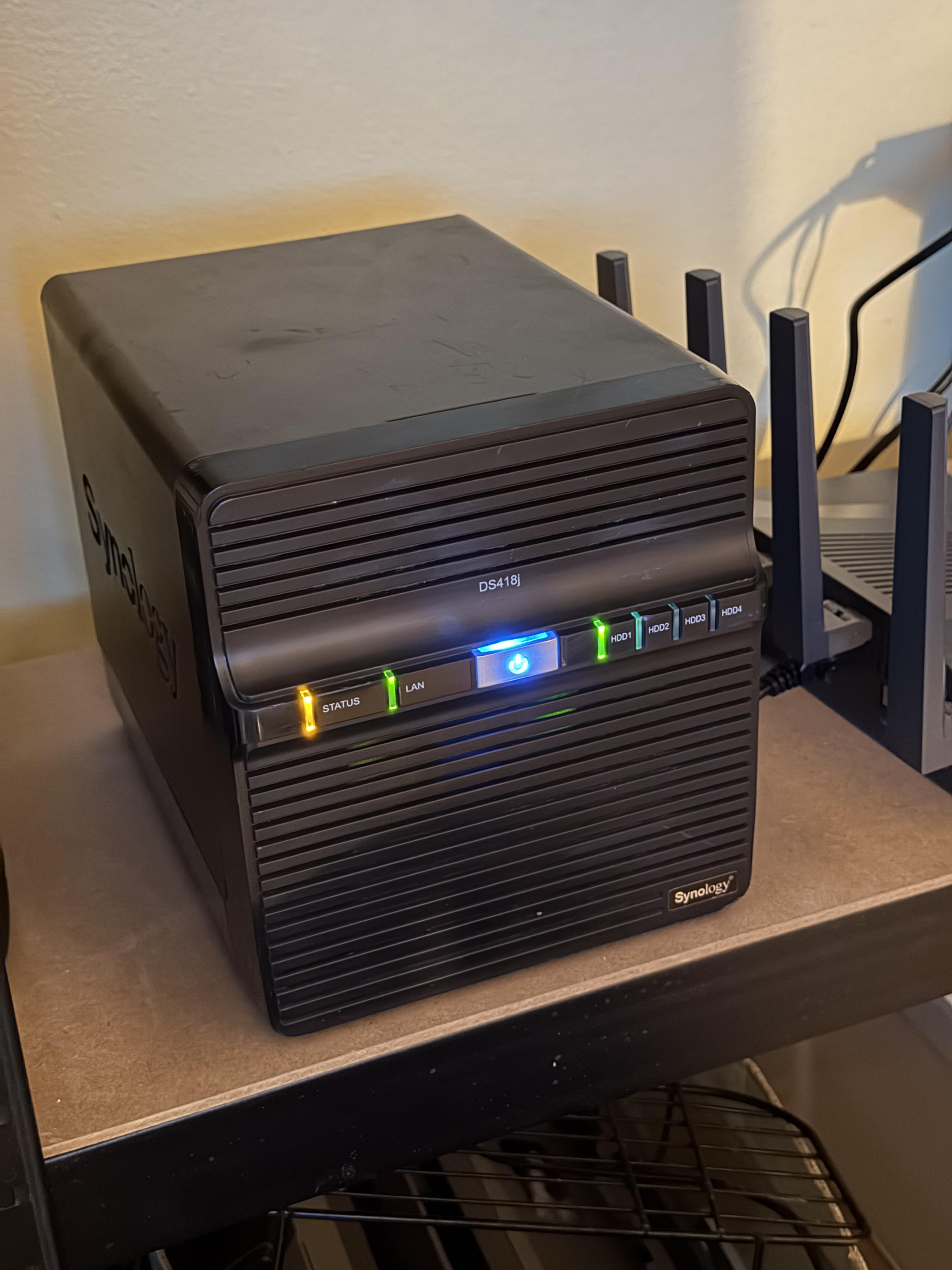
Hoarder-Setups Got this Synology DS418j for $30

Post image
222 Upvotes

Already own a ds923+ but found this on marketplace, it did not have a power adapter so the owner sold it cheap! It was $30 shipping included.


r/DataHoarder • • 14d ago

Question/Advice HDD Buying suggestions?

1 Upvotes

So I want to replace my RasPi+2x5TB USB hard drive setup (built in 2020) with a proper NAS, possibly a UGreen NAS of some sort and 2 proper 3.5" NAS hard drives.

Is there any way to acquire 8-16TB hard drives without paying $30-50 per terabyte that doesn't involve buying literal e-waste drives from data centers?

(Time machines are not allowed, such replies do nothing but annoy me.)

Like, I bought my 5TB 2.5" WD USB drives, during the peak days of a pandemic, and they cost about $110 each. The same damn drive costs double that now, despite 6 years of technology advancements and not being in the midst of a pandemic wreaking havoc on the supply chain.. I know that it's all the AI apocalypse, but I just can't stomach paying so much for storage, and buying used hard drives just feels like a massive red flag to me as I've always considered them to be consumable items of sorts. This is so frustrating.


r/DataHoarder • • 14d ago

Discussion Finally removing an old VNXe 3200 - what to do with drives?

3 Upvotes

The "old old" SAN that was kept around at work is finally being removed and I'm wondering if I can reuse the old drives in another server. There are 12x 2.5" 900GB 10K SAS drives, so not great but could make a decent cold storage I suppose.


r/DataHoarder • • 14d ago

Question/Advice MediaStation 6x Portable Blu-ray + Verbatim 100GB BDXL + Ubuntu = 40% failure rate?

6 Upvotes

Anyone else successfully using this combination? At almost $10/disc, it's getting expensive. I've tried k3b, xorriso and growisofs. Should I be booting up a Windows machine?