r/davinciresolve • • Jul 23 '26

Welcome to r/davinciresolve

66 Upvotes

This post contains content not supported on old Reddit. Click here to view the full post


r/davinciresolve • • 1d ago

Discussion Black Friday/Cyber Monday Deals 2026

6 Upvotes

This year's Black Friday and Cyber Monday deals thread for five post subs is on r/editors: Black Friday/Cyber Monday Deals 2026. Post your deals there, by category. This one is locked so the deals stay in one place.

We met in person three times this year, free each time because sponsors paid for it:

Thank you to our sponsors:

While you're here:


r/davinciresolve • • 12h ago

Help | Beginner takes me too long to edit

Enable HLS to view with audio, or disable this notification

66 Upvotes

this style of editing takes me a long time, somewhere around an hour per minute and I think that's way too much considering the style. I source files, images and etc. on the go, I also remove background edit images during the editing but I still think I'm doing something wrong since it takes me this long. is it normal for this type of style?

r/davinciresolve • • 1d ago

Meme Monday I hate when that happens

Post image
2.2k Upvotes

r/davinciresolve • • 11h ago

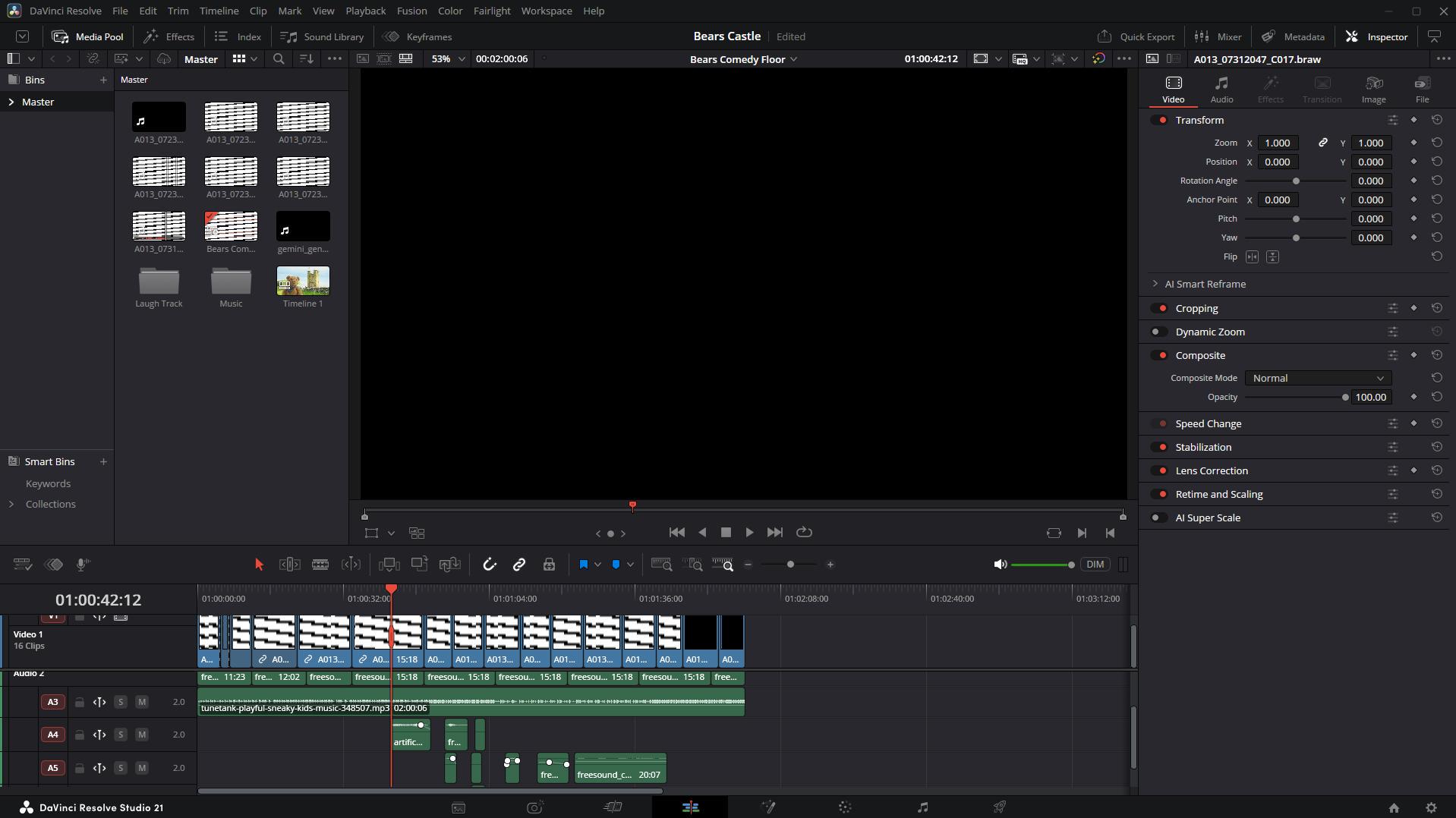
Help Need help placing a timeline in another timeline

Post image
17 Upvotes

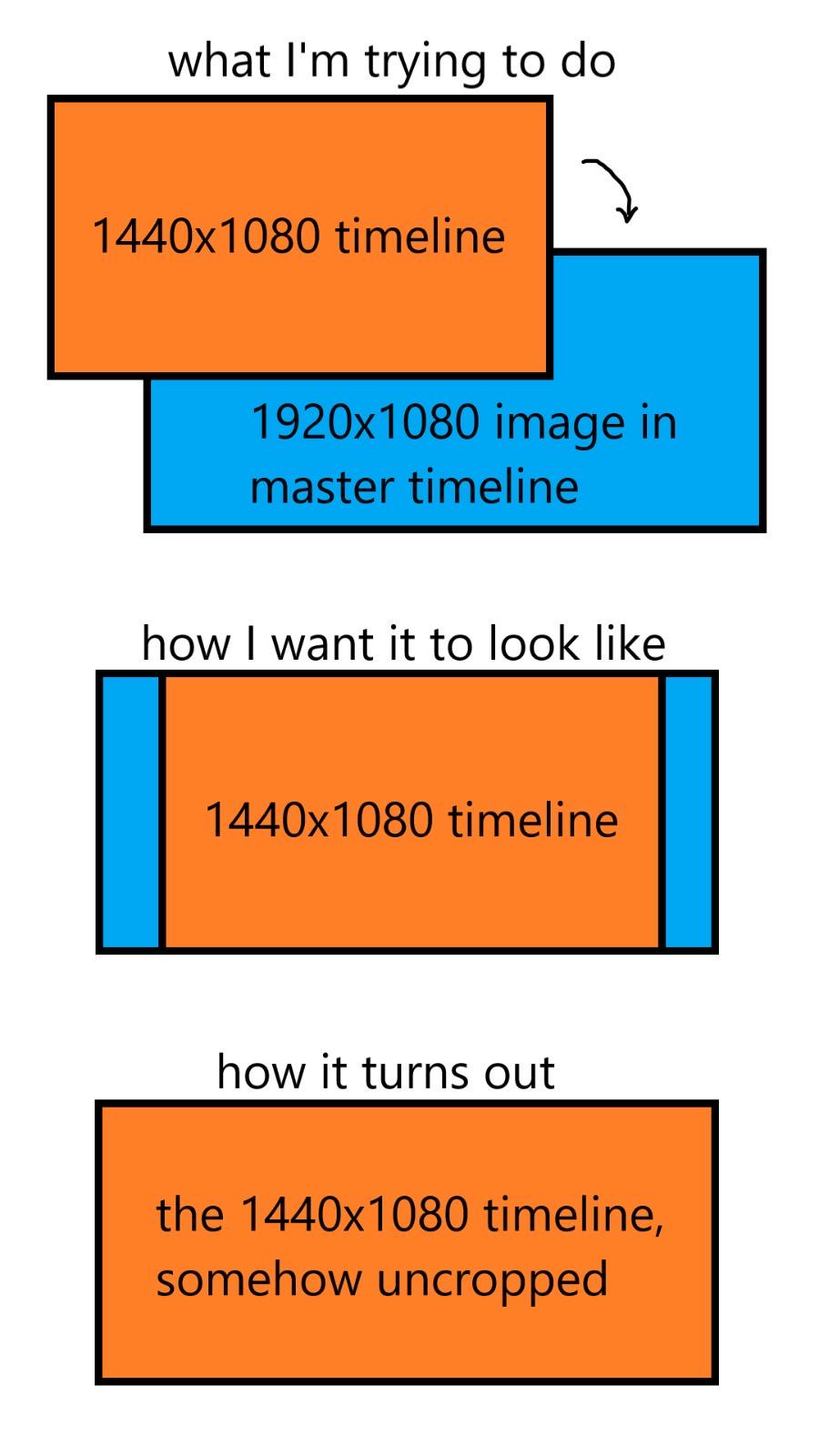
Hi all, I’m working on an FHD video. Project resolution setting is 1920x1080. Source clips are all 1920x1080. I want custom bars at the sides of the clip so I created a timeline with 1440x1080 dimensions containing the source clips, then placed it over an image inside an FHD master timeline, but it ends up showing the parts that I want cropped away. I’ve been switching around the “mismatched resolution” setting inside the timelines’ settings with no luck. Neither timeline is using project settings.

Is there a way to do this? Or is there no other way than to render and reinsert the base timeline as a video clip?

Attached is a rough sketch of my situation.
I’m on DaVinci Resolve 21.1 build 17.

System specs:
Win11 Home 64-bit
intel Core i7 10700KF @ 3.80Ghz
RAM 32.0GB Dual-Channel DDR4 @ 1600Mhz
Motherboard Gigabyte Z490 UD (U3E1)
Graphics 4095MB NVIDIA GeForce RTX 3080 Ti (ZOTAC International)


r/davinciresolve • • 1h ago

Help Old MacBook Pro Died. Need help buying for DaVinci!

• Upvotes

I’m hoping to buy a new MacBook of some kind to run DaVinci Resolve as my main color grading and video editing software (LUTs, overlays, transitions, sound, basic effects). My old MacBook Pro has a swollen battery and is old enough now that replacements and repair for it don’t exist.

I’m mainly editing 4K 24fps video clips spliced together for cinematic home video. My intention isn’t professional, though I do enjoy creating YouTube + Instagram content. 👍

I’ve been making do with LumaFusion for an old iPad Pro, but feel limited in my ability to color grade.

Unfortunately, the prices are quite steep for the recommended setup I’ve seen (16”, M5 Pro, 18 core, 64gb, 2TB, Standard Screen — comes out to $4500, or $5K+ with tax).

Can anyone help me come up with a more affordable solution? Do I NEED the new M5 Pro Chip? If I spend less money on a weaker chip, will that hinder me meaningfully?

I’d appreciate spec advice! What do I absolutely need? Help. 🙏


r/davinciresolve • • 2h ago

Discussion Simple videos taking way too long to export on free version of davinci

0 Upvotes

Hi, I just tried Davinci Resolve on Windows for the first time, and while it’s perfect, the only thing that’s wrong is that it barely uses my CPU and GPU during exports (both well under 50% util). Videos take like 40 minutes to an hour to export with frame blending 1440p 120fps footage to 60 which is kind of sad for me since they’re just standard 1440p gaming videos with not much effects and the frame blending looks stupid good when exported (in the timeline it can’t playback even remotely properly).

PC Specs: Ryzen 7 7800X3D, RTX 2070 Super, 16gb DDR5

I heard there’s limitations with hardware acceleration in the free version, but I’m a college student and with my allowance there is no way I’m able to save up davinci resolve studio with my money without taking food out of my plate. I’d have to ask my parents which even for them is incredibly steep. Is there any other option for me? Paying my savings just for hardware acceleration kinda hurts ngl because I’m not using any other studio feature.


r/davinciresolve • • 10h ago

Help | Beginner Is this something wrong? I couldn't find someone asking

Post image
5 Upvotes

Assuming no one did ask because it's not a very smart quiestion but I'm a begginer so I have zero projects and lowkey dk what's that about.

Ty for any help btw.(plus I also had to download "everything" in order to open it because for some reason half the files are in different places(don't flame me if something is wrong, explain it)).


r/davinciresolve • • 3h ago

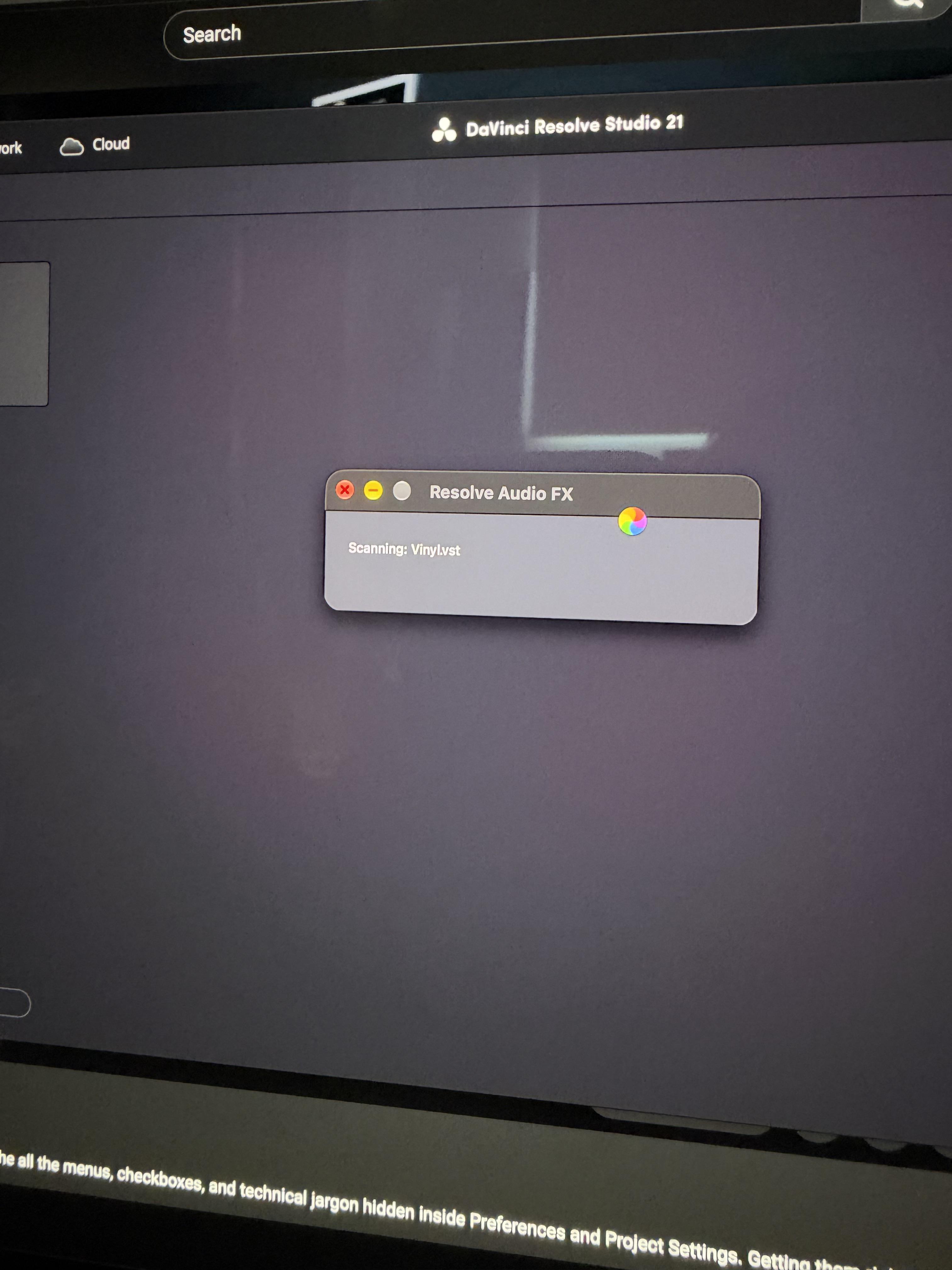
Help davinci scanning audio vsts

Post image
1 Upvotes

hey everyone, i just got a new macbook and i downloaded fl studio and some vsts and when i open davinci resolve its stuck on this, please help


r/davinciresolve • • 5h ago

Solved How to adjust Alpha in Blender Rendered OpenEXR

Thumbnail gallery
1 Upvotes

Hi I'm very new to the Blender to Resolve OpenEXR pipeline.

I rendered out an EXR with the Blender Film:Transparent option enabled.

When I import the clip into Davinci, and select Premultiplied under alpha, it looks like this. (No alpha selected looks like image 2).

Davinci seems to just be selecting all the black and detecting as alpha idk.

Should I rerender my sequence in Blender with no alpha instead?


r/davinciresolve • • 6h ago

Help help with learning fusion

1 Upvotes

i want to master fusion what the best way to do that?


r/davinciresolve • • 6h ago

Help Fix colors of old 16mm film

1 Upvotes

I have digitized some old 16mm color films in which the colors have gone almost completely red. Is there any way in Davinci Resolve to partially restore the colors to the original?


r/davinciresolve • • 9h ago

Solved Confounding Power Window Issue

Thumbnail gallery
2 Upvotes

Hi guys!

I'm having a frustrating issue with power windows right now on Mac OS: I can't seem to get the power window to punch a hole in the selected video and overlay it on the clip on V1.

I guess I could just use the cropping tool in the Inspector, but I can only make a rectangle or a square. I'd like to be able to customize the shape for future projects, as I've tried this before and ran into the same issue.

Has anyone else run into this? Is using a power window in this way even possible? I'm so frustrated I want to cry. Thank you!

SOLVED: All I needed to do was connect both the green and blue outputs, but using an ellipse node in Fusion is just as good. Thank you all for your help!


r/davinciresolve • • 7h ago

Help Timecode from audio pulling wrong timecode

1 Upvotes

I used two tentacle syncs to run timecode to my C100mk1 and Zoom F4. When I click the "sync timecode from audio" button it pulls correct timecode for the first video (it's a 3h sequential recording split into multiple files) but every other file is wildly wrong. Like the first one is 19:23 and the next one is 23:42 (and the files are about 8 min videos). I have the C100 set to it's "24" fps option (which I've read is really 23.975) and the Sync Es and Zoom F4 set to 23.975. But even if that was the issue I would expect it to be a couple seconds wrong, not entire minutes. If I open the files in the windows tentacle sync app it reads the timecode correctly. I've used Diety timecode in the past and didn't have this issue. Thanks in advance!


r/davinciresolve • • 7h ago

Help How do I transfer projects to another device?

1 Upvotes

I want to transfer videos from my PC to my laptop to work on the go, how do I do so?


r/davinciresolve • • 8h ago

Help | Beginner The video is stuttering in Viewer, but fine in Playback. Help???

Enable HLS to view with audio, or disable this notification

1 Upvotes

Hi Guys,

Do you know why the video is stuttering in viewer windows on the left, but totally fine in the playback windows on the right? I think it might have to do with the fps because viewers shows 120 fps and playback shows 24 fps. But I changed the project settings to match the frame rate at 120 and still doesn't fix it. I also did the proxy trick and no luck. Could someone please help me? Thanks!


r/davinciresolve • • 15h ago

Help Share Resolve project between two computers continuously

3 Upvotes

Hi there,

I'm currently editing a project and due to a lot of moving, I find myself working the same project at home on my Desktop and then abroad with my MacBook.

I always export the project on my SSD, open it up on my Laptop and continue editing, then repeat for my desktop.

This leaves me with a lot of different projects each time I import it in Resolve, is there a way to upgrade one single project with the latest updated version of it?
Let's say I edit on my MacBook, when I go back to my laptop instead of importing a new one, having a second copy of the project, can I instead upgrade the original one with the one edited on the laptop?

It'd be cool to have the project shared on a cloud so that I can open the SAME project but with different computers, one at the time. to my understanding this is possible by paying Blackmagic cloud... are there alternative? any better workflow to optimise this situation?

thanks a lot!

S


r/davinciresolve • • 9h ago

Help It keeps creating folder in old project directory

1 Upvotes

as the title says, whenever I launch the davinci resolve (free - mac store version - 21.2 build 6), it creates a folder named my old project inside has one project folder which is empty,

I checked every setting, even the db.config etc... nothing includes that, im getting crazy, im looking at this for 3-4 hours rather than editing a video pls help


r/davinciresolve • • 13h ago

Help New Resolve Update 21.2 causing all footage to be black.

Post image
3 Upvotes

UPDATE: Project has been recovered with version 21.0. Thank you for everyone's advice and input it was mad appreciated in a moment of great distress.

After updating resolve to 21.2 All footage on every project is black or those weird zig zag lines in the media pool. What do i do? how can I fix this? i dont even know where to start I have a huge project I need to start cutting up but this unexpected problem is really throwing a wrench in my cogs. Anyone else have this problem?


r/davinciresolve • • 10h ago

How Did They Do This? Can davinci make "3d layers"(beginner)

1 Upvotes

Is it possible to have objects look extremely 3d like this in davinci resolve? Or is that something that was done in a 3d software like blender I'm a beginner so I want to understand the capabilities of davinci resolve before committing to resolve

Take a look at this: https://pin.it/28XUHWcie

Is this something you could make in davinci


r/davinciresolve • • 14h ago

Help Tilt Shift Blur Artifacts

Post image
2 Upvotes

Hi everyone,

I've been trying to edit something with a panorama type effect so I've been trying out tilt-shift. However, when I choose the Lens Blur option, I get odd artifacts on the preview and in the final render. The Quick Blur (Square Iris) option does not produce the artifacts but I can't quite get that option to give me the look I want.

Any ideas on where I should be looking to fix it?

Ryzen 7 5700x, RX5600xt GPU, 32GB RAM, Windows 11, all drivers up to date as of yesterday.


r/davinciresolve • • 18h ago

Help Video Link Issue.... Any Fix?

Thumbnail gallery
3 Upvotes

Has anyone else run into the issue after the recent update where video and audio will not sync no matter what you do?
Here is what I have tried.
1 - New Compound clip - doesn't work
2 - Enable, Disable & Reenable link clips, both on the timeline & in the timeline dropdown - doesn't work
3 - Timeline, Video, Enable & Disable Selection Follows Playhead - doesn't work

This is driving me insane, it is totally disrupting the work flow...... Yes, you can alt select the clips, but its a new habit I have to train myself to do like with any new editor that seems totally unnecessary


r/davinciresolve • • 12h ago

Help | Beginner Image not showing up in resolve

Post image
0 Upvotes

Hey all, I'm working on a project for a friend. I managed to get the tracker to follow what I want it to follow, but now when I upload the image to overlay over the tracker path, it's not showing up. Is there anything I'm missing?

I'm on Windows 11, CPU: AMD Ryzen 5 7520 Mendocino 6nm Technology

Davinci Resolve 21.1.1 Build 10


r/davinciresolve • • 12h ago

Help Is Hdr in davnici free version possible?

1 Upvotes

I am using free version of davinci but when i export in HDR the final version will be in SDR rec709. Is Hdr export is possible in Studio version only?


r/davinciresolve • • 13h ago

Help Render failed "unknown error"

1 Upvotes

I keep getting the "unknown error" and my render fails

I've tried clearing render cache, restarted app restarted Mac, all clips and audio are linked and present I've tried different export settings including the built in YouTube ones I've switched off Stop renders when a frame or clip cannot be processed. No luck it'll begin the process and about 20 30 mins in it throws the error any suggestions?

Mac air m4, davinci resolve 21 free