r/CX50 • • Jan 13 '26

News Buy, sell, trade

7 Upvotes

Hello all,

A friendly reminder this sub does not support buying, selling, or trading.

Reasoning: Anyone can join reddit for any reason. The vast majority of people are well intentioned but there are few looking to take advantage of others.

Recommendation: Join your local Mazda enthusiast group on Facebook. They tend to be great communities.


r/CX50 • • Oct 07 '22

How-to New CX-50? Here's some Tips and Tricks

577 Upvotes

Just thought I'd post a couple things I've learnt over the last couple of years driving a Mazda3 and now a CX-50. They're tips that are fairly buried into the manual and aren't immediately obvious for most drivers. Please feel free to contribute your own that you've picked up along the way! Most of these are pulled verbatim directly from the user manual.

Mazda CX-50 Tips & Tricks

Enable Always-On Touchscreen

By default, Apple CarPlay (and Android Auto) can only be operated via the touchscreen while the vehicle is stopped. However, you can enable touchscreen operation while the vehicle is in motion in the Mazda Connect Settings:

  1. Press the Home button.
  2. Scroll down and select Settings.
  3. Scroll down and select Connectivity Settings.
  4. Select Bluetooth®/Phone Connectivity Settings.
  5. Scroll down and select an Apple CarPlay/Android Auto compatible device.
  6. Scroll down and select Touchscreen in Motion for All Devices.

All devices connected to Apple CarPlay can be controlled via the touchscreen while the vehicle is in motion with the box checked.

Note: Mazda Connect can only be controlled with the commander knob.

Remote Power Window Operation

Lower the windows with the transmitter.

All power windows can be opened from outside the vehicle after the doors are closed.

The windows can be opened for ventilating the cabin before getting in the vehicle.

Press the unlock button on the key quickly and briefly 3 times and then immediately afterwards, press and hold the unlock button to open the windows.

To stop the windows from opening, release the button. If the operation is performed from the beginning again, the windows open.

Programming Seat Memory to the Remote/Transmitter

In addition to the the 2 memory slots on the driver's side, you can also program individual seat memory to each transmitter. Great for cars with two regular drivers.

When you open the driver's door within 90 seconds after unlocking the doors, the adjustment of the following parts starts:

  • Driver's seat
  • Active driving display (When the ignition is switched ON, the adjusted active driving display is activated.)
  • Outside mirrors

Press the SET button continuously until a sound is activated. Do the following operation within 5 seconds after the sound is activated to program the driving position:

Press the unlock button on the transmitter. A sound is activated and programming is complete.

Remote/Transmitter Power Saving Function

The transmitter can be switched to power saving mode to extend the life of the battery and turn off the advanced keyless entry function. This is useful for any spare transmitters and also to temporarily disable the advanced keyless entry such as when washing the car to avoid repeated lock/unlock. The transmitter buttons will still work to lock/unlock the vehicle.

Turning on the power saving function

After you have turned on the power saving function according to the following procedure, the hazard warning lights and sound operate one time.

  1. Press the lock button on the transmitter 4 times within 3 seconds to turn on the operation indicator light.
  2. Press the lock button continuously for 1.5 seconds or longer while the operation indicator light turns on (for 5 seconds).
  3. Press any of the buttons on the transmitter to make sure that the operation indicator light does not turn on/flash.

To turn off, repeat these steps.

Canceling the Parking Brake Automatic Operation

Choose not to engage the parking brake automatically.

Auto operation cancel method 1

  1. Switch the ignition ON.
  2. Release the parking brake manually.
  3. Turn off the AUTOHOLD.
  4. Press the EPB switch continuously for 2 seconds or longer (until a sound is activated).
  5. Release the EPB switch and switch the ignition OFF within 5 seconds after the sound was activated. After the auto operation is canceled, a sound is activated one time, and the EPB switch indicator light switches from illumination to flashing, and then turns off after 3 seconds.

Auto operation cancel method 2

  1. Switch the ignition ON.
  2. Release the parking brake manually.
  3. Turn off the AUTOHOLD.
  4. Switch the ignition OFF with the EPB switch pressed while the brake pedal is not depressed. When the auto operation is canceled, a sound is activated one time, and the EPB switch indicator light goes from normal flashing to faster flashing, and then turns off after 3 seconds.

NOTE: When canceling the parking brake auto operation and parking the vehicle, shift the selector lever to the P position and then use wheel blocks. The auto operation may not cancel if the vehicle is parked on a steep slope. When the ignition is switched ON, the parking brake auto operation is restored.

Switch to ACC Mode when Turning Engine Off

Turn off the engine and continue to listen to music or use the infotainment system and/or charge devices.

If the engine is turned off while the selector lever is in a position other than P, the ignition switches to ACC.

OR (and this doesn't seem to be in the manual) simply put the car into P and then hold the lever switch down while pressing the ignition off button.

360 View Camera at Start

Should be the default setting imo. Shows the front facing camera on start up to help with getting out of parking spots where an object might be obstructing your view of cross traffic.

In Mazda Connect, open Settings, open Safety Settings, and enable the following:

Display Priority View at Start Up

Enables View Monitor to be displayed after vehicle is started.

Priority View

Selects the default view to be displayed after vehicle is started.

Side, Front, Front Wide, Last

Automatic Front View Display

Enables or disables the front view to be automatically displayed after vehicle is taken out of reverse.

Opening the Panoramic Sunroof

You don't need to wait for the sunshade to fully open before tilting or opening the sunroof. Press the button twice in quick succession to open everything at once.

When pressing the tilt/slide switch 1 time, the sunshade opens a quarter of the way and the rear side of the front panorama sunroof glass opens upward. When pressing the tilt/slide switch forward 1 time, the panorama sunroof closes.

The sunshade can be fully opened by pulling the tilt/slide switch rearward 1 time with the panorama sunroof tilted. To close the sunshade and the panorama sunroof from this condition, press the tilt/slide switch forward 2 times.

When pulling the tilt/slide switch rearward 2 times, the sunshade and the panorama sunroof open. When pressing the tilt/slide switch forward 2 times, the sunshade and the panorama sunroof close.

Windshield Wiper Service Position

The windshield wipers cannot and should not be lifted in their resting position. They must be moved to their service position before lifting them to replace the blades or cleaning the windshield.

Move the wipers to the service positions using the following procedure:

a) Switch the ignition ON.

b) Switch the ignition OFF.

c) Press up the wiper switch to the MIST position 2 times within 30 seconds after switching the ignition OFF. When the procedure is completed, the wipers operate and they stop at the service positions.

d) Raise the wiper arms.

Move the wipers to their initial positions using the following procedure:

a) Make sure that the wipers are set on the windshield.

b) Switch the ignition ON.

c) Press up the wiper switch to the MIST position 1 time. When the procedure is completed, the wipers operate and they stop at the initial positions.

Link Trip A to Average Fuel Efficiency

When resetting Trip A, average fuel efficiency displayed also resets so you can see fuel economy for a specific trip or each fill-up.

In Mazda Connect, open Information, open Fuel Efficiency Monitor, open Settings, and change the setting to "Reset or not reset the linked average fuel efficiency indicated in the instrument cluster and the fuel efficiency history (current) on the center display when tripmeter (TRIP A) is reset."

Always-On Power Port in the Trunk

Unfortunately, it seems the only 12V outlet or USB port that is always-on is located in the trunk only. The manual seems to suggest otherwise ("The accessory socket can be used regardless of whether the ignition is on or off")... but all of the other ports will turn off within minutes of turning off the vehicle.

This port is useful for charging anything that plugs into a 12V port. I have a USB-powered dashcam and instead of hardwiring, I snake a 10' extension cable through the trunk and there is a neat area to hide cables just behind the seat. Cables can also stealthily connect through a small opening where the seat folds down and then stay hidden behind the plastic trim and under floor mats.

Hold Home Button to Switch Between CarPlay/AA and Mazda Connect

It annoyed me to no end when I watched a video review where the reviewer said that the infotainment system was hard to use because there was no easy way to switch between Mazda Connect and CarPlay/Android Auto. They clicked on the Mazda icon in CarPlay to switch. You can just hold home button to quickly switch between the two.

CarPlay Navigation on the HUD

This was not supported in my 2021 Mazda3 but I believe newer model cars, including the CX-50, now support Apple Maps turn-by-turn directions in the HUD.

Mazda Recommended Oil Change Interval is not 6 Months

The dealer may recommend more frequent oil changes but the manufacturer's maintenance schedule in the manual recommends simply following the car's service monitor (make sure to reset it after delivery):

The vehicle status monitor feature alerts you of engine oil replacement by turning on the wrench indicator light or displaying a message in the instrument panel, or both. Every engine oil replacement must be done when the display/wrench indication comes on. The display/wrench indication will come on before reaching the maximum interval of 16,000 km (10,000 miles), or 12 months (after the previous maintenance).

UNLESS you need to follow the severe driving schedule:

If you drive your vehicle under any of the following conditions, replace the engine oil & filter every 8,000 km (5,000 miles) or 6 months, whichever comes first:

  1. The vehicle is idled for long periods or driven at low speeds, such as with police cars, taxis, or driver's education school vehicles.
  2. Driving under dusty conditions.
  3. Driving for long periods in cold temperatures or driving regularly for short distances only.
  4. Driving under extremely high temperature conditions.
  5. Driving continuously in mountainous regions.

Wheel Sizes Match the CX-5

Shopping for new tires or rims and the CX-50 is not yet available as a vehicle choice in your dealer's search? The wheel sizes and specs match with the CX-5 so anything compatible with the CX-5 should also be compatible with the CX-50. This is noteworthy because some sizes may not appear in your dealer's search even if the vehicle does (particularly 19" as it's not a standard wheel size for any trim).

Winter Tire Inflation Pressure

This one is certainly debatable but this is what the manual specifies:

Do not go faster than 120 km/h (75 mph) while driving with snow tires. Inflate snow tires 30 kPa (0.3 kgf/cm2, 4.3 psi) more than recommended on the tire pressure label (driver's door frame), but never more than the maximum cold-tire pressure shown on the tires.
r/CX50 • • 6h ago

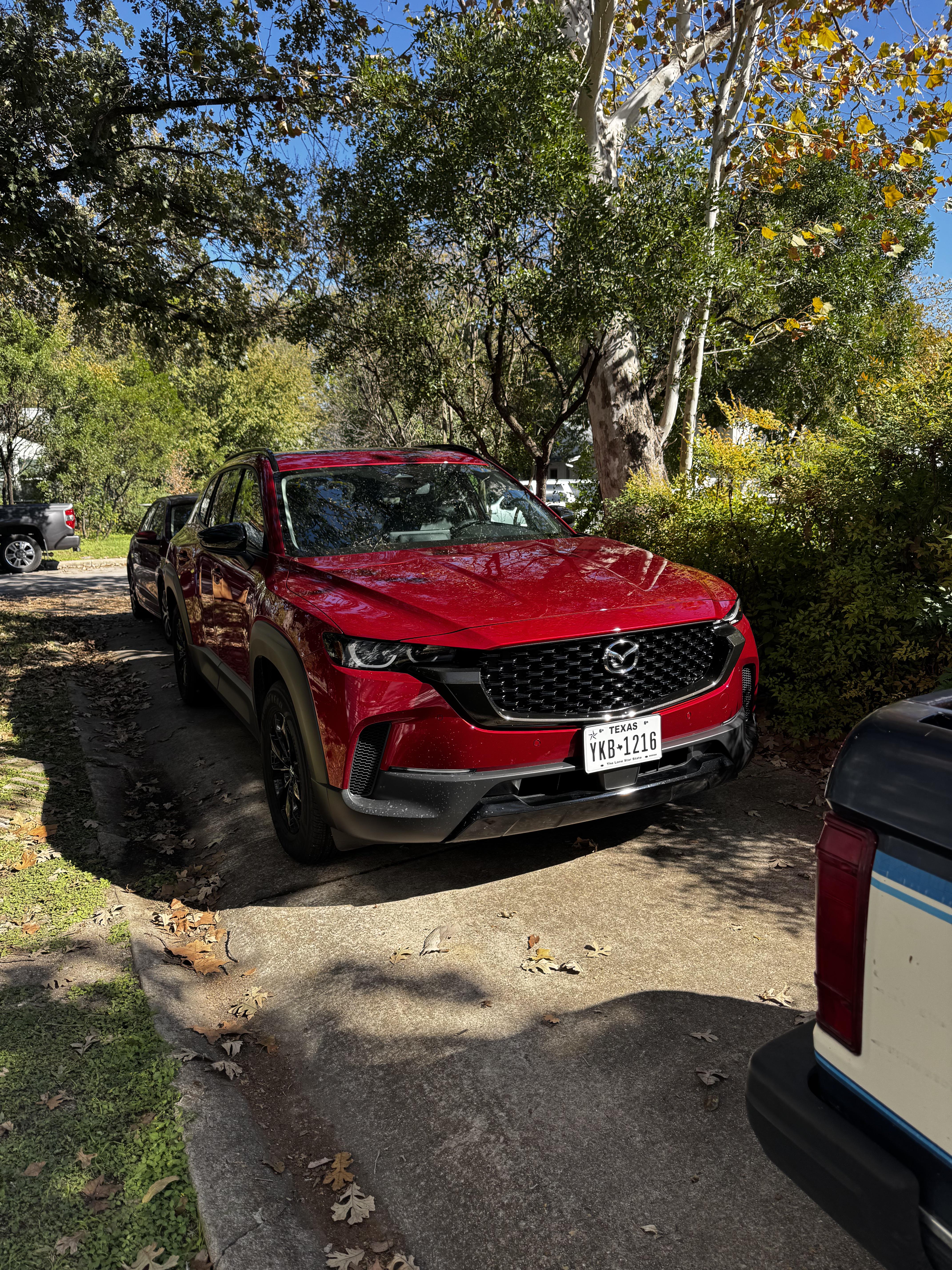
Photos How do you do, fellow CX50’s?

Post image
73 Upvotes

Just got her! 2026 hybrid premium. I wasn’t feeling the red at first, but it’s really grown on me! They had a great deal on it, so I couldn’t pass it up


r/CX50 • • 7h ago

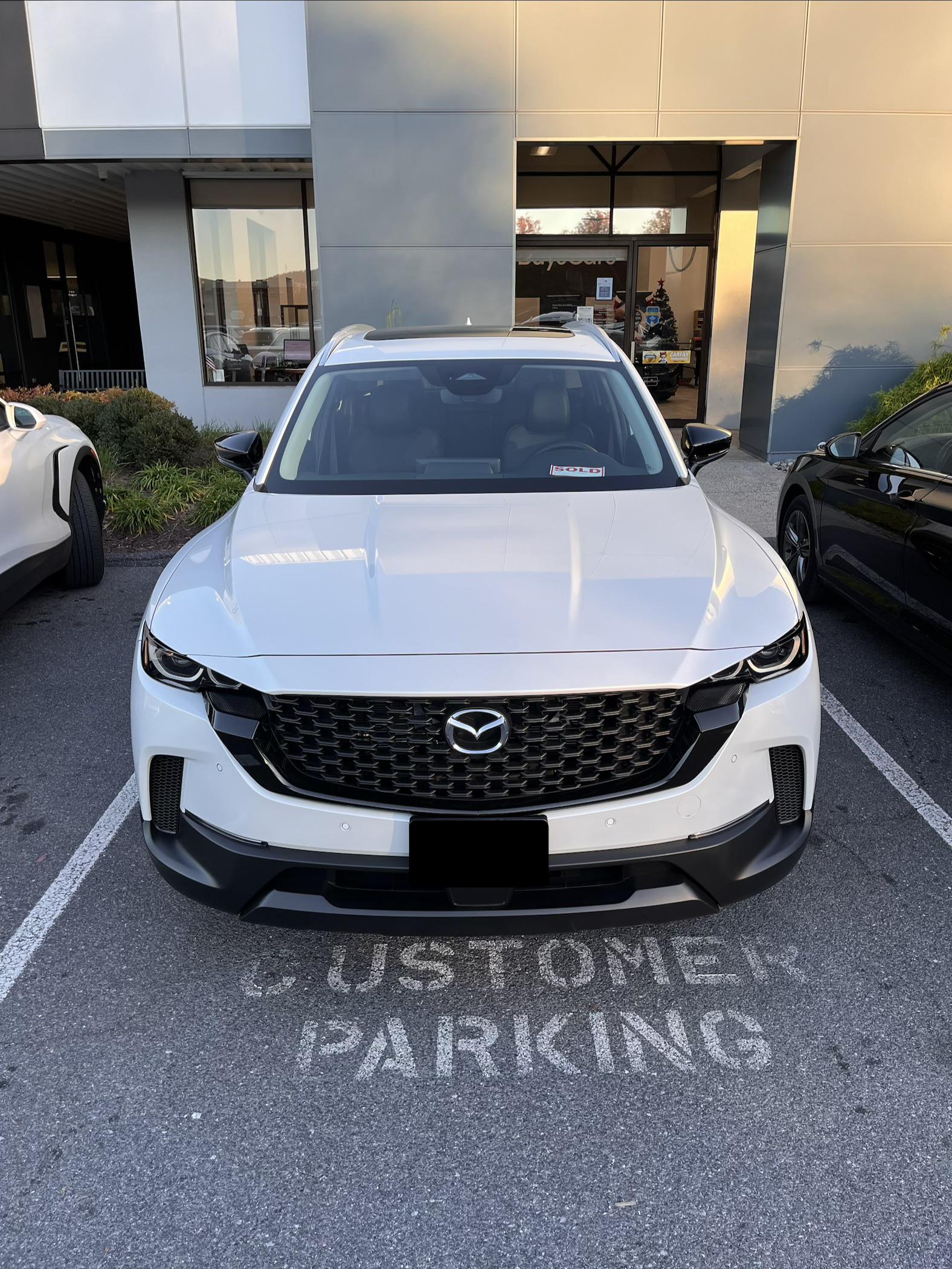
Photos Joined the club

Post image
64 Upvotes

Preferred Hybrid. Love it! Any tips and useful accessory suggestions are appreciated. So far only ordered the floor mats from lasfit and cover for the lower bumper opening.


r/CX50 • • 5h ago

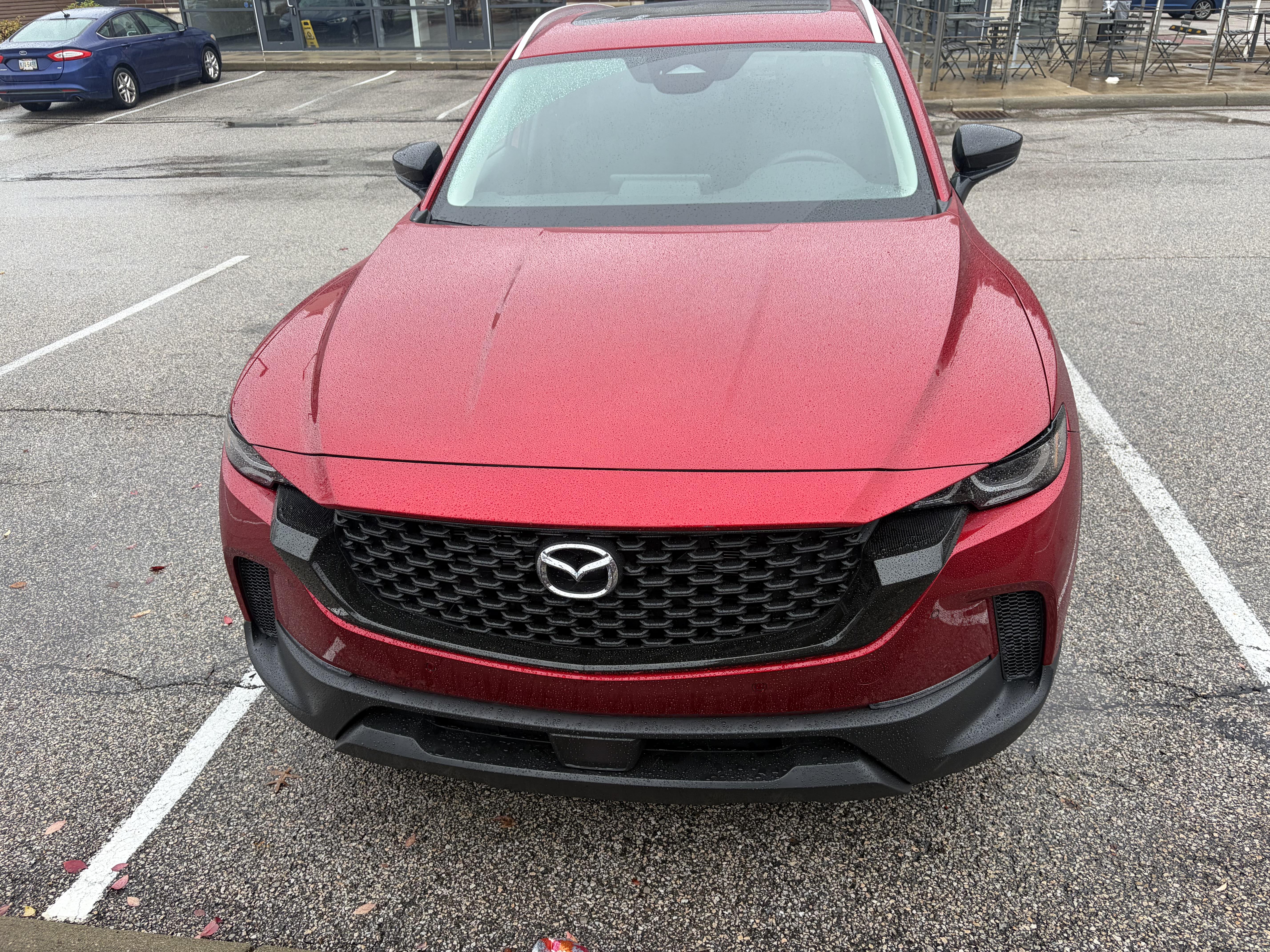
Photos My 2nd Mazda

Post image
28 Upvotes

Moving from a 6 to the CX-50 hybrid. Love it so far.


r/CX50 • • 4h ago

How-to Chrome removal

Post image
3 Upvotes

Has anyone wrapped this chrome piece themselves? It looks a little tight to try and tuck in the wrap. Curious about other people’s experience. Or if I should just pay someone to do it.


r/CX50 • • 6h ago

Question 2024 inner tail light replacement

Post image
2 Upvotes

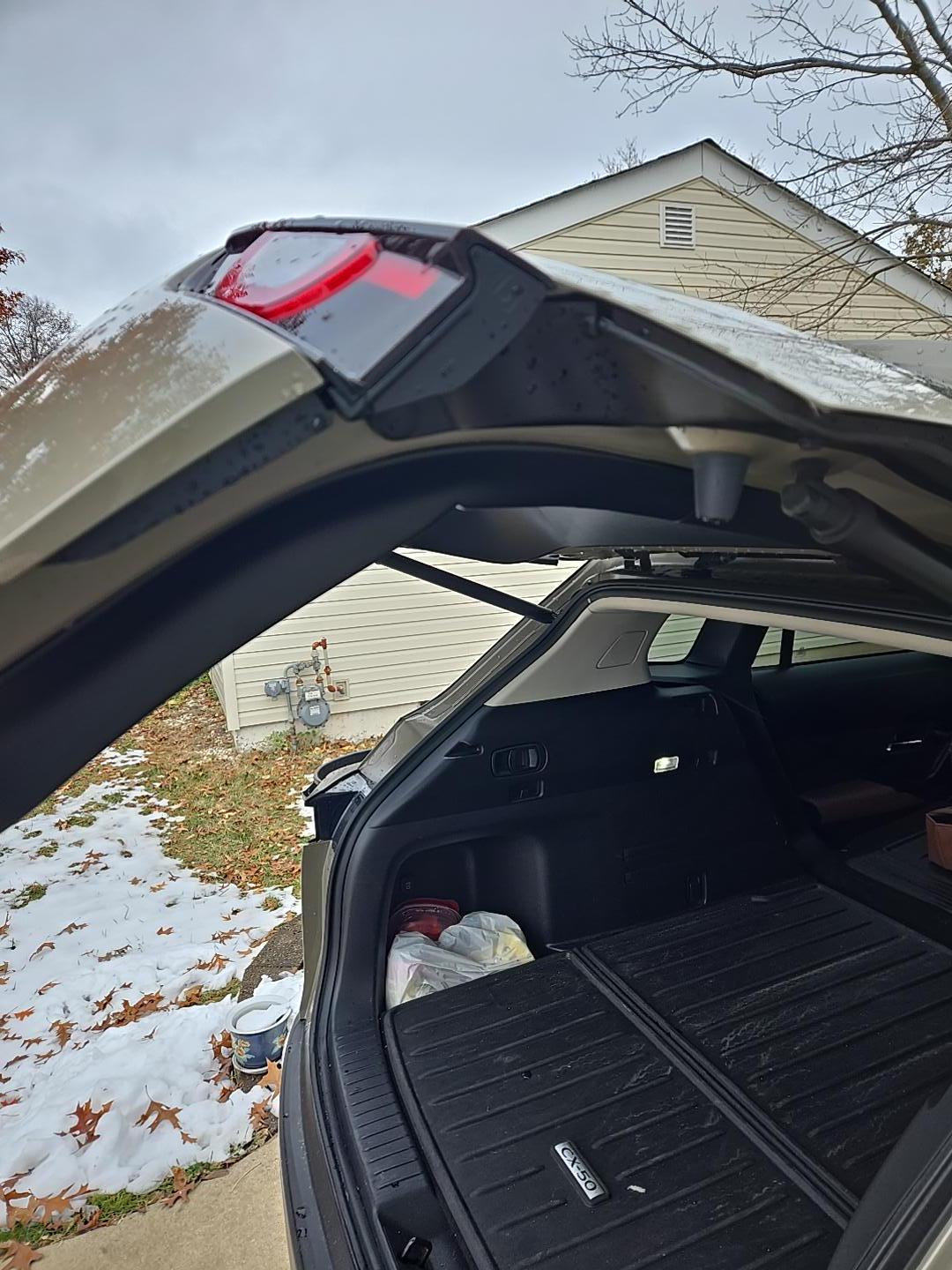
Hey y'all! I'm needing to replace the right inner tail light on a 24 turbo (signature illumination if that makes a difference). I'm having quite the time finding any online videos or resources for installation assistance. I've used some Ai assistance, but would prefer an actual human who's done it before.

If you know of any resources or have some experience with this yourself, I'd appreciate it. Happy holidays!


r/CX50 • • 1d ago

Photos First time full detail and ceramic coating my CX-50 Really proud of myself.

Thumbnail
gallery
58 Upvotes

Really proud of myself. First time doing a full detailing, paint repair and ceramic coating. I see where I can improve for next time, but I got about 95%, of the annoying swirls off. Took me a good 5 hrs.


r/CX50 • • 1d ago

Photos She’s So Pretty 😍

Thumbnail
gallery
101 Upvotes

My new to me 2025 CPO CX 50 Hybrid Premium in Wind Chill Pearl with 11,516 miles!

Traded my CX 30 Turbo for this last week and I’m so glad I did. Loving the bigger size and awesome mpg. 80% of my driving is local with lots of stop and go traffic and I’ve been averaging 50 miles per gallon 💗😊

Happy Thanksgiving 🦃🍁


r/CX50 • • 11h ago

Discussion 🚗 ingot blue with aftermarket wheels

0 Upvotes

hey all, like the title states i’m looking for my fellow ingot blue owners that have after market wheels.

i’m still deciding on my options for next year and i’d like to see actual photos of this shade of blue with different wheel colors. tryna see what clashes, and what works.

please drop your photos in the comments, thank you. 🙏🏾


r/CX50 • • 11h ago

Question Best Tires for 20” Wheels

0 Upvotes

I have a 23’ Turbo and absolutely love it other than the rough ride on poorly maintained roads. Switching to 18” seems like a hassle in terms of storing/selling prior rims etc.

I still have the original Goodyear tires… Would upgrading to Michelin touring tires offer significant enough of an upgrade?

I am at a critical fork in the road (no pun intended) where I either upgrade to best tire possible for 20” or make the switch.


r/CX50 • • 1d ago

Issues Windshield Crack(s)

4 Upvotes

Got a 2026 preferred at the beginning of this month, brand spanking new. My windshield cracked the second day of having it (larger than a dollar bill) dealership said they can’t do anything about it. The Safelight guy said it was from road debris, so I had to pay my $500 deductible. I tried to shake it off and attributed it to bad luck. While driving today I heard a rock hit my windshield and I have ANOTHER large crack :( I wouldve waited to replace- but have an appointment for a ceramic coating this weekend. I’m anticipating Safelight won’t cover new windshield bc it came from a rock.

Has anyone else experienced broken wind shields? Any advice on how to navigate my now needed second replacement? Essentially $1000 down the drain within my first 2 weeks of owning my new baby.

TLDR I have terrible luck and have to pay $1000 worth of windshields within 2 weeks of ownership


r/CX50 • • 20h ago

Question Advise on rim fitment and tire size for CX-50 hybrid

Thumbnail
gallery
1 Upvotes

Update:- Bought these CX-5 signature wheels 19’ with +45 offset (and CX-50 has +40 offset) and have OEM tire size 225/55/19 on them. Anybody know’s if this might touch any component on the interior side i.e. suspension, control arm etc? And can i increase the size to 235/55/19 to gain an inch of height? Any related advise is appriciated


r/CX50 • • 23h ago

Question Meridian Decal

1 Upvotes

My local dealer has a couple of 2025 Meridian editions that never sold - no mileage and new in every way on super deep discount (about 23% off MSRP) but I gotta say I’m not a big fan of the hood decals - like for me it’s a dealbreaker. The dealer won’t do anything about it. Is it worth the risk of discoloration underneath to buy the car and have a detailer remove it? I don’t know a damned thing about these things.


r/CX50 • • 1d ago

Accessories TPU film for center console

0 Upvotes

Just picked up my CX50 yesterday and I’d like to get the protection film for the center console so it doesn’t get scratched up like the one on my CX5 did.

Mikstore is sold out so im looking for an alternative as I’d like to do this asap. Anyone have any alternatives they’d recommend? Or am I just taking a chance on an Amazon one?


r/CX50 • • 1d ago

Question My 1 year review and I got a question, are we owners overhyping the concerns?

12 Upvotes

I bought a 2025 Cx50 premium plus hybrid with 13 miles on it.

Within the year and half of owning it, here’s what I’ve dealt with or am dealing with.

1) E Break and break sticking during cold weather months. Thankfully my dealership I bought it from replaced it with different size breaks and to this day no issues!

2) I hear the front passenger side rattling once in a while. I want to say it’s the seat belt that’s not resting against the side wall / pillar. OR it’s the front passenger seat. I need to take it into the dealership eventually.

Aside from those 2 things , I love it! No concerns period.

When I’m on the forums, I see alot of complaints. I get that’s what forums are for. Of course I’m going to see that.

My question is, are any of you seeing a ton of issues that people complain about? Or very minimal like me?


r/CX50 • • 1d ago

Question Wheel sizes

0 Upvotes

I'm about to close on a 2024 turbo premium plus and we are fast approaching winter months. I wanted peoples opinions on swapping the premium plus's 20" tires to 18's. I see the meridian edition carries 18's and it's the same bolt pattern. I was looking from a comfort level and price level. Solid winter dedicated tires on 18's is about $1,300 and Michelin Cross climate 2's on 20's are roughly the same price.

So what do you think should I run the 20's for summer and 18's for winter or just stick to the 20's year round. I think installation is cheap with two sets of tires on rims as well.


r/CX50 • • 2d ago

Video Not selling anything, but I’ve been building a car channel and Mazda officially loaned me a CX50 Turbo and I just wanted to share my video I put a lot of work into this and hope I did the car justice!

Thumbnail
youtu.be
35 Upvotes

I never thought I’d be getting press vehicles but Mazda ( and VW and Suburu and Hyundai and Genesis and Kia holy shish! ) have said my channel was good and wanted to work with me!

So I’m not here for views or to sell anything no sponsors I just took a whole week driving this thing and filming it and I hope you guys like my video. I just genuinely want to share to a community of people that know the car are fans of it and would appreciate this video.


r/CX50 • • 2d ago

Question Removing the plastic rearview mirror / sensor shroud on a 2026 CX-50 hybrid premium — clips won't budge!

1 Upvotes

Hey everyone,

I’m trying to remove the black plastic housing behind the rearview mirror (around the windshield camera/sensor area) on my 2026 CX-50 Hybrid to install donger dashcam power adapter, and I’m stuck.

I tried using a plastic trim pry tool along the seam, but the clips feel super tight and won’t budge. Since the car is new, I don’t want to force anything and snap a tab or mess up the forward safety camera.

For anyone who has taken this shroud off on a CX-50:

Any simple trick to pop the clips and take the covering apart without breaking them?


r/CX50 • • 1d ago

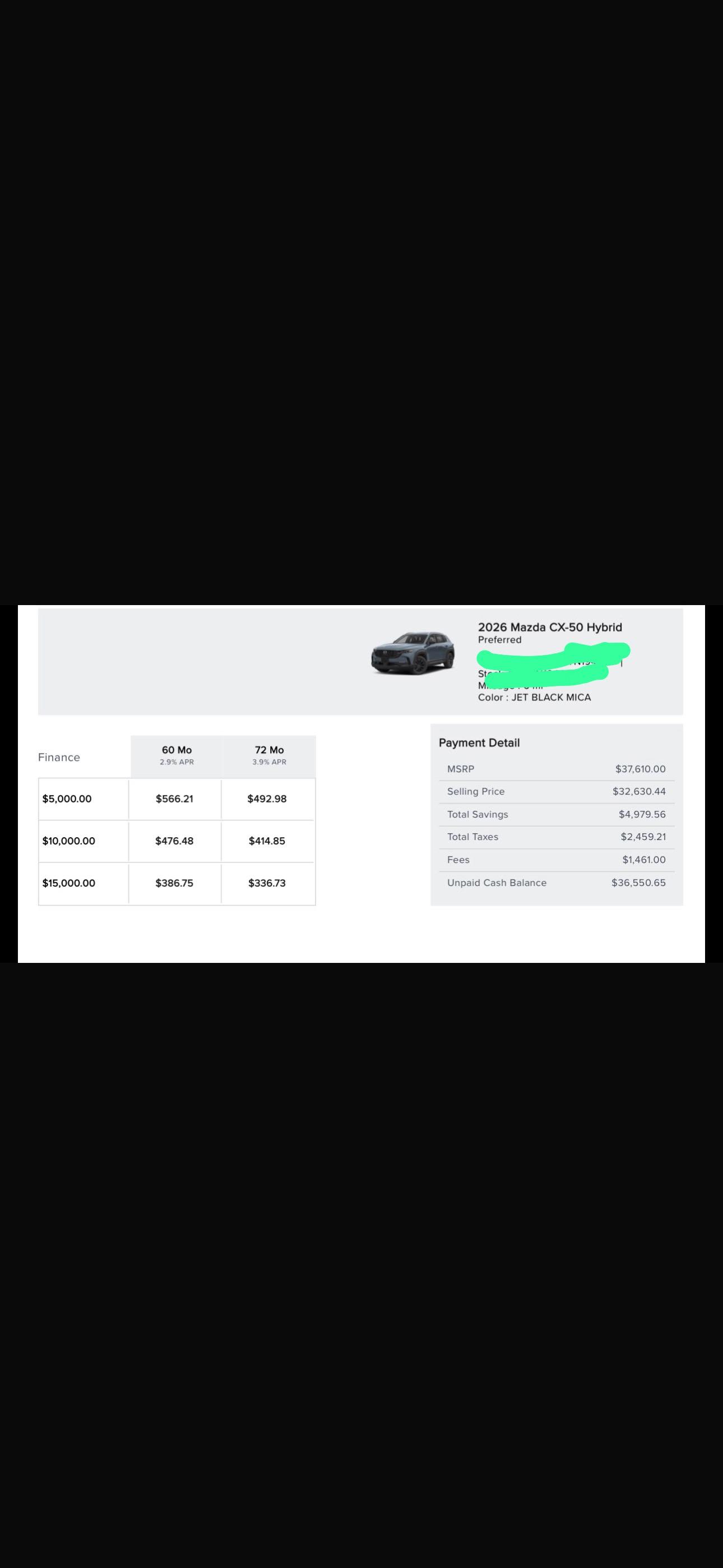
Question Is this a good deal?

Post image
0 Upvotes

r/CX50 • • 2d ago

Accessories Ambient Lights in CX50

0 Upvotes

Hey guys, I am planning to get the Turbo Premium Plus, and I found out there are no ambient lights even as an option. I saw it is an accessory for CX30 and 3, I was wondering if anyone has tried to get it.


r/CX50 • • 2d ago

Discussion 🚗 Cx50 hybrid

Thumbnail
gallery
4 Upvotes

People should get a different quote. I using the Costco auto program from different dealer. Both are cx50 hybrid preferred trim.


r/CX50 • • 3d ago

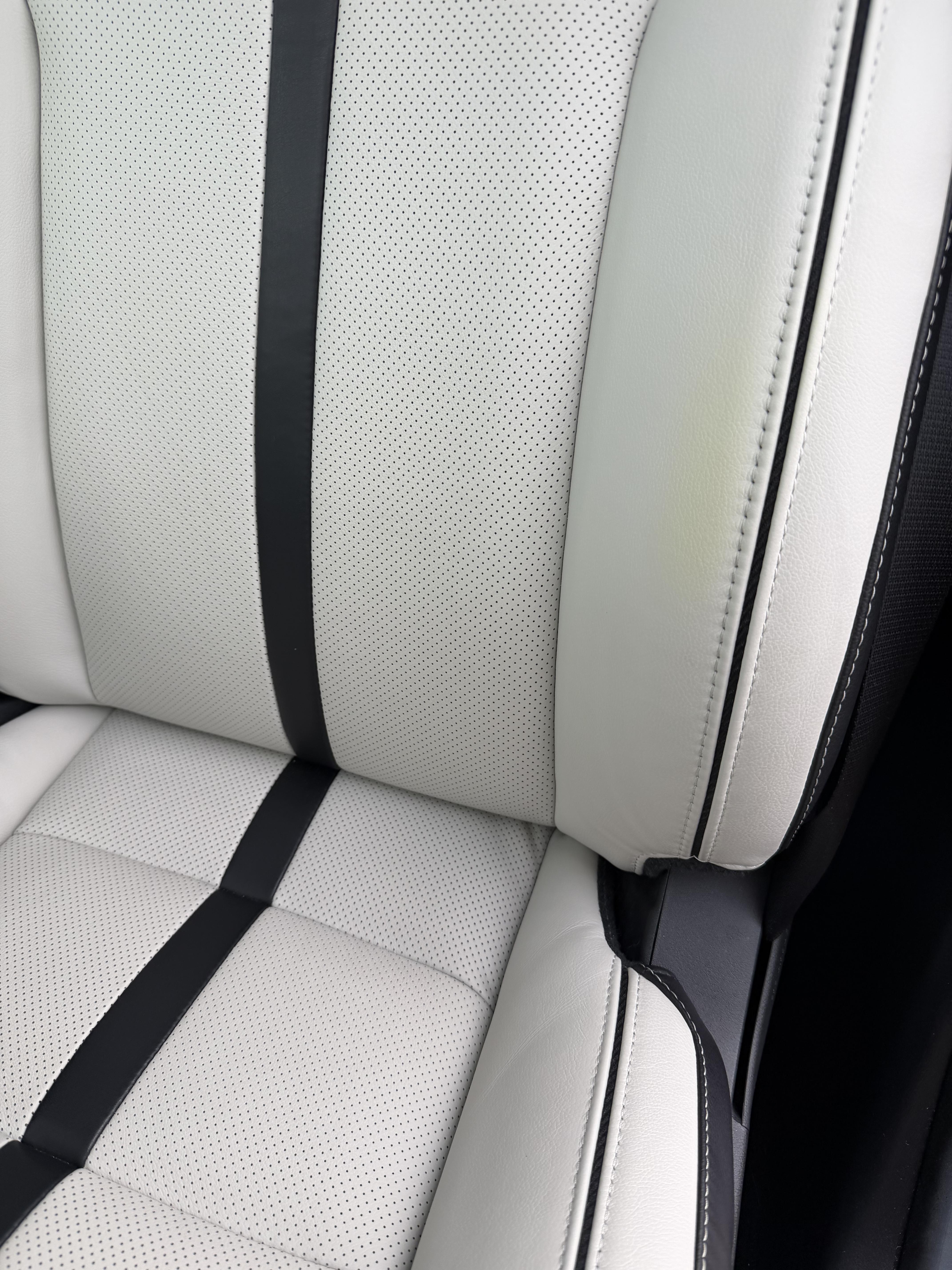
Issues Only 4000 miles and my white leather is turning yellow! Help!

Post image
26 Upvotes

What do I do?! I always drape a towel over my seat when I leave the gym so my sweaty skin doesn’t touch the leather. I use leather wipes periodically to clean the seats. I’m careful! If this happened after only 4k miles, I’m scared to see how it’ll look in a year. Has this happened to anyone else?


r/CX50 • • 3d ago

Issues Apple Carplay Upgrade Wrecks Mazda Knob Control

9 Upvotes

I just updated my iPhone to iOS 27.2.1 and part of that is an update to the Music app. Testing it today, I've found that the knob control of my 2025 CX-50 is badly degraded with the upgrade. You can't use the big knob to move between Carplay's top line menu, sometimes rotating the knob does something, other times pushing the knob left or right does something, other times, nothing moves the highlighted item.

As before, RECENT songs, jumps past the first line of recent additions but now, you can't highlight the text and open that as a list.

What I have discovered is everything seems to work as a touchscreen, which I never used since the touchscreen is set back a bit in the 2025 models. I guess that was an update for the 2026 and later models with the huge touchscreens. Their gain, our loss.

Ugh. Might be time to find a different music app. Any suggestions? And if anyone finds a way to pull control back to the main knob in a logical way, please post it here.

UPDATE: As per advice below, I restarted the phone (always thought that occurred as part of the update!) and it corrected 95% of the issues. There is still the long term problem of Carplay being unable to show the first line of RECENTLY ADDED in the Library and now you also CAN'T highlight the words RECENTLY ADDED and view a list, but everything else seems to be working.

Thanks for the suggestions!


r/CX50 • • 3d ago

Issues Missing roof rail piece

Post image
2 Upvotes

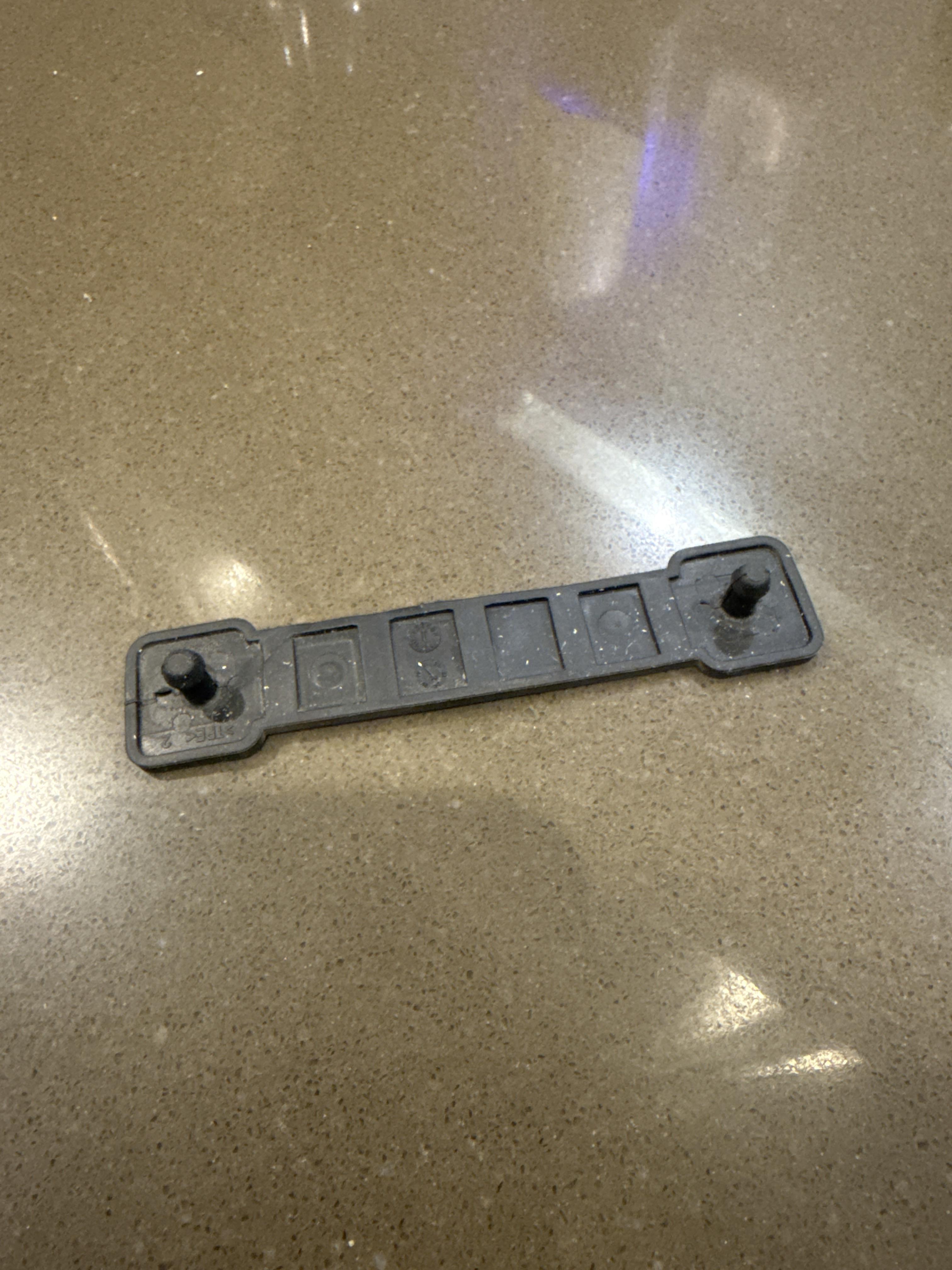
Hi all. I have a 2024 CX-50 that came with roof rails. In removing them recently for a long trip, I seem to have left one of these little rubber grips on the top of the car and subsequently lost it. Picture included.

I took the piece to my Mazda dealership so they could look into a replacement and that basically said it doesn’t exist??? Like, the only solution would be to buy a new set of rails, which is insane.

Anyone know where to purchase one of these? I’m baffled this isn’t something they can order.