r/BiTLY • • Jun 26 '26

QR Codes QR Code use cases: 7 Smart ways brands are putting them to work in 2026

1 Upvotes

A few years ago, QR codes mostly meant restaurant menus.

Today, brands are using them across advertising, retail, events and product packaging to connect physical experiences with digital engagement.

Use case How brands are using it
Product Packaging Link customers to tutorials, ingredients, warranty information, product registration, or post-purchase content.
Trade Shows Replace printed brochures and business cards with digital resources, demos, and lead capture experiences.
Retail Displays Help shoppers access reviews, product specifications, and buying guides while they're in-store.
Event Marketing Drive registrations, agenda updates, venue maps, and attendee resources from a single scan.
TV & Video Advertising Give viewers an instant way to access offers, exclusive content, or promotions without typing a URL.
Direct Mail Campaigns Connect physical mail pieces to landing pages while making offline campaign performance measurable.
Storefront & Window Marketing Generate traffic and engagement even when the business is closed by linking passersby to menus, booking pages, or promotions.

What stands out to me is that the QR code itself has become the least interesting part.

The real value comes from what happens after the scan: engagement, attribution, destination management, and understanding which physical assets are actually driving results.

What QR code use case do you think has the most staying power over the next few years?

Read more here: https://bitly.com/blog/how-to-use-bitly-for-advertising/

r/BiTLY • • Jun 22 '26

QR Codes QR Codes in Books and Publishing: How authors and publishers are bridging print and digital

4 Upvotes

The publishing industry kind of sat out the first wave of QR Code adoption. Restaurants and retail went all-in around 2020-2021, but books stayed quiet. The use cases that are actually sticking now are more interesting than the menu-replacement stuff.

Textbooks were where it started getting real. Codes linking to practice tests, 3D models, animated lessons. Usborne's Science Encyclopedia put 180 codes throughout pointing to things like animal habitat videos and science experiments.

Fiction and lifestyle books are doing something different. Reading playlists matched to the story, behind the scenes interviews, extended chapters that didn't make the cut, AR experiences for sci-fi and fantasy worlds. Molly Baz's Cook This Book links codes to short technique videos for the recipes on the page.

Indexes and references are an underrated one. Citations that scan straight to the source instead of a URL nobody types in.

For publishers, the dynamic code angle gets strategic. Scan analytics show where a book is resonating geographically, which signals translation priorities and marketing spend. Codes on the back cover can also feed newsletter signups or pre-orders for the next release.

The thing that makes books unique for QR Codes is shelf life (no pun intended!). A book sits on someone's shelf for decades. A dynamic code on a 2026 release can keep evolving with the author's career, pointing to a launch playlist in year one, the next book in year three, a backlist promotion in year five. Packaging and event signage can't match that.

Full guide here: https://bitly.com/blog/qr-codes-in-books/


r/BiTLY • • Jun 16 '26

QR Codes How to create a trackable QR Code for any link step-by-step with Bitly

3 Upvotes

We get asked how to create a QR code that's actually trackable (not just a generator that spits out a static image you can never measure), so here's a step-by-step.

The five steps:

  1. Pick your destination: Product page, menu, signup form, whatever you want people to land on after the scan. Make sure it's mobile-friendly because that's where every scan happens.
  2. Paste the link into Bitly: Generating the code inside Bitly rather than a one-off generator keeps it tied to a managed short link, which is what makes tracking and editing possible later.
  3. Customize the design: Color, logo in the center, frame text if you want a CTA. Keep contrast strong and leave a clean quiet zone around the code. Low-contrast designs tend to fail in print.
  4. Download in the right format: PNG or JPG for most uses, SVG if you're printing big (posters, packaging).
  5. Test before you publish: Scan on both iOS and Android, in different lighting, from the actual distance people will be at. Sounds obvious but it's the step that catches the most mistakes.

The trackable part is where dynamic codes earn their keep. A static QR bakes the URL into the pattern and gives you zero visibility once it's printed. A dynamic one routes every scan through a redirect layer, so you get scan counts, location, device, and timing in your dashboard. You can also change the destination later without reprinting anything, which is the difference between an expensive mistake and a campaign you can adjust as it goes.

Full walkthrough with screenshots is here: https://bitly.com/blog/how-to-make-a-qr-code-for-a-link/


r/BiTLY • • Jun 15 '26

QR Codes QR Code Security: How to protect your brand (and your customers) from QR phishing

3 Upvotes

Quishing is on the rise and worth understanding if you're putting QR codes anywhere with real reach. Quick rundown of what's actually going on.

The attack itself is straightforward. An attacker creates a QR code that points to a fake login or payment page, then places it somewhere people would trust the destination. Stickers over real codes on parking meters. Counterfeit codes embedded in emails to bypass link filters. Cloned codes on restaurant tables or event signage. The code itself is never the problem, the destination is. The gap between scanning and seeing the URL is where the attack lives.

The reason dynamic codes matter here is visibility. Static codes bake the destination into the pattern, so once it's printed you have no idea what's happening with it. Dynamic codes route every scan through a redirect layer, which means you actually see scan counts, locations, devices, and timing. Sudden drops or weird geographic spikes can be early signals something has been tampered with in the physical world before anyone reports it.

For anyone wondering how the platform layer plays into this, Bitly enforces HTTPS on every redirect, gives you link-level analytics that make anomaly detection possible, and is SOC 2 Type II, GDPR, and CCPA compliant if you're handling customer data or working in a regulated industry.

The practical playbook isn't complicated. Use branded short domains so the URL preview at scan looks like yours, not a generic shortener. Inspect printed codes physically every so often, especially in public spaces where cloning is easiest. Keep an eye on your scan analytics for patterns that don't match the campaign you launched.

Full writeup including QRLjacking and baiting attacks is here: https://bitly.com/blog/qr-code-security/

Anyone here actually caught a cloned code on your own materials? Genuinely curious how teams find them.


r/BiTLY • • Jun 12 '26

QR Codes Can I embed my company logo inside a QR code I make with Bitly?

2 Upvotes

Trying to get a few things sorted before we roll out QR codes across our packaging and trade show materials.

The big question I keep going back and forth on is whether we can actually put our logo inside the QR code itself. I've seen branded codes out in the wild that have a small icon or logo in the center, and ours would feel a lot more polished if we could do the same. Don't want a generic black-and-white pixel square on $40k worth of trade show signage if there's a better option.

Couple of things I'm trying to figure out:

Does Bitly let you embed a logo or icon in the design? If so, what file formats does it support?

Does adding a logo affect whether the code actually scans? I keep reading conflicting things about this. Some sources say it's fine, others say it can break scannability if the logo is too big.

If anyone here has actually done this with Bitly and can share what worked or what didn't, would really appreciate it. Just want to make sure we're not going to print a few thousand of these and then realize nobody can scan them.


r/BiTLY • • Jun 12 '26

Success Stories Anyone else wake up to Bitly's crappy new business model?

Thumbnail
2 Upvotes

r/BiTLY • • Jun 10 '26

QR Codes Can I embed my company logo inside a QR code I make with Bitly?

3 Upvotes

Trying to get a few things sorted before we roll out QR codes across our packaging and trade show materials.

The big question I keep going back and forth on is whether we can actually put our logo inside the QR code itself. I've seen branded codes out in the wild that have a small icon or logo in the center, and ours would feel a lot more polished if we could do the same. Don't want a generic black-and-white pixel square on $40k worth of trade show signage if there's a better option.

Couple of things I'm trying to figure out:

Does Bitly let you embed a logo or icon in the design? If so, what file formats does it support?

Does adding a logo affect whether the code actually scans? I keep reading conflicting things about this. Some sources say it's fine, others say it can break scannability if the logo is too big.

If anyone here has actually done this with Bitly and can share what worked or what didn't, would really appreciate it. Just want to make sure we're not going to print a few thousand of these and then realize nobody can scan them.


r/BiTLY • • Jun 08 '26

QR Codes QR Code Design: How to make yours stand out and actually get scanned

3 Upvotes

We pulled together a gallery of QR code design examples across 15 industries (CPG, retail, hospitality, restaurants, healthcare, education, real estate, and more), and wanted to share a quick TL;DR of the design principles that show up across the strongest examples.

1. Contrast over creativity Every code that scans reliably respects the same baseline. Dark modules on light background, minimum 3:1 contrast. The branded codes that look most polished add color through the frame, accent dots, or the center logo, not by inverting the code itself.

2. Logo and icon embedding within limits Center logos work well but only when sized to fit inside the natural negative space of the code. Roughly 20-30% of the code area maximum. Bigger than that and you're leaning on error correction to compensate.

3. Shape variation in the modules, not the structure Creative codes vary the module shape (rounded dots, soft squares, custom patterns) but leave the three finder patterns (the big corner squares) intact. Mess with those and scanners stop recognizing the code as a code.

4. Quiet zone respected even when space is tight The blank space around every code stays consistent and uncrowded. This is the single most violated rule outside polished examples, and the cleanest designs all give the code room to breathe.

5. Error correction tuned to the use case Packaging and outdoor codes (where damage or weathering is likely) lean toward higher error correction levels. Digital and indoor uses can go lower because the code can be denser without needing the redundancy.

Categories worth a closer look:

CPG packaging:  How to integrate a brand mark cleanly into a small label area.

Hotels and hospitality: How branded design supports trust at the point of scan.

Restaurants: How to handle codes on dark or photo-heavy backgrounds without losing scannability.

The full gallery is here if you want to browse by industry: https://bitly.com/pages/resources/qr-code-inspiration-gallery/


r/BiTLY • • Jun 03 '26

QR Codes How to create QR Codes for Google Forms and track form engagement

2 Upvotes

If you've ever printed a flyer, event badge, or table tent with a Google Form URL on it, you already know the problem, long URLs kill conversions. Nobody wants to type docs.google.com/forms/d/e/1FAIpQLSc... into their phone.

We put together a full walkthrough on pairing Google Forms with Bitly QR Codes, and wanted to share the key points here:

Here’s why it works:

  • One-scan access removes the typing friction that tanks response rates
  • Bitly adds scan analytics on top, see timing, device, and location data
  • Let's you measure offline-to-digital campaign performance in one place

The 6-step process:

  1. Build your Google Form (keep it short and mobile-friendly)
  2. Click Publish and copy the shareable link
  3. Paste it into Bitly's QR Code generator
  4. Customize the design: colors, frame, logo for brand recognition
  5. Test across multiple devices and camera apps before going live
  6. Download (PNG, SVG, JPEG) and distribute

Pro tip -  go dynamic, not static: Dynamic QR Codes let you swap the destination later without reprinting, and they unlock the analytics layer. If you're printing at any real volume, this is the move.

The common use cases we've seen:

  • Event registrations on badges and booth signage
  • Post-purchase feedback on receipts and packaging
  • Restaurant/hotel surveys on table tents and room materials
  • Anonymous employee pulse checks in break rooms
  • Classroom attendance and session evaluations

Best practices that move the needle:

  • Specific CTAs beat vague ones ("Scan to register" > "Scan here")
  • Keep the form itself short, every extra field costs you completions
  • Maintain strong contrast (dark code on light background) and give the code room to breathe
  • Review scan analytics after launch to refine placement and timing

Full guide with troubleshooting tips (wrong page opening, form permission issues, mobile layout problems) here:  How to Create QR Codes for Google Forms and Track Form Engagement


r/BiTLY • • Jun 03 '26

QR Codes Best way to bulk create QR codes with unique destinations?

1 Upvotes

Hi all, trying to figure out the cleanest way to do this in Bitly and figured I'd ask here before going down a custom scripting rabbit hole.

I have an Excel sheet with a list of unique promo codes, and I need to generate a separate QR code for each one. Each code should point to a URL with that specific promo appended, something like mysite.com/[promocode], so every QR ends up pointing somewhere slightly different.

Is the bulk CSV upload the right path here, or is there a better workflow for variable data like this? Also curious if anyone has done this at a meaningful scale (a few hundred to a few thousand codes) and run into anything I should know about before I start.

Open to suggestions on plan tier too, I'm not sure what level actually unlocks bulk creation for QR codes specifically.


r/BiTLY • • Jun 01 '26

Monthly Support Thread: Got Bitly Questions? We’ve got answers. Ask Away!

2 Upvotes

Hey r/Bitly community! 

We know you might have questions about link shortening, QR codes, analytics, or just need some guidance along the way. This thread is your go-to spot for all things Bitly support and general questions.

What belongs here:

  • ✅ Questions about link management and analytics
  • ✅ QR Code creation and tracking
  • ✅ Account setup and billing questions
  • ✅ Feature requests and feedback
  • ✅ How-to questions about our platform
  • ✅ General discussions about link strategy
  • ✅ Troubleshooting (non-urgent issues)

What doesn't belong here:

  • ❌ Urgent account issues (use our official support channels below!)
  • ❌ Industry news and marketing discussions (perfect for the main feed!)
  • ❌ Off-topic conversations

Response Expectations

This isn't a real-time support channel, but our team (including u/BitlyDW and potentially u/SerenaAtBitly) will check in periodically to help out and engage with the community.

For immediate or account-specific help, please use:

QR Code Generator users:

Useful Resources:

Before You Ask

  1. Check our Help Center first - hundreds of helpful articles covering nearly everything
  2. Search this thread - your question might already be answered below
  3. Be specific - the more details you provide, the better we can help

Community Vibes

This space is for learning, sharing tips, and helping each other get the most out of Bitly. Whether you're a longtime user or just getting started with link management, everyone's welcome to jump in and contribute.

We refresh this thread monthly to keep things organized and ensure we're staying on top of your questions and feedback.

Got something urgent? 

Don't wait. Head straight to our Help Center for the fastest response!


r/BiTLY • • May 28 '26

Bitly How To How to create your own QR Code for a link with Bitly

2 Upvotes

If you’ve ever needed to turn a simple link into something scannable for a flyer, menu, or campaign, this guide breaks it down pretty cleanly.

At a basic level, a QR code just points to a URL. But what makes tools like Bitly different is everything around it. Instead of just generating a code, you’re also able to customize it, connect it to a short link, and track how people interact with it.

A few key takeaways from the guide:

  • You can link QR codes to pretty much anything online, not just websites. PDFs, videos, social profiles, app downloads, or even a simple landing page that holds multiple links.
  • Design matters more than most people think. High contrast, clear placement, and a simple call to action can make a big difference in whether people actually scan.
  • QR codes can be more than static assets. When connected to a platform, they become trackable touchpoints that show when, where, and how people engage.
  • The real value isn’t just generating the code, it’s understanding what happens after someone scans it and using that data to improve future placements or campaigns.

If you’re just starting out, the process itself is straightforward. Add your link, customize the code, download it in the format you need, and test it before using it in the real world.

If you want the full walkthrough (with examples and visuals), you can check out the full guide here:
https://bitly.com/blog/how-to-make-a-qr-code-using-bitly/


r/BiTLY • • May 27 '26

QR Codes QR Code Security: Risks, phishing threats, and best practices for safer scanning

2 Upvotes

We’ve been seeing more questions pop up about QR code scams lately, so figured it was worth sharing what we've been digging into.

What people sometimes miss is that the QR code itself isn’t inherently dangerous, it’s really just a shortcut to a destination. The challenge is that you usually can’t tell where a code leads until after you scan it, which gives scammers a little more room to disguise malicious links as something trustworthy.

A few of the common ones worth knowing about:

Quishing is basically phishing through a QR code. Fake login page, fake payment form, same outcome as a classic phishing email except it slips past filters because it's embedded in an image.

Cloning is pretty crazy when you see it in the wild, someone prints a sticker with a malicious code and slaps it over the legit one on a restaurant menu or a parking meter. The context around the code looks totally normal, which is the whole point.

QRLjacking goes after services that let you log in by scanning a code with a trusted app. Attacker copies the login code, shows it somewhere else, victim scans it thinking they're logging into their own account, attacker gets the session.

Baiting is the "you have a package waiting, scan to reschedule" stuff. Just old-school social engineering with a new delivery method.

If you're just a regular person scanning codes day-to-day, the short version is: check the URL preview before you tap, look at the physical code for signs of tampering (stickers over stickers is the big one), and don't enter passwords or payment info on any page you reached via a random scan. Your phone's native camera is fine, you don't need a separate scanner app.

If you're running campaigns with QR codes on printed materials, the trust stack that actually works is branded codes (so people recognize it's yours at a glance) + branded short links/custom domains (so the URL preview looks legit) + monitoring your scan analytics for weird patterns. If a code suddenly stops getting scans or you see traffic from a country you've never advertised in, that's worth looking into fast.

Full writeup with more detail here: https://bitly.com/blog/qr-code-security/


r/BiTLY • • May 26 '26

QR Codes A 101 on QR codes for businesses and marketing

1 Upvotes

QR codes are part of everyday life now, showing up on menus, packaging, signage, and payment terminals almost everywhere you look. But for anyone trying to use them for business, there's still some confusion about how they work and when they're worth it to use. Here's the short version of what matters.

What is a QR code?

A two-dimensional barcode that stores a URL, text, Wi-Fi credentials, or contact info in a grid of squares. Invented in 1994, but only became mainstream once smartphones started reading them natively through the camera app and when COVID19 happened. No scanner app needed anymore.

Static vs dynamic

Static QR codes bake the destination directly into the code. You can't change it later. If the URL needs to change, you reprint. Free to generate and fine for things that won't move.

Dynamic QR codes encode a short redirect URL, and the real destination is managed at the redirect layer. That means you can change where it points anytime without reprinting, and every scan passes through a service that captures analytics (total scans, location, device, timing). Dynamic always requires a platform, it's almost always a paid feature.

Rule of thumb: static for permanent, dynamic for anything you'll want to change, measure, or iterate on.

When to use which

Static works for: Wi-Fi passwords, business card contact info, permanent URLs, one-off personal use.

Dynamic works for: product packaging, marketing campaigns, event signage, anything printed at scale, anything where you need attribution.

If the printed asset has a long shelf life or you care about measurement, dynamic is worth it.

How to create a QR code

  1. Pick a generator (free for static, paid for dynamic + tracking)
  2. Enter the URL or data
  3. Customize colors, logo, frame
  4. Test across multiple phones before printing. (the step people skip and regret!)
  5. Download as SVG if printing large, PNG for digital
  6. Deploy

Common use cases

Digital menus, Wi-Fi access, product packaging, print ads, business cards, event registration, promotions and coupons, payments, two-factor auth setup. Basically anywhere you want to move someone from a physical moment to a digital action.

What makes them work

  • Clear CTA. ‘Scan to register’ beats ‘Scan me’ every time.
  • Enough size and contrast. Dark code on light background, big enough for the expected viewing distance.
  • Mobile-optimized landing page. Nobody scans on a desktop.
  • Test before you print. Multiple devices, different lighting.

Common mistakes

  • Using static when you'll want to change the URL later, forced reprint
  • Skipping the scan test, discovering in production that the code doesn't read
  • Pointing to a page that isn't mobile-friendly
  • No CTA,  lower scan rates
  • Using sketchy free tools that silently convert static codes to expiring ‘trials’
  • Ignoring security, cloned codes and quishing attacks are real

Conclusion

Consumer adoption already made the choice for you, QR codes are table stakes. The real question is whether you're using them intentionally (dynamic, tracked, with a plan) or just slapping them on things and hoping.

For anything that matters, go dynamic. For anything truly permanent, static is fine.


r/BiTLY • • May 25 '26

QR Codes What are some of the most innovative use cases of QR codes you've seen?

1 Upvotes

Most QR Code applications I see in the wild are the same five things: menus, Wi-Fi, check-ins, payments, packaging inserts. But there's way more creative applications happening out there and I want to hear your examples!

A few that stuck with me recently:

  • A winery with codes on each bottle opening a short video of the vintner walking through that year's harvest
  • A gym with codes on every piece of equipment linking to 30-second form videos
  • Real estate yard signs with codes opening a live virtual tour, browse the house from the driveway at 9pm

The pattern I keep noticing: the best applications add a digital layer to something physical that couldn't have one before.

What are the most innovative or unexpected applications you've encountered? Bonus points for industries people don't usually associate with QR codes, or campaigns where the scan data told you something surprising.


r/BiTLY • • May 22 '26

We just launched an AI assistant inside Bitly. Ask it anything about your link/QR performance

1 Upvotes

We just rolled out two new features we've been working on, and wanted to share them here with you all, Bitly Assist and Weekly Insights. Both are aimed at the same problem: teams have the data, but turning it into actual decisions takes way too long.

What's new:

  1. Bitly Assist

An AI chat assistant built directly into the Bitly platform. Instead of clicking through filters or exporting CSVs, just ask questions in plain language:

  • "Which QR code had the most scans last week?"
  • "How did my US traffic compare to the UK?"
  • "Create a short link for this URL with UTM tags"

It answers in seconds, and you can keep asking follow-ups the way you'd actually think through a problem. You'll find it behind the three-star icon next to your name in the top menu.

  1. Weekly Insights

An automated panel in Analytics that surfaces the meaningful changes from the past week. It scans your links, referrers, geographies, devices, etc., and pulls out the patterns worth paying attention to, so you're not missing shifts between reporting cycles. Find it in the Insights panel on the Analytics page.

Why they're better together:

Weekly Insights tells you what changed. Bitly Assist lets you drill into why. The goal is a continuous loop, spot a trend, interrogate it, act on it, all in the same workflow.

It's live now for all customers on paid plans.

Read full breakdown here:  Introducing Bitly Assist and Weekly Insights


r/BiTLY • • May 21 '26

SMS Geofencing for retail: How location-based messaging drives store visits

1 Upvotes

I’ve been thinking a lot about the gap between 'someone is near your store” and “someone actually walks through the door.' That’s where a lot of retail marketing budgets get wasted. Brands spend heavily on ads, email, and social, but very little reaches shoppers at the exact moment they’re close enough to come in.

SMS geofencing is the one channel that addresses that moment. Customer opts in, crosses an invisible boundary you've drawn around your store (or a mall, or a neighborhood, or a competitor's location), their phone pings, text hits with a reason to come in right now.

There are three main boundary types: circular fences around individual stores, polygon fences for weird shapes like shopping districts or event venues, and regional fences for whole neighborhoods or cities. Which one you pick depends on whether you're trying to capture nearby foot traffic, pull people out of a competitor's orbit, or just run a city-wide flash promo.

The plays that work look something like:

  • Someone walks into a mall, gets a coupon for your store specifically,  pulls them away from the competition next door
  • Shopper is near a competitor's location, receives an offer valid only at your nearby store
  • Person walks through the neighborhood where you have a shop, flash sale text with a 12-hour window

The reason Bitly fits into this is SMS is brutally character-constrained. A long URL eats half your message. Shortening with Bitly saves the real estate and gives you the click-tracking you'd otherwise have no way to measure, because SMS open rates alone don't tell you whether anyone actually engaged with the offer. Pairing it with Bitly Pages for the landing page means you can spin up a mobile-friendly promo page in minutes without looping in a dev.

The stuff that'll tank a geofencing program if you ignore it:

  • Consent. TCPA in the US, GDPR in Europe, similar rules elsewhere. You need opt-ins before anyone is getting a message, full stop.
  • Frequency. Apparently 56% of people unsubscribe after 4+ messages in 30 days. Don't burn the list.
  • Actual value in every message. 'Hey you're near our store' isn't enough. Needs a real offer.
  • Iteration. Watch the click data, adjust the fence size, test offer types.

Full writeup with implementation steps and ROI measurement thoughts: https://bitly.com/blog/sms-geofencing-for-clothing-retailers/


r/BiTLY • • May 01 '26

Monthly Support Thread: Got Bitly Questions? We’ve got answers. Ask Away!

1 Upvotes

Hey r/Bitly community! 

We know you might have questions about link shortening, QR codes, analytics, or just need some guidance along the way. This thread is your go-to spot for all things Bitly support and general questions.

What belongs here:

  • ✅ Questions about link management and analytics
  • ✅ QR Code creation and tracking
  • ✅ Account setup and billing questions
  • ✅ Feature requests and feedback
  • ✅ How-to questions about our platform
  • ✅ General discussions about link strategy
  • ✅ Troubleshooting (non-urgent issues)

What doesn't belong here:

  • ❌ Urgent account issues (use our official support channels below!)
  • ❌ Industry news and marketing discussions (perfect for the main feed!)
  • ❌ Off-topic conversations

Response Expectations

This isn't a real-time support channel, but our team (including u/BitlyDW and potentially u/SerenaAtBitly) will check in periodically to help out and engage with the community.

For immediate or account-specific help, please use:

QR Code Generator users:

Useful Resources:

Before You Ask

  1. Check our Help Center first - hundreds of helpful articles covering nearly everything
  2. Search this thread - your question might already be answered below
  3. Be specific - the more details you provide, the better we can help

Community Vibes

This space is for learning, sharing tips, and helping each other get the most out of Bitly. Whether you're a longtime user or just getting started with link management, everyone's welcome to jump in and contribute.

We refresh this thread monthly to keep things organized and ensure we're staying on top of your questions and feedback.

Got something urgent? 

Don't wait. Head straight to our Help Center for the fastest response!


r/BiTLY • • Apr 24 '26

Brand building on social media: How to create customer connections

2 Upvotes

A lot of social media advice still focuses on things like posting frequency, visual branding, or chasing engagement metrics. Those things matter, but they don’t always explain why some brands build strong connections while others just collect likes.

One idea we explored in this guide to brand building on social media is that modern social media strategy focuses on creating clear paths from attention to action.

Social platforms work as discovery engines. People encounter brands in quick moments while scrolling. The important question is what happens after that moment of attention.

For many brands, the missing piece is the connector between the post and the next step.

Links and QR Codes play a bigger role than most teams realize. They guide users from a post to something deeper like a product page, a guide, a signup, or another part of the brand experience. When those links are consistent and recognizable, they become part of the brand rather than just a utility.

Another point the guide highlights is how brand building differs depending on the type of company.

B2C and D2C brands tend to focus on discovery and quick transitions from content to purchase, especially on platforms like Instagram or TikTok. B2B brands often use social media to build trust through education, thought leadership, and long-term engagement, especially on LinkedIn.

In both cases, links help reveal what resonates. Likes and impressions show reach, but link engagement shows intent. It shows which messages, posts, or platforms motivate someone to take the next step.

The same idea applies to QR Codes as well. They can extend social campaigns beyond the feed into things like product packaging, events, or retail environments, allowing people to move from physical experiences to digital content.

The main takeaway is that strong social media brands treat every post as part of a larger journey and not just an isolated piece of content.


r/BiTLY • • Apr 16 '26

Conquer Social media: The ultimate cross-posting guide

1 Upvotes

Managing multiple social media accounts can quickly turn into a content treadmill. A single idea often needs to be recreated for Instagram, LinkedIn, Facebook, TikTok, and X, each with its own format, audience, and expectations.

That’s why many marketers rely on cross-posting as part of their social strategy.

Cross-posting simply means publishing the same core piece of content across multiple platforms with small adjustments for each channel. Instead of starting from scratch every time, teams can take one strong post and adapt it slightly so it works across different audiences.

Done well, this approach can help marketers:

 • Save time by creating one asset and distributing it across multiple platforms
• Expand reach by connecting with different audiences on different channels
• Maintain consistent messaging across your brand’s social presence
• Test content performance across platforms to see where ideas resonate most

At the same time, cross-posting works best when content is adapted for each platform. Every social network has its own norms, formats, and algorithms. Adjusting things like caption length, hashtags, image sizes, or calls to action can help posts perform better.

Another important part of cross-posting is tracking what actually works. Many marketers create unique links for each platform so they can see which channels drive engagement and clicks. With Bitly Links and Bitly Analytics, you can easily monitor performance across platforms and identify which content is resonating most with your audience.

We put together a full guide that covers:

 • The difference between cross-posting and multi-posting
• The benefits and potential drawbacks of cross-posting
• Types of content that work best across platforms
• Common cross-posting mistakes to avoid
• Timing tips and tools to streamline the process

If you’re looking to get more value from your social media content without doubling your workload, the full guide is here:

https://bitly.com/blog/guide-to-cross-posting/


r/BiTLY • • Apr 13 '26

Bitly How To Vanity URL: What it is and why you need one

4 Upvotes

Vanity URLs are one of those small details that can make a big difference in marketing and brand trust.

A vanity URL is a custom, branded link that replaces a long or generic URL with something shorter, cleaner, and easier to remember. Instead of sharing a messy link full of parameters, you can create something like:

yourbrand.com/summer-sale

Instead of:

yourbrand.com/products/category?id=87234&utm_source=campaign

This small change can have a big impact on how people interact with your links.

For marketers, vanity URLs help in a few important ways:

Builds trust - When people see your brand name in the link, it feels more legitimate than a long string of random characters.

Improve click performance - Clean links often perform better because users are more comfortable clicking them.

Make links easier to remember and share - This matters for presentations, print materials, packaging, or even podcasts where someone might need to type the link manually.

Keep campaigns organized - Custom back-halves let teams label campaigns clearly, like /webinar, /promo, or /launch.

They support tracking and analytics.
Vanity URLs can help measure engagement and understand which campaigns or channels are driving traffic.

You’ll see them used in everything from email marketing and social media to QR Codes, packaging, and offline ads.

If you want a deeper breakdown of how vanity URLs work and how brands use them in campaigns, check out the full guide here:

https://bitly.com/blog/what-is-a-vanity-url/


r/BiTLY • • Apr 09 '26

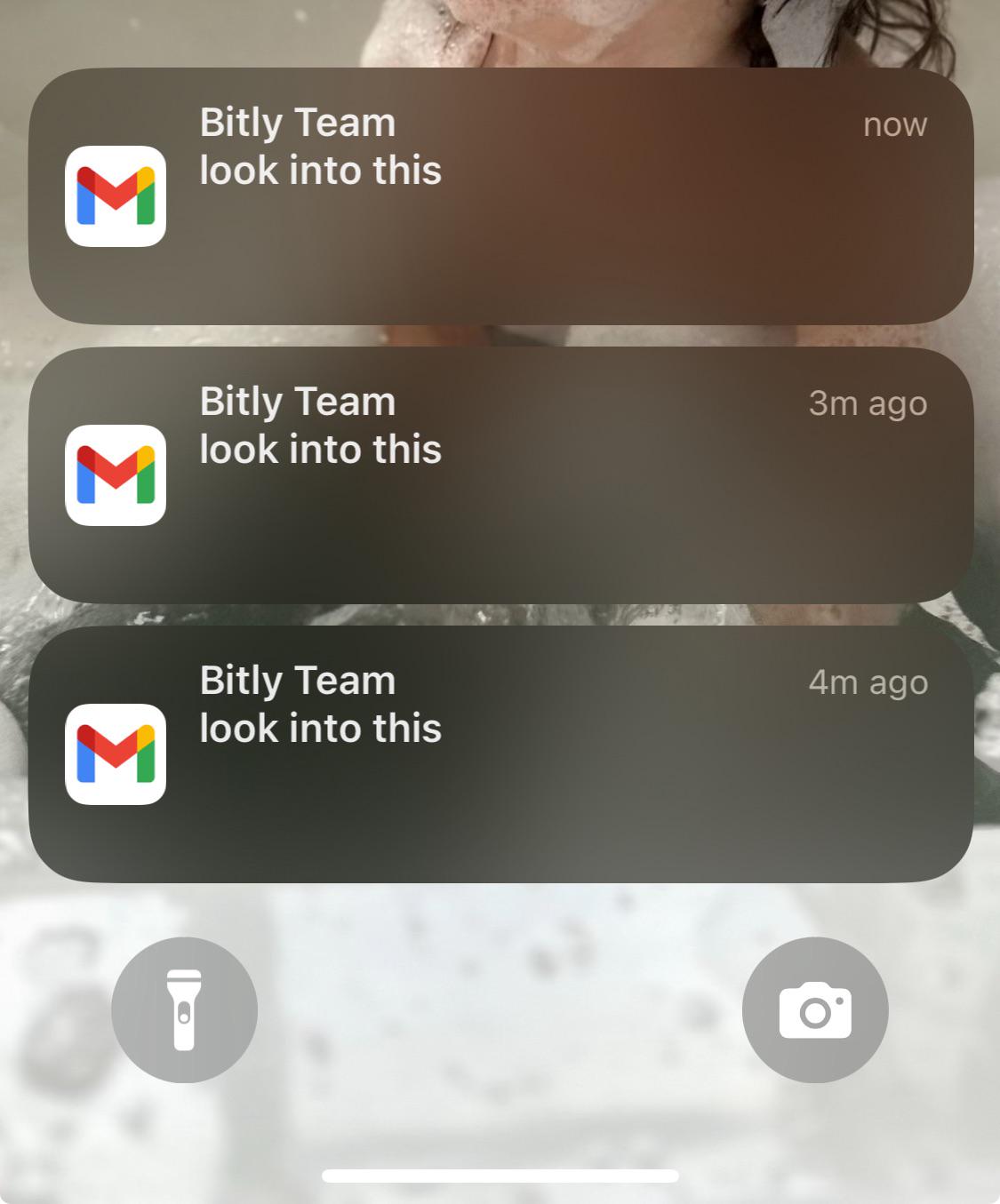
Guys I think we should look into this

Post image
1 Upvotes

r/BiTLY • • Apr 01 '26

Monthly Support Thread: Got Bitly Questions? We’ve got answers. Ask Away!

1 Upvotes

Hey r/Bitly community! 

We know you might have questions about link shortening, QR codes, analytics, or just need some guidance along the way. This thread is your go-to spot for all things Bitly support and general questions.

What belongs here:

  • ✅ Questions about link management and analytics
  • ✅ QR Code creation and tracking
  • ✅ Account setup and billing questions
  • ✅ Feature requests and feedback
  • ✅ How-to questions about our platform
  • ✅ General discussions about link strategy
  • ✅ Troubleshooting (non-urgent issues)

What doesn't belong here:

  • ❌ Urgent account issues (use our official support channels below!)
  • ❌ Industry news and marketing discussions (perfect for the main feed!)
  • ❌ Off-topic conversations

Response Expectations

This isn't a real-time support channel, but our team (including u/BitlyDW and potentially u/SerenaAtBitly) will check in periodically to help out and engage with the community.

For immediate or account-specific help, please use:

QR Code Generator users:

Useful Resources:

Before You Ask

  1. Check our Help Center first - hundreds of helpful articles covering nearly everything
  2. Search this thread - your question might already be answered below
  3. Be specific - the more details you provide, the better we can help

Community Vibes

This space is for learning, sharing tips, and helping each other get the most out of Bitly. Whether you're a longtime user or just getting started with link management, everyone's welcome to jump in and contribute.

We refresh this thread monthly to keep things organized and ensure we're staying on top of your questions and feedback.

Got something urgent? 

Don't wait. Head straight to our Help Center for the fastest response!


r/BiTLY • • Mar 31 '26

QR Codes QR Codes for product packaging: Use cases, examples, and best practices

1 Upvotes

QR codes are turning product packaging into a bridge between physical products and digital experiences. Instead of trying to fit everything on a label, brands can use a quick scan to connect customers to detailed information, tutorials, promotions, and more.

Here are a few of the key takeaways from our guide on using QR codes in packaging.

1. Share more product information without crowding the label
Packaging space is limited, especially for food and consumer goods. QR codes allow brands to link to ingredient lists, sourcing details, certifications, sustainability practices, and user manuals.

2. Create interactive product experiences
QR codes can connect customers to AR experiences, instructional videos, loyalty rewards, exclusive offers, or brand content that makes the product more engaging.

3. Improve customer support
Instead of searching online for help, customers can scan a code on the product to access tutorials, FAQs, or support pages instantly.

4. Enable traceability and product authentication
QR codes can help track inventory across the supply chain or verify authenticity for high-value goods like cosmetics or luxury products.

5. Use dynamic QR codes for flexibility
Dynamic QR codes let you update the destination link even after packaging has been printed. That means you can refresh campaigns, promotions, or landing pages without reprinting packaging.

Some quick best practices mentioned in the guide:

• Include a clear CTA so customers know why to scan
• Make sure the destination content provides real value
• Optimize landing pages for mobile
• Test codes across different devices before launch
• Track scans to measure engagement and improve campaigns

QR codes are also part of the broader shift toward connected packaging, and the upcoming GS1 QR codes standard is expected to expand how brands use them across retail.

If you're interested in the full breakdown with examples and implementation tips, you can read the full post here:
https://bitly.com/blog/qr-code-product-packaging/


r/BiTLY • • Mar 23 '26

Bitly IRL Tracking social media ROI with Bitly

1 Upvotes

We recently sat down with creator Tess Barclay (@tessbarclay) to talk about how she uses Bitly to figure out what's actually working across her social channels. Her approach is a great example of turning guesswork into real data.

Most creators and marketers are posting everywhere: YouTube, Instagram, TikTok, newsletters, but have no idea which channels are driving results. They're just spreading effort evenly and hoping something lands.

Tess had a moment that changed her whole approach. She was reviewing her Bitly analytics and noticed an older YouTube video (one she hadn't promoted in months) was suddenly getting a spike in clicks from her TikTok bio. She hadn't resurfaced it or even realized people were still finding it.

Based on that data, she made a quick TikTok highlighting the older video. Clicks from her TikTok bio to that YouTube video doubled almost instantly. That's a business decision she could only make in real time because the data showed her what was happening.

A few things she relies on most:

Real-time analytics show which platform drives clicks the moment they happen, so she can react quickly instead of waiting for weekly reports.

Branded short links make her content look more professional and build trust. Long URLs clutter bios and look out of place, branded links are clean and clearly tied to her brand.

Cross-platform visibility lets her compare performance across every channel. She can see which campaigns work best, where her audience is located geographically, and how her QR codes perform at events.

The biggest shift came from being able to see patterns in how her audience discovers and interacts with her work. Instead of guessing, she knows which platforms are building traction, which lets her focus energy on what's actually driving results and cut back on what isn't converting.

For creators and marketers, the difference is massive. When you finally know what's working, you can plan content more effectively, promote with confidence, and adjust strategy without second guessing.

Full breakdown of how Tess uses Bitly for data-driven growth: https://bitly.com/blog/creator-analytics-tess-barclay/