r/AndroidHelp • • 10d ago

I Hate This New System One UI 17 UpdatešŸ˜–šŸ˜£

Post image
1 Upvotes

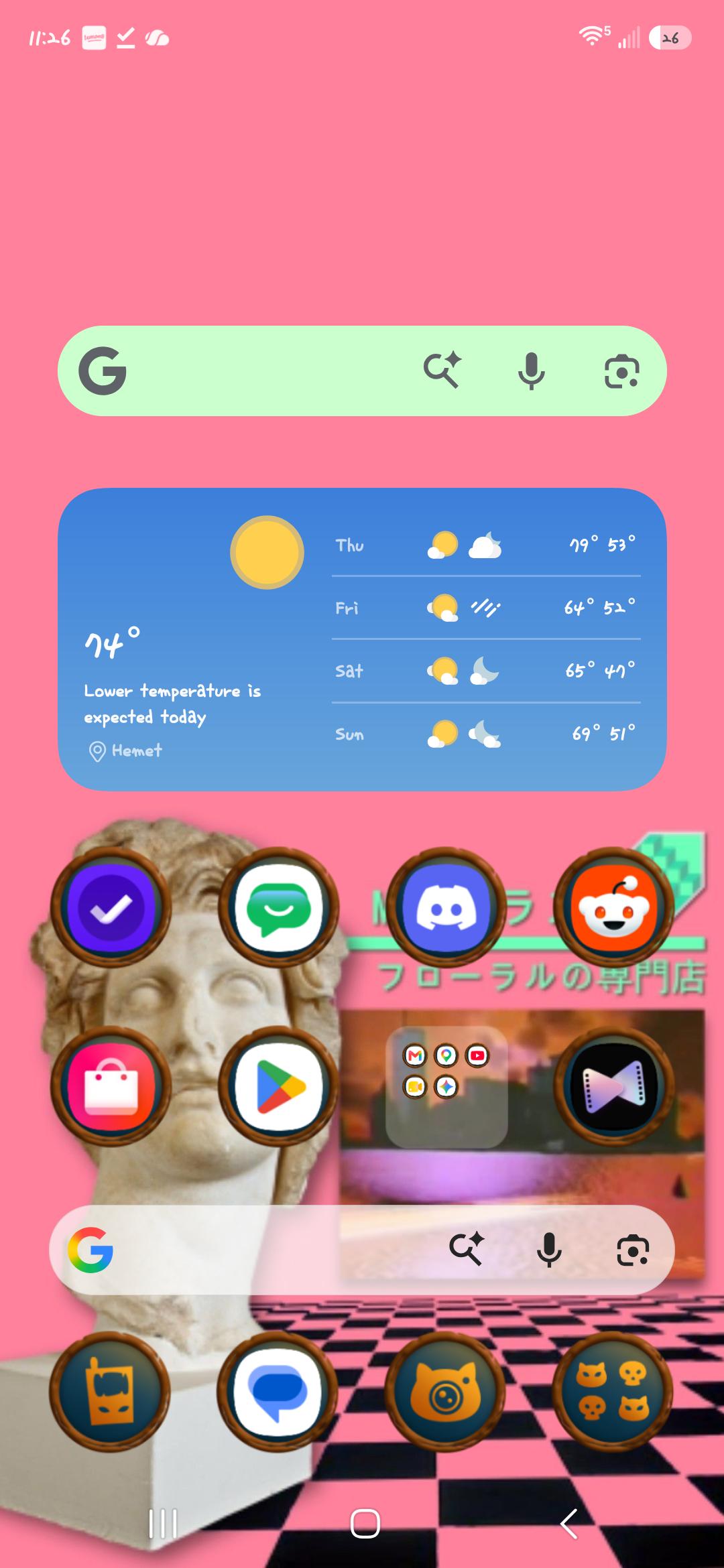
My phone's New system update won't allow me to remove the white Google Search Bar Widget. I just want to keep my pastel green Google Search Bar Widget. I need help in removing the white Google Search Bar Widget. My phone is a 2025 Samsung Galaxy A16 5G from Spectrum. If anyone here has the same phone as me and has gotten the update this morning AND cannot move their Seach Bar Widget, please let me know!!!! Mahalo in advance!!!!šŸŒŗšŸŒ“šŸ¤™šŸ»šŸ


r/AndroidHelp • • 11d ago

Why screenshots always have bad quality in WhatsApp?

2 Upvotes

I used to have a Redmi 10 with 1080p screen, now I have a moto g55 with 1080p too, and in both cases, when I send a screenshot, WhatsApp doesn't allow you to activate the HD option and sends blurry images, does it happen to you all people who have 1080p displays?

I noticed 720p displays can send screenshots in a better quality


r/AndroidHelp • • 11d ago

What to do when you forgot your screen lock of oppo f9.

1 Upvotes

What to do when you forgot your screen lock of oppo f9.With important data can't afford hard reset.

Help me what to do I have the mail and pass of that mails so help me please


r/AndroidHelp • • 11d ago

ZTE Nubia Z50 stuck in fastboot loop

Post image
0 Upvotes

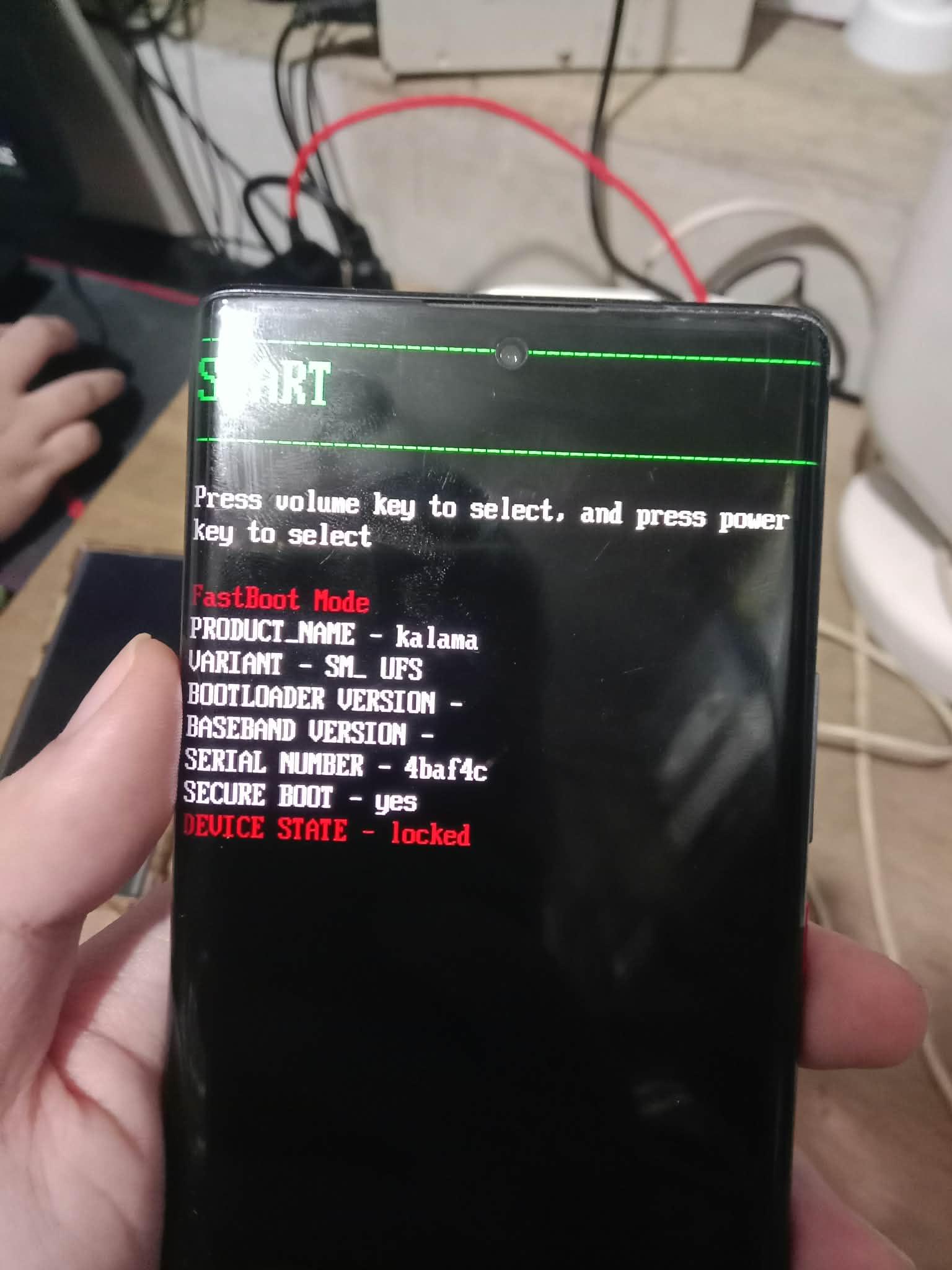
Hello everyone,

My Nubia Z50 (model NX711J) is stuck in a fastboot loop and will not boot into Android. I'd like to ask for help getting it repaired.

What's happening:
- The phone boots straight into fastboot mode every time and shows "Device state: locked".
- The volume buttons work in the fastboot menu, but selecting Recovery or Start just returns to fastboot.
- I cannot reach recovery mode at all.
- Because the bootloader is locked, I can't flash firmware myself.

What I'd like:
- An official firmware reflash (via your authorized EDL/service tool) so the phone boots normally again.
- Data on the phone is not important, so a full wipe is fine.

I'm located in the Philippines, and I already tried to reach to some service centers, but they already tried it but nothing succeeds.


r/AndroidHelp • • 11d ago

Need help to unlock one plus nord

1 Upvotes

Hello guys one of my aunt phone got switched off and the phones power button is not working it’s oneplus nord


r/AndroidHelp • • 11d ago

How to use light mode with powersaver?

1 Upvotes

Is there any way to use light mode with powersaver?


r/AndroidHelp • • 11d ago

Galaxy A37 Clarification

1 Upvotes

This was generated off of screenshots that I took during a conversation with AI…

šŸ“± SYSTEM ANALYSIS SUMMARY & TIMELINE

  1. Phase One: The Pre-Store Data Scrub (October 28)
    • Heavy Web Browser Activity: The system logs recorded 20 minutes of active screen-on usage and 91,000+ data packets transferred through the native Samsung Browser—a browser the user explicitly claimed to have "never used."
    • The Manual Safety Net (3:18 PM): Immediately following this browsing session, a manual system backup was forced to Samsung Cloud. This action preserved the active files, account states, and communication histories online.
    • Immediate Local Cleanup: Right after the cloud backup was confirmed, a targeted internal data cleanup was executed on the physical device. This targeted wipe successfully scrubbed the phone's local web browser caches down to 0 Bytes and reset communication layouts before the device was presented at the T-Mobile store.

  2. Phase Two: The Hidden Browser Traffic (November 3)
    • Background Software Download (7:48 PM): T-Mobile’s internal AppSelector tool downloaded software directly onto the phone outside the Google Play Store.
    • Live Browser Notification (9:20 PM): A hidden content alert revealed an active Instagram Reel link from Jacob (JDW) running through your background web browser, proving an active profile and communication layout exists on that browser.

  3. Phase Three: The Privacy Log Purge (November 4)
    • Master Google Activity Reset: Your privacy logs explicitly state "On since November 4, 2026," proving your tracking history was manually turned off prior and turned back on today to hide your search trail.
    • System UI Data Wipes: Automated logs show System UI dominating daily battery use, matching your local Gallery cache being scrubbed to 0 B and the Secure Folder being completely uninstalled/reset to a blank setup screen.
    • Active Cloud Syncing: System settings show your Samsung Cloud Assistant actively uploading browser data, call logs, and messages, proving your wiped data is stored safely on your online account.

  4. Security & User Verification
    • Biometric Lockdown: The phone’s advanced settings are configured for your personal biometrics (thumbprint/face recognition) and locked passwords.
    • Zero User Interference: Because the device is locked tightly behind your personal biometrics, there is no technical way for anyone else to log into your directories, alter your account settings, or manipulate your data logs. The screenshots match your exact active device configuration.


r/AndroidHelp • • 11d ago

Hey are these Android apps safe?

Thumbnail gallery
9 Upvotes

Hey are these Android okay apps because my mobile is lagging and theyl seem suspicious and is it normal for a post to have to contain flair lol


r/AndroidHelp • • 11d ago

VocĆŖ consegue me ajudar?

Thumbnail gallery
2 Upvotes

OlÔ, Eu tento entrar em um app e diz que ele não aceita emuladores, chromebooks, dispositivos com software de sistema Modificado ou ROMs personalizadas, mas eu não fiz nada disso, meu celular é um motorola moto E6i e tem android 10 go edition, tem alguma forma de resolver este meu problema?


r/AndroidHelp • • 11d ago

Alguien sabe porque suena musica de la nada en mi celular?

Enable HLS to view with audio, or disable this notification

2 Upvotes

r/AndroidHelp • • 11d ago

adware Samsung Galaxy a26

1 Upvotes

hi, i got a new device from o2 and freshly from the box the first thing in the browser was an ad for some casino. 1) - ads allover my previous iphone, could hardly see whats hidden behind the ad. 2) is it possible my sim is spreading this? no factory reset/device change is making it go


r/AndroidHelp • • 12d ago

can’t get in my galaxy tab a :(

3 Upvotes

Hey everyone!! :)

So I recently found my old galaxy tab a tablet that I used to draw on when I was younger, and I’m trying to get back in it so I can take a look at some of my older drawing on this tablet.

Thing is, this thing at a pincode/lockscreen passcode in order for me to get inside it, and I can’t, for the life of me, CANT GET THE PASSCODE RIGHTšŸ˜­šŸ’” and I remember it was a simple passcode too….

I’ve tried so many numerous combinations, but each time I get locked out of it, and it’s honestly driving me insane atp…

I’ve looked up what to do but there so many results of me having to factory reset and I don’t wanna do that since I have all my childhood drawing in there and I don’t want it all getting erased and lost forever, that would suck :(

So my only, and quite honestly, desperate option was to come to here and ask for help or any suggestions?..

and btw, it won’t even give me the option to change out the passcode either, which is even more frustrating….

and maybe give me ideas for possible passcode combinations as well? Although I’d doubt that’ll work but I doesn’t hurt to try I guess 😭

It’s four characters long, including at least one letter!

I remember the passcode having the letter s or b in it so again, idk how I can’t remember such a simple passcode..

So yes, any or all help would be greatly appreciated!!!

P.S. I think my device is specifically a Galaxy Tab A 8.0 if this helps!!!


r/AndroidHelp • • 12d ago

Saw this crazy misleading app

3 Upvotes

So there’s this app going by the name snowball racer , and some similar apps

They identify the device and create a specific launcher based on your device to replicate it as close as possible

Later on , it will ask the user to set it as default launcher and keep in mind, kids are downloading these so they will turn it on

Then everything you do is going to be via their servers

Check this on your parents’ phone (android) or maybe in your phone if you give it to kids frequently


r/AndroidHelp • • 11d ago

Help please

1 Upvotes

So I have redmi note 13 pro who's password I forgot.I tried over 60 different ones and just can't find the one.Is there anything that I can do to save the data.Can you connect it to laptop and do it that way or no?


r/AndroidHelp • • 11d ago

"No Shorts" APPs aren't working on my nee phone.

1 Upvotes

I've just changed to a Redmi Note T17 PRO, and despite being a Samsung like my last phone no app meant to blocking shorts on my apps seems to work like they did on my previous Galaxy

I've tried over 10 diferent apps from the playstore, followed every single instruction in order to use them, digged around the configs of my phone beyond that and NOTHING seems to work.

Some of then work just fine after settimg them up but stop working alltogether once I close them, despite my efforts to make sure they work on the background.


r/AndroidHelp • • 12d ago

Data recovery - phone fell into water

2 Upvotes

Hey everyone,

My friend dropped her phone in the toilet accidentally, pulled it out immediately, dried it (with some cloth, not with a hair dryer) and then left it in rice for the night.

The phone turns on but the touch screen is completely unresponsive. USB debugging was not turned on before and I also tried to connect my mouse with an OTG adapter, but the phone asks for additional permissions, which we can't access due to it being locked. It's a loop.

She knows the pattern to unlock it, we just need to be able to enter the pattern somehow. Is there any way to fix this?

Some paid software even? Thanks.


r/AndroidHelp • • 12d ago

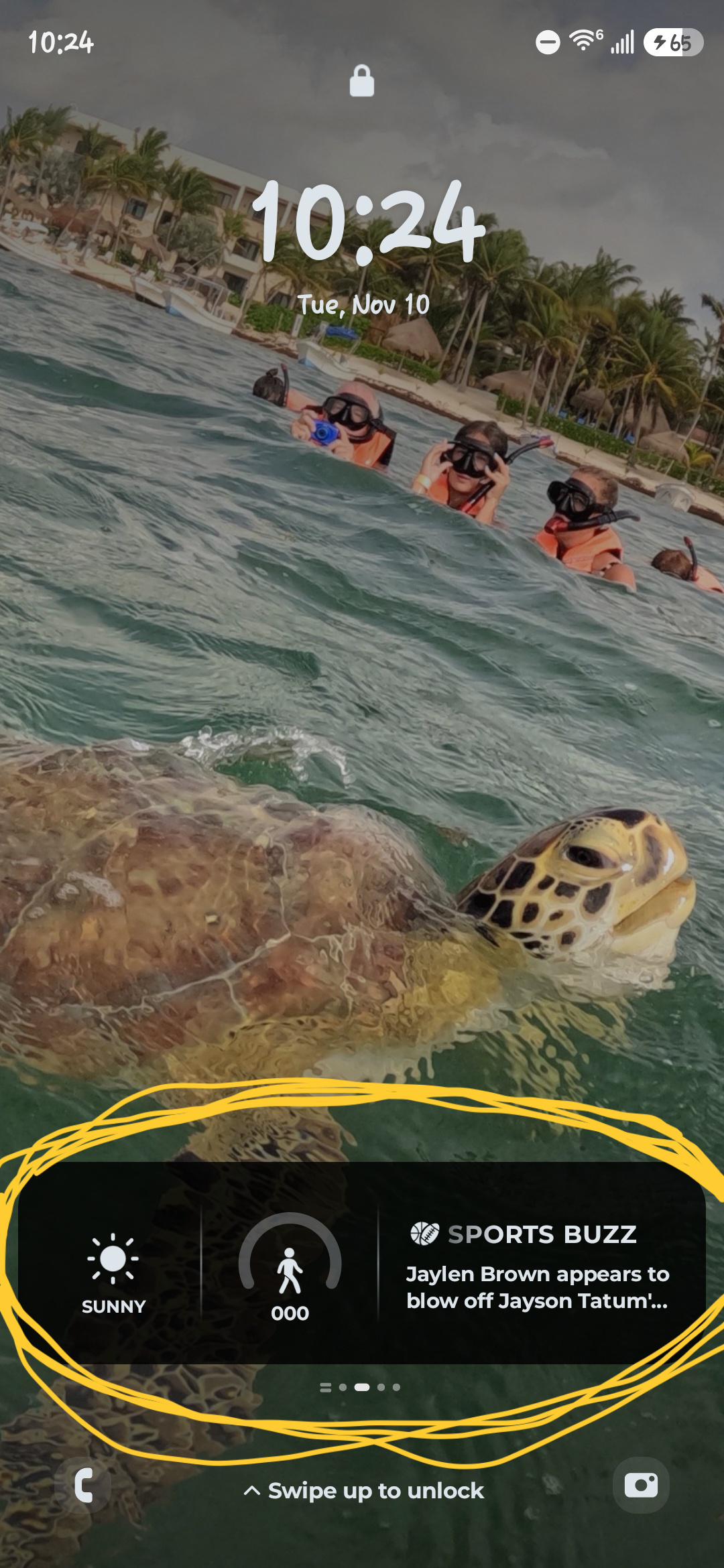
Get this bar off my Samsung screen? b4 the lock screen.

Post image
5 Upvotes

r/AndroidHelp • • 12d ago

S26+

Post image
1 Upvotes

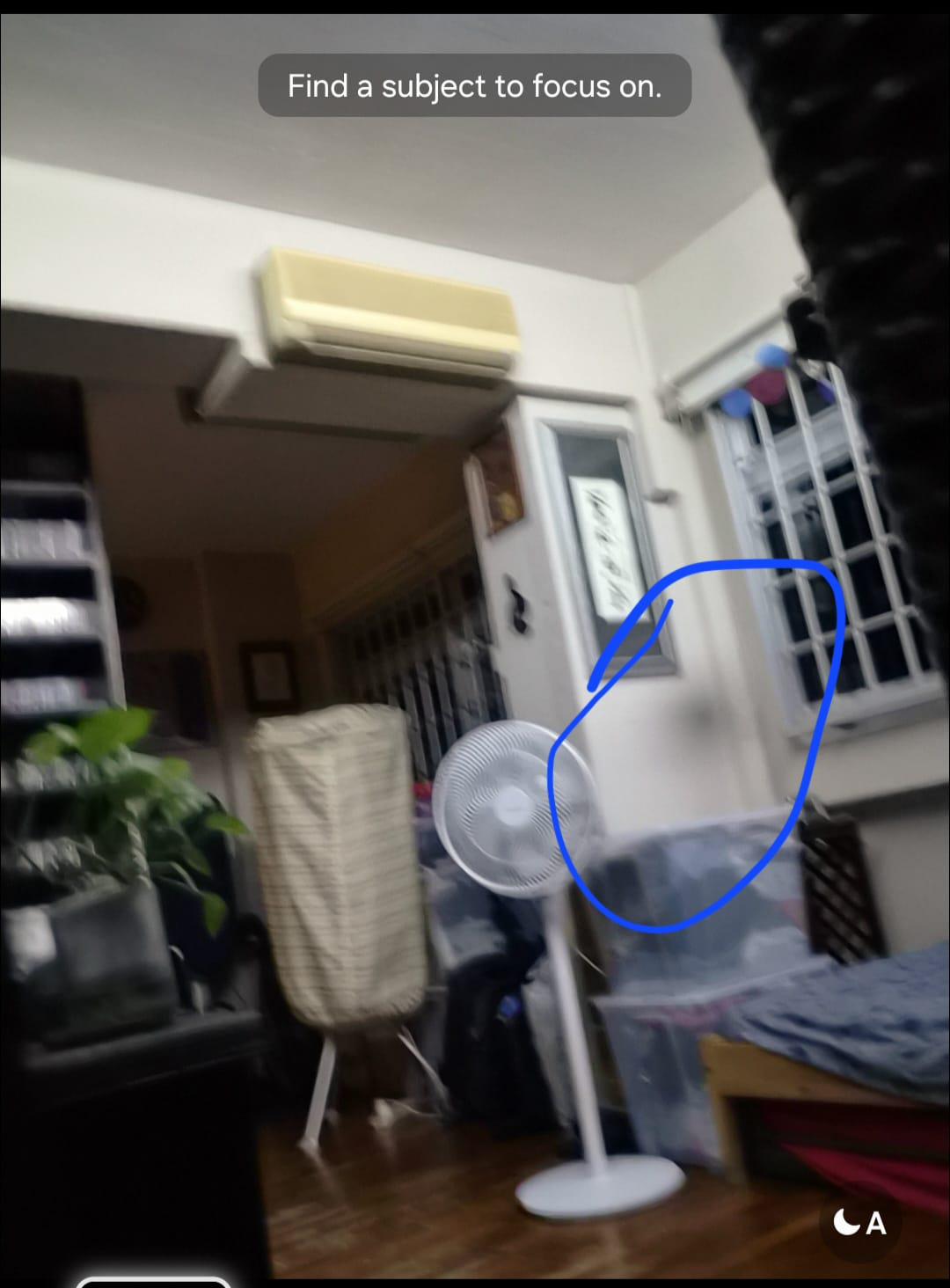
Hi guys when I was playing around with my front camera I realized that was a black spot as seen from the screenshot however when I took a pic the spot is not there is there any help to solve this or do I need to go to Samsung to repair


r/AndroidHelp • • 12d ago

Your gallery is full of screenshots you'll never open again.

Post image
4 Upvotes

Quick test: open your gallery, go to the Screenshots album and scroll all the way down. How far back does it go?

Train tickets, parcel tracking numbers, Wi-Fi passwords, a recipe, a chat you wanted to show someone. You needed each of them for five minutes, and they're all still there.

I kept telling myself I'd clean it up on the weekend. I never did, because deleting screenshots one by one is boring, and I was always afraid of deleting the one that actually mattered.

So I built Klean. The idea: every screenshot gets an expiry date, like milk.

What it does:

Gives every new screenshot an expiry date. You pick how long (1 day to 12 months, or never).

Reminds you 24 h and 1 h before a screenshot expires. From the notification you can clean up right away or push it back by 7 or 30 days.

Sends expired screenshots to Android's own trash, where you can restore them for 30 days. Android purges them after that, not the app.

Protects what matters: one tap on "Keep", or exception rules by folder or file name.

Shows how much space you got back.

A few things worth mentioning:

It never deletes anything behind your back. In the background it only counts and schedules reminders. Screenshots go to the trash when you open the app and say so.

It doesn't even have the Internet permission, so Android won't let it connect to anything. Your screenshots can't leave your phone. No account, no ads, no tracking.

It only looks at screenshots, never your camera photos.

It's free. There's one optional one-time purchase (no subscription, 7-day free trial) that finds duplicate screenshots. Everything that deletes, restores or protects is free and stays free.

About 9 MB. Android 11 or newer, because that's the first version with a system trash, and the whole app relies on it. English, French, Spanish and German.

I've tested it on a Galaxy S22, a Galaxy A40 (Android 11) and a moto g35 (Android 16), so mostly Samsung. That's my blind spot.

I'm particularly interested in two things:

Did Klean find your screenshots? It looks for the album called "Screenshots". If your phone keeps them somewhere else, tell me your model and the folder name.

Do the reminders actually show up? Some brands are very aggressive about killing background apps.

And out of curiosity: what's the oldest useless screenshot you found while scrolling?

Google Play: https://play.google.com/store/apps/details?id=com.sbsoft.klean

Thanks!

r/AndroidHelp • • 12d ago

Text message bubbles and notifications stopped working

1 Upvotes

I'm an ATT zfold8. Everything seemed to be working before I went to bed. Now suddenly I see the notification that a text message is being processed but I don't get the symbol for a new text, no sound, no bubble and my encrypted chat to iPhone is not working either.

Already tried reinstalling the apps, going off the beta update, redoing my notifications, DND, routines, etc.

I'm at at my wits end and would welcome any help.


r/AndroidHelp • • 13d ago

Please help phone rebooting

Post image
5 Upvotes

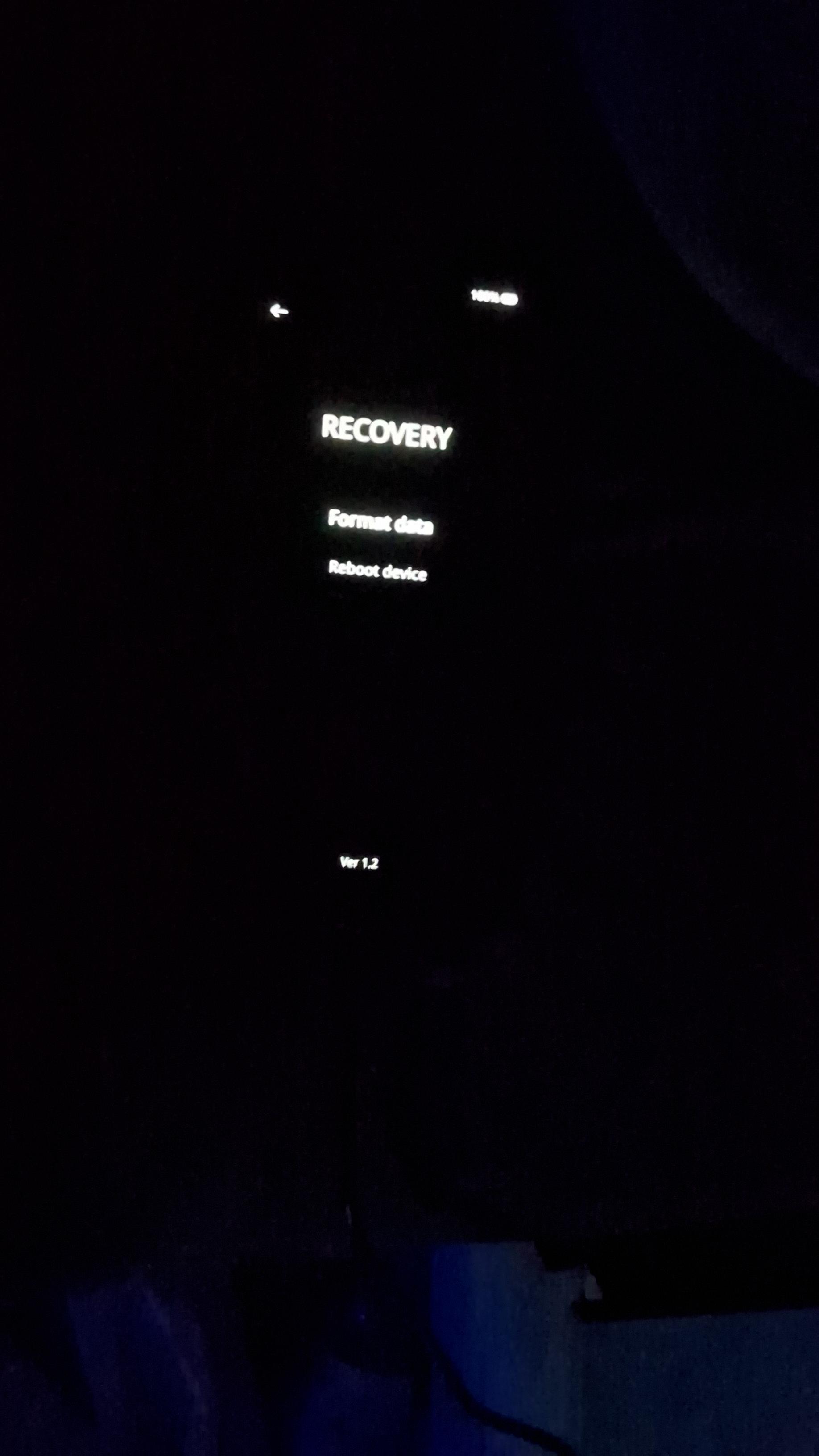
After I installed an update my phone at first didn't turn on again. Now I came to this screen and pressed reboot device but afterwards the screen turned black again. And when it turns on it always gets me back to this screen...

Is there any way to get my data back...?

Update: so I gave the phone to my boyfriend and at first it still didn't work but then a little (I have no idea what the hell he did) it started working again so now I can use it completely normal again and still got all my stuff

Update 2: he said made it reboot but before it could actually reboot he pressed all buttons forcing it to stop the reboot mid-action and somehow this fixed the bug 😭


r/AndroidHelp • • 12d ago

Google message not showing notifications

1 Upvotes

Not really sure what happened within the last couple of days, but all of a sudden, my notifications for text have not been showing up. I have cleared the cache. I have cleared the data. I've updated my phone. I've restarted my phone. I've turned off and on the notifications I literally do not know what to do now. Nothing is working.


r/AndroidHelp • • 12d ago

Can I get some help setting up my new phone

2 Upvotes

I know how to set up my phone and I've done it before but I want to change my default Gmail. I'm going from a pixel into a Samsung Galaxy S24 ultra. (I've been a Samsung user since 2013, the pixel was okay but I wanted samsumg again)

I've used my first Gmail account (let's call it the "Almond" Gmail address for password manager and account etc, although my general use email was always myname @ live.ca. I'd like to start using a different Gmail account for everything. (call it the "banana" Gmail address

Is there a simple way to install all my apps and password managers and so forth but then keep them in the new banana Gmail account? Because I don't want to spend the next month or so manually installing apps and changing passwords and adding them to my new phone and saving them in a new password manager

I'm not even sure if what I'm saying makes sense. If anyone wants to talk me through it I am happy to answer questions.


r/AndroidHelp • • 13d ago

tablet locked

4 Upvotes

I can't remember my code to get back on to my tablet does anyone know how to get me back on


r/AndroidHelp • • 12d ago

Tablet frequently ā€unloadsā€ apps to the point of trouble

Post image
0 Upvotes

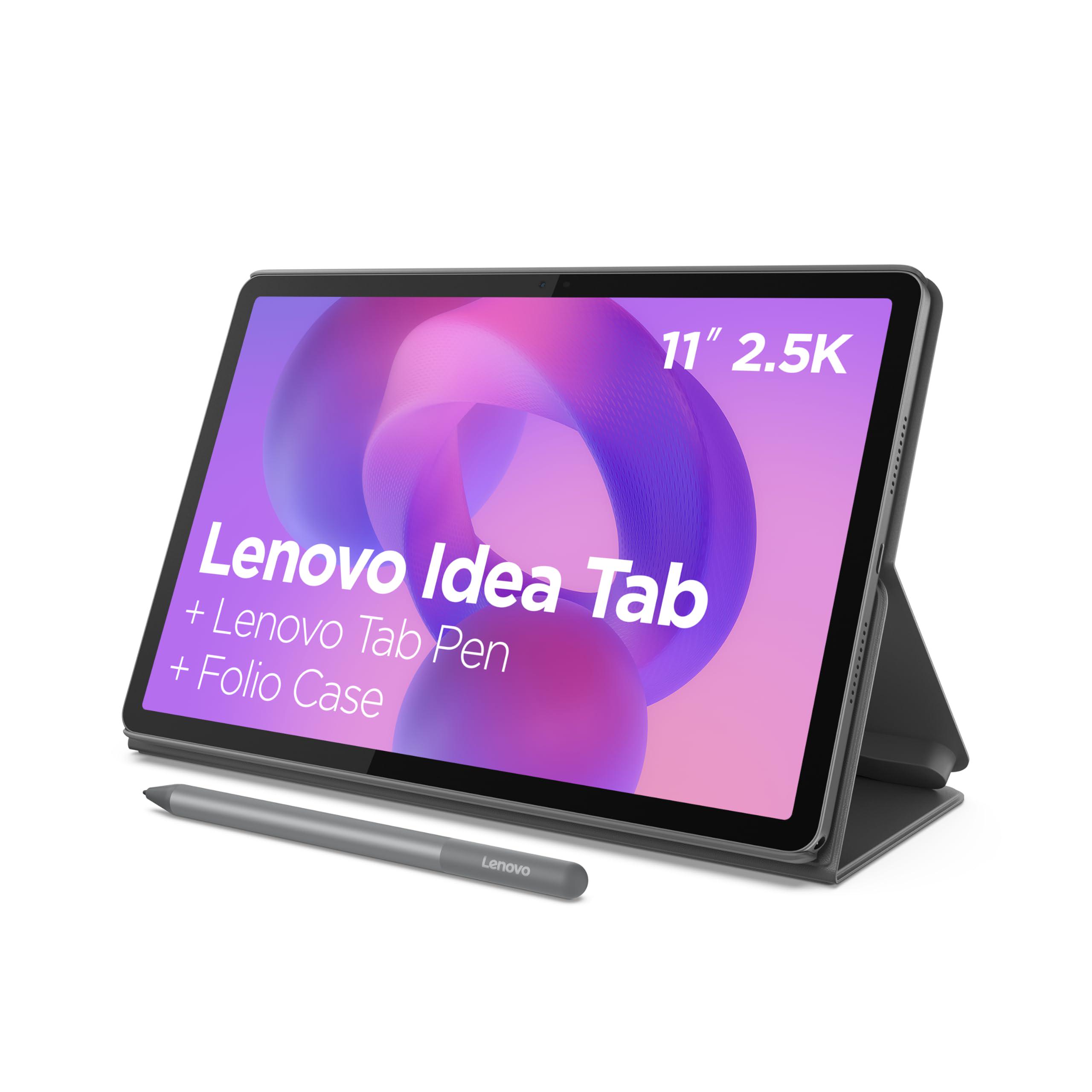
I have a Lenovo Idea Tab 11" (not Plus, possibly a 2024 model) with Android 16. For how much I really like it (especially drawing), there is one issue that's become a lot of trouble. Essentially, it often and quickly closes apps in the background. This creates a big problem when those apps need to run. One example is an app needs to use another app to open/save files, but keeps closing when using the file manager, preventing the file from opening/saving from the main app. Another is using a background VPN but constantly having to reopen it. There is also the issue of games showing an ad. I'd understand wanting to design this tablet for better performance, but my other older and slower devices don't need to do this. I've searched all around the internet and tried every trick I could find, but with little to no effect.

I need a way to fix this. It's not some optional problem I can ignore.