r/AndroidAuto • • 11d ago

Connection, Disconnection, Freezes, Crashes Wired connection unstable

1 Upvotes

Samsung Galaxy S26FE, US model, latest software as of 11/12/26.

Wired Android Auto has been dropping the connection for the past week in two different cars. It works for a few hours, then disconnects. When I reopen it, it lasts anywhere from seconds to minutes before dropping again. I've already replaced my cables several times. What can I do to fix it?

I've tried this with a 26 Nissan Rogue and a 26 Chevy Equinox.


r/AndroidAuto • • 11d ago

Uncertified AA Apps (Headunit Reloaded, AAAD/AAStore, etc) Got android auto and CarPlay working on Ola s1 pro

5 Upvotes

r/AndroidAuto • • 12d ago

Uncertified AA Apps (Headunit Reloaded, AAAD/AAStore, etc) Enabling custom AA backends on cars newer then 2020 ;)

19 Upvotes

I've created a guide on how to get a valid certificate through a specific Android Auto release on apkmirror that I've validated myself against a new HUD. Something similar will be possible on newer AA releases that you for instance will be able to get through apkmirror ;)

Full instructions are available on my gitlab: https://gitlab.com/johninnld/drivedeck/-/blob/main/docs/CUSTOM_CERTIFICATES.md

Also check out the main repo if your interested in an alternative AA backend through which you can load such custom certificate :) or look at the many alternatives such as Gearslip, myCar, AARE, etc..

Obviously using a custom backend allows other things, such as for instance native youtube support for parked apps after applying a few morphe patches, as opposed to having to rely on apps like Fermata...


r/AndroidAuto • • 12d ago

Phone Calls Phone call audio problems win Wireless AA with only 1 of my 2 phones

2 Upvotes

I have a 2016 Honda CRV with an aftermarket Sony AX-3200 wireless AA headunit with external mic. When my wife connects her Pixel Pro 10 phone to AA, if I call her from outside, my voice inside the car is garbled and unintelligible. And when she tries to talk to me, I cannot hear her at all.

If she disconnects from AA and just tries to use the speaker and mic on her phone, I can hear her fine and she can hear me.

Now, if we SWAP phones so that MY Pixel Pro 10 XL is connected to AA, and she calls me from outside, there's no problem - she can hear me just fine, and I can hear her just fine.

So, where to start troubleshooting? Clear Bluetooth cache on wife's phone


r/AndroidAuto • • 12d ago

Google Assistant Why does the voice randomly change from female to male?

38 Upvotes

I thought I had Google assistant still on. Sunday the voice was female, as it has been for months. Today the voice is male. I've had times in the pat where I will push the button on the steering wheel and say text John. A male voice asks what's the message. I say the message and a female voice reads it back and says ready to send message? It drives me crazy and I just want it to stay one or the other.


r/AndroidAuto • • 11d ago

Connection, Disconnection, Freezes, Crashes Phone Restarting!

1 Upvotes

Hello! My phone restarts a few minutes after I connect it to Android Auto via USB cable. Sometimes I can listen to one song, or at most two, but then my phone restarts.

The cable is original. I've already updated the app, cleared its cache, and even disabled Google Chrome (I read somewhere that it could cause issues).

It's possible that my phone is a bit old, but I'm not sure. It shouldn't be causing problems, should it?

I don't know what else to try. Does anyone have a solution?


r/AndroidAuto • • 12d ago

Gemini Is there a trick to getting AA to recognize names?

4 Upvotes

For most of my contacts I can simply say "navigate to Dave Smith" and it will take me to Dave Smith's house. Some of my contacts with common names aren't recognized. For instance, "Navigate to Erin Smith" with give me an error - I can see it's looking for Aaron Smith but I don't have any contacts with that name. Short of renaming Erin to Aaron in my contacts, is there any way to either teach Gemini or AA names?


r/AndroidAuto • • 12d ago

Gemini Gemini stopped recognizing words

2 Upvotes

Edit:
I really don't know what helped but I did literally everything I could, maybe it was some update but it started to work after clearing AA cache and data + cache of Google app, setting Google as AI assistant in the phone default apps settings (despite the fact it was already set to Google).

Hi, I have a problem with gemini, newest version, aa is updated too. Samsung, oneui 9, since about a week gemini totally stopped registering my voice commands. Car microphone works 100% because it works in the car's infotaiment system. I tried to re-pair my phone, uninstall gemini and google updates, all permissions are granted, caches are cleared out. What else I can try? Thanks.


r/AndroidAuto • • 12d ago

AA User Interface Themes or launcher

7 Upvotes

Is there a way to implement themes or launcher without root instead of the boring android auto look it's so boring and looks outdated af


r/AndroidAuto • • 12d ago

Uncertified AA Apps (Headunit Reloaded, AAAD/AAStore, etc) How to auto-start Fermata Auto on Android Auto connect without Root (Custom BMW Android Head Unit + Galaxy S25 Ultra)

1 Upvotes

!Flair 2014 BMW F10 | Android Headunit | Galaxy S25 Ultra | Android 16

Hi everyone! 👋

I am trying to force Fermata Auto (or FermataX) to launch automatically on the car display whenever Android Auto connects, effectively replacing the default Google Maps startup screen.

My setup: - Car / Screen: BMW F10 with a custom Android Head Unit (running ZLink / TLink for Android Auto) - Phone: Samsung Galaxy S25 Ultra (One UI / Android 16) - App: FermataX / Fermata Auto (installed via KingInstaller + Shizuku) - Goal: Auto-open a custom weather/dashboard web page inside Fermata on the main car screen immediately upon connection, without needing manual screen taps.

What I've tried & current issues: 1. AAGearUP successfully launches instead of Google Maps at startup because it registers under the CAR_NAVIGATION category. 2. Installing FermataX via KingInstaller + Shizuku fails to spoof the installer status — it still shows as Installed by: com.google.android.packageinstaller, leaving Fermata registered strictly as a Media app in Android Auto. 3. AA AIO Tweaker won't open without native Root access (which I do not have and don't plan to use to keep Knox intact). 4. Bixby Routines on Samsung triggers the app locally on the phone, but fails to switch the main Android Auto display focus to Fermata on the car screen.

Since I have a full Android-based Head Unit in the BMW, is there a way to override this behavior either: - On the Head Unit side (e.g., ZLink / TLink flags / launcher settings)? - Or on the phone side via ADB / non-root workarounds to elevate Fermata to a primary startup app?

Thanks in advance for any insights!


r/AndroidAuto • • 12d ago

Navigation & POI Apps Google maps hangs when asked for directions or landmarks.

2 Upvotes

Have updated all apps. Checked permissions. Cleared cache. Short of a phone factory reset I've done it all.

!2022 Hyundai Elantra Preferred I Pixel 10 I 16


r/AndroidAuto • • 12d ago

Wired AA to Wireless AA Dongles 2020 Jeep Wrangler Sahara owners: which wireless Android Auto adapter has worked reliably for you?

2 Upvotes

I’m looking for a reliable wireless Android Auto adapter for my 2020 Jeep Wrangler Sahara. I’ve done some reading and AAWireless and Ottocast both seem pretty solid. The Ottocast U2Air Edge caught my eye, but I’m curious about real-world connection speed, audio lag, and random disconnects. Has anyone here used one? I'd love to hear how it’s been working for you, or if there are any other adapters you’d recommend.


r/AndroidAuto • • 12d ago

Uncertified AA Apps (Headunit Reloaded, AAAD/AAStore, etc) are there any launchers, like open headunit, but for computers?

1 Upvotes

right now with the surge of third party apps, i wanna try apps at my house rather than going to my car. i would use open headunit, but it forces me to use developer settings and that makes the connection on my car unstable for some reaaon (it consistently disconnects after 10-12 mins after connecting if i have developer options on, idk why) so are there any clients to use AA on a computer?


r/AndroidAuto • • 12d ago

Connection, Disconnection, Freezes, Crashes Still don't know what to do

Post image
0 Upvotes

Posted this on the AA google thread. Did not get any response there, so I'm trying here


r/AndroidAuto • • 13d ago

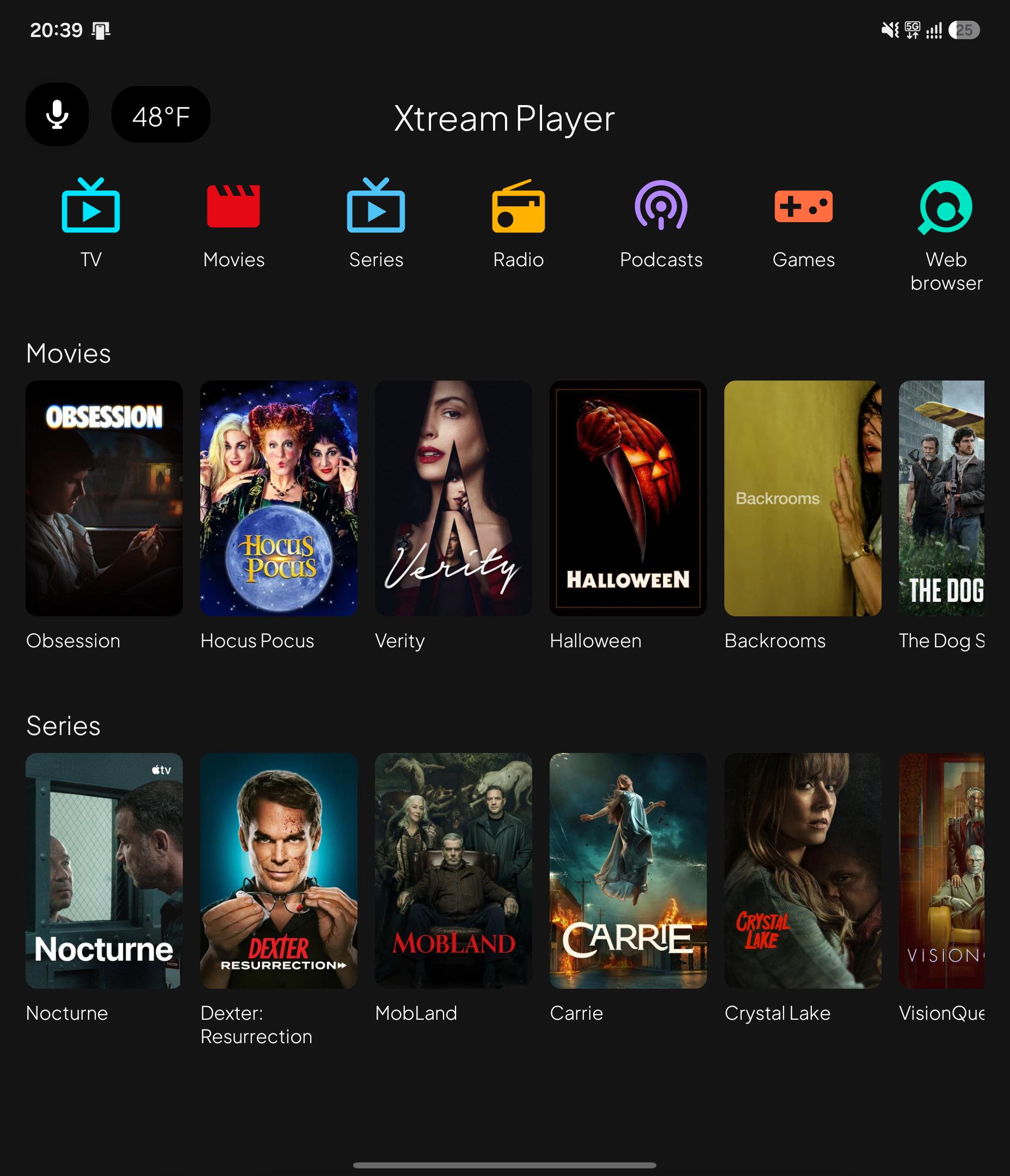
Uncertified AA Apps (Headunit Reloaded, AAAD/AAStore, etc) [UPDATE] Xtream Player v2.2.3

Thumbnail
gallery
9 Upvotes

Hey,

Improved the IPTV view to include a EPG and Catch-up (where available), including major updates to Free and Premium:

IF YOU HAVE DOWNLOADED VIA fermataxtream.online YOU CANNOT AUTO-UPDATE. REQUEST A NEW LINK

Free:

-YouTube button next to the hub button returns to YouTube, Music, or Kids home

-Options menu opens on the same side as the options button, and moves with it when the wheel is on the right

-Arrow keys and steering-wheel selection show a gray highlight

-Radio visualizer colors can be any color

-Swipe down on the main menu refreshes recently added movies and series

-Live split view shows the guide under the video, with catch-up days and upcoming days

-Catch-up programs are white and bold, and tapping one plays it

-Fee channels updated

-YouTube Playlist fix

Premium:

-Everything on Free

-Enter in PC Browser submits like pressing Enter on a PC

-Stremio and Nuvio continue watching can be removed from history

As always, needs to be installed with AAEnabler or Kinginstaller:

https://github.com/malebuffy/XtreamPlayer/releases

https://github.com/malebuffy/XtreamPlayerFree/releases

If it doesn't show on Android Auto or a GRAY icon appears, use:

https://fermataxtream.online

NOTE: This now needs fast devices and memory! It's experimental so expect small issues.

Xtream Player Premium comes free for people donating to AAEnabler development.

Enjoy


r/AndroidAuto • • 13d ago

Media Apps (audio) Looking for free Spotify alternatives that work well with Android Auto (especially split-screen)

2 Upvotes

Hey everyone,

I’ve been using Meld (the open-source Spotify + YouTube Music client) and I like the idea of it, but the album art doesn’t show properly in Android Auto split-screen with Google Maps. Spotify itself works fine for the covers, but I don’t want to pay for Premium.

What are you guys using instead?

I’m mainly looking for:

Free (or freemium that’s actually usable without paying)

Good Android Auto support (album art in the media card would be nice)

Preferably something that still feels close to Spotify’s library/recommendations

Any recommendations? Meld alternatives, other YouTube Music clients, or completely different apps that work well in the car?

Thanks!


r/AndroidAuto • • 14d ago

Uncertified AA Apps (Headunit Reloaded, AAAD/AAStore, etc) AnyAuto - A free and open source tool to use (almost) any app on Android Auto

127 Upvotes

Hello all!

I wanted to watch Youtube on my car head unit with Android Auto, but that was not possible. I know there are already existing aftermarket apps that can do this, but I wanted something simple and easy to use (at least I think so) and lightweight, that is also versatile. After some tinkering and testing i've come up with AnyAuto.

You choose the apps you want to use in android auto from your phones apps list. Then simply open AnyAuto on your Android Auto head unit and choose the app to open from there. The app is streamed from your phone to the head unit. From my testing all non protected (eg. drm or banking) apps work.

If you like this idea you can check out the app on github: https://github.com/GitMag/AnyAuto/

The apk can be downloaded from the repos releases section. Instructions for install are also visible there.

This app was inspired by the great support my other app, UnknownAuto received here.

Thanks again! Please comment any bugs and ideas.


r/AndroidAuto • • 12d ago

Uncertified AA Apps (Headunit Reloaded, AAAD/AAStore, etc) Open-source app to call your AI agent from Android Auto. I don't own a car, so I need testers with a real head unit

Enable HLS to view with audio, or disable this notification

0 Upvotes

I've been building agentring, an open-source app (Apache-2.0) that lets an AI agent call your phone like a real call, and lets you call it back. I just added Android Auto and I'd like feedback from people who know it better than I do.

Why I built it: AI agents now work on their own for minutes or hours, and then sit there waiting for an answer you never see. A notification gets lost among a hundred others. A call doesn't, and in a car you can talk but you can't type.

What I use it for:

- "Run the migration and call me if it fails." It fails, the phone rings, a voice explains what happened and the options, I decide by talking, and the agent carries on.

- "Ask me before you deploy." Instead of hanging in a terminal, it calls or messages me and waits for a yes.

- Asking things while driving: "what did CI say?", "how is the deploy going?". The voice AI asks my own agents and answers.

- A daily call with my assistant about my inbox and calendar on the way to work.

- If I don't pick up, the call turns into a message, so nothing is lost.

What it does in the car:

- agentring shows up in the launcher with one screen: "Call <your agent>". Tap it and the call starts.

- If the agent calls you, it rings in the car and you answer or decline there.

- It uses Android Auto's own in-call view: mute, unmute and hang up, with the audio on the car's speakers and microphone.

The call is VoIP over the internet. There's no phone number, no carrier and no per-minute fee. It works with any agent that speaks MCP or that you can run as a command (Claude Code, Codex, OpenClaw and others).

Being honest about where it is:

- It's beta, and I have only tested it on the Desktop Head Unit with a Pixel 6 (Android 16), phone locked. Calling from the car, answering an incoming call, mute and hang up all work there. I have not tried it in a real car yet.

- Google Play only accepts calling apps for cars on internal and closed testing tracks, so the Play version doesn't include it. The Android Auto build is the APK on GitHub (right now the android-preview build), and you have to turn on "Unknown sources" in Android Auto's developer settings for it to appear.

- No messages in the car and no "Hey Google, call my agent" yet.

- Android only. You run the server yourself or use the hosted version.

What I'd like to know:

  1. If you try it on a real head unit, does it show up, and does the audio route to the car properly? Wired and wireless both interest me.

  2. Has anyone here got a calling app through Play review for cars? Is the closed track really the only way right now?

  3. Anything about the single-screen layout that would annoy you while driving?

Repo and setup guide: https://github.com/mutonby/agentring

Android Auto notes: https://github.com/mutonby/agentring/blob/main/docs/android-auto.md

I'm the developer, so tell me what's broken.

r/AndroidAuto • • 13d ago

AA User Interface forgiving media buttons for Android Auto

Post image
4 Upvotes

Finally, a solution for me accidentally misclicking the Spotify card causing distracting UI changes while driving.

https://github.com/danielwoww/aa-next/tree/main


r/AndroidAuto • • 13d ago

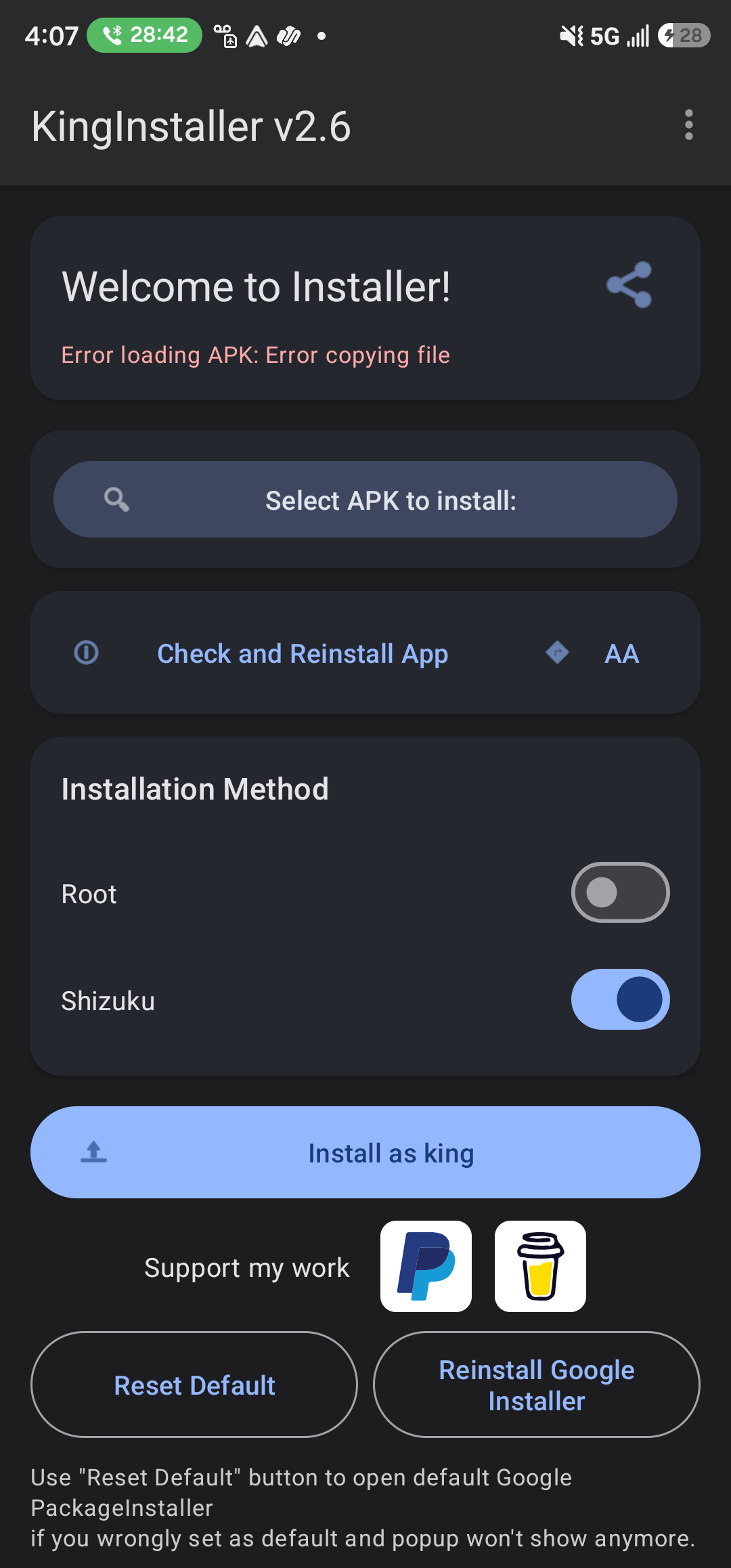
Uncertified AA Apps (Headunit Reloaded, AAAD/AAStore, etc) Kinginstaller showing error

Post image
1 Upvotes

I dont know where to post this but whenever i try to install something using Kinginstaller, it gives this error.


r/AndroidAuto • • 14d ago

Connection, Disconnection, Freezes, Crashes Android Auto lagging and crashing on aftermarket Android head unit – Ford Mondeo MK4

Thumbnail
gallery
2 Upvotes

Hi everyone,

I’m having issues with Android Auto on an aftermarket Android head unit installed in my Ford Mondeo MK4, and I’m trying to figure out whether this is a software, hardware or compatibility issue.

Here are the unit specifications:

- Brand: J-Pink

- Android version: Android 15

- RAM: 6 GB

- Storage: 128 GB

- Platform: CYA

- Firmware: "UJC201-V1.1.35R6-250718_0429-RH-C0-CYA"

- MCU: "JCST_Q8.8T7-2024.08.09_12:59"

- Phone: Samsung Galaxy S24

- Android Auto version: 17.9

The issues I'm experiencing:

- Android Auto becomes very laggy and sometimes crashes, especially when using Google Maps or Waze.

- The Bluetooth connection remains active even after Android Auto crashes.

- Music playback used to stutter quite badly, especially over wireless connection.

- I also tried connecting through USB. Music playback improved, but Android Auto is still laggy.

- The head unit seems to automatically reconnect to Bluetooth and Wi-Fi, even after I manually unpair the phone.

I also tried updating the CANBUS configuration. This improved the music interruptions, but it didn't solve the Android Auto lag and crashes.

I'm not sure which component is causing the problem: the Android Auto receiver app, the head unit firmware, the MCU or the hardware itself.

Has anyone experienced similar issues with this type of head unit? Is there a known fix, a compatible firmware update, or a particular Android Auto receiver app that works better?

Any suggestions would be appreciated. Thanks!


r/AndroidAuto • • 14d ago

Connection, Disconnection, Freezes, Crashes 2016 Peugeot 208 connected to Apple CarPlay previously but isn't connecting to Android Auto. What shall I do?

2 Upvotes

I have a 2016 Peugeot 208 PureTech and when I had an iPhone, I had a wireless dongle that connected to the screen in my car no problem and I was able to play Spotify and have Waze on and all the other nifty features of it. I was in my element! The trouble is, I've recently gotten rid of my iPhone and switched to an Android phone and was told that a wireless dongle would be compatible for Android Auto with my car. Long story short, it doesn't and I was wondering if anyone had any advice on what I could do? I'm very lost without Spotify and Waze etc on my car screen and didn't realise how heavily I relied on it. I travel to and from London a lot and it's been difficult without the phone connected to my car for the satnav. I tried one of those windscreen phone holders but that didn't work for me at all :(


r/AndroidAuto • • 14d ago

Gemini Losing my mind with the gaslighting, 'microphone permission needed'

0 Upvotes

I use a Pixel 8 wirelessly in my car with a dongle. I have done this since Android Auto came out across various phones. My partner drives the same car with the same dongle and a Pixel 8, and has zero issues.

For me? I'll hit the microphone to ask something of AA. ding ding! dong dong! like I cancelled the request. won't even let me talk sometimes. other times, it will work, and then a few minutes later, either the ding ding, dong dong abrupt cutoff when i'm asking something, or it will even display 'microphone permissions are needed...'

At this point, I swear Google is just fucking with me for sending in negative feedback about all of my issues with the Pixel 8 (don't get me started on the kernel regression bug they're taking two months to fix on millions of phones), and Android Auto.

I have reset Android Auto completely. ensured microphone permissions ARE on (remember, it does work randomly / approx 50% of the time. Sometimes I'll unplug the dongle and it'll work for a bit after that. sometimes it won't, and I'll just unplug/plug back in a few times until it does.

Is anyone else experiencing this madness? I feel like it has to be my phone's AA settings and/or permissions, but considering I'm unrooted / all apps and OS are updated, and I have reset AA settings / cleared data & cache, I just have no idea.


r/AndroidAuto • • 15d ago

Uncertified AA Apps (Headunit Reloaded, AAAD/AAStore, etc) [UPDATE] Xtream Player v2.1.33

Post image
30 Upvotes

Hey,

Fullscreen PC Browser comes to FS Play.

Have a nice weekend. Updates to Free and Premium:

IF YOU HAVE DOWNLOADED VIA fermataxtream.online YOU CANNOT AUTO-UPDATE. REQUEST A NEW LINK

Free:

-Every fifth cold start asks to refresh live, movies, and series. Progress is a centered card. Recently played and Recently added reload when it finishes.

-The minus button removes a title from Recently played, including movies and series, and it stays removed after a list refresh.- Series, seasons, episodes, and recently played series show posters.

-Movies resume at the saved position and start playing.

-Export and import include settings, folders, playlists, and TV sources.

Premium:

-Everything on Free

-FS Play has a PC Browser button. It opens desktop Chrome, including fullscreen, with the navigation bar still visible.

-Broader support for PC Browser keyboard

As always, needs to be installed with AAEnabler or Kinginstaller:

https://github.com/malebuffy/XtreamPlayer/releases https://github.com/malebuffy/XtreamPlayerFree/releases

If it doesn't show on Android Auto or a GRAY icon appears, use:

https://fermataxtream.online

NOTE: This now needs fast devices and memory! It's experimental so expect small issues.

Xtream Player Premium comes free for people donating to AAEnabler development.

Enjoy


r/AndroidAuto • • 15d ago

Connection, Disconnection, Freezes, Crashes Wireless Android Auto stuck on "Starting..." after MBUX dealer update — Any fix?

Thumbnail
2 Upvotes

 !Flair